
If you’re planning multi-stop routes in spreadsheets and double-checking them in Google Maps, you’re not alone. But this approach breaks down fast when volumes increase, stops run over time or same-day jobs land without warning — turning dispatch into a scramble.
Multi-stop route optimisation goes beyond arranging stops in the right order. True optimisation accounts for the real operational factors that shape every run: time windows, service times, vehicle capacity, shift limits, priority customers and live traffic. This guide focuses on how dispatch teams actually work — planning, allocating and adjusting routes across multiple drivers while keeping ETAs reliable and overtime under control.
What Does Multi-Stop Route Optimisation Really Mean?
Multi-stop route optimisation means planning routes that can adapt in real time to the changing factors that affect every delivery run. When done well, it reduces unnecessary kilometres, eliminates backtracking, improves on-time performance and keeps the day running smoothly as conditions shift.
The variables that can impact a delivery route include:
The difference between basic routing and real optimisation is whether the plan can hold up when any one of these factors changes mid-run — not just whether the stops are in the right order at 6am.
A Dispatch Workflow That Scales
Most dispatch teams follow a similar process whether it’s formalised or not. The four stages are the same regardless of fleet size:
1
Plan: Build the day’s work into realistic, achievable routes before drivers leave
2
Assign: Allocate jobs to drivers and vehicles in a way that balances workloads across the full fleet
3
Execute: Track progress in real time while drivers are on the road
4
Adjust: Respond to traffic, delays, urgent jobs or failed deliveries without throwing the entire plan off
The key is that planning needs to expect change. A route plan that can’t absorb disruption isn’t really a plan — it’s an optimistic guess.
Three Factors That Make Routes Actually Work
Effective multi-stop routing depends on three core inputs. When these are planned properly, ETAs improve, overtime drops and service becomes more consistent.
1
Time windows — plan around these first: Missing a delivery window causes delays, re-deliveries and last-minute changes that ripple across the rest of the run. These are non-negotiable constraints, not targets.
2
Service time per stop — don’t underestimate it: Service time is one of the most common causes of late ETAs. Using realistic time ranges based on actual stop history, rather than a flat estimate, is what keeps routes on track.
3
Capacity and route duration — plan for reality: When vehicle type, load limits and customer requirements aren’t properly accounted for, routes become unrealistic. The result is overtime, rushed driving, missed windows and constant replanning.
Job Sequencing: Getting the Order Right
Job sequencing is the process of deciding the order in which stops are visited on a route, with the goal of minimising distance, time and delays across the full run.
A practical framework for sequencing: cluster first (group stops by practical zones), sequence second (optimise the order inside each zone), protect windows (don’t leave tight time windows to the end), and respect service time (long stops change what’s feasible for every stop that follows).
Good sequencing isn’t about finding the theoretically shortest path — it’s about building a route a driver can actually complete, on time, with the stops they’ve been given.
Multi-Driver Planning Is About Workload Balance
Planning a solid route for one driver is straightforward. The real challenge is planning routes across multiple drivers so work is shared evenly and capacity isn’t wasted on any one run.
Balance isn’t simply about giving everyone the same number of stops. It’s about accounting for total route time, distance travelled, delivery time windows, stop complexity and vehicle or load requirements. A driver with 12 quick stops may finish faster than a driver with 8 stops that each take 30 minutes to unload.
Signs Your Planning Has Become Reactive
When planning is done across the full fleet at once — rather than route by route — the system can distribute work fairly and feasibly before the day starts.
Batch Planning: Why One-at-a-Time Fails
Batch route planning means planning all routes together so work is distributed across the fleet from the start, rather than building routes one at a time and leaving the harder jobs to whoever gets planned last.
Planning routes individually creates a hidden problem: early routes get the easiest stops, and later routes end up with the scattered, difficult jobs that drive overtime and service failures. By the time you notice the imbalance, drivers are already on the road.
Batch planning matters most when volume is growing, you operate across multiple regions or depots, or your day regularly involves same-day changes. It’s also the fastest path to consistent performance.
Dynamic Rerouting: Control When the Plan Changes
Planning creates a route. Control comes from being able to update it when things don’t go as expected. Traffic, delays or urgent jobs can make a morning plan outdated within the first hour.
Dynamic rerouting updates routes in real time, helping drivers stay on track without requiring a dispatcher to manually rebuild the entire run. A good rerouting system should:
The goal is to handle minor disruptions before they become major problems — not to rebuild routes from scratch every time something changes.
Live ETAs Cut “Where Is My Order?” Calls
Keeping customers informed automatically reduces inbound enquiries without adding headcount. When delivery times update in real time as conditions change, customers know when to expect their delivery without chasing updates.
A reliable ETA reflects actual travel and service time based on what’s happening on the route right now — not a static window set at 6am. This leads to fewer customer calls, fewer follow-ups from dispatch, fewer escalations and fewer complaints pulling teams away from the work that matters.
Measuring What’s Actually Working
To make route optimisation stick, you need clear visibility into the gap between what was planned and what actually happened. A small set of practical metrics connects routing decisions directly to cost and service outcomes:
These metrics show what’s working and what isn’t, giving a clearer picture of performance than stop counts or kilometres alone.
When Spreadsheets and Maps Aren’t Enough
Spreadsheets and Google Maps work for simple routing. They struggle with real-world complexity: multiple constraints, multi-driver balancing and same-day changes happening faster than a planner can respond.
If planning is taking longer each week, overtime is rising, or dispatch has become a constant bottleneck, the tools aren’t keeping up with the operation.
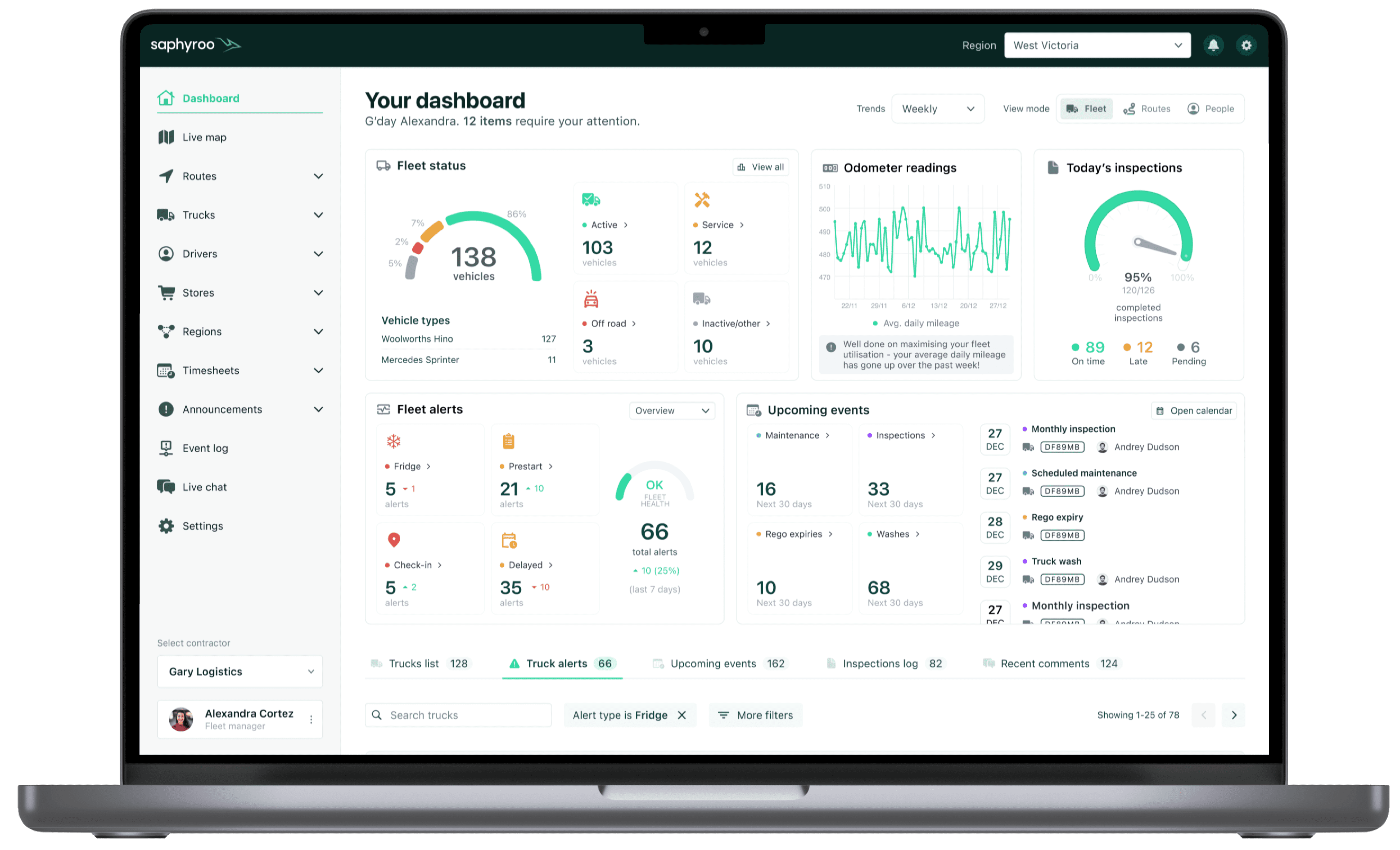
Batch planning, dynamic rerouting and live ETAs keep routes running smoothly without adding headcount or asking dispatchers to do more with less.