[ Forward Collision & Near Miss Detection ]
Detect Forward Collision Risk Before Impact
Identify forward collision risks and near miss events, alert drivers in the moment and give operations the context to respond.
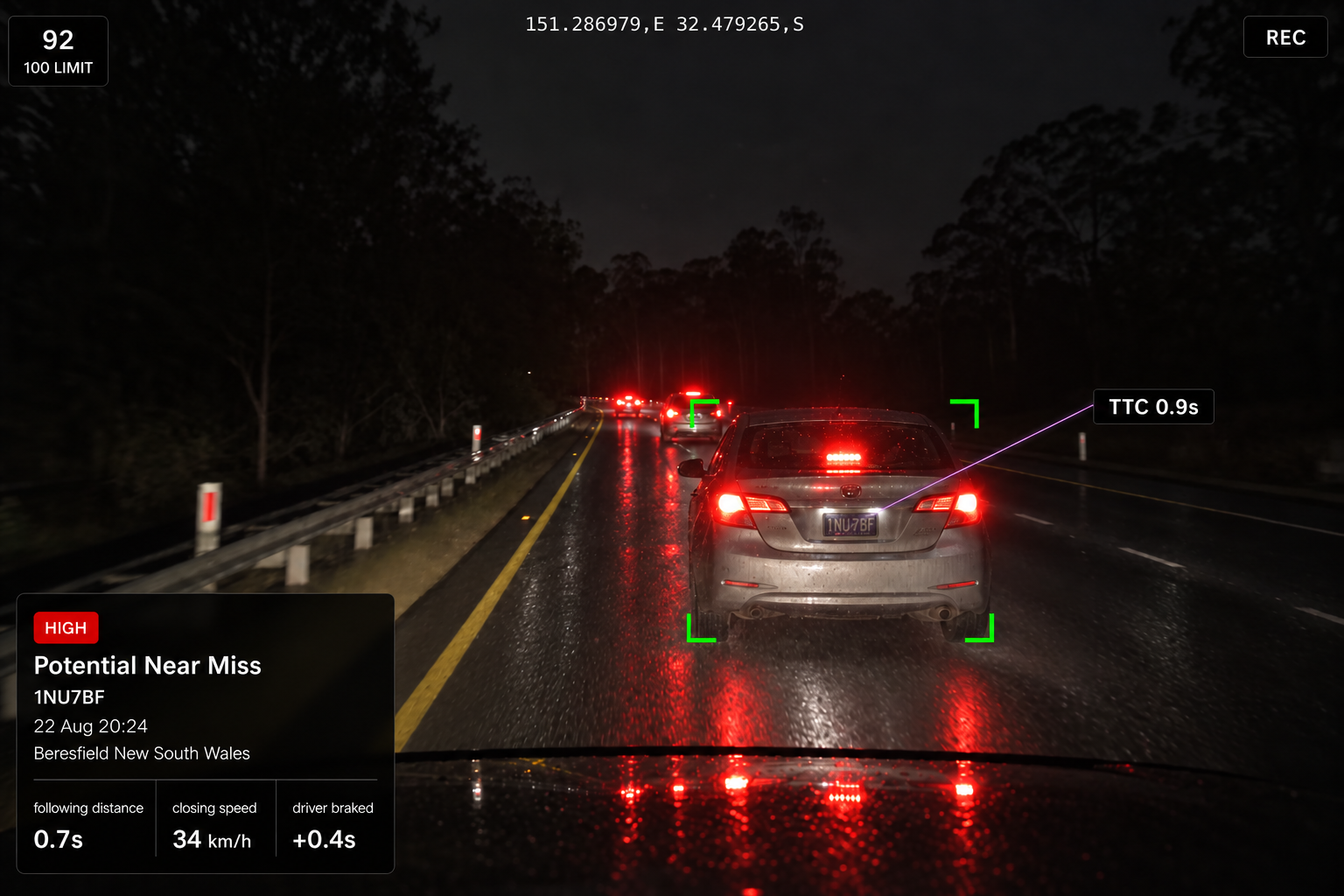
From policy to escalation
From Detection to Driver Alert and Action
01
Detection policy
Set the trigger condition, minimum speed, driver alert and severity for each detection type.
02
Driver alert
Prompt the driver with visual, audible and haptic alerts where supported by the fitted device.
03
Vehicle response
Review available vehicle data after the alert, such as braking or an increase in following distance, to provide additional context around what happened.
04
Escalation
Where defined conditions are met, send the event to a manager or safety team for further review.
What we detect
Events Detected on the Road Ahead
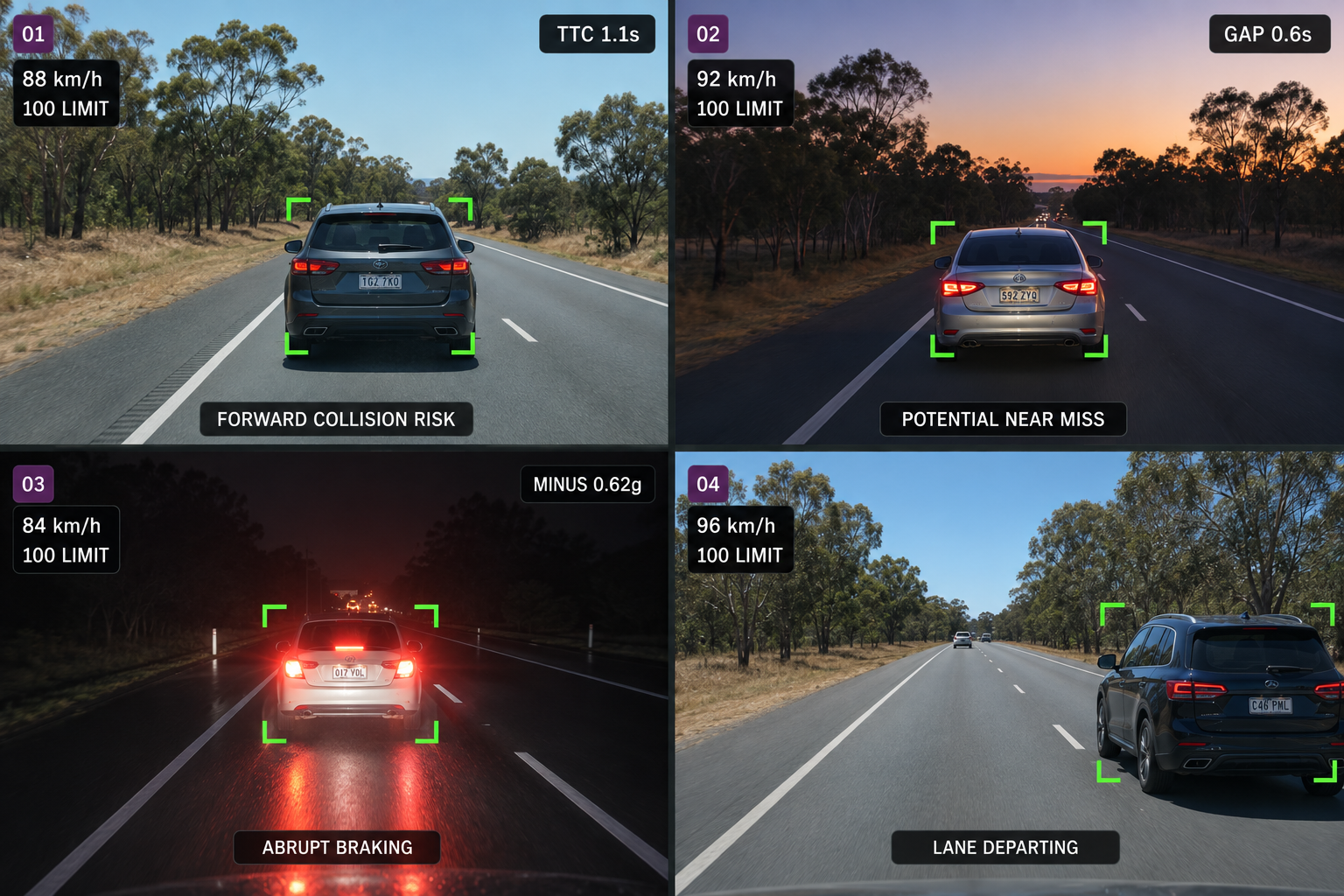
Forward collision risk
Identify potential forward collision events using supported camera and vehicle information such as time to collision, relative speed and following distance.
Potential near miss event
A potential close call identified through time to collision and following-distance data, helping teams spot recurring risk patterns over time.
Abrupt braking event
Identify high deceleration events using Drive360 braking data alongside Vision360 video, giving teams greater context around what happened.
Lead vehicle departure
Identifies when the vehicle ahead begins to move, helping keep the driver aware of changing traffic conditions.
Additional features
Time to Collision
Estimate time to collision from supported camera and vehicle data.
Following Distance
Record the gap to the lead vehicle alongside speed.
Relative Speed
Compare your speed with the lead vehicle's.
Configurable Sensitivity
Set thresholds and alerts for each detection type.
Minimum Speed Gates
Prevent low speed manoeuvres from raising events.
Severity Levels
Set high, medium and low severity levels.
Event Video
Capture footage surrounding detected events, subject to device and recording configuration.
Road and Lane Context
Record where the event occurred on the road network.
Vehicle Response
Record braking or increased following distance after the alert.
Under Review Status
Hold events for review before they are actioned.
Policy Management
Manage detection rules across the fleet from one place.
Full Event Context
Bring video, telematics and contextual data together on every event.
One Road Event. The Full Picture.
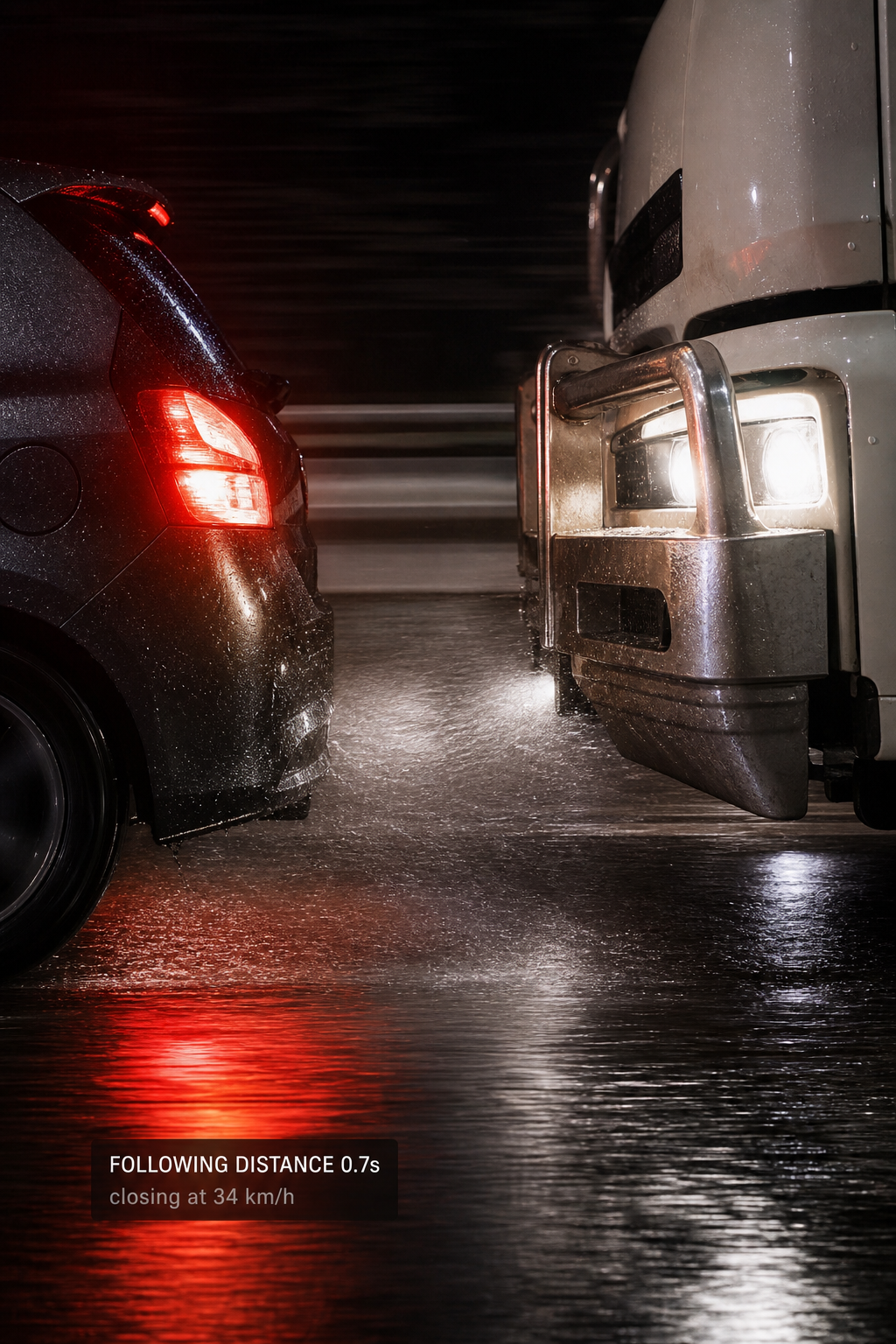
On the road
Identify a potential collision risk
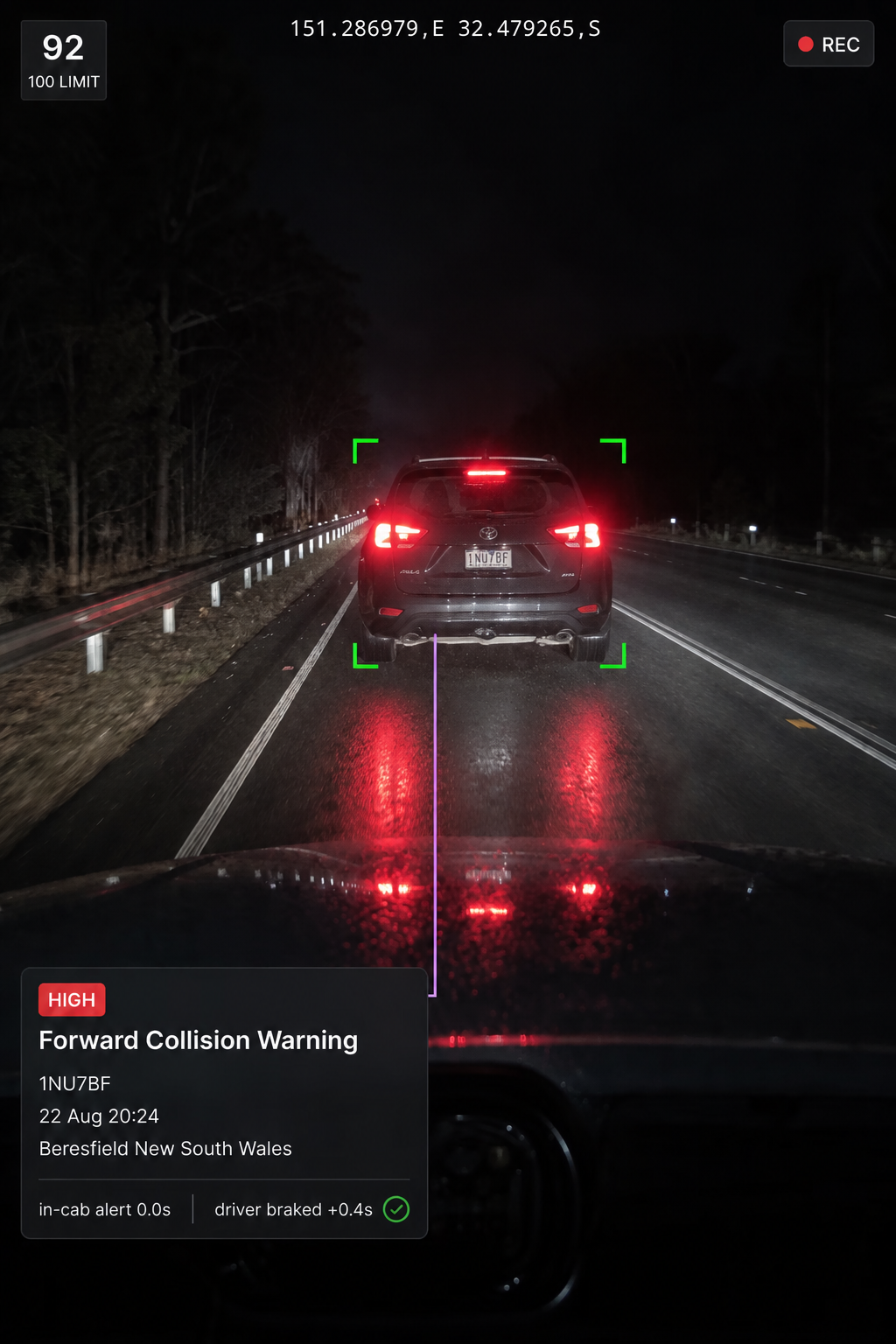
In the cab
Alert the driver to the risk ahead
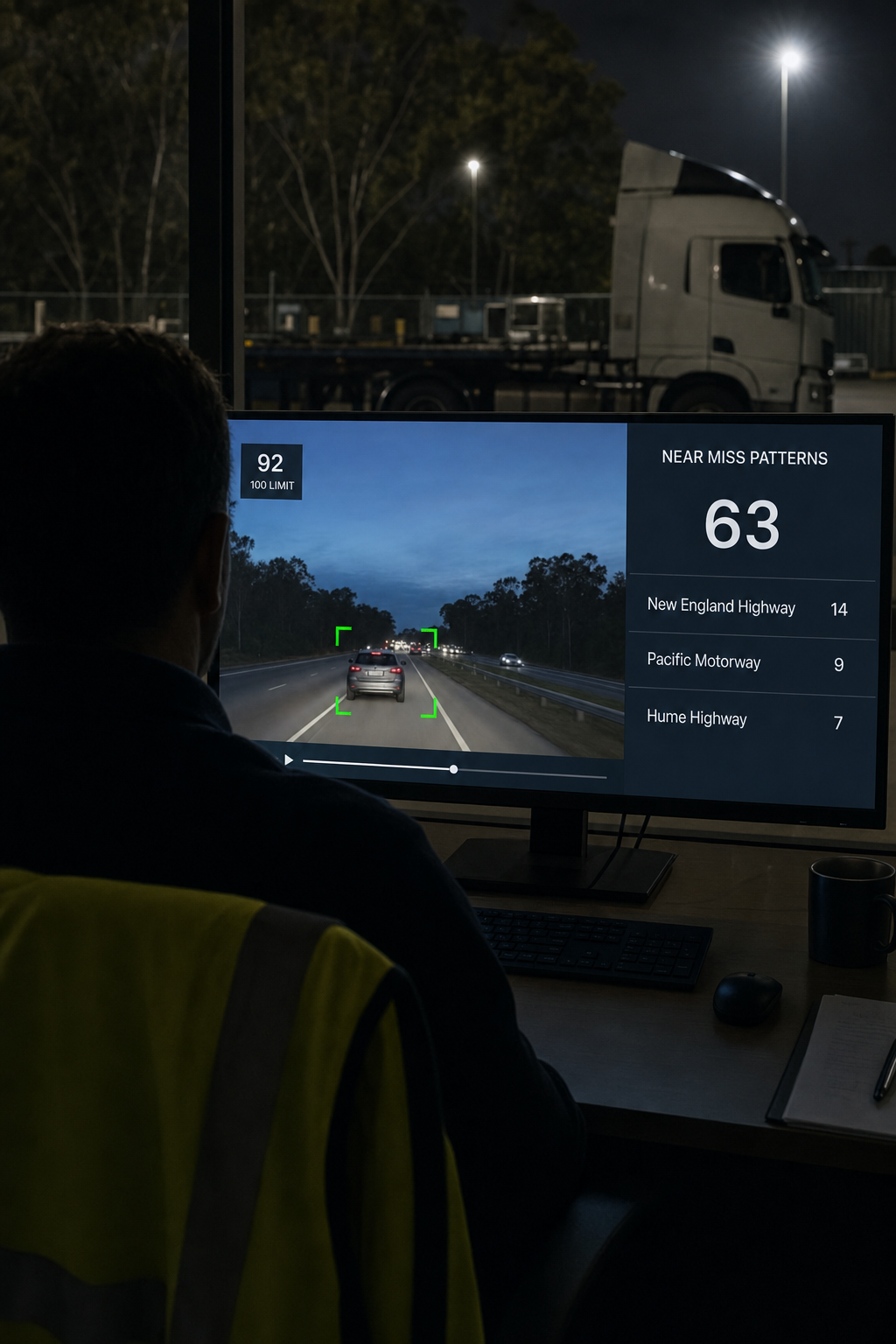
In review
Understand the event and identify patterns
What is time to collision and how is it used?
Time to collision is an estimate of how long it would take the vehicles to collide if their relative speed and direction remained unchanged. Vision360 uses supported camera and vehicle data as part of the event assessment. Detection performance can vary with factors such as camera positioning, calibration, lighting, weather and road conditions.
What counts as a near miss?
A close call where a collision was avoided, identified using time to collision and the gap to the vehicle ahead. Near misses can highlight risky driving patterns even when no collision occurs.
Can we set our own thresholds?
Yes. Configure the trigger condition, minimum speed, driver alert, post event notification and severity for each detection type. Defaults provide a starting point rather than a fixed model.
Why is there a minimum speed?
To prevent low speed manoeuvring, yard movements and crawling traffic from creating events that do not need review.
What affects detection performance?
Camera view, weather, lighting, traffic conditions and calibration can all affect detection. Sensitivity can be configured to suit your operating environment.
Is the driver alerted in real time?
Yes. Collision risk warnings are delivered through supported in cab devices. The vehicle response is then assessed after the alert, such as braking or increasing following distance, with events escalated if no response is observed.
Can this support long distance UAE fleet operations?
Yes. Supported road facing events can be reviewed alongside vehicle and journey context, helping teams identify recurring forward collision and near-miss patterns across long distance and commercial fleet operations.
See the Risk Before it Becomes an Incident
Bring AI powered road facing detection, supported driver alerts and event intelligence together to help teams recognise potential collision risks and take informed action.