Driver Scheduling
Driver Scheduling With Confidence. Smoother Shifts.
Create rosters, assign drivers and vehicles, and manage shift changes in real time from one connected workspace.
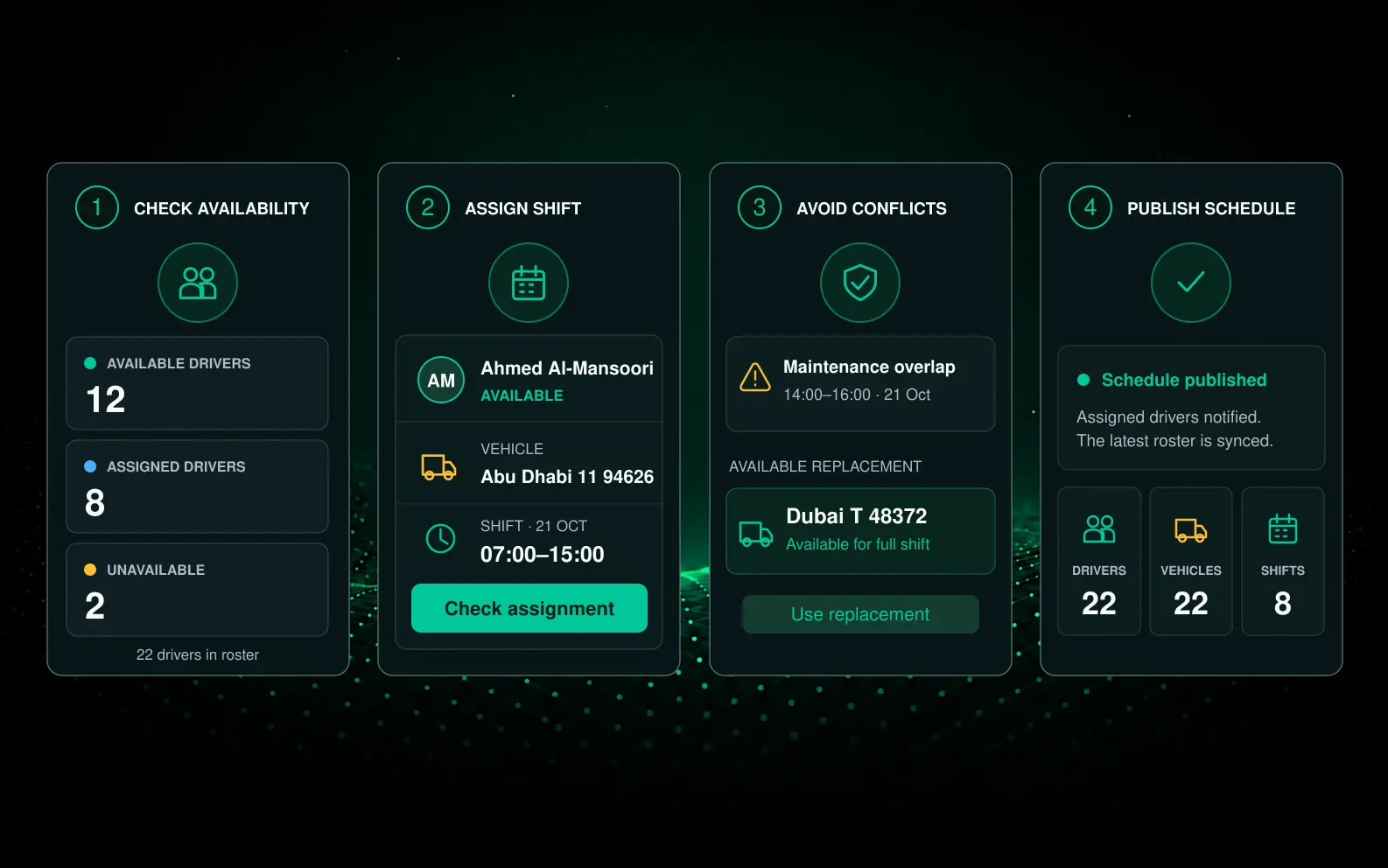
FROM SCHEDULING CHAOS TO CONTROL
Remove the Friction From Every Shift
- Reduce manual scheduling
- Keep rosters up to date
- Identify allocation conflicts earlier
- Cut unnecessary calls and messages
- Keep every shift visible
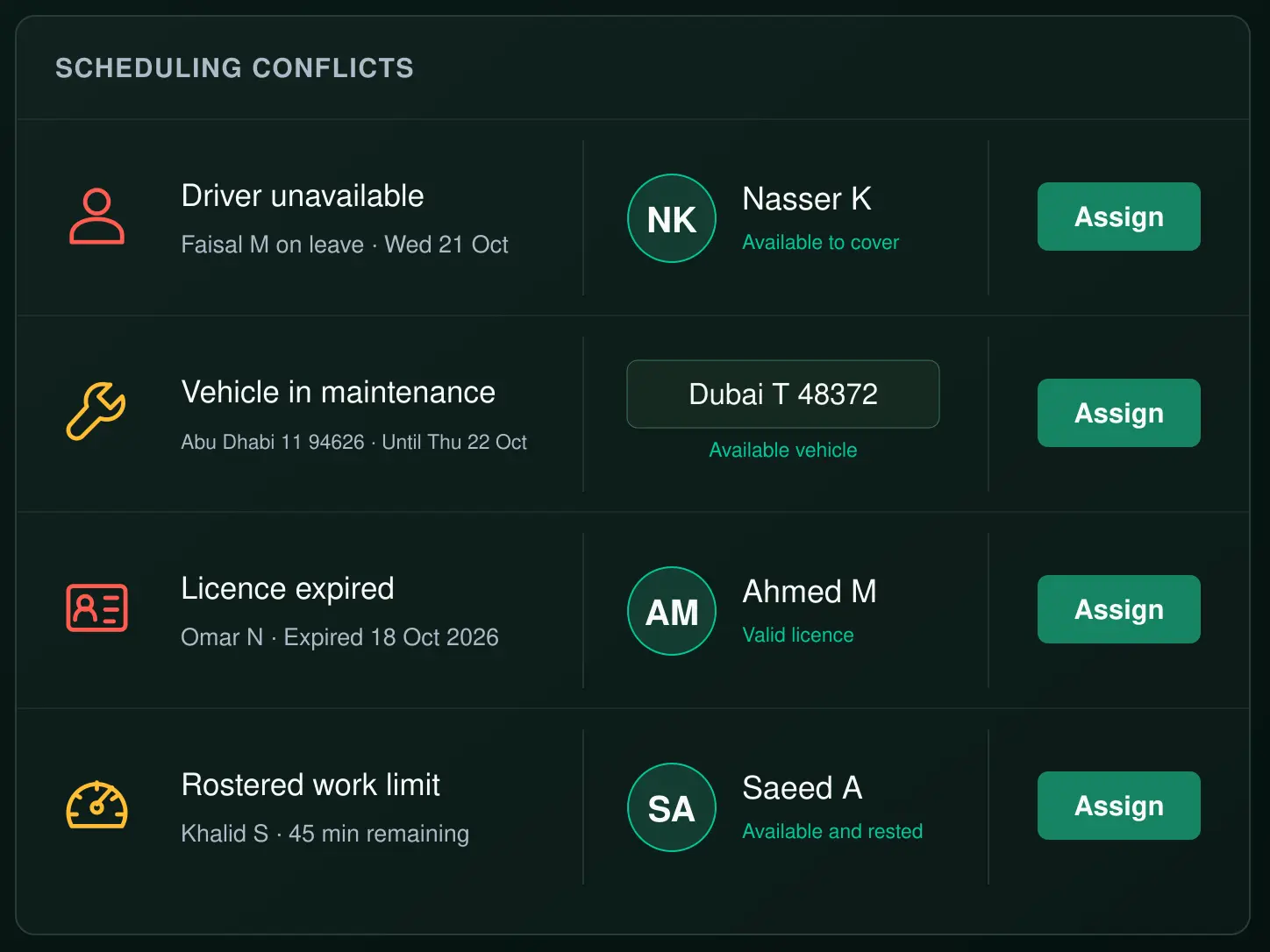
Resolve conflicts before they become disruptions
Every shift planned. Every day.
1
Create Roster
Build shifts and set requirements.
2
Assign Drivers
Assign drivers with availability, licences, skills, work hours and rest requirements in view.
3
Assign Vehicles
Allocate vehicles to each shift.
4
Notify Drivers
Drivers receive instant notifications and shift details.
5
Shift in Progress
Monitor progress in real time.
6
Shift Complete
Capture hours, notes and final records as the shift closes
Better Scheduling Starts With Better Visibility
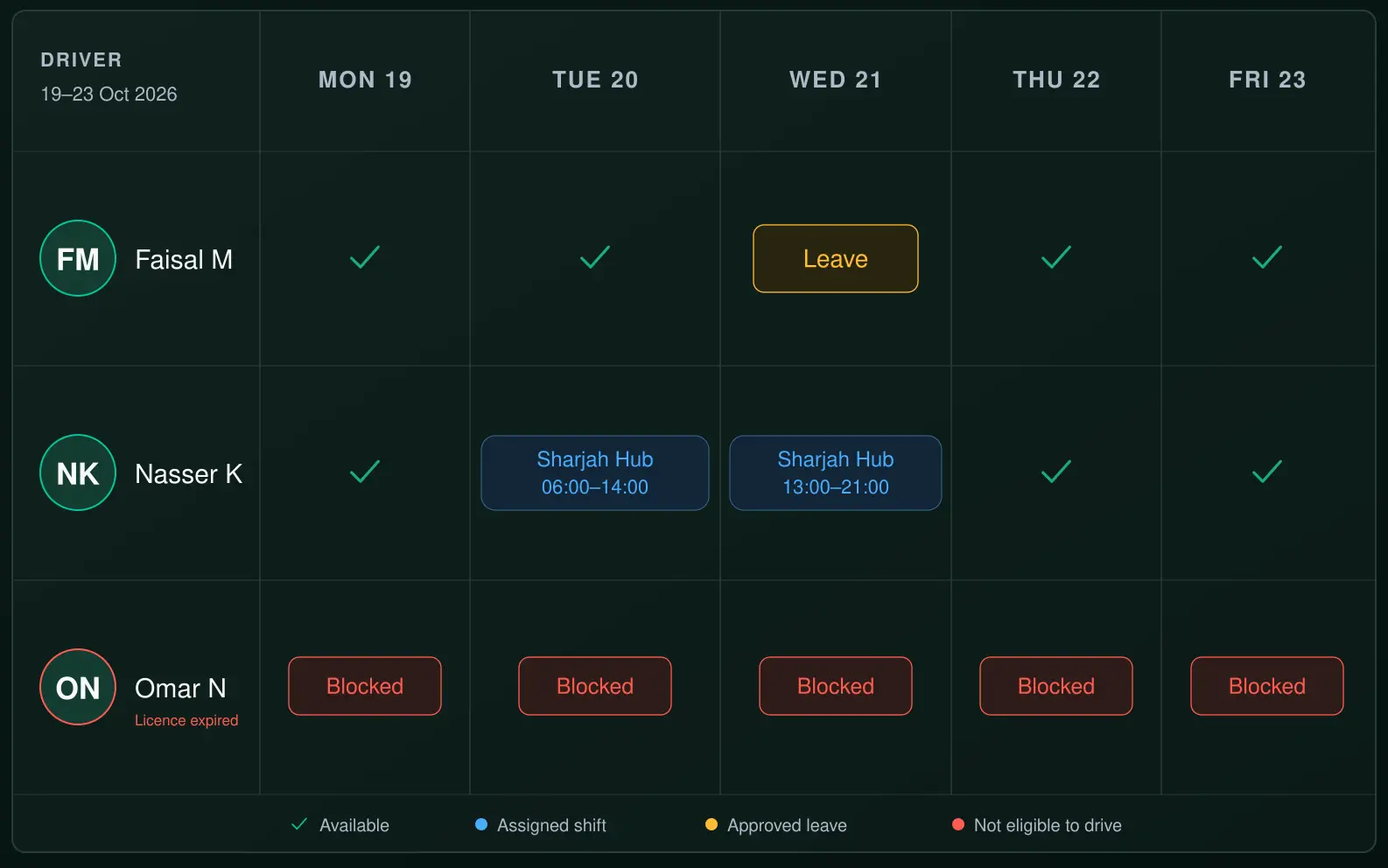
Driver Availability
- See availability in real time
- Manage leave and absences
- View skills, qualifications and work requirements
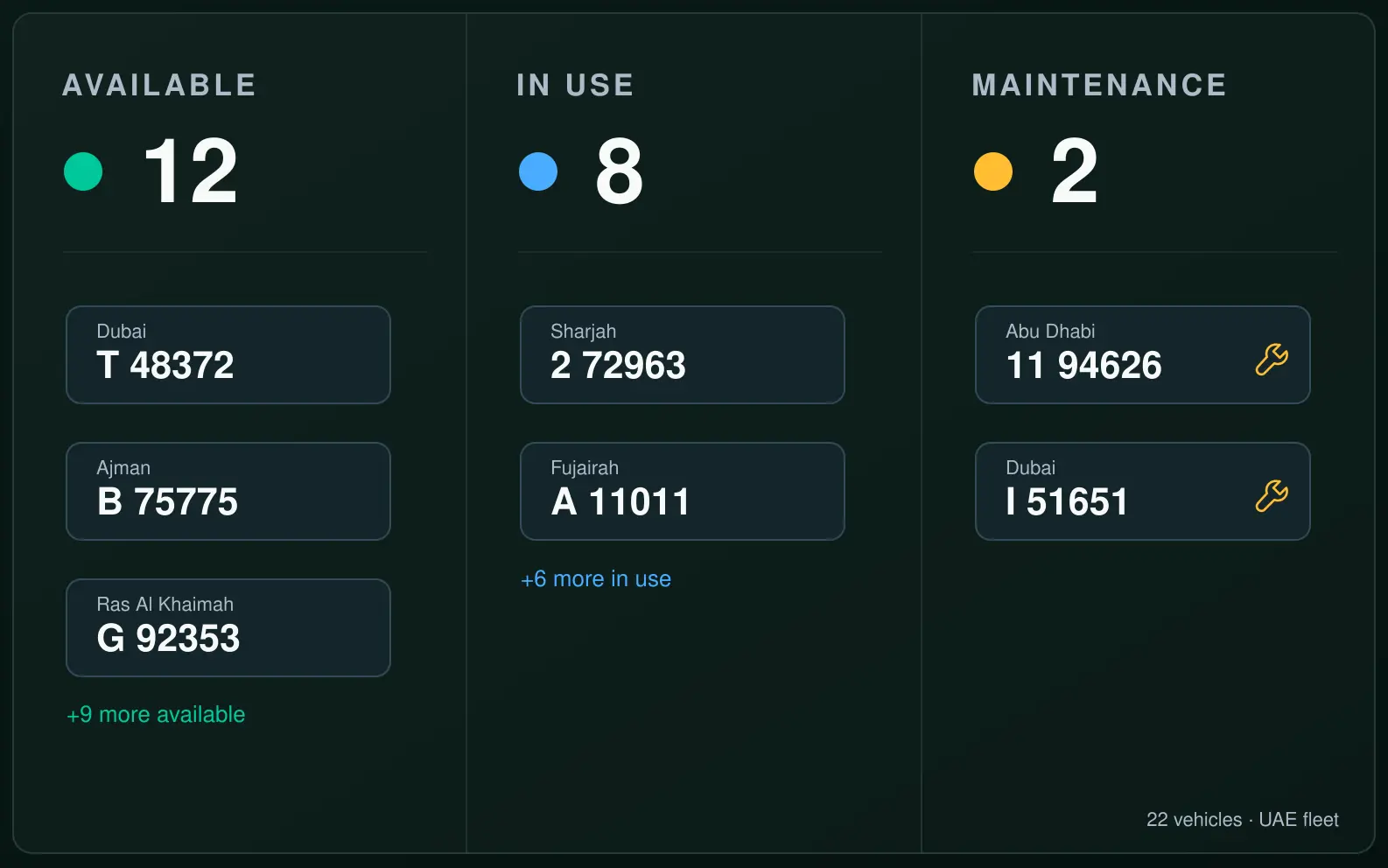
Vehicle Allocation
- Assign the right vehicle
- Check availability and maintenance status
- Swap or reassign when plans change
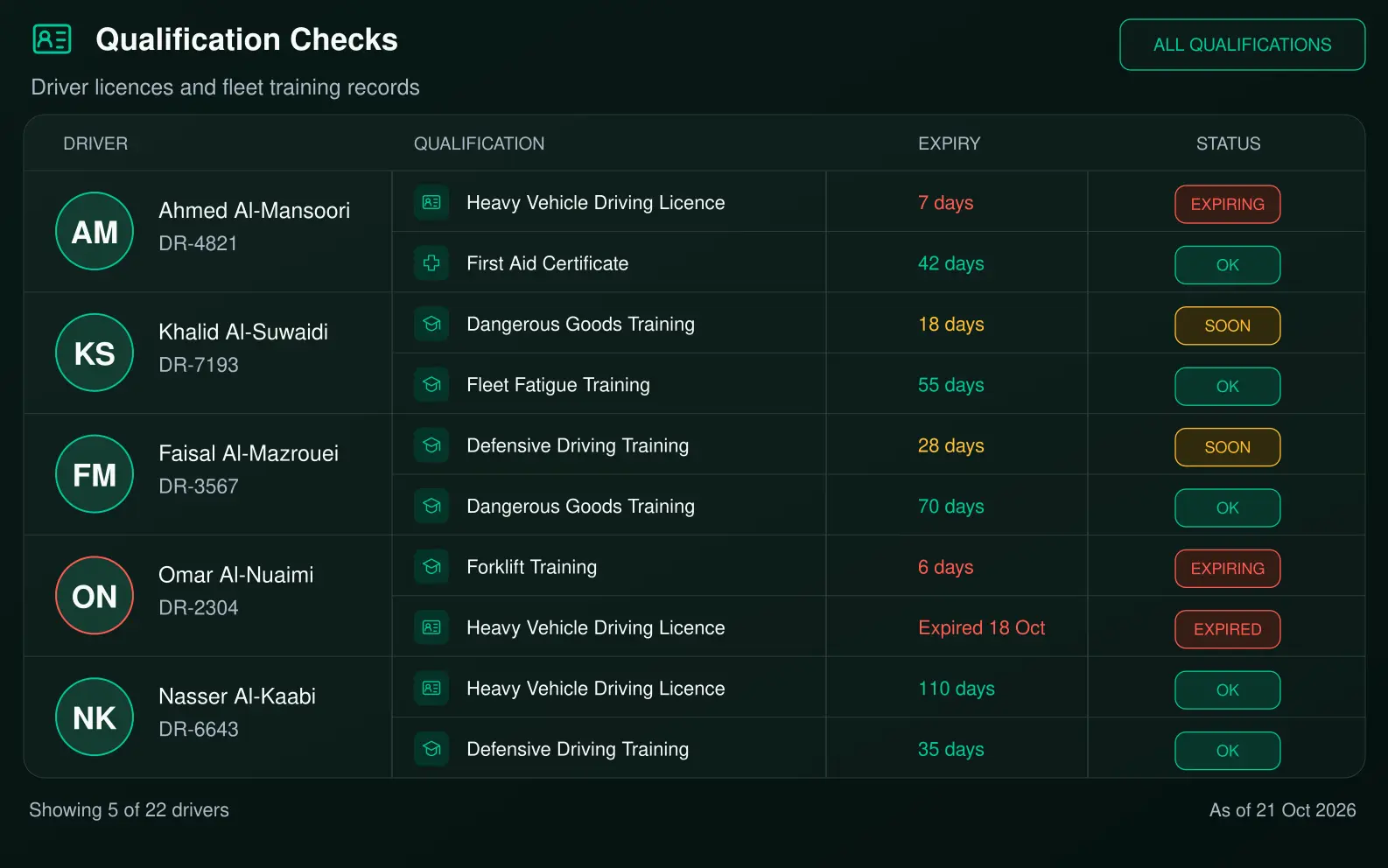
Driver Requirements
- Keep driver licences and relevant permits visible
- Track training, qualifications and certifications
- Stay ahead of upcoming expiries
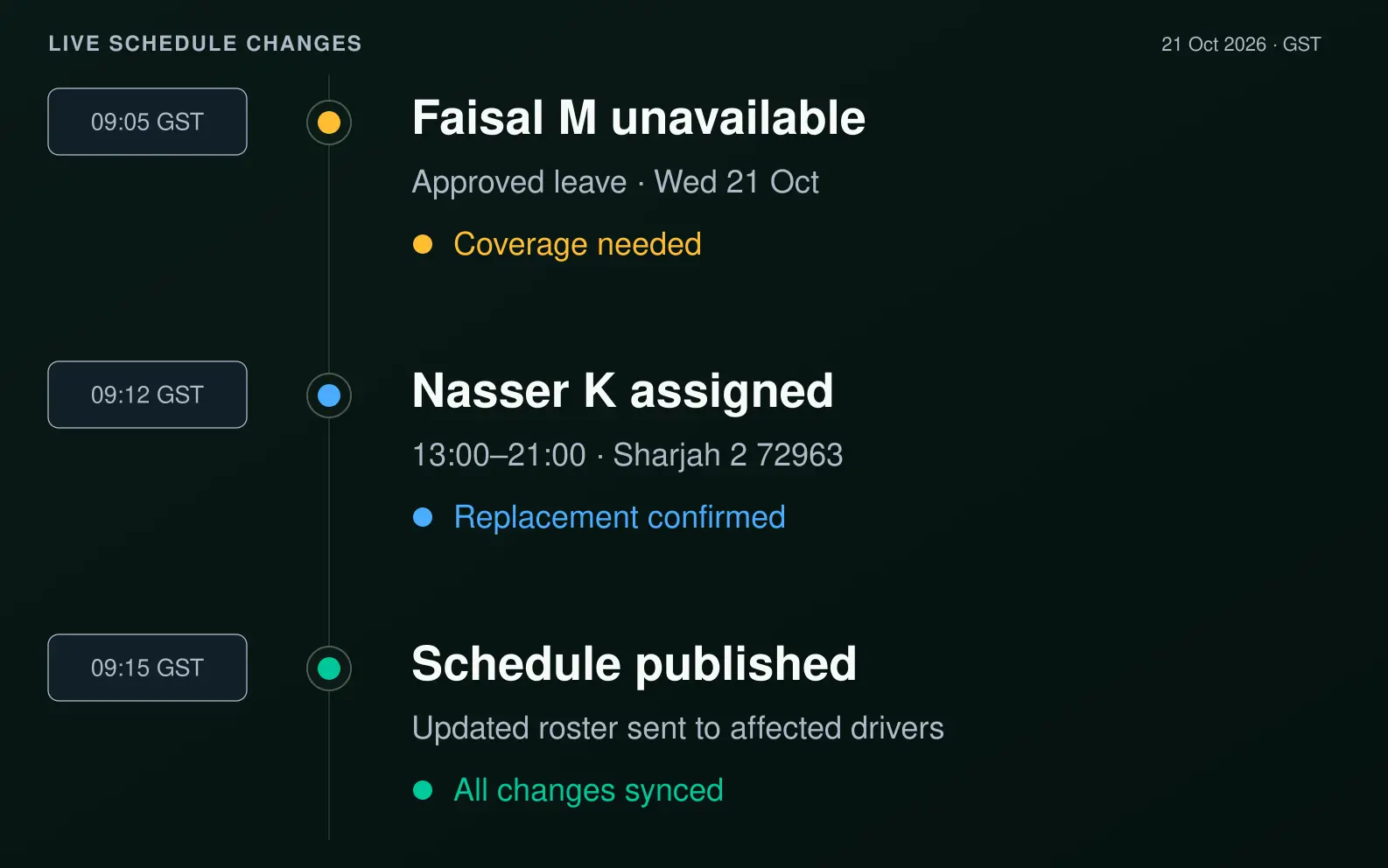
Live Schedule Changes
- Update schedules in real time
- Cover last minute absences
- Respond quickly when plans change
Manager & Driver Workflow
- Manager creates and publishes the roster
- Drivers receive shift details and accept
- Swaps requested and approved in the app
- The schedule updates instantly for everyone
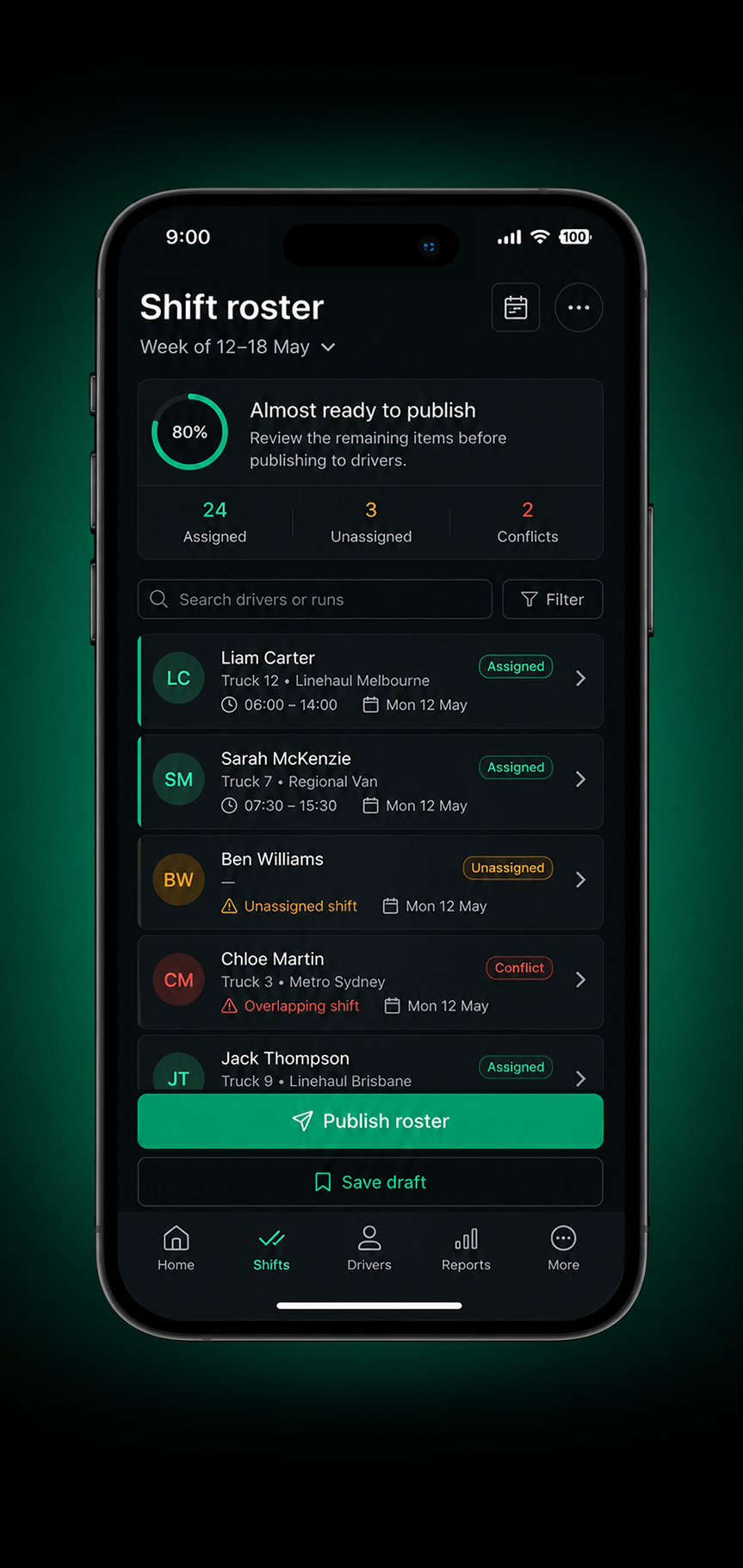
1. Manager builds and publishes the roster

2. Drivers receive their shift details instantly
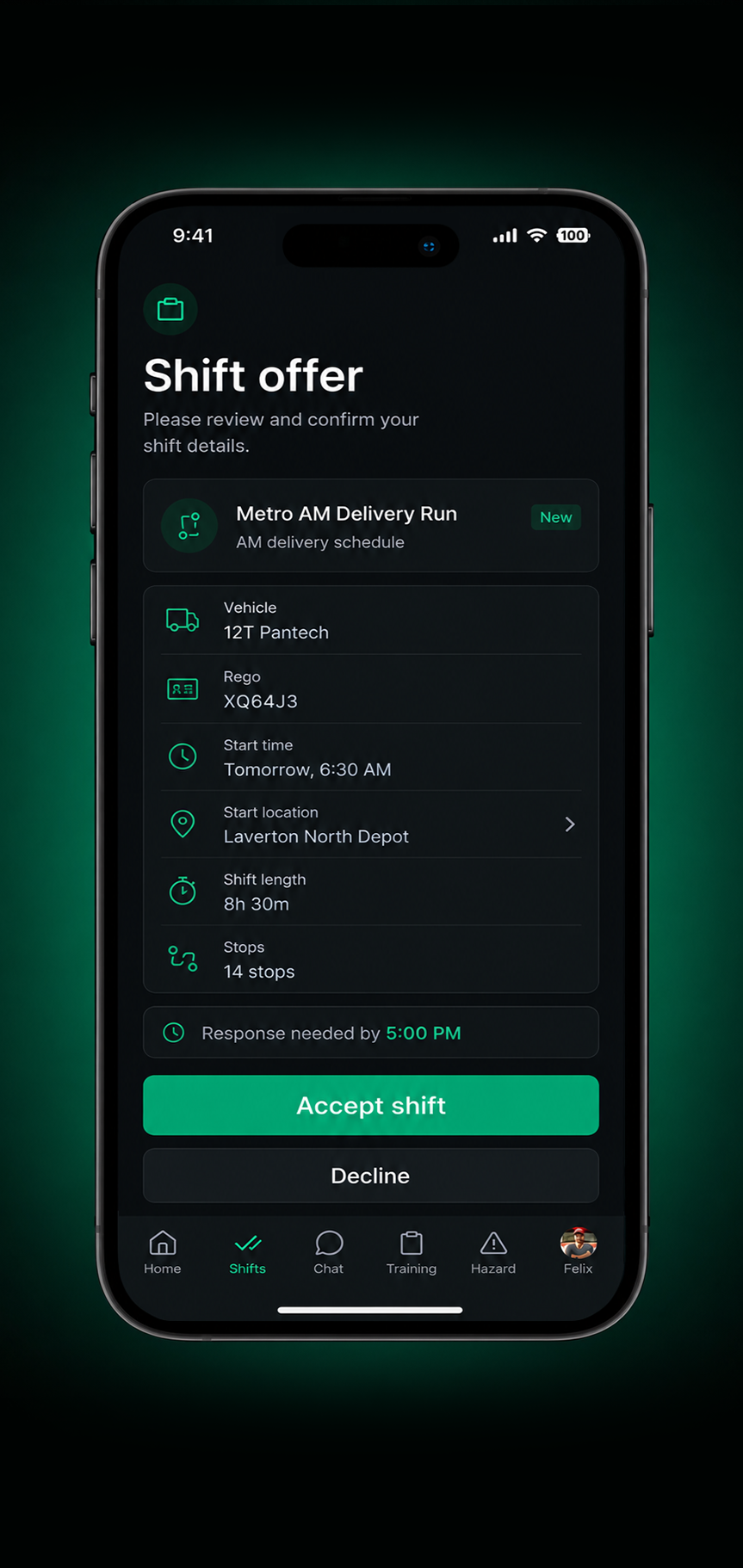
3. Drivers accept shifts directly in the app
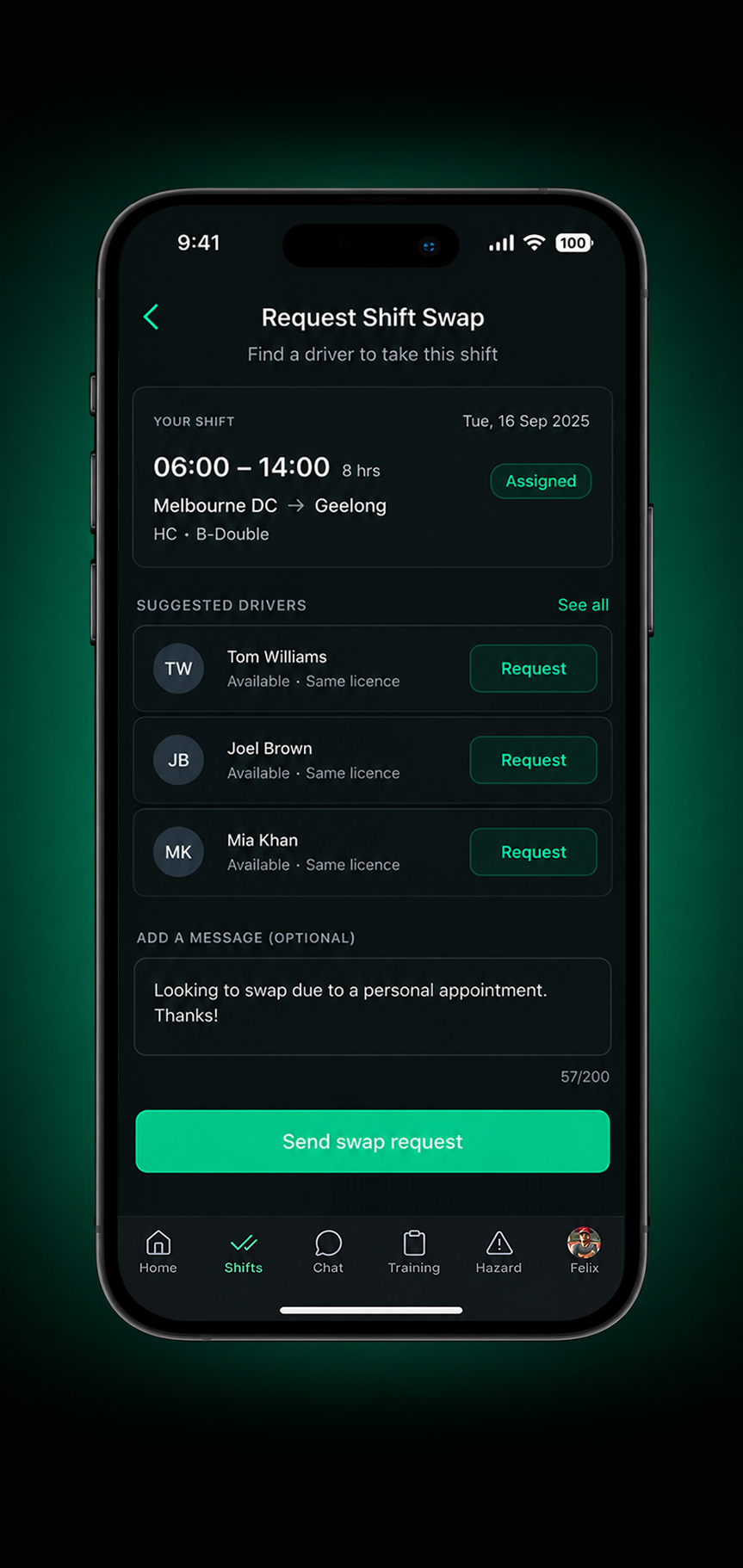
4. Driver requests a swap, if needed
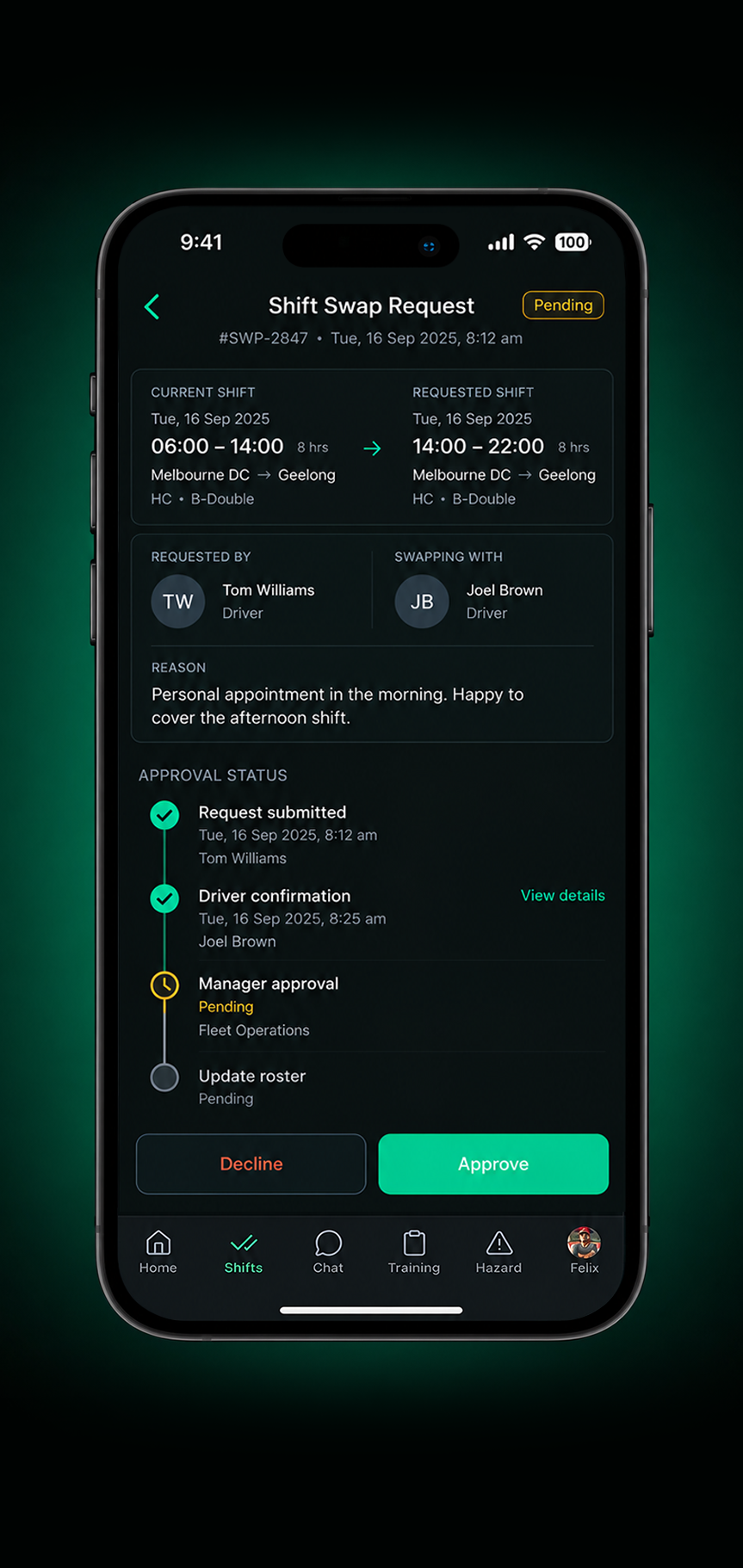
5. Shift swaps and changes are requested and approved digitally.
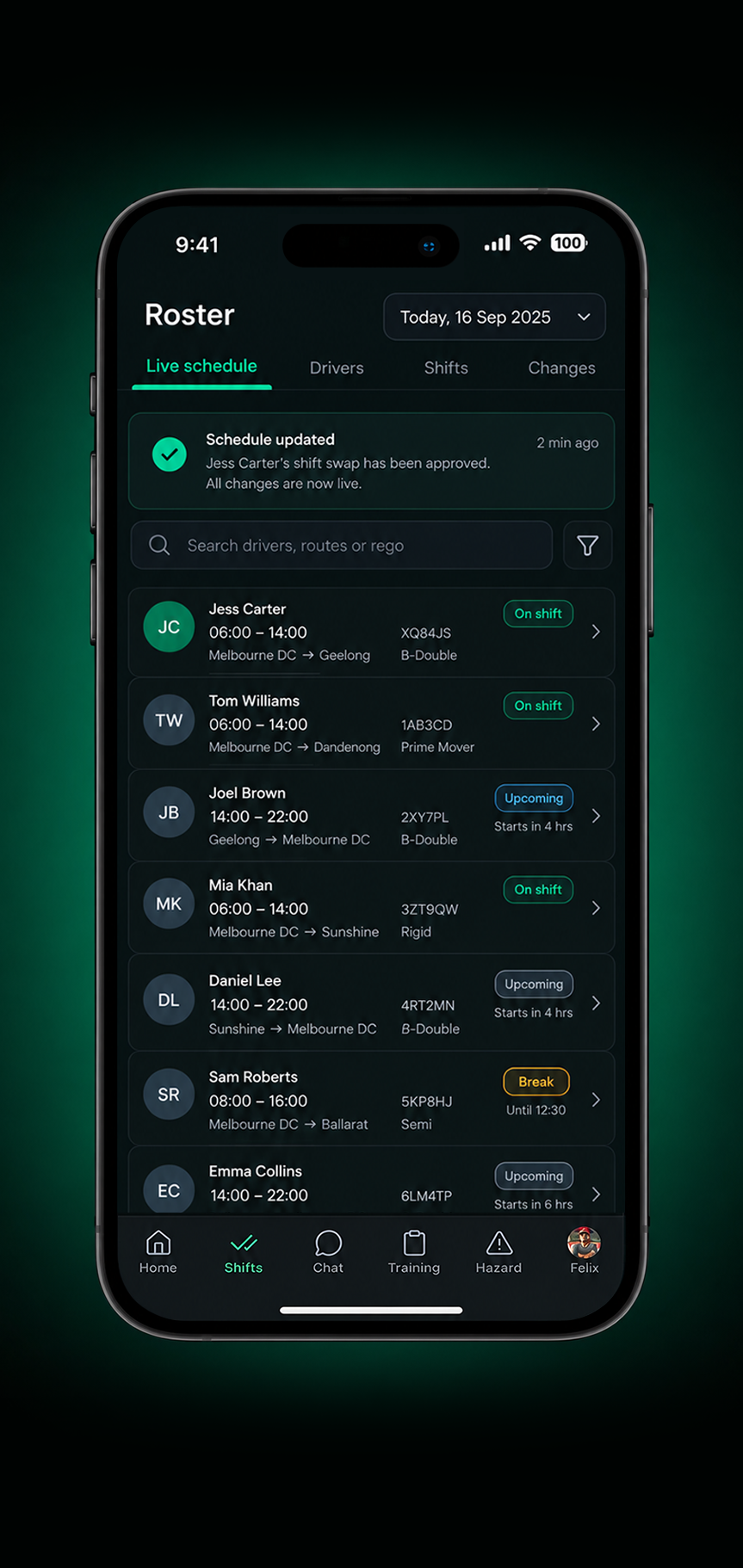
6. The live schedule updates automatically for everyone
Better Schedules. Better Operations.
Faster Scheduling
Build and publish rosters in minutes.
Better Utilisation
Make better use of available drivers and vehicles.
Fewer Conflicts
Catch scheduling clashes before they disrupt the day.
Stronger Coverage
Keep shifts covered as availability changes.
Less Admin
Reduce manual updates, calls and follow ups.
Better Communication
Keep managers and drivers working from the same schedule.
Frequently Asked Questions
Can Drive360 check whether a driver is qualified for a shift?
Driver records can be used alongside scheduling information to keep licences, qualifications and other requirements visible when assigning drivers.
Can I schedule drivers across multiple locations?
Yes. Drive360 provides a connected schedule so teams can manage drivers and vehicles operating across different locations and sites from the same workspace.
Can Drive360 identify scheduling conflicts?
Yes. The scheduling workflow can surface issues such as driver unavailability, vehicle maintenance, expired licences and fatigue thresholds before a shift is assigned.
Can I reassign a driver or vehicle when plans change?
Yes. Schedules can be updated as availability changes, allowing managers to reassign drivers or vehicles and keep the live schedule up to date.
Can drivers manage their shifts from the app?
Drivers can receive shift details, accept shifts and request changes through the app, while managers retain visibility and control over the schedule.
Every Shift Starts With the Right Plan
See how Drive360 brings drivers, vehicles and schedules together in one connected workspace.
- No lock in contracts
- Quick and easy setup
- 24/7 support