[ Live view & multi camera ]
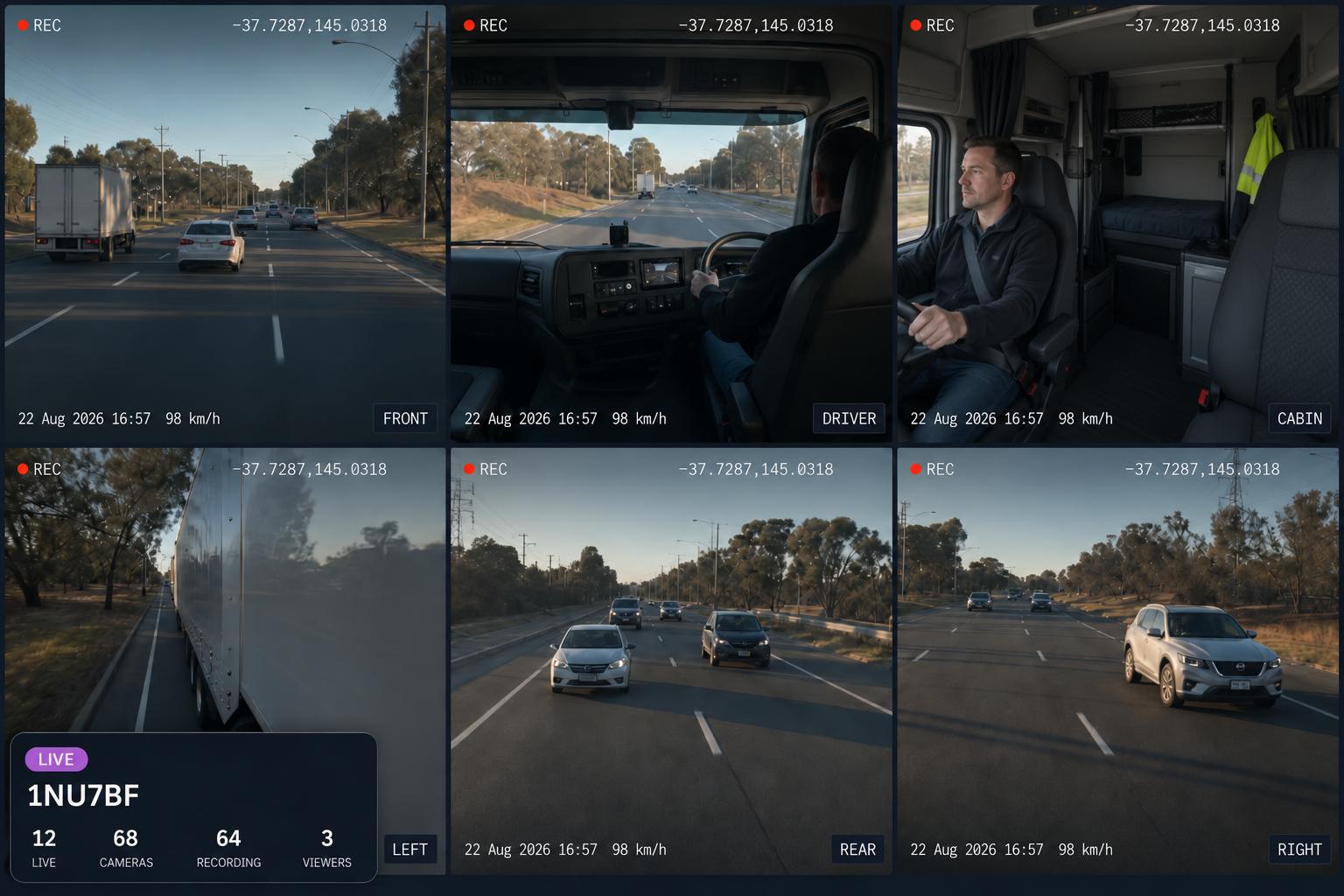
Live Camera View From Every Available Angle
Access supported live and last available camera views, understand what’s happening around the vehicle and respond when it matters.
HOW A LIVE SESSION WORKS
Every Live View Has a Reason and an Expiry
01
Choose a reason
Every live session starts with a recorded reason, so there’s a clear record of why access was opened.
02
View in sync
View up to six supported camera streams together, with quality adapting to the available connection.
03
Access expires
Each session has a maximum duration and expires automatically, with the remaining time visible while viewing.
04
Everything is logged
Keep a record of who accessed the live view and when, with current viewers visible while the session is active.
COMMON USES
Why Teams Open a Live View
Active incident support
Support a driver and understand the scene while an incident is unfolding.
Driver assistance
Help a driver who has asked for eyes on a situation.
Vehicle stationary
Check on a vehicle that has stopped unexpectedly.
Route exception review
See what is happening where a route has gone off plan.
Cargo or passenger check
Confirm the state of the load or the cabin.
Specialist equipment view
Watch equipment in operation where a camera is fitted to it.

Additional features
Up to Six Streams
View multiple live camera feeds from the same vehicle.
Adaptive Quality
Video quality adjusts to the available connection.
Camera Status
See whether each camera is online, recording and connected.
Last Available Frame
See the most recent frame when a vehicle is offline.
Request Footage Later
Queue footage requests for when the vehicle reconnects.
Layout Presets
Choose a view that suits the situation.
Snapshot
Capture a still from a live session.
Audio Control
Available where supported by the fitted device.
Session Reasons
Record why each live session was opened.
Auto Expiry
Sessions end automatically after the configured maximum duration.
Live Viewer List
See who else is watching and which sessions are active.
Device Diagnostics
Check MDVR, GPS, cellular and camera health.
Eyes On the Vehicle, When it Actually Matters
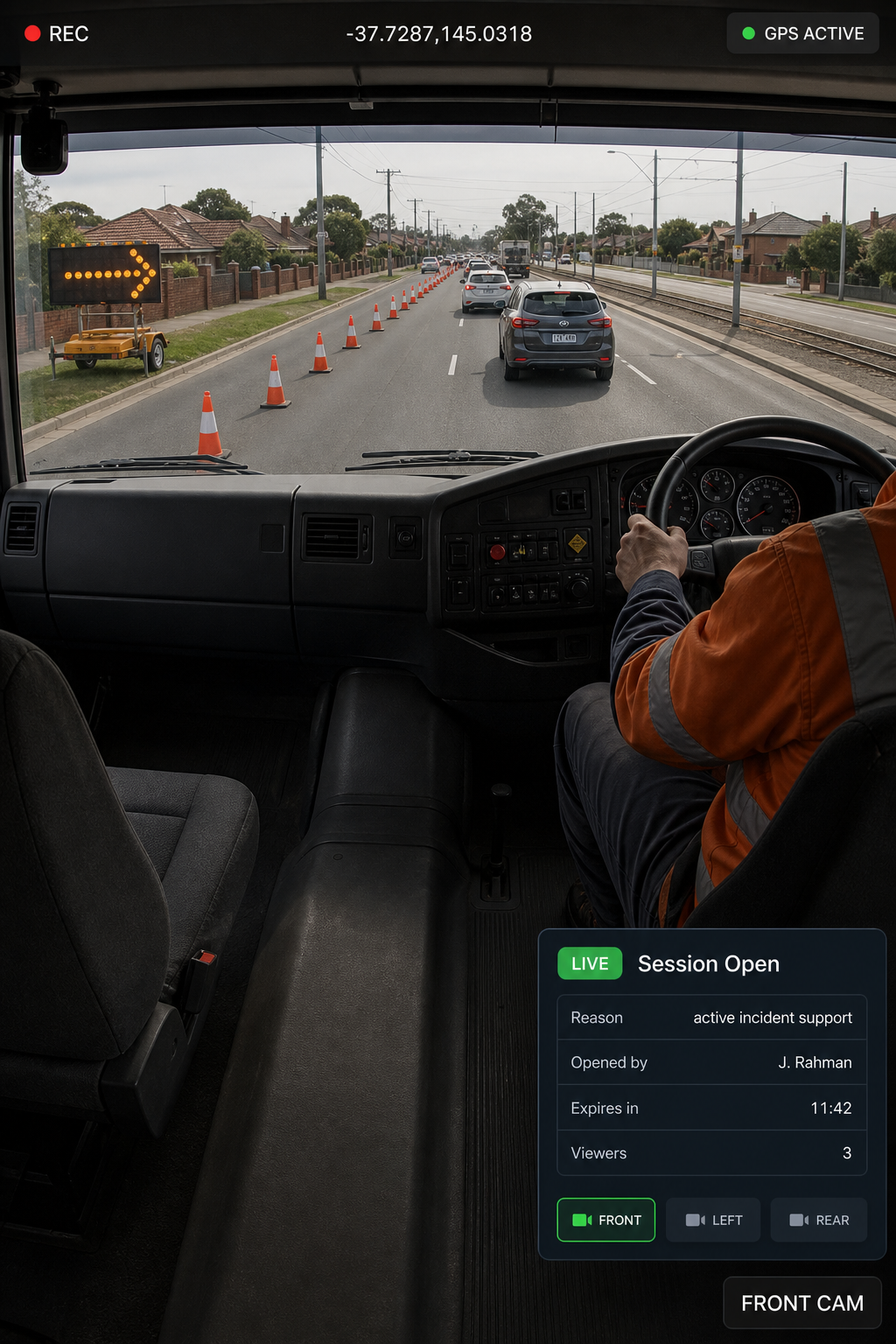
At the incident
See what’s happening as it unfolds

In the cabin
Check the load and passengers
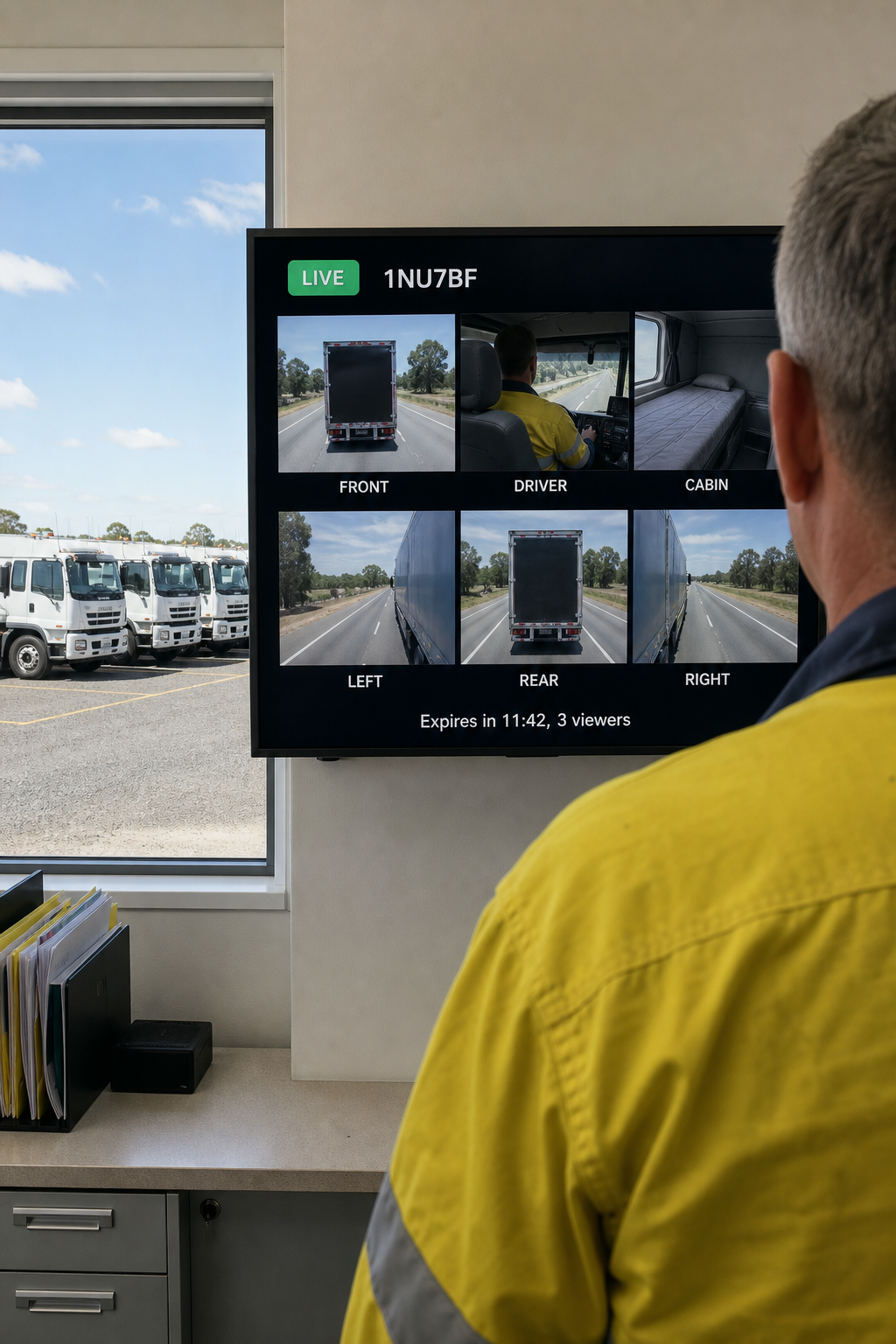
In the office
One vehicle. Six angles. In sync.
Who can open a live view?
Only authorised users can open a session. Each session records who opened it, why and how long it ran. Everyone in the session can see who else is watching.
How long can a session stay open?
Sessions expire automatically after a set maximum duration, with the remaining time visible while you watch. Live view is designed for responding to situations, not continuous monitoring.
What if the vehicle is offline?
You can see the last available frame with its capture time, when the vehicle last connected and whether it was recording at disconnect. Footage can also be requested for when it reconnects.
How many cameras can I see at once?
Up to six simultaneous streams per vehicle, depending on the cameras fitted. Layout presets let you choose how they are arranged.
What happens on a poor connection?
Video quality adapts to the available connection, while cellular streaming can be controlled by policy to manage data usage.
Is live view available on mobile?
Yes, on supported desktop and mobile devices, with the same session rules and access logging.
Live Access Without Losing Control
See supported camera views when needed, with authorised access and every session logged.