Reports & Analytics
Reports and Analytics Across Your Fleet
Connect the data behind your operation to spot trends, identify issues and make more informed decisions.
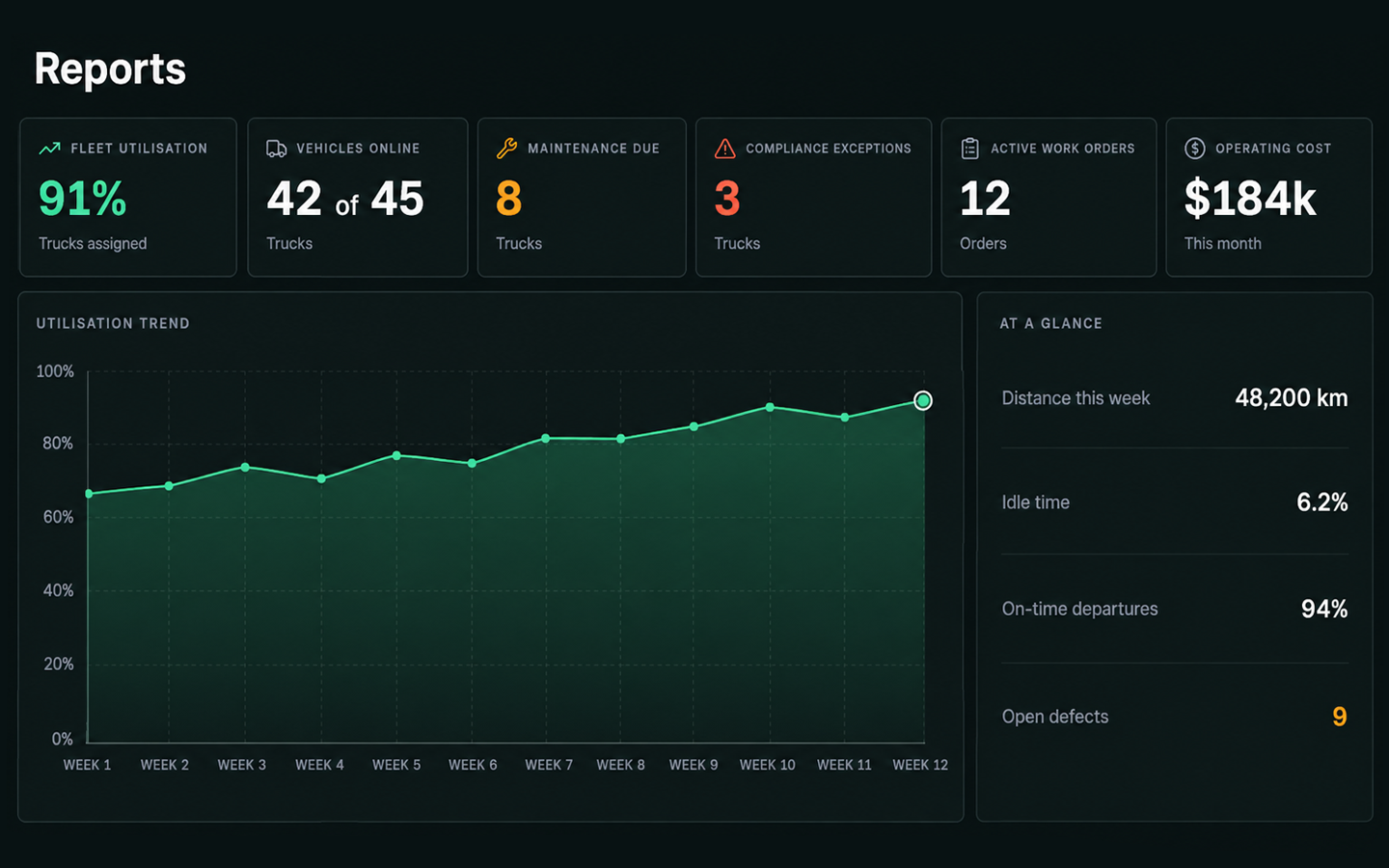
- Live Dashboards & KPIsSee key metrics in real time
- Detailed Insights Understand what’s driving the numbers
- Scheduled ReportsAutomate reports on your chosen schedule
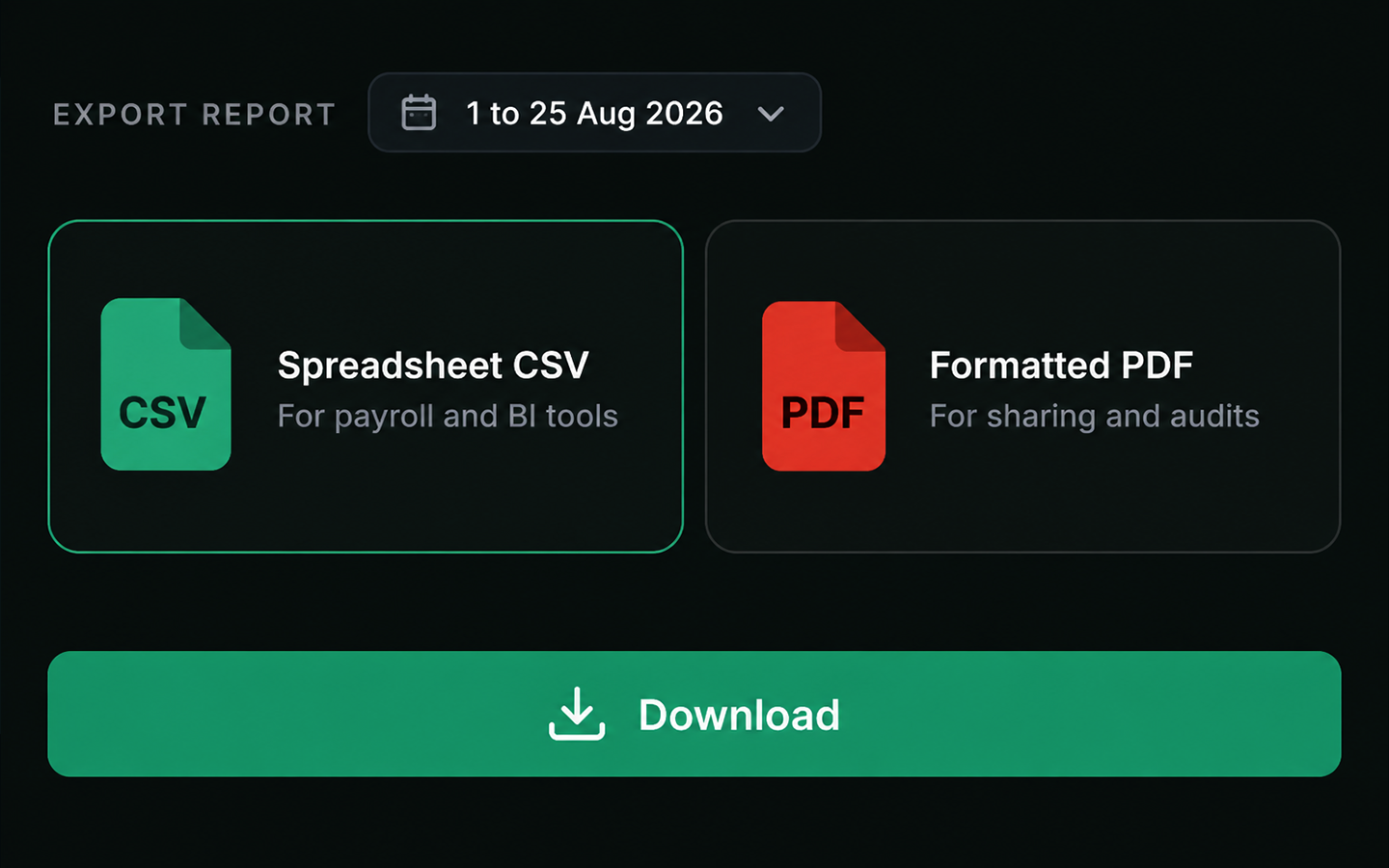
- CSV & PDF ExportsShare, save and analyse your data
SIMPLIFY FLEET REPORTING
- Reduce reliance on multiple spreadsheets
- Bring operational data into one view
- See key metrics as they change
- Keep KPIs consistent across your operation
- Move from trends to individual records
- Automate and simplify recurring reports
Operational dashboards
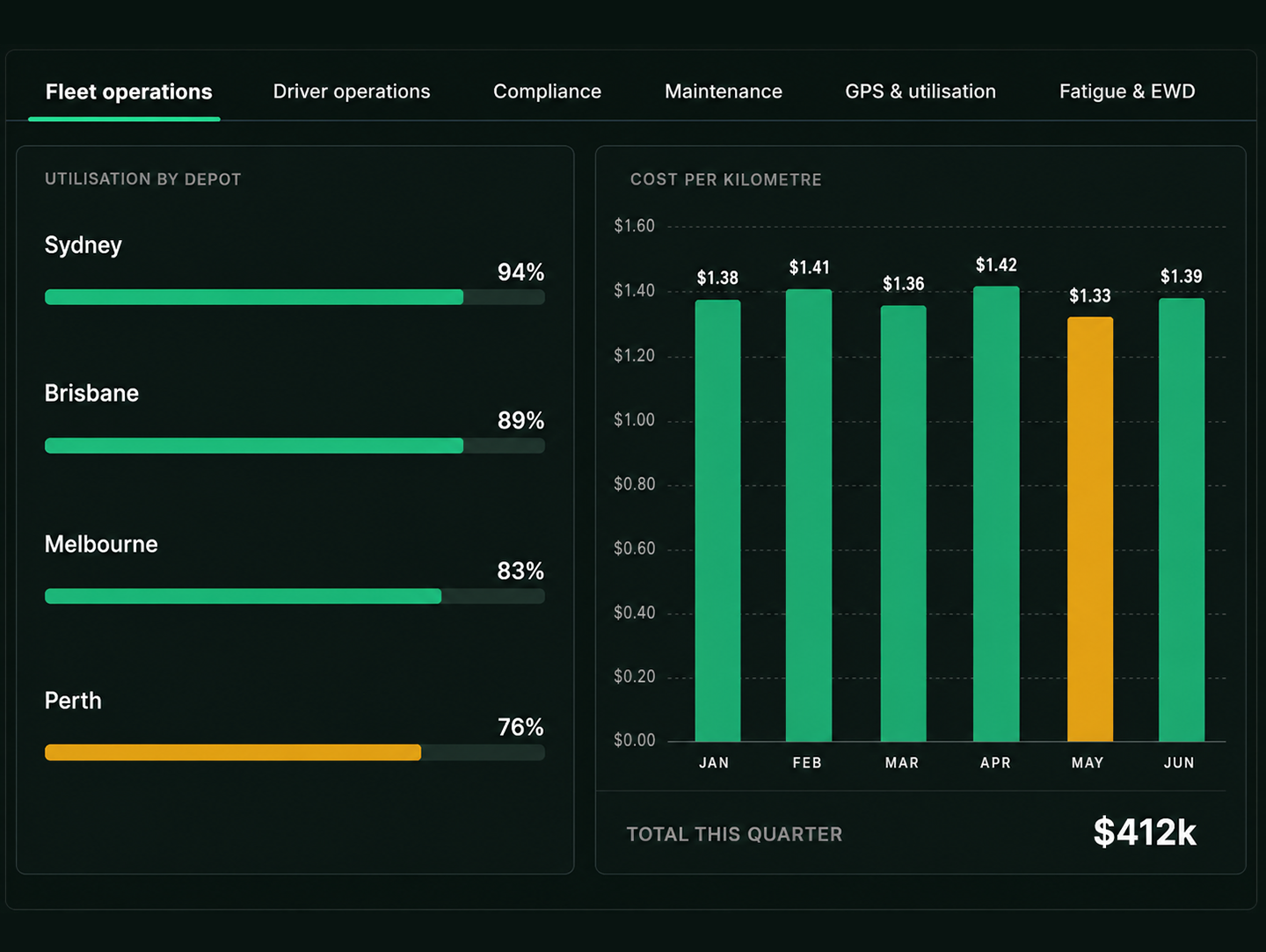
See What’s Behind the Numbers
1
Fleet View
Start with performance across the entire fleet.
2
Depot
Narrow in on the location that needs attention.
3
Vehicle Group
Compare performance across relevant vehicle groups.
4
Individual Vehicle
Identify the vehicle behind the result.
5
Detail View
Explore trips, idle time and maintenance history.
Turn Fleet Data Into Useful Insight
Live Dashboards & KPIs
- See key fleet metrics and performance as they change.

In Depth Analysis
- Move from fleet wide insights to the individual records behind them.
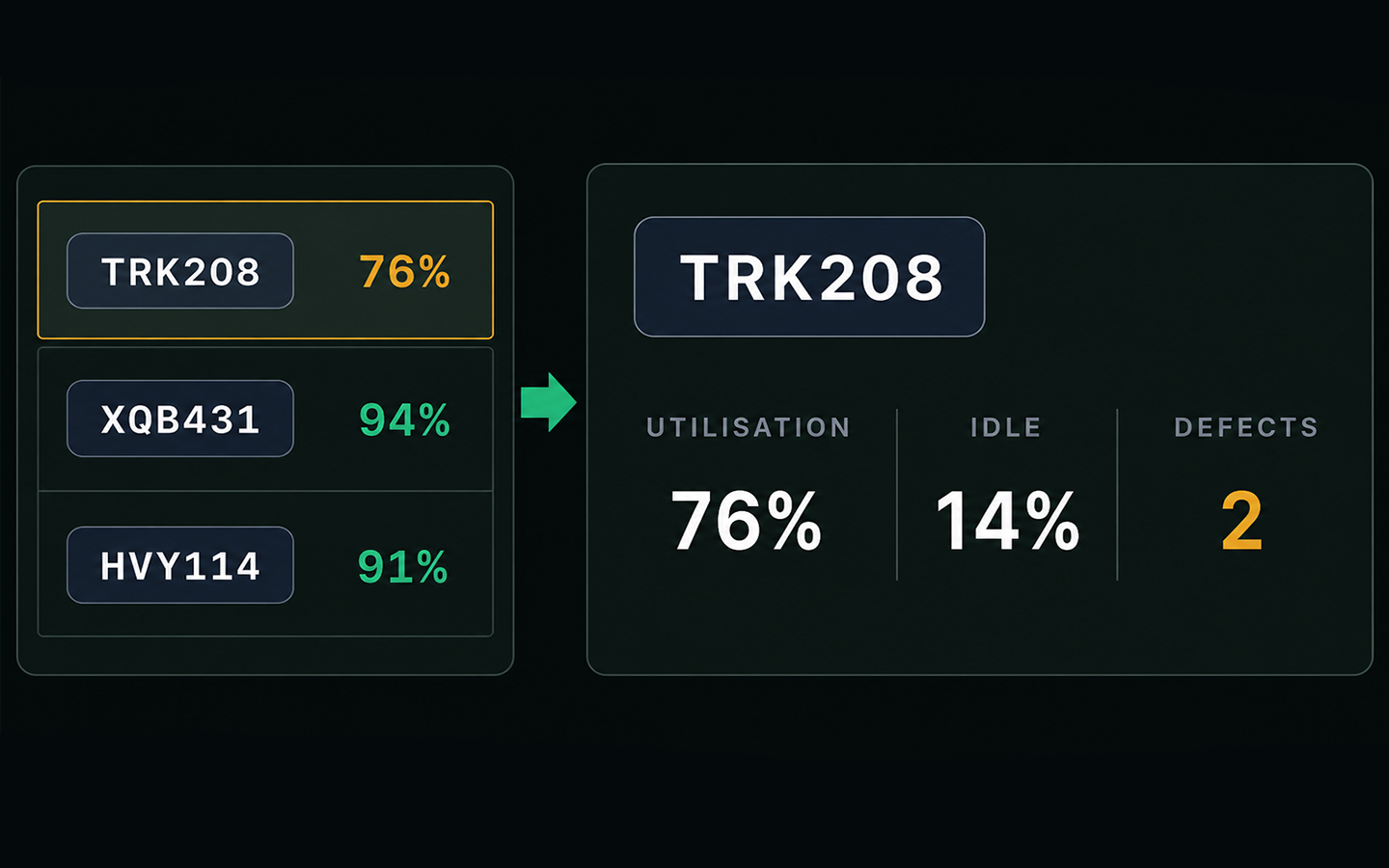
Scheduled Reports
- Automatically deliver reports on the schedule you choose.
Flexible Exports
- Export to CSV or PDF for sharing, reporting and further analysis.
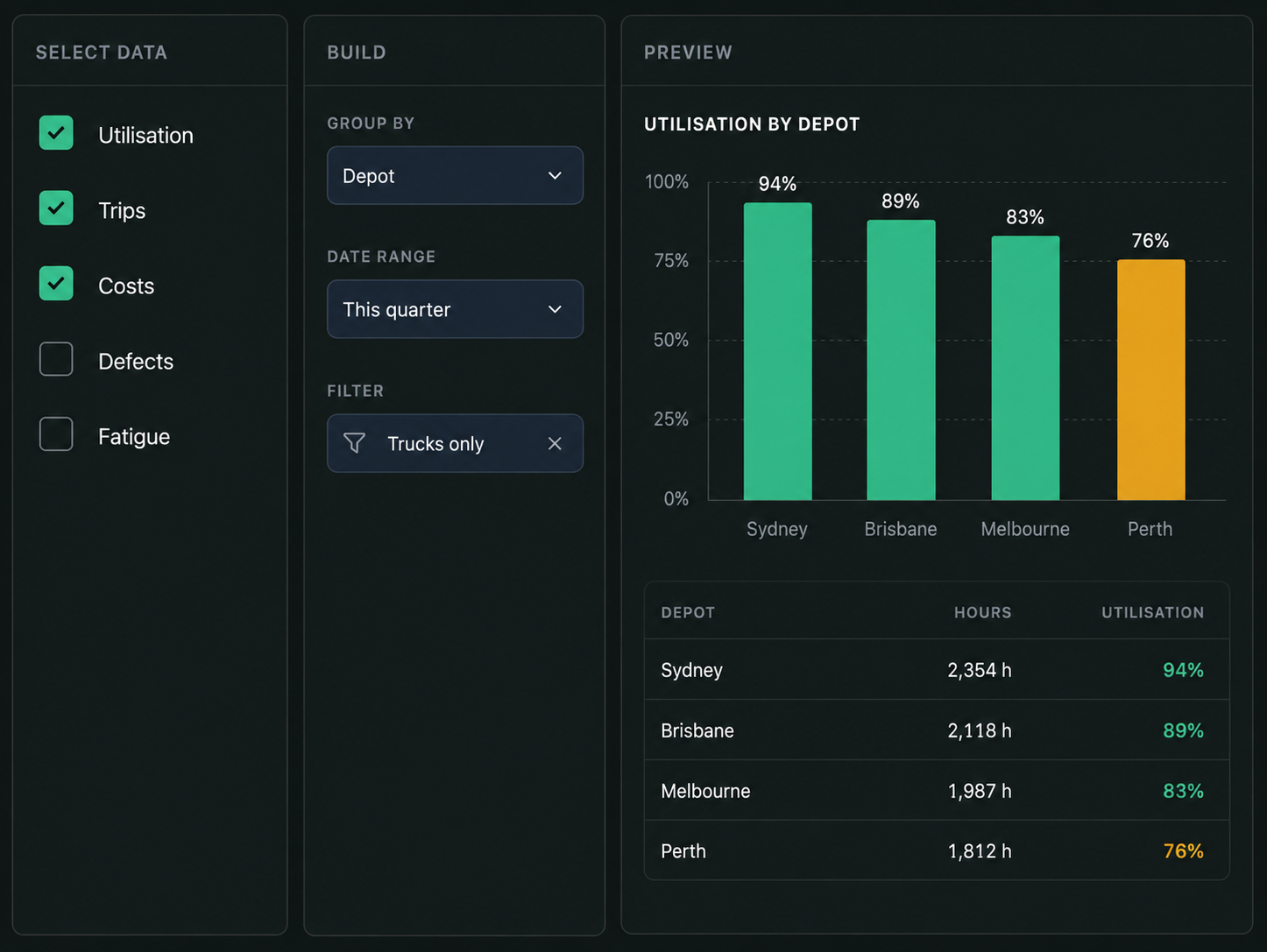
Build Custom Reports, Then Schedule Them
Choose the data you need, apply filters and groupings, select how it’s displayed, then preview, save and schedule your report.
- Select the data source
- Filter by date, depot and vehicle group
- Group and choose a chart type
- Preview before running
- Save the view and schedule it
Don’t Wait for the Report to Find the Problem
Surface exceptions and emerging issues as they happen, giving your team the visibility to investigate and respond sooner.
- Maintenance overdue
- Vehicle offline
- Missing driver record
- Licence expiring
- Fatigue threshold approaching
- Cost variance against budget
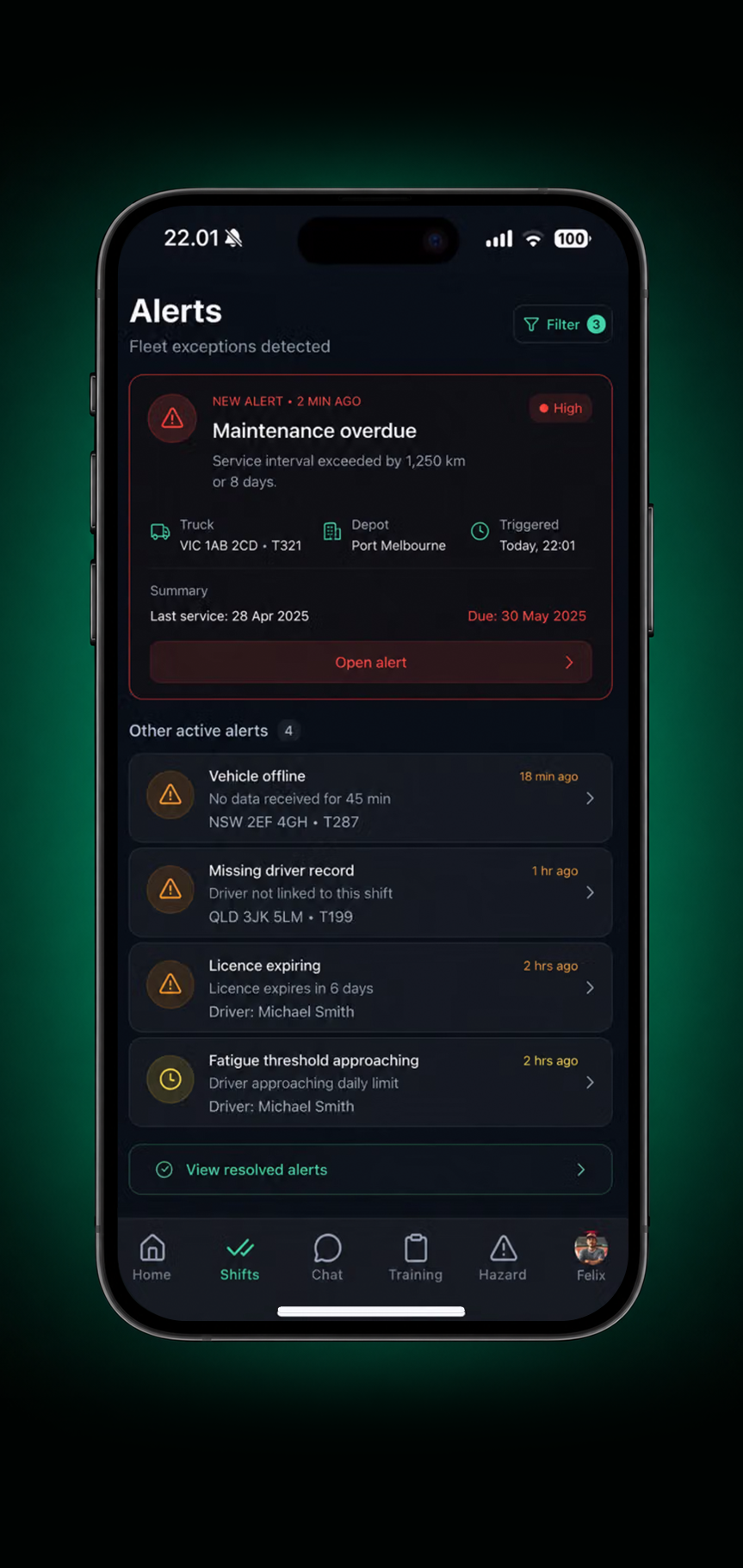
1. Alert raised
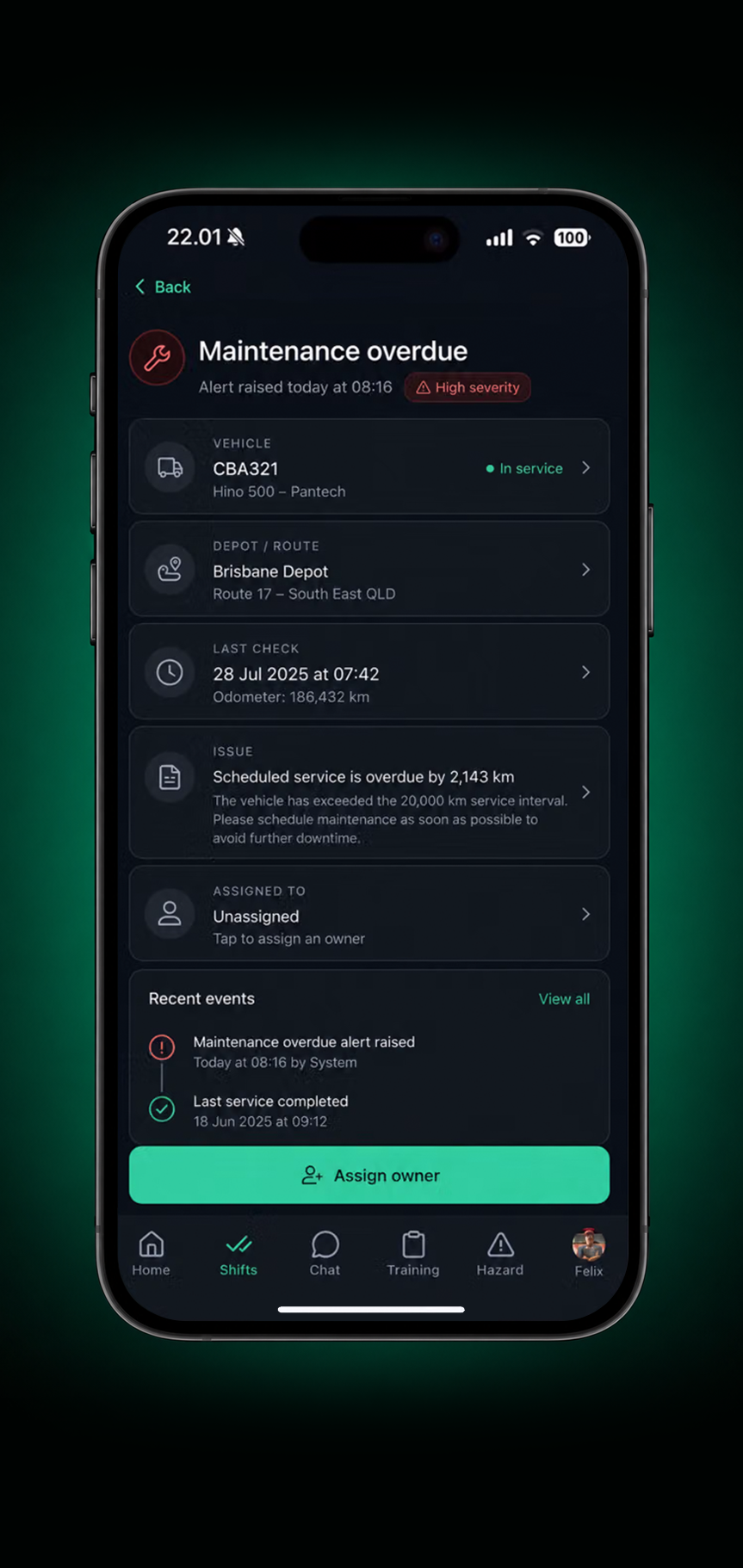
2. Open the detail
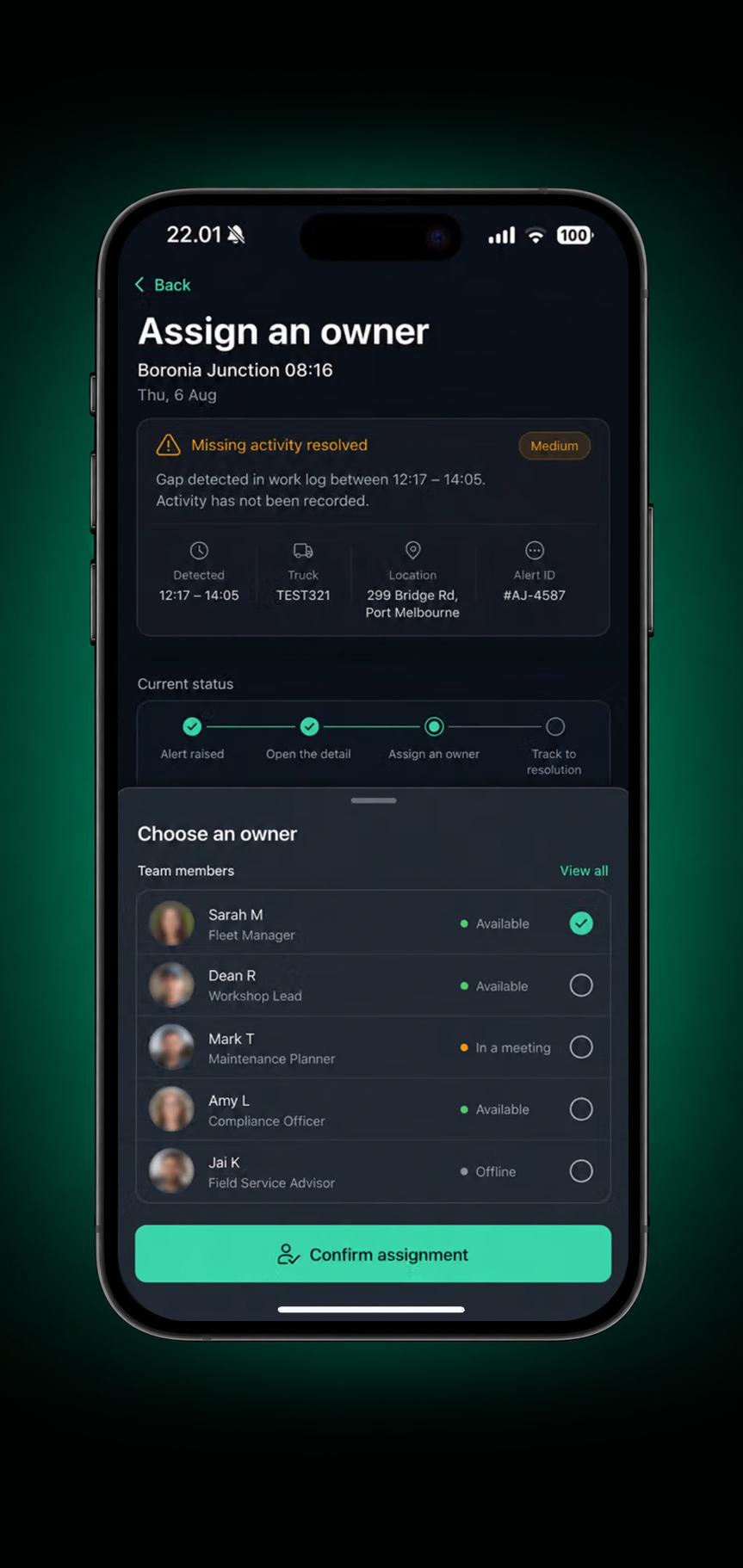
3. Assign an owner
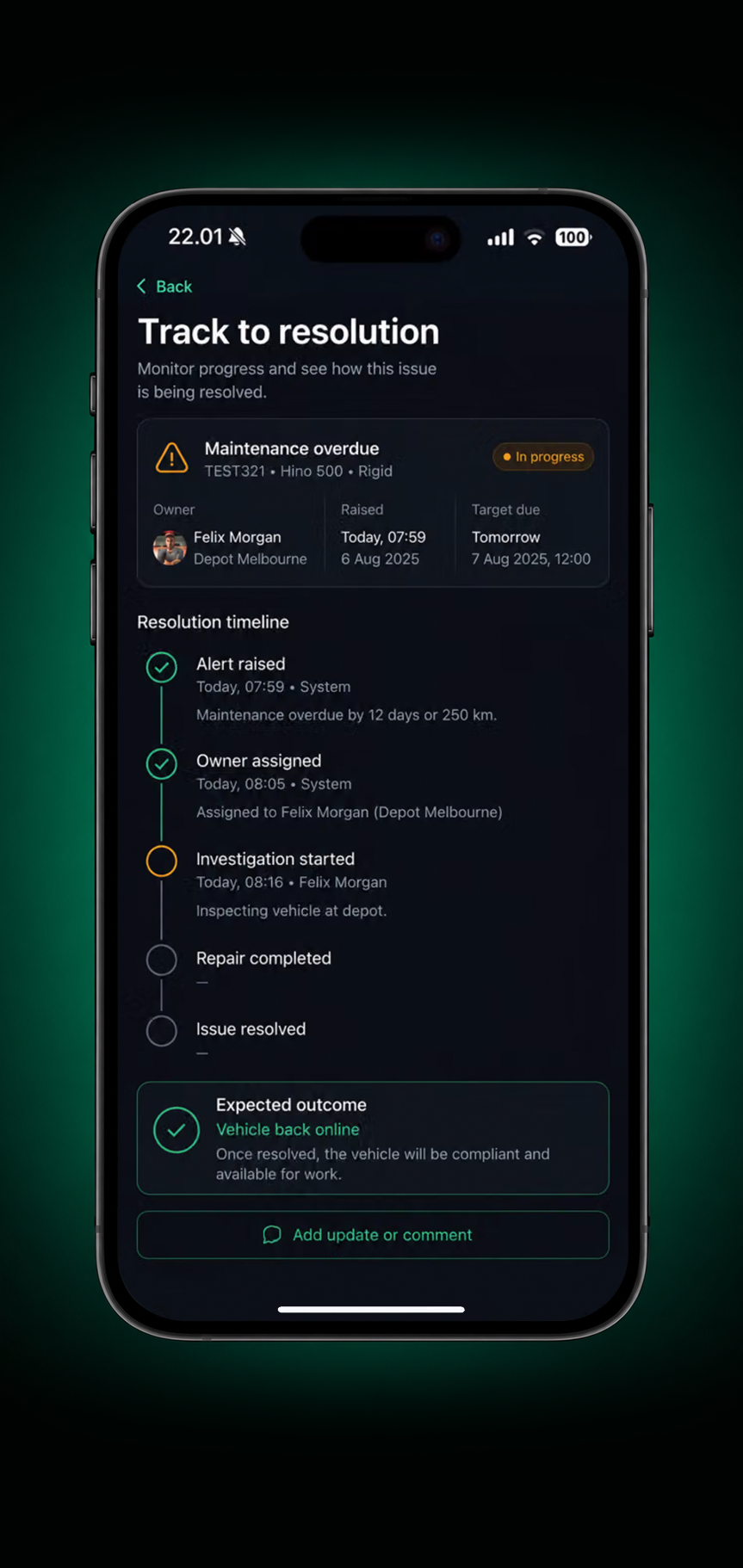
4. Track to resolution
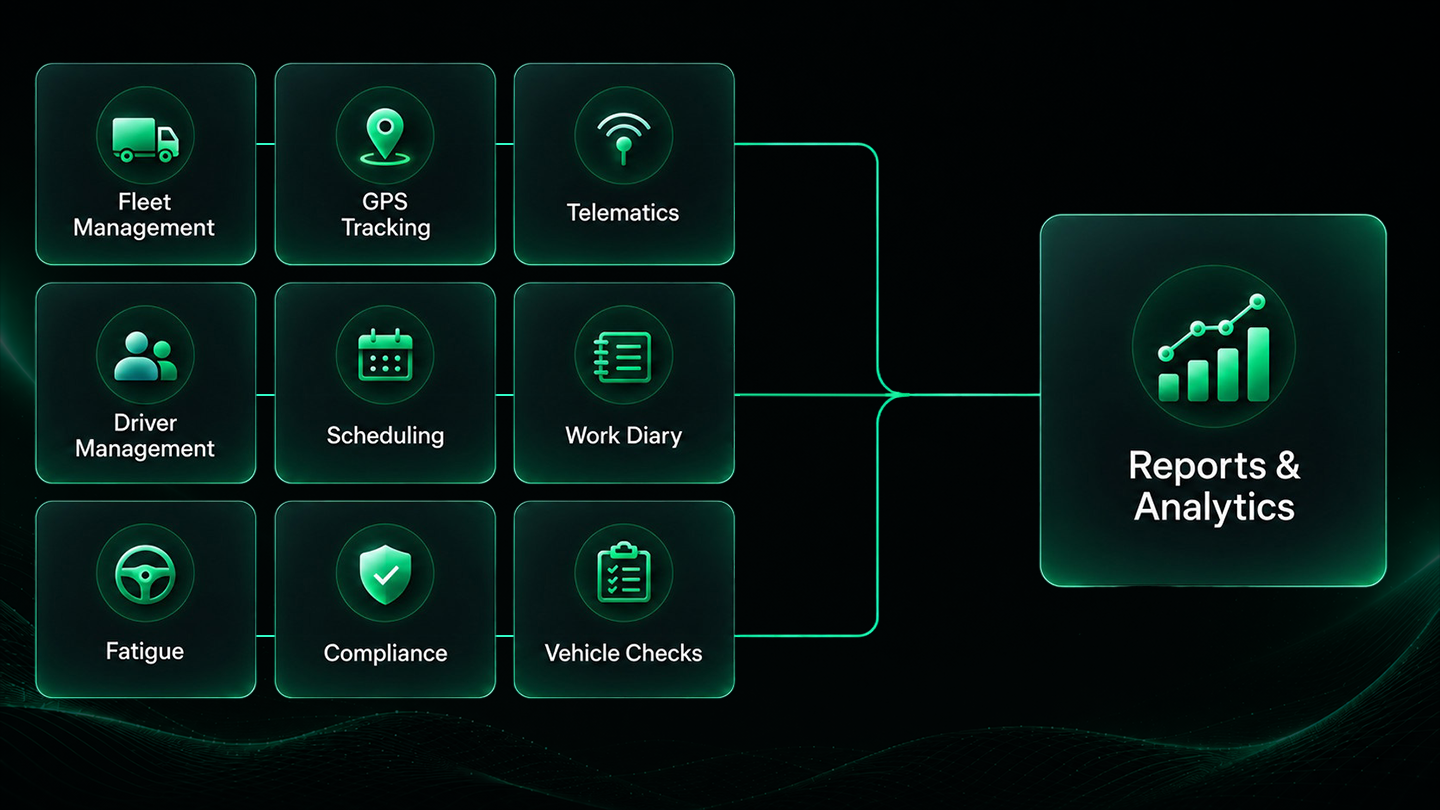
Connected Drive360 data
Bring your operational data together in Drive360, ready to report, analyse and act on.
Outcomes for your operation
Clearer operational visibility
One view instead of five exports.
Less time spent assembling reports
Scheduled rather than rebuilt each month.
Consistent reporting across teams
Shared KPI definitions.
Earlier exception awareness
Act while it still matters.
Better informed planning
Decisions on live data.
Connected performance histories
Trends you can actually trust.
Frequently Asked Questions
What data can Drive360 report on?
Drive360 brings together data from fleet management, GPS tracking, telematics, driver management, scheduling, fatigue, compliance, vehicle checks and maintenance for reporting and analysis.
Can I drill down from fleet performance to an individual vehicle?
Yes. Start with the fleet view, then narrow results by depot, vehicle group and individual vehicle to see the records behind the result, including trips, idle time and maintenance history.
Can I build custom reports?
Yes. The custom report builder lets you select the data source, apply filters and groupings, choose a chart type, preview the report and save the configuration for future use.
Can reports be scheduled?
Yes. Saved reports can be scheduled for automatic delivery at a chosen frequency, so recurring reports do not need to be rebuilt manually.
Can I export reports from Drive360?
Yes. Reports can be exported as CSV or PDF for sharing, further analysis and offline reporting.
How does Drive360 surface issues between reporting cycles?
Drive360 can raise alerts for exceptions such as overdue maintenance, offline vehicles, missing driver records, expiring licences, approaching fatigue thresholds and cost variances. Teams can open the underlying record, assign an owner and track the issue through to resolution.
Turn Operational Data Into Decisions That Move Your Fleet Forward
Connected reporting helps you see what matters, share it easily and act with confidence.
- No lock in contracts
- Quick and easy setup
- 24/7 support