[ AI detection ]
Distraction Detection That Makes Risk Visible
Detect supported in cabin distraction events, alert drivers in the moment and give your team the context to respond.
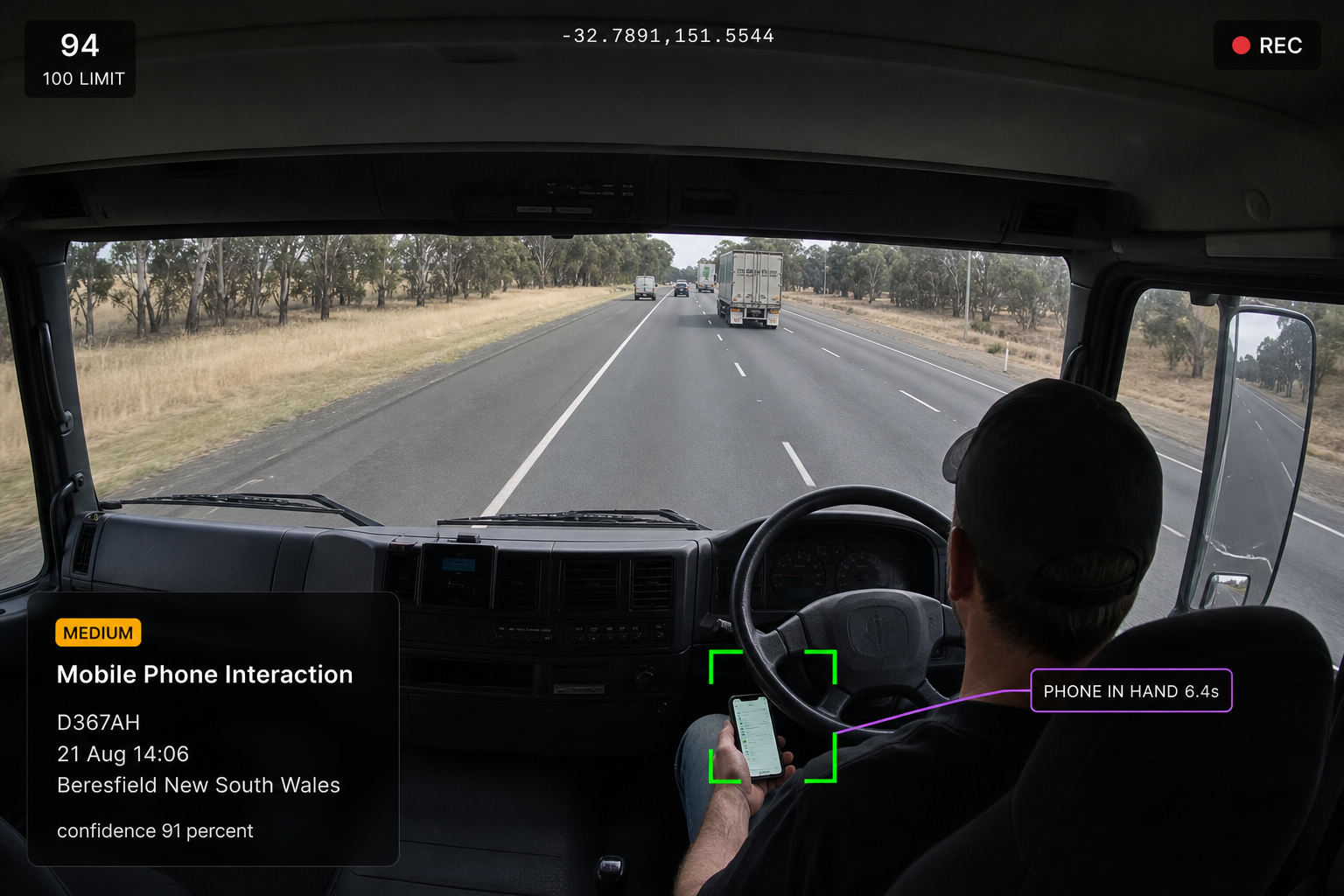
How severity is determined
How a Distraction’s Severity Is Set
01
Detected behaviour
What the in cab camera observes, such as a phone visible in the driver's hand.
02
Duration and thresholds
The amount of time a behaviour continues before the system flags it for attention.
03
Vehicle context
What the vehicle is doing at the time, including speed and movement.
04
Severity event
Behaviour, duration and vehicle context combine to determine the severity, with a confidence level attached. Human review may still be required.
What we detect
The Distractions That Matter Behind the Wheel
Mobile phone interaction
Holding, using or interacting with a mobile phone while driving.
Texting or screen interaction
Typing, reading or interacting with messages on a phone.
Other handheld devices
Using tablets, cameras or other handheld devices while driving.
Reaching or object handling
Reaching for or handling objects inside the cabin.
Eating and drinking
Eating or drinking while driving.
Eyes off road
Looking away from the road beyond your configured duration or threshold.

Additional features
Supported Distraction Detection
Detect a wide range of in cabin distractions.
In Cab Alerts
Visual, audible and haptic alerts where supported.
Full Event Context
Review video, telematics and driver context together.
Risk Patterns
Track recurring behaviours and the drivers behind them.
Driver Acknowledgement
Record when the driver acknowledges an alert.
No Response Escalation
Escalate events when no acknowledgement is received.
Manager Review Queue
Route every event to an accountable reviewer.
Coaching Tasks
Assign coaching or send feedback directly from the event.
Repeat Event Monitoring
Track event frequency and patterns over time.
Event Video
Capture ten seconds before and after the event.
Distraction Trends
Identify the distraction types occurring most across the fleet.
Event Resolution
Keep the outcome and status against the event.
From Distraction to Action
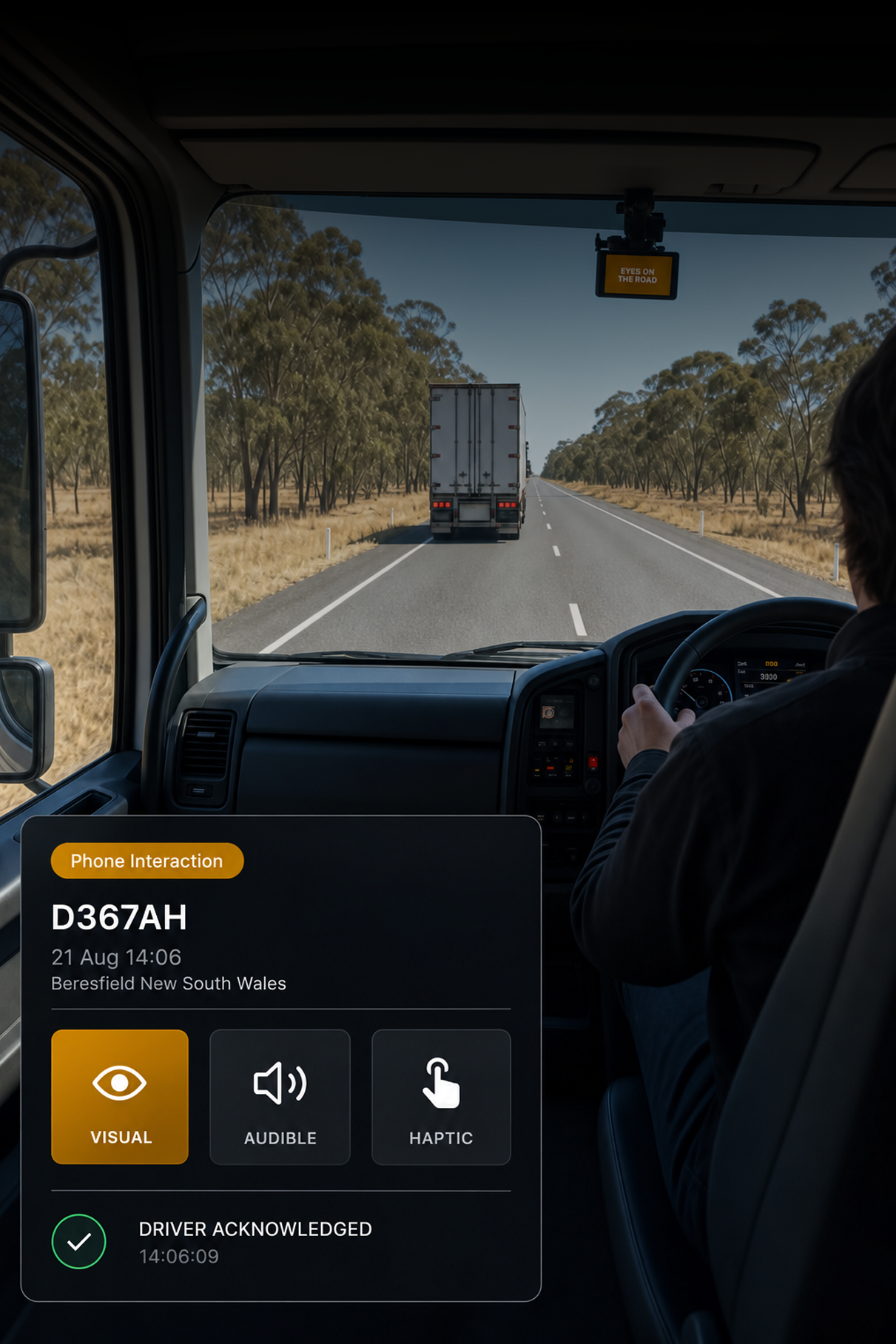
In the cab
Alert the driver in the moment
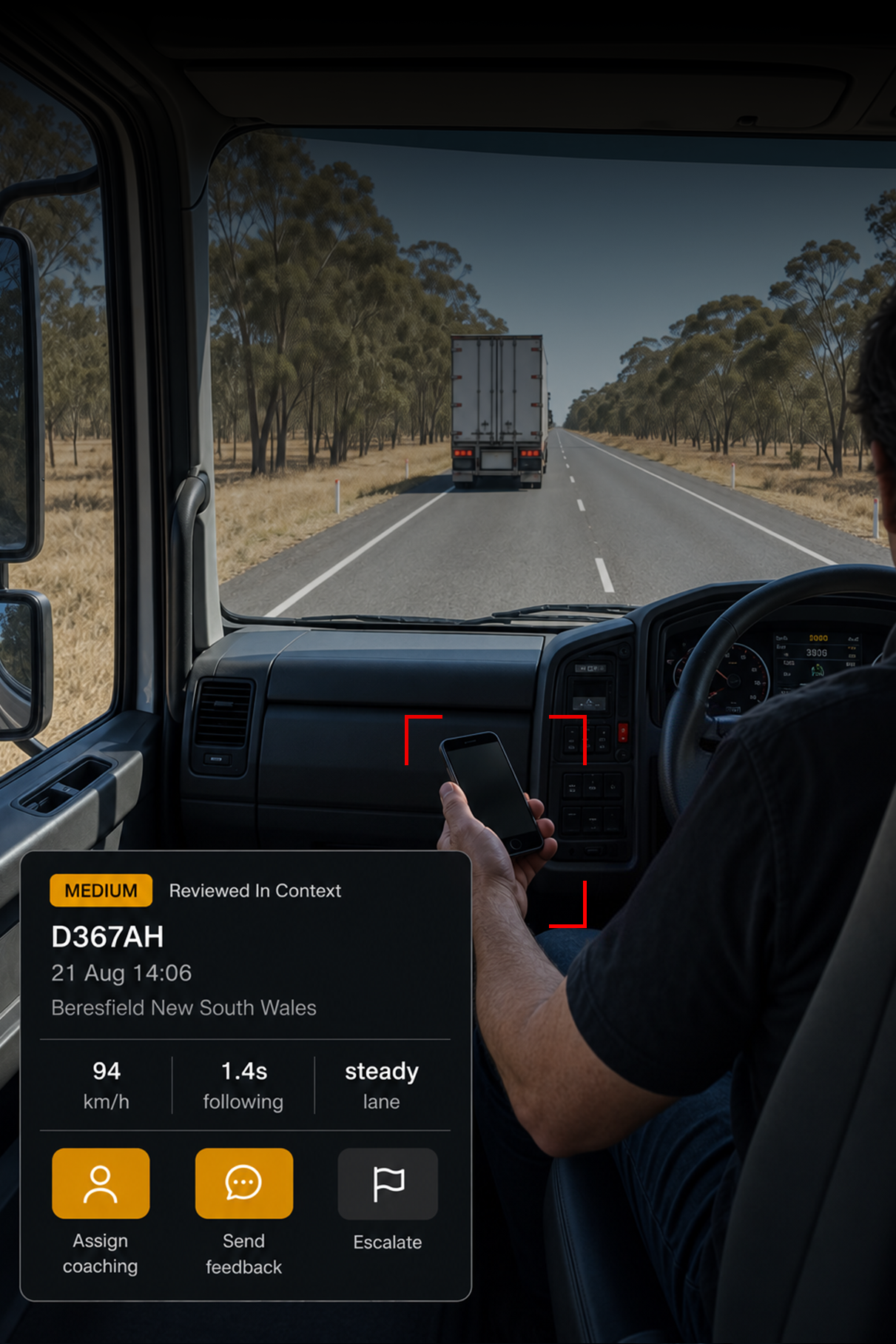
In review
See the event in full context
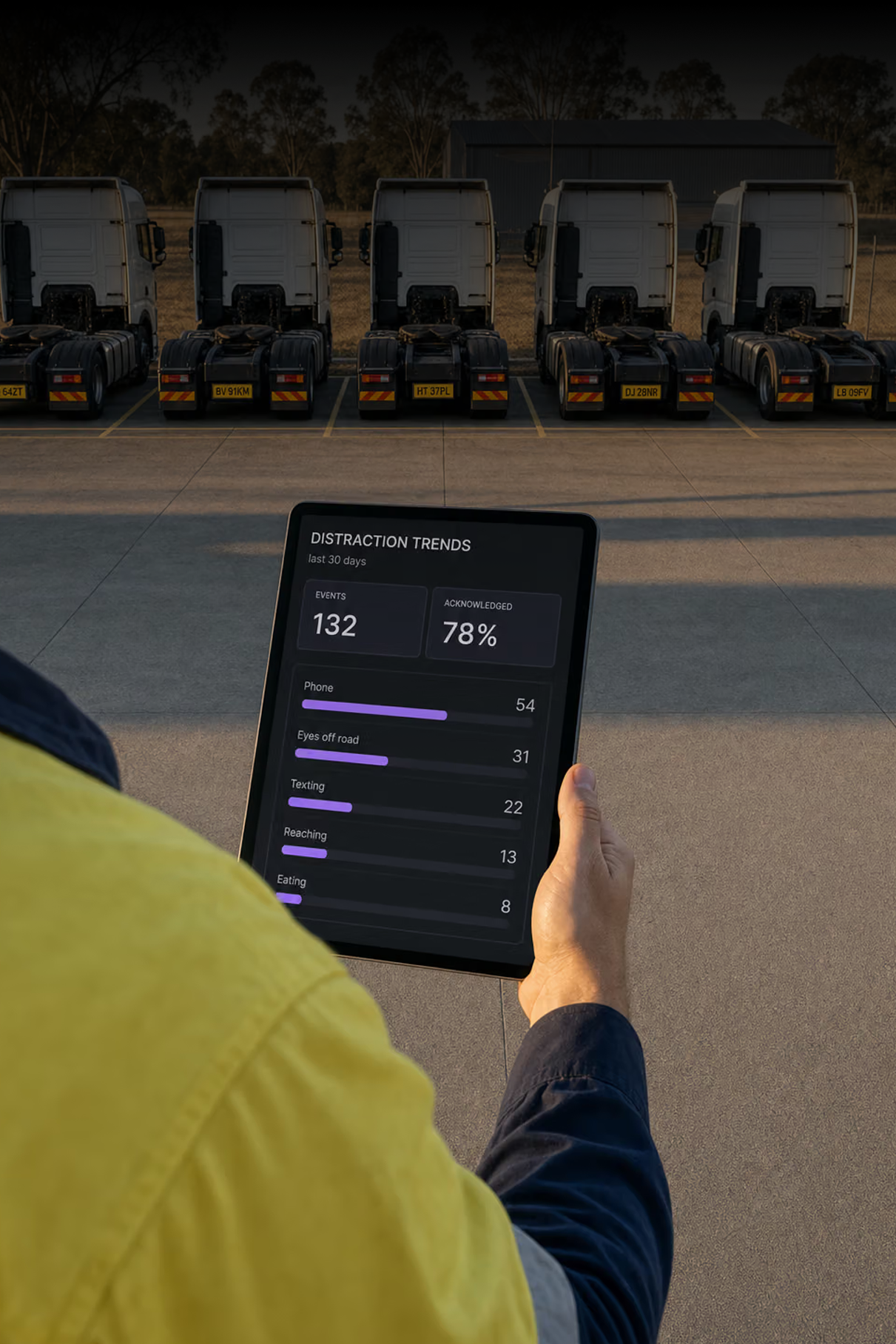
Over time
See the pattern behind the behaviour
Which distractions are supported?
Mobile phone interaction, texting or screen interaction, other handheld devices such as tablets and cameras, reaching or object handling inside the cabin, eating and drinking and eyes off the road beyond your configured duration and thresholds.
How is severity decided?
By the detected behaviour, how long it lasted against your configured thresholds and what the vehicle was doing at the time. A phone visible with eyes off the road for three seconds at speed is judged differently from the same behaviour stationary.
What does the confidence level mean?
Confidence reflects how strongly the observed behaviour matches the configured detection model. It is a guide for triage rather than a verdict and human review may still be required.
What happens if the driver ignores the alert?
The alert is delivered in cab and the driver's acknowledgement is recorded. If there is no acknowledgement within the configured window the event escalates to a manager or supervisor rather than being closed.
What can a manager do with an event?
Review the video and the surrounding context, assign coaching or send feedback to the driver, track repeat events over time, and create an incident or escalate to a supervisor where it is needed.
Does this need particular hardware?
Supported behaviours are detected on compatible in cab devices, and in cab alerts depend on what the fitted device supports. Visual and audible prompts are widely available; haptic depends on the hardware.
Catch the Distraction. Not Just the Incident.
Detection, driver alerts and the context to act, in one place.