Customer Notifications
Customer Notifications from Dispatch to Delivery
Send delivery windows, live tracking links, ETA updates and completion notifications through one connected customer experience.
- Automated notifications at every stage
- Branded tracking page with live, accurate updates
- ETAs update automatically as conditions change
- Keep customers, dispatchers and drivers aligned
- Reduce enquiries and improve customer satisfaction
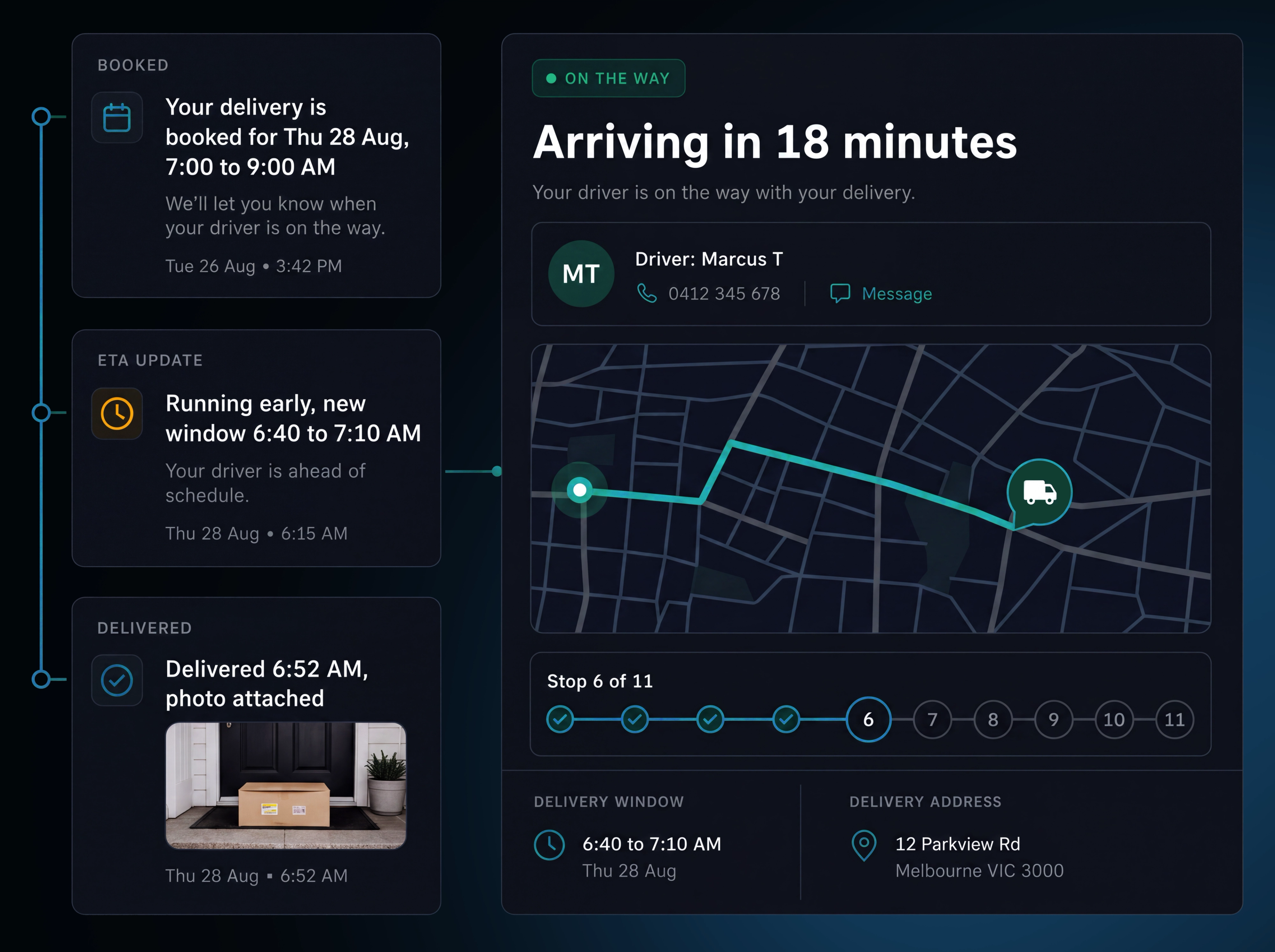
Every Notification, From First Stop to Final Proof

Route published. The first customer message is sent as soon as the route is confirmed.
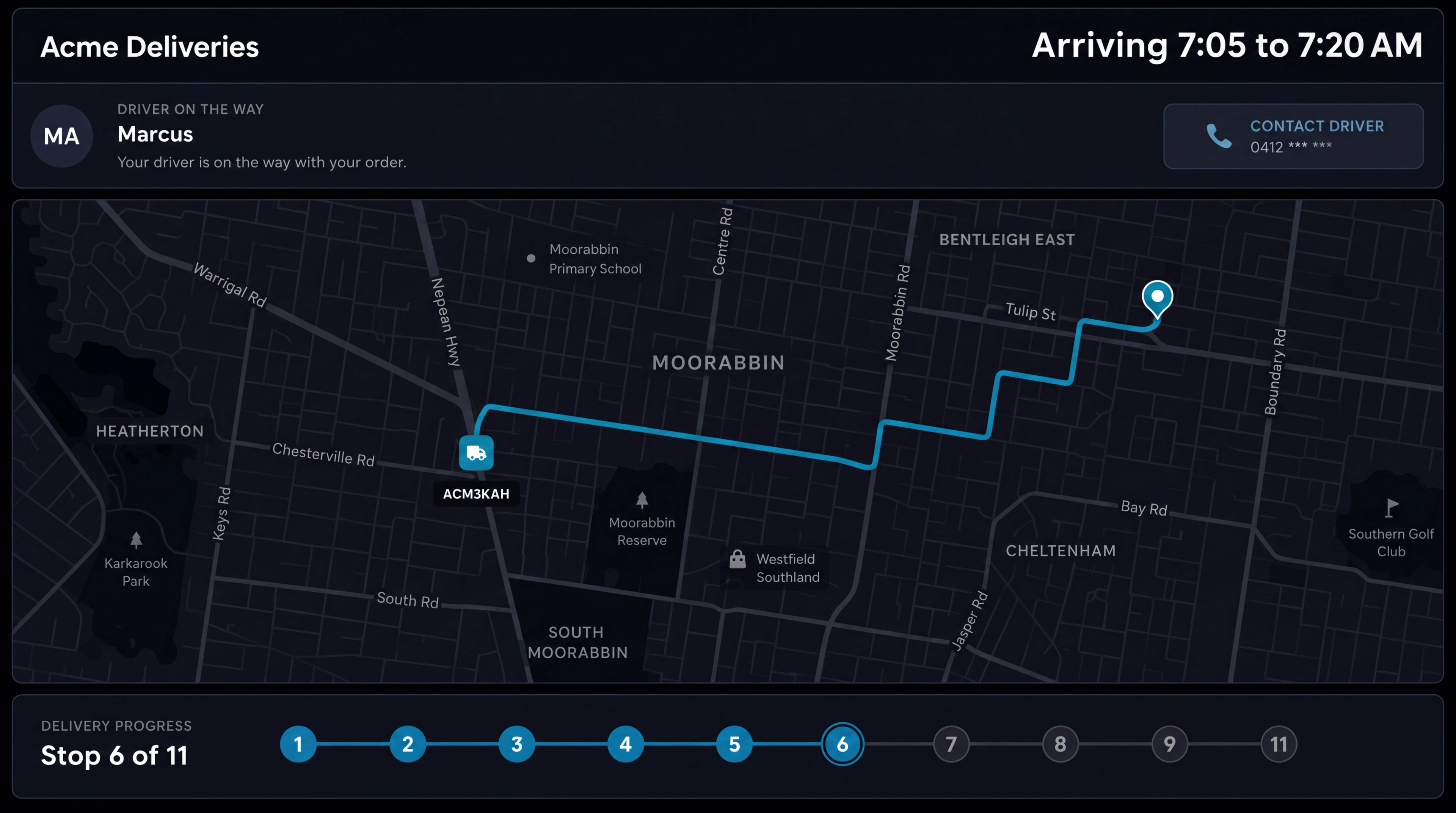
Customer tracking page. Show live delivery status, estimated arrival, stop progress and the latest update on your branded tracking page.

Delivery window sent. Send the expected delivery window in advance, reducing the need for customers to call on the day.
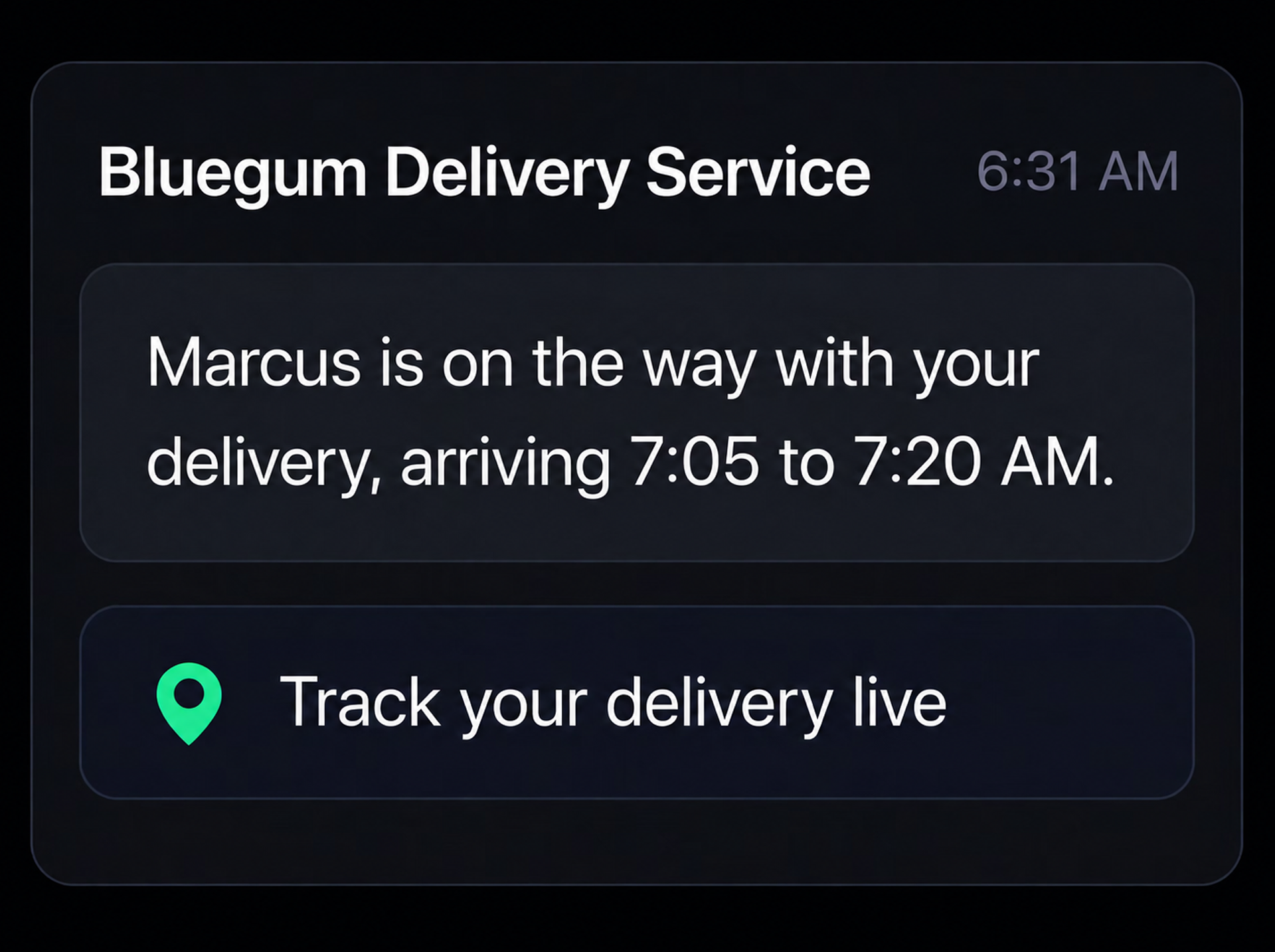
Driver dispatched. Share the driver, vehicle and live tracking link when the delivery is on its way.
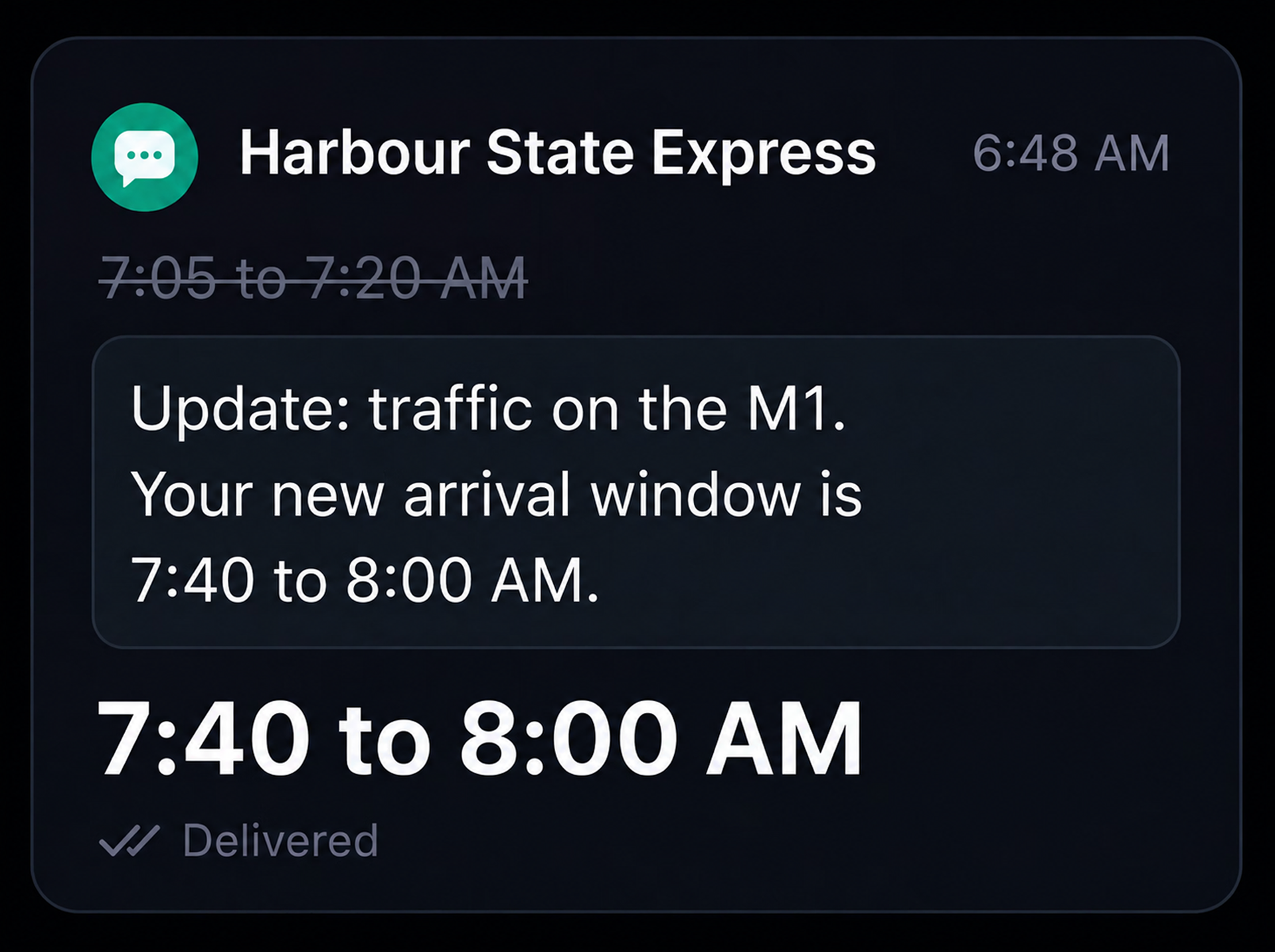
ETA updated. Send a revised delivery window automatically when the estimated arrival changes.
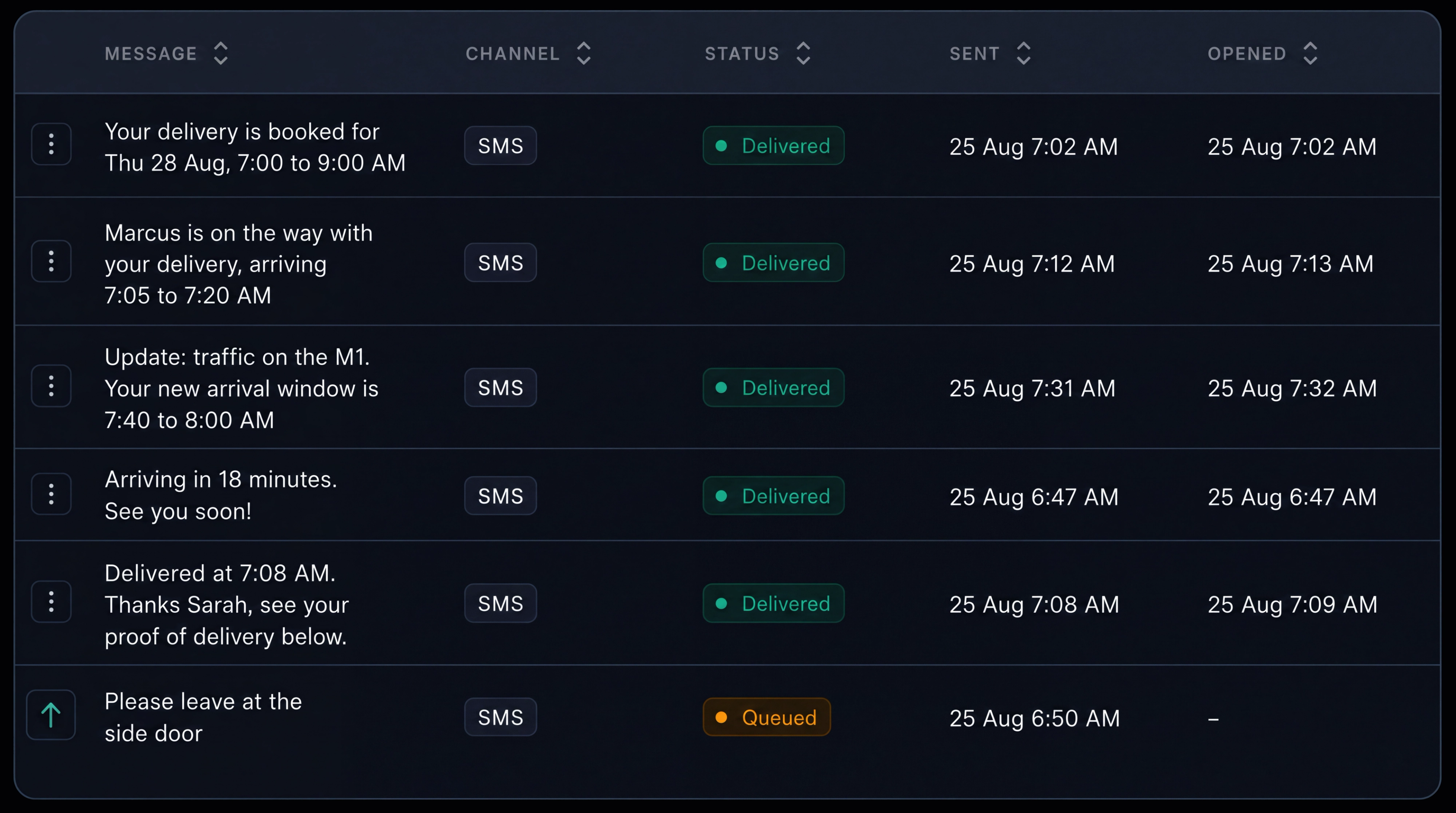
Message history retained. Keep a record of what was sent, when it was sent, how it was delivered and any customer reply against the job.
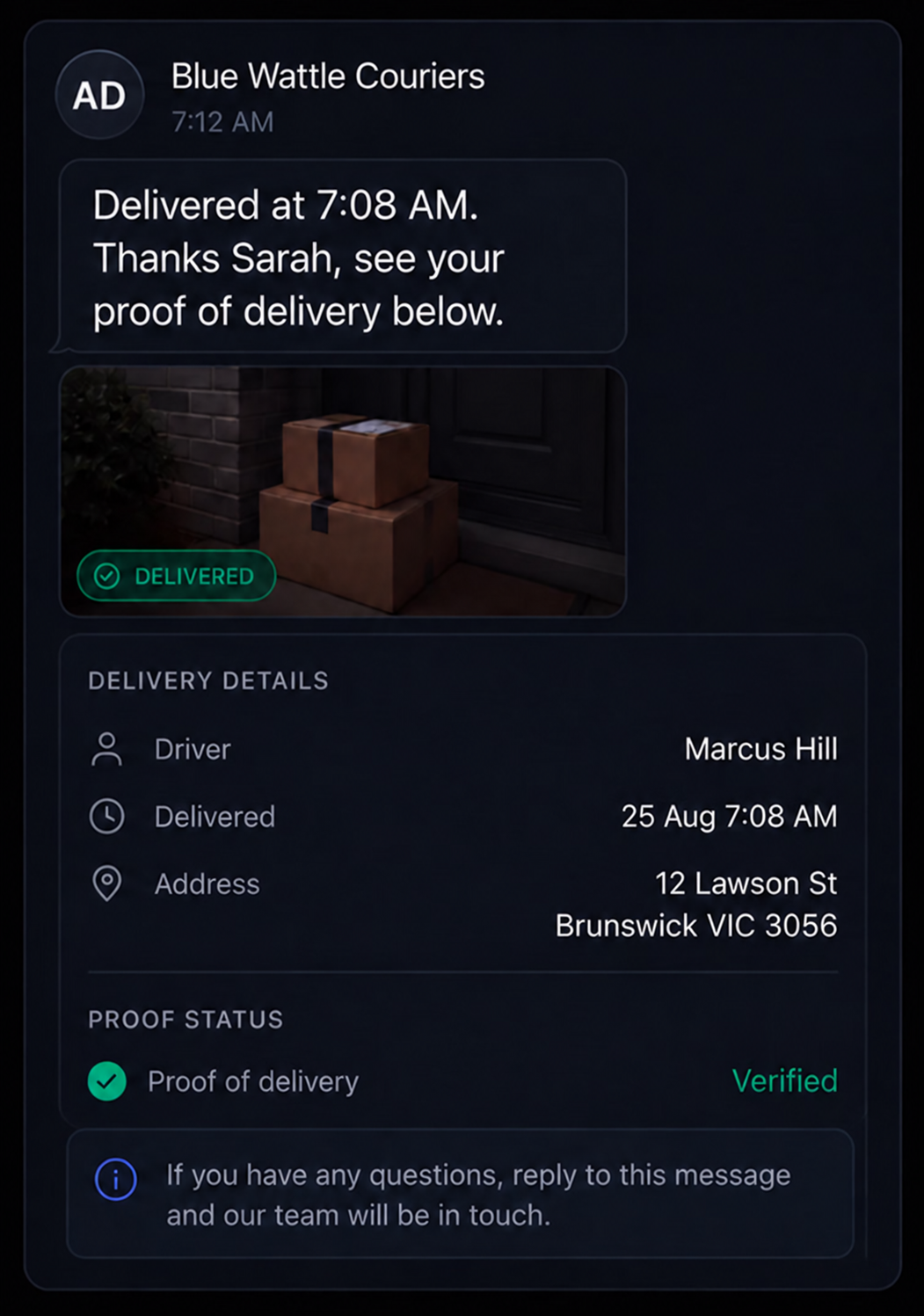
Delivery completed. Share completion details including the delivery time, recipient and proof of delivery.
Control What Customers See and When
Choose which updates are sent, how they’re delivered and what information customers can see through their tracking link.
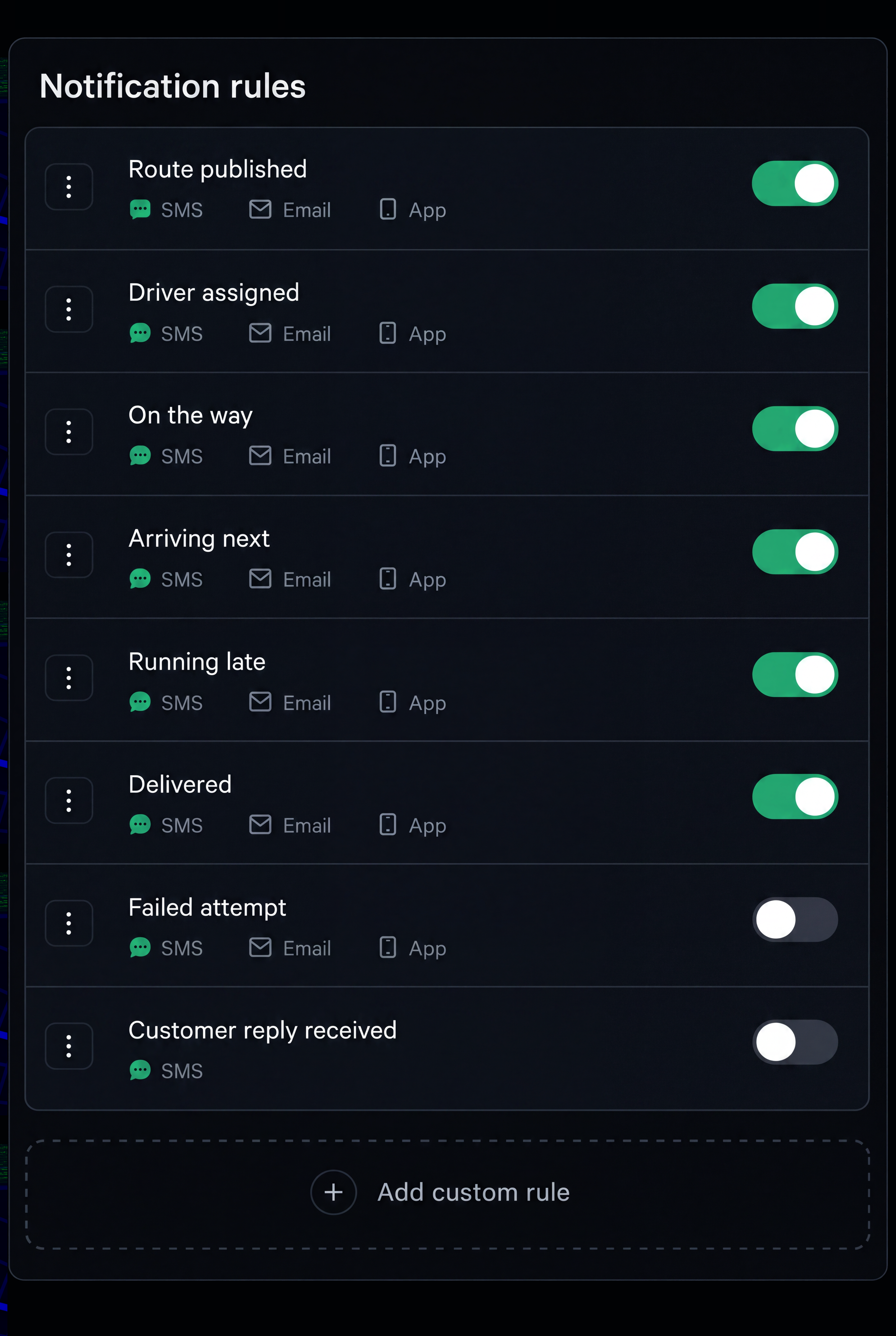
Notification Rules
Choose which delivery events trigger notifications, when they are sent and which channels are used, with the option to create custom rules.
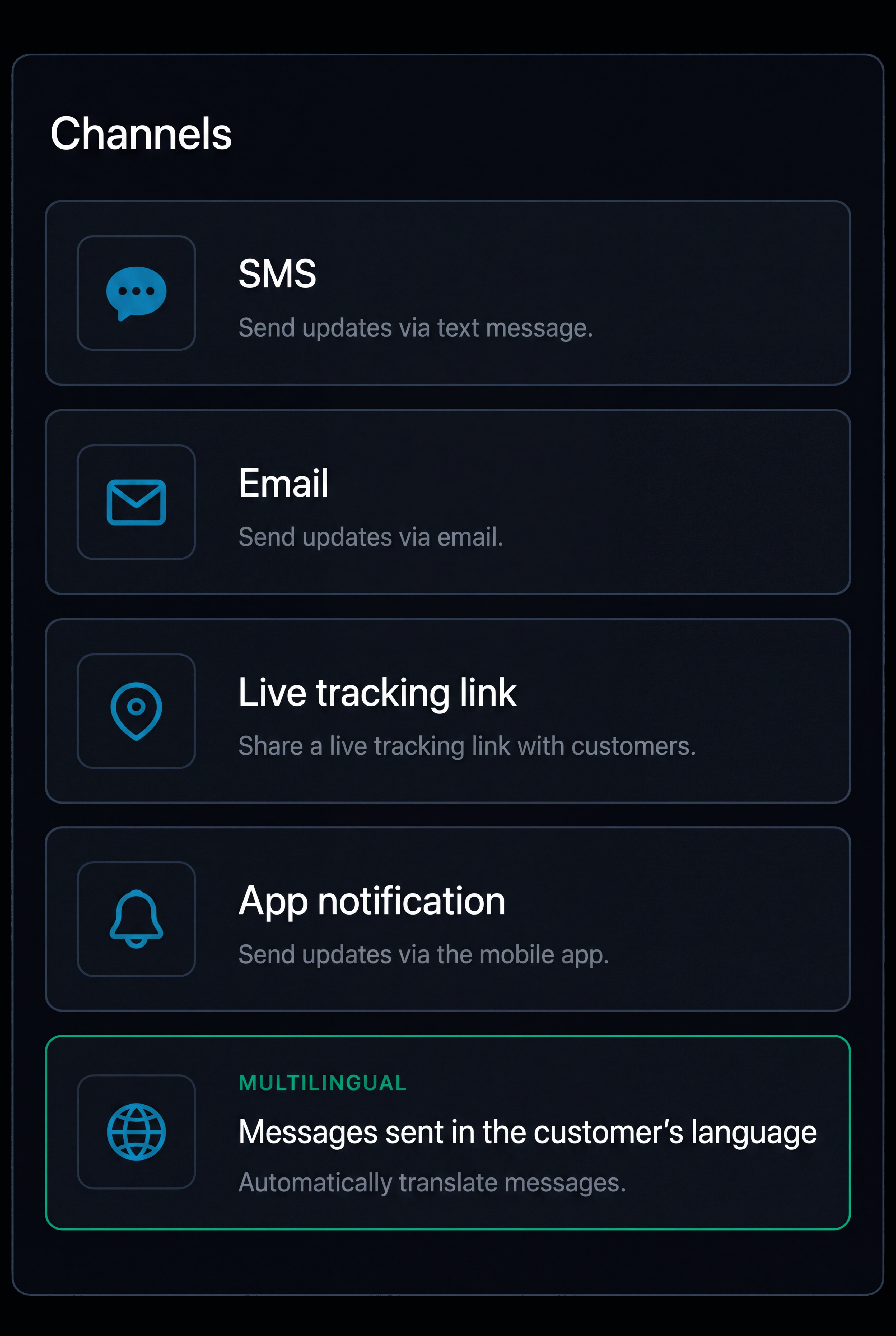
Supported Channels
Send updates by SMS, email, live tracking link or in app notification, with multilingual messaging based on the customer’s preferred language.
Branding and Privacy
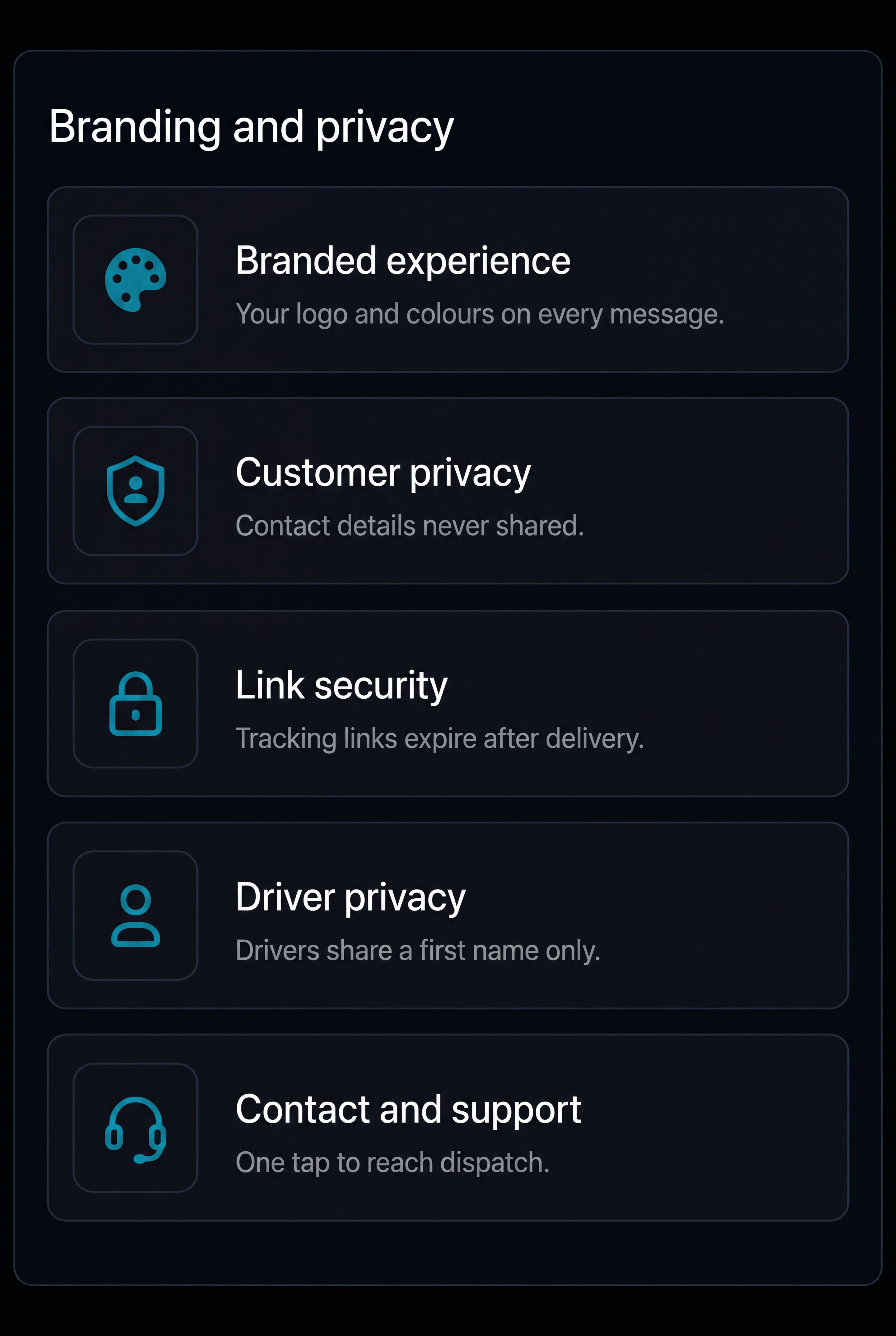
Use your branding and control what customers can see, including tracking link access, driver location detail and your own contact information.
Additional features
Message Templates
Set the wording for each message and reuse it across deliveries.
Failed Messages
Retry undelivered messages and flag those that still need attention.
Exception Updates
Send updates when delays or ETA changes affect a delivery.
Customer Replies
Keep customer replies against the relevant job.
Notification Preferences
Respect customers' unsubscribe preferences across every channel.
Delivery Progress
Show customers progress without revealing the full route.
Live Tracking
Give customers a live view of their delivery through one tracking link.
Proof of Delivery
Share delivery proof when the job is completed.
Delivery Windows
Send the expected delivery window ahead of the day.
Arrival Updates
Send a final update as the driver approaches.
Multilingual Messaging
Send messages in the customer’s preferred language.
Frequently Asked Questions
Which channels can customers be reached on?
Send updates by SMS, email, live tracking link or in app notification. Each notification can use its own combination of channels, depending on the type of update.
What triggers a message?
Notifications can be triggered by route publication, delivery windows, driver departure, ETA changes, arrival, completion, failed deliveries and rescheduling. Each trigger can be switched on or off, with custom rules also supported.
How much can a customer see on the tracking page?
Customers can see delivery status, estimated arrival, driver and vehicle details, delivery address, stop progress and the latest update. Privacy controls determine how much driver location information is shown, with tracking links that can expire.
What happens to a message that does not arrive?
Undelivered messages are flagged and retried, with the communication history showing the channel, time sent, delivery status and whether the message was opened.
What happens when a delivery is delayed?
The ETA is recalculated and the customer receives an updated notification, while the tracking page reflects the new delivery window so they have the latest information.
Give Every Customer a Clearer View of their Delivery
One connected journey, from dispatch to completion.
- Secure, role based access
- Complete audit trail of every change
- Communication via app, SMS and email
- Available across web and mobile