Asset Tracking Software for Trailers and Plant
Track vehicles, trailers and equipment with location history, geofences and alerts when assets move without authorisation.
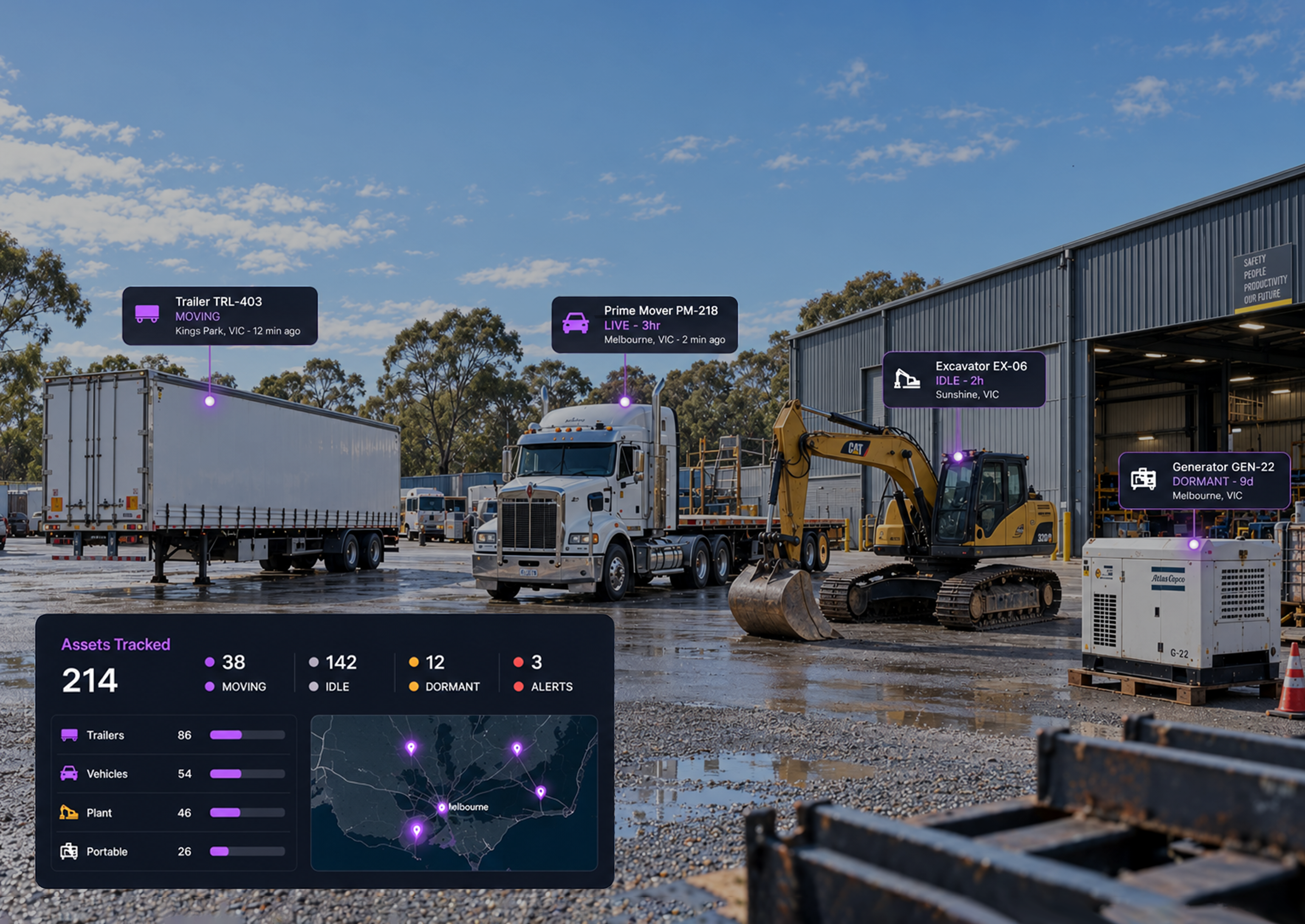
Asset Tracking With or Without Power
Hardwired GPS Trackers
For powered assets, with continuous reporting while the asset has a power supply.
Battery Asset Trackers
For trailers, plant and equipment without a permanent power source, reporting on a configured schedule.
Asset Tags and Bluetooth
For portable and high value items that move between vehicles, sites and storage areas.
Accessories
Mounts, harnesses and protective enclosures suited to the environment and asset being tracked.
ASSET PROTECTION
Turn Unexpected Movement into a Response
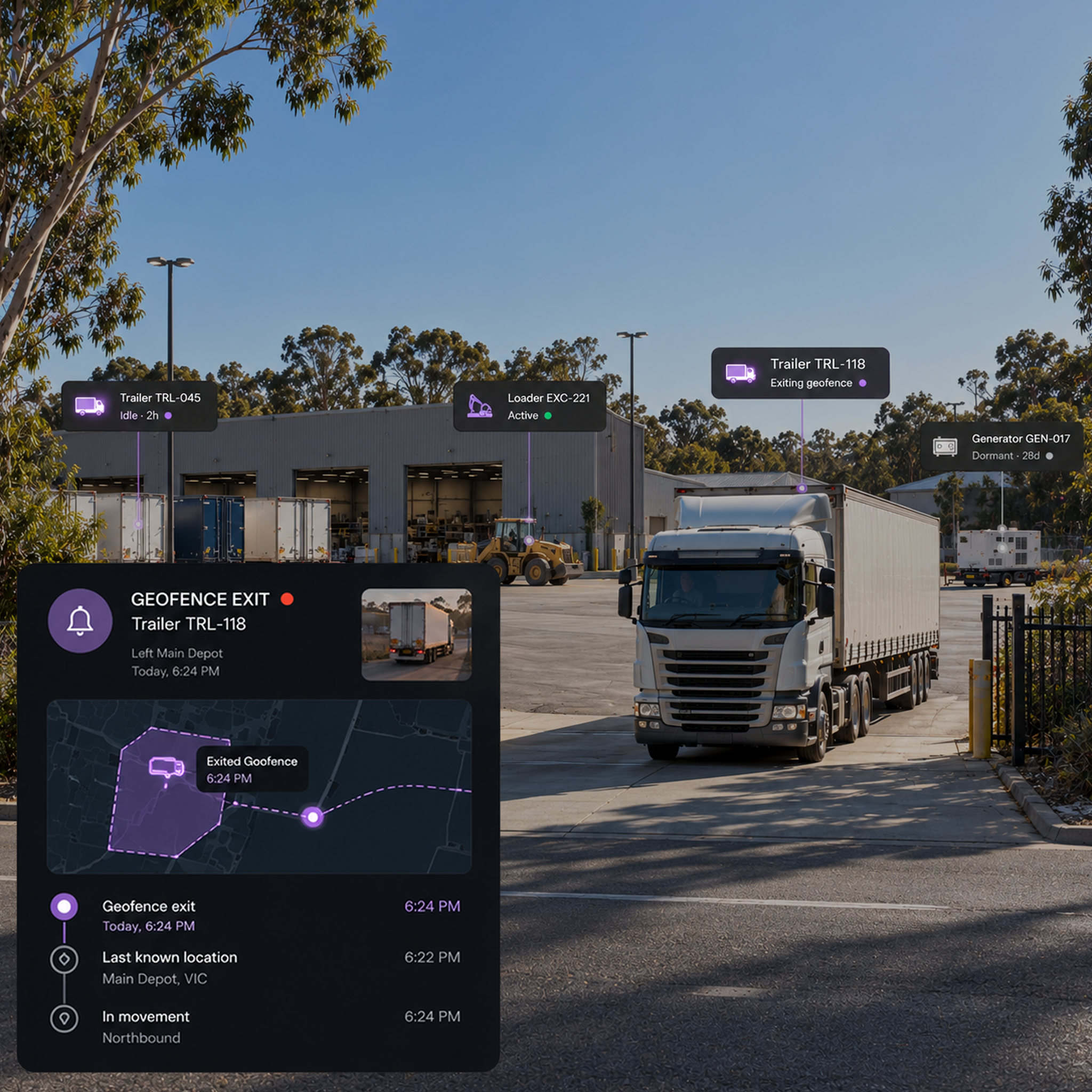
The Protection Workflow
An out of hours geofence exit triggers an alert. Review the asset's location history and last known position, then take the appropriate action and contact the operator, escalate or recover.
Utilisation
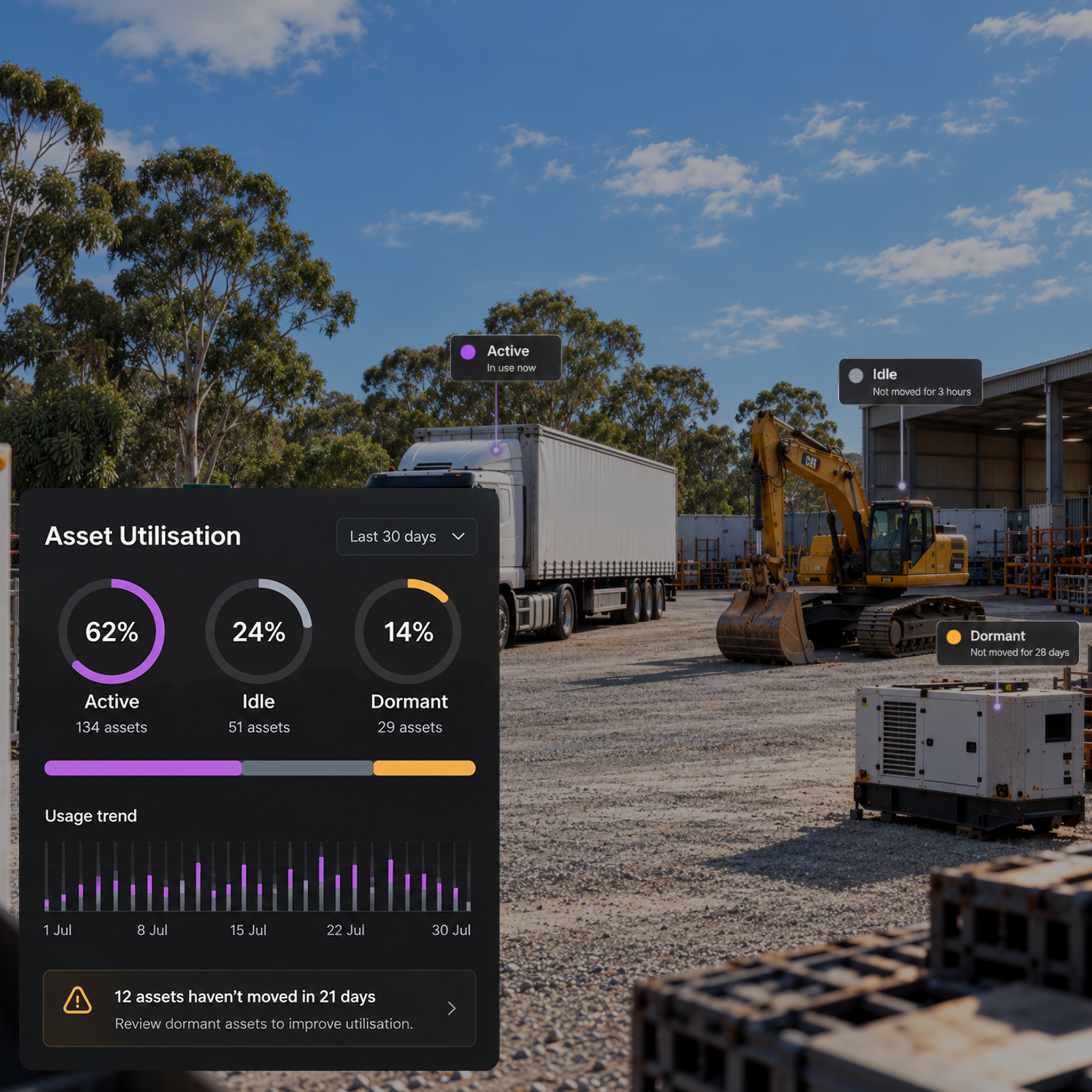
See active, idle and dormant assets across the period, so hire and fleet decisions are based on measured usage rather than memory.
Track What moves. Flag What Shouldn't.
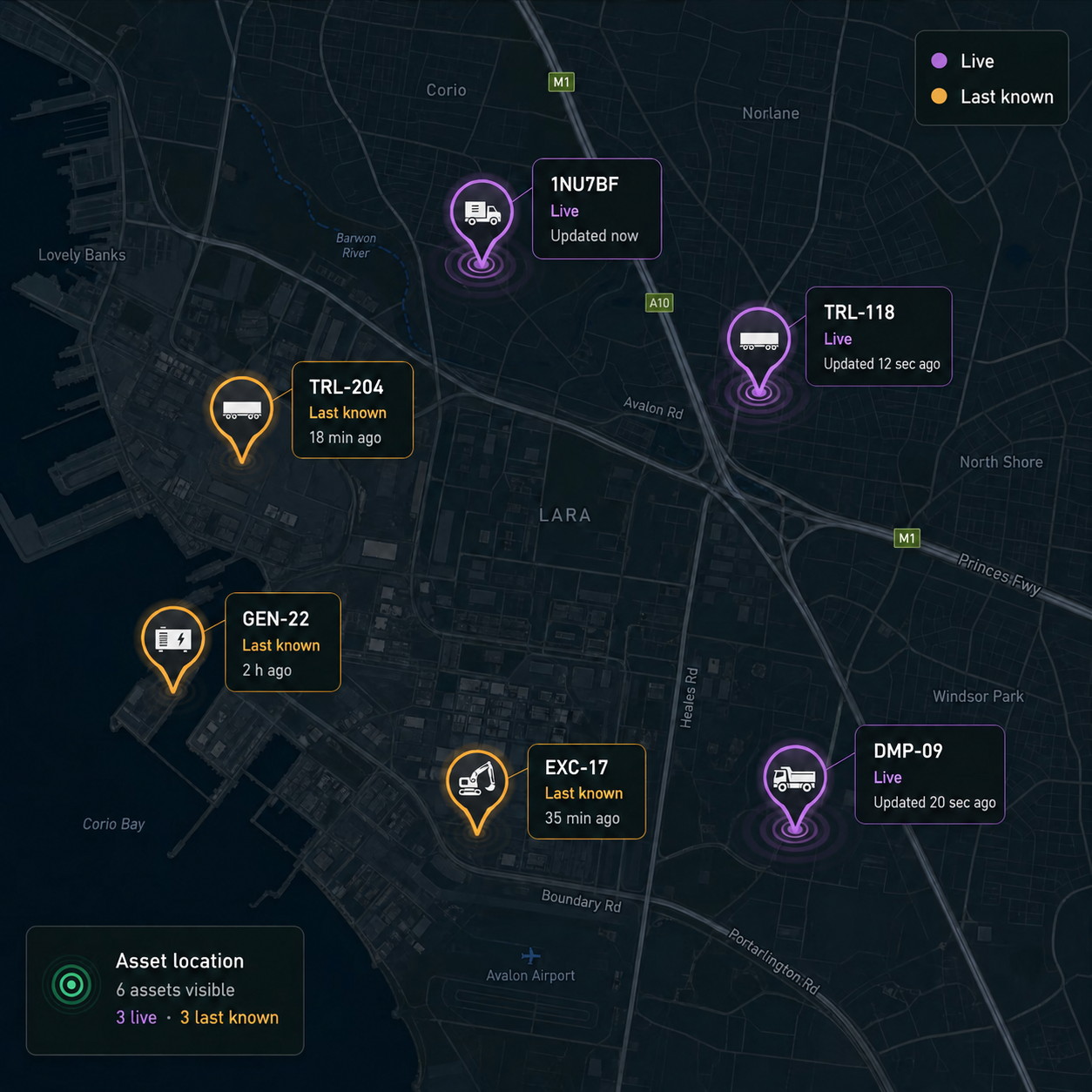
Live and last known location
See live location where the tracker reports continuously, or the last known position with its recorded time where it reports on a schedule. The view reflects the tracker configuration rather than presenting an old position as current.
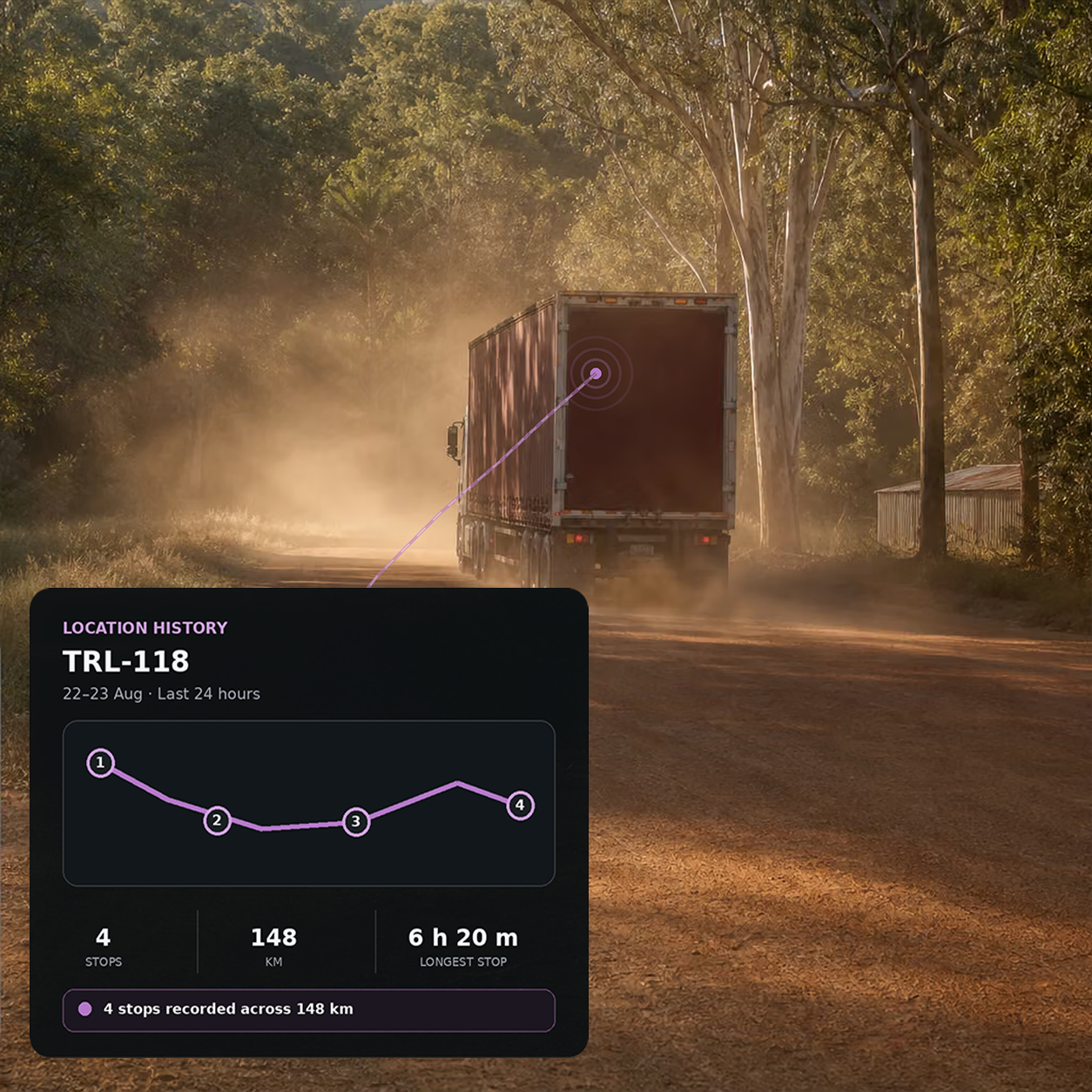
Location history and playback
Replay an asset's movements across a selected period, including stops and time spent at each location.
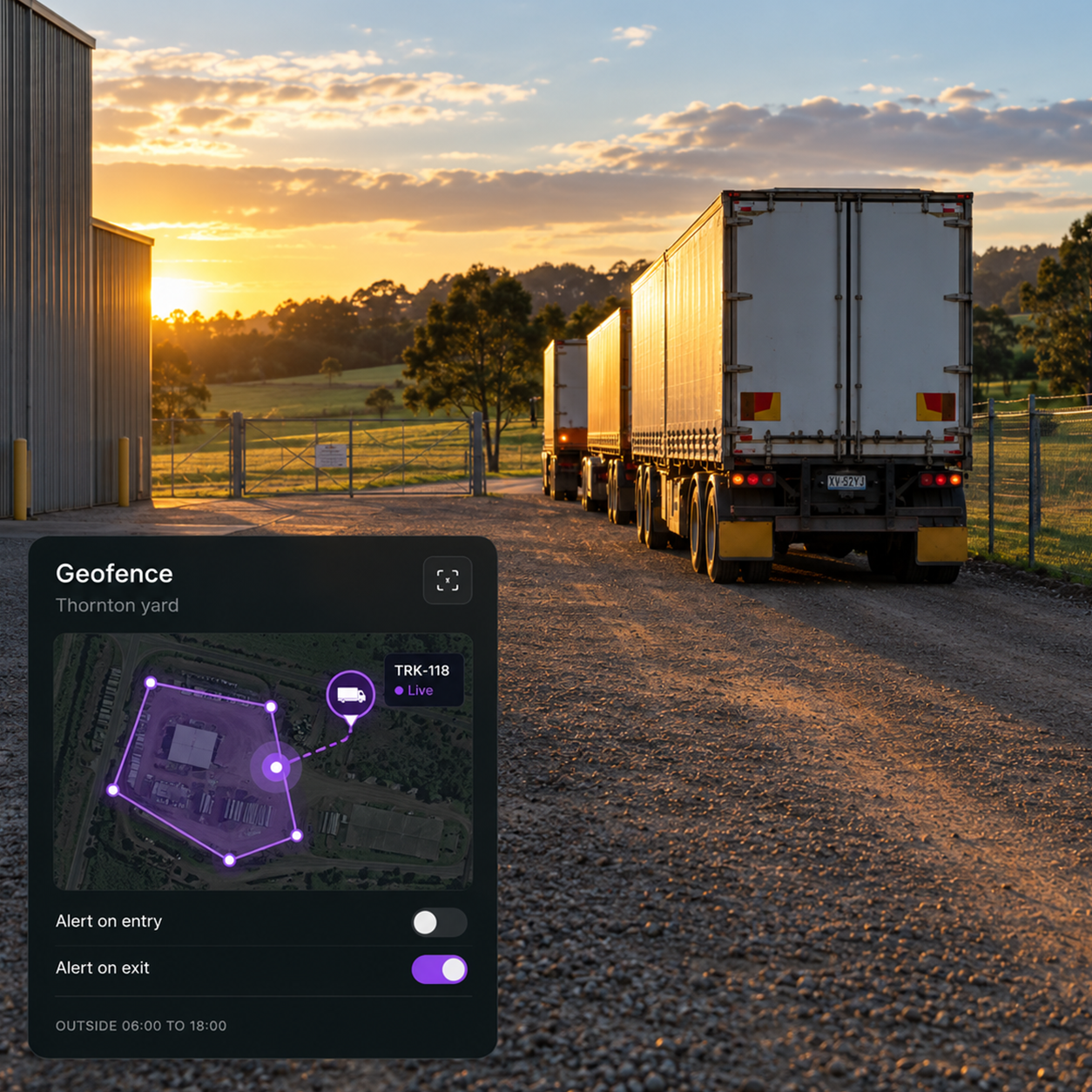
Geofences and zones
Create virtual boundaries around depots, sites and customer locations, with entry and exit alerts and rules for expected operating hours.
Additional features
Vehicles
Track powered assets with hardwired GPS trackers.
Trailers
Track unpowered assets using battery-powered trackers.
Plant and Equipment
Monitor site machinery by both location and utilisation.
Portable Assets
Track items that move between vehicles, sites and storage areas.
High Value Assets
Apply tighter geofences and faster escalation where needed.
Battery and Device Health
See tracker health before a device stops reporting.
Movement Alerts
Flag unexpected movement, including activity outside expected hours.
Geofence Entry and Exit
Get alerts as soon as an asset crosses a defined boundary.
Last Known Location
See an asset’s most recent reported location and when it was recorded, so you know how current the information is.
Utilisation Reports
See active, idle and dormant assets by category.
Dormant Asset Detection
Identify assets that have remained stationary for an extended period.
Drive360 Context
Connect asset location with assignment, maintenance and inspection history.
Visibility Wherever Your Assets Operate
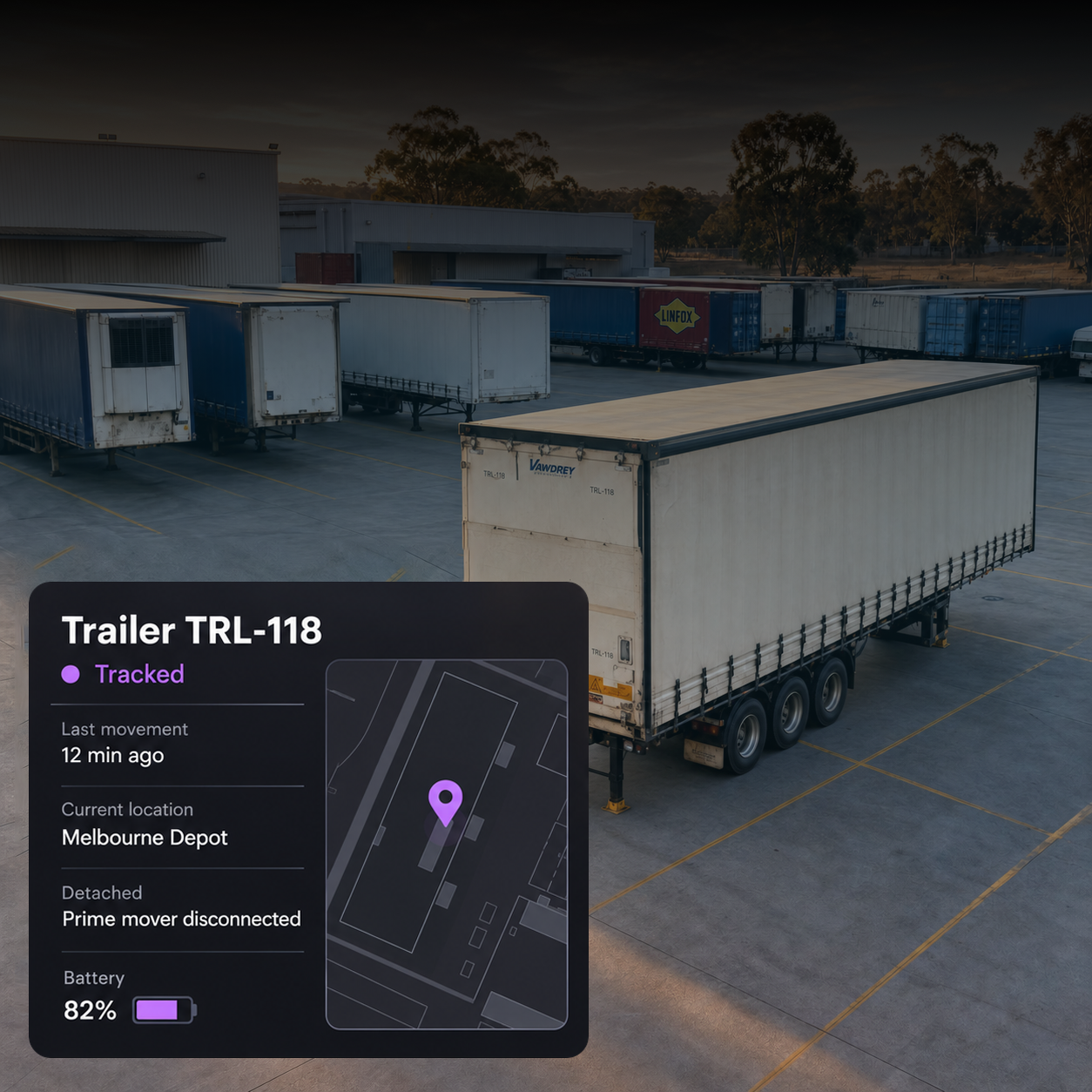
Logistics and transport
Trailers that stay visible between journeys
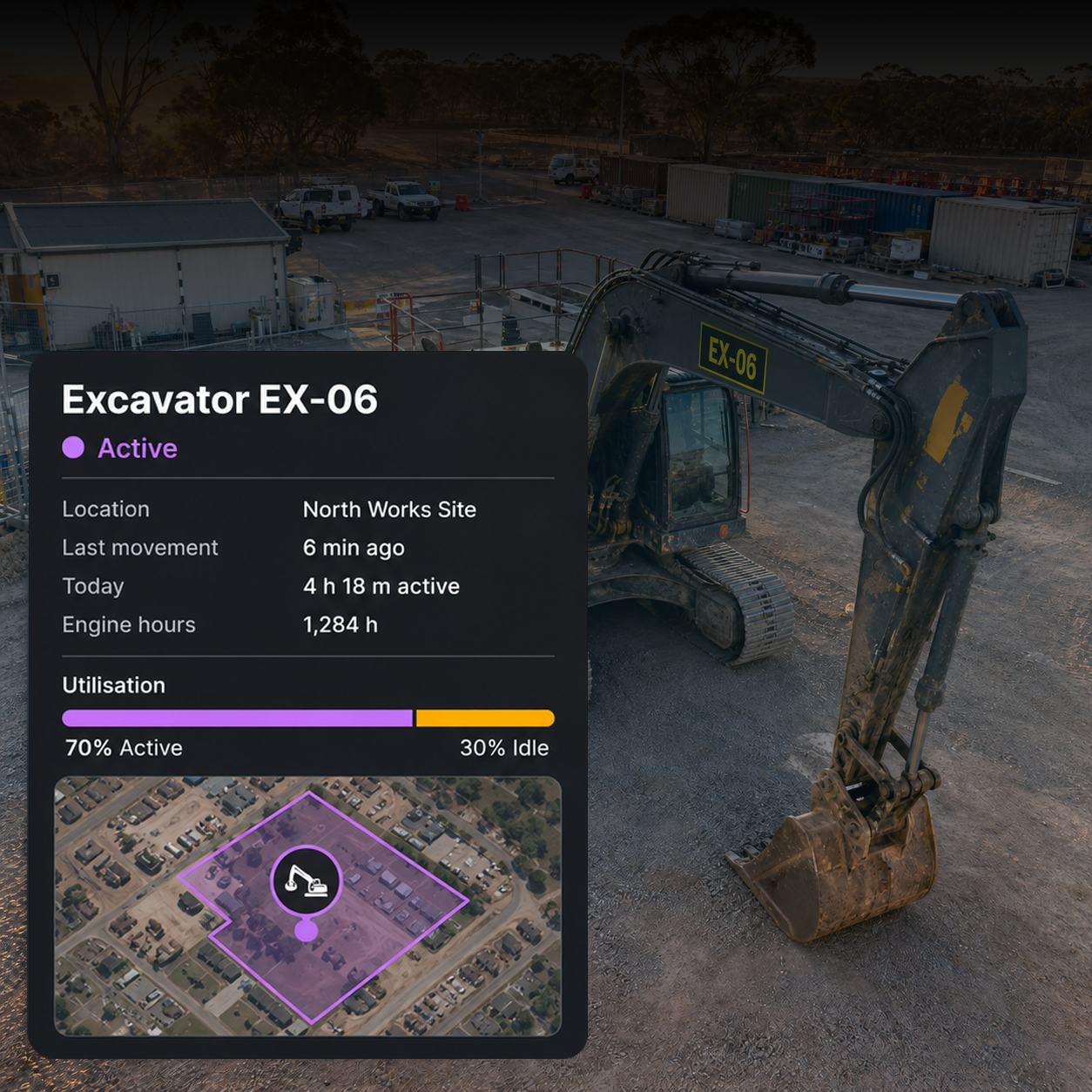
Construction and utilities
Plant tracked by location and use
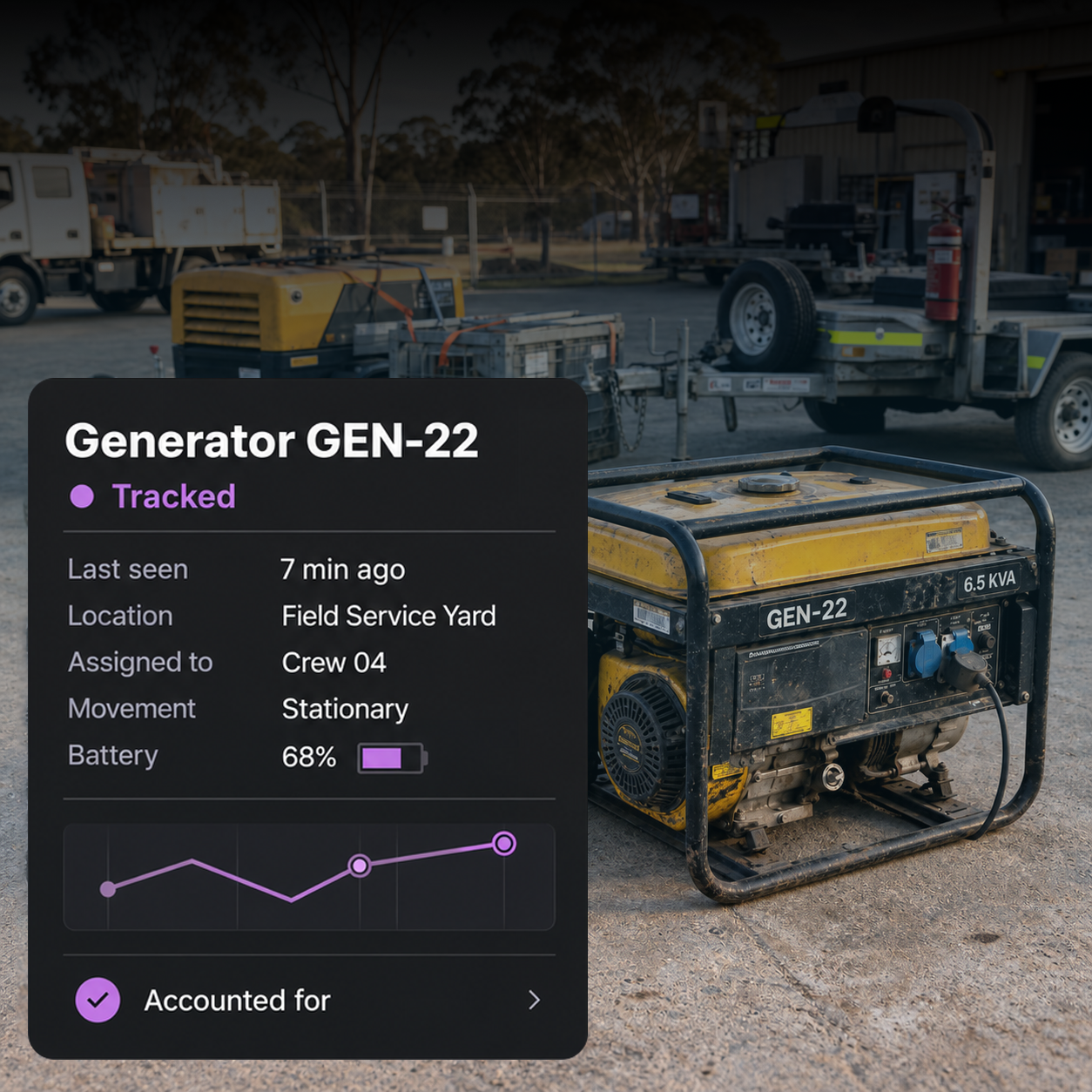
Waste and field services
Portable assets that stay accounted for
Is asset tracking live or last known?
It depends on the tracker. Hardwired units on powered assets can report continuously, while battery trackers report on a configured schedule to preserve battery life. The console always shows the last seen time, so scheduled positions are never presented as live.
What can be tracked?
Vehicles, trailers, plant and equipment, portable assets and high value items. The tracker depends on the asset: hardwired for powered assets, battery for unpowered assets, and tags or Bluetooth for portable items.
How does asset protection work?
An out of hours geofence exit raises an alert. Review the asset's location history and last known position, then take the appropriate action and contact the operator, escalate or recover.
How long does a battery tracker last?
It depends on the device and reporting frequency you configure. Battery life is a trade off between reporting frequency and longevity. Battery and device health are monitored so action can be taken before a tracker stops reporting.
What does utilisation tell me?
See how much of the period each asset was active, idle or dormant, broken down by category. This helps determine whether equipment should be bought, hired or whether existing capacity is simply underused.
How does this connect to the rest of the platform?
Drive360 provides assignment, maintenance and inspection context, so asset location can be viewed alongside who has the asset, when it was last serviced and whether it passed its last check.
Track Every Asset. Measure Every Move.
Track movement, protect assets and measure how they are being used.