Driver App & Navigation
Everything Drivers Need for the Route Ahead
Give drivers clear routes, real time updates and proof tools to complete every job safely, efficiently and with confidence.
- Route & stop details
- Built in navigation
- Vehicle aware routing
- Proof of delivery & exceptions
- Online & offline access

Know the Route. Know What’s Next.
Give drivers the route, stop details and tools they need to complete every job.
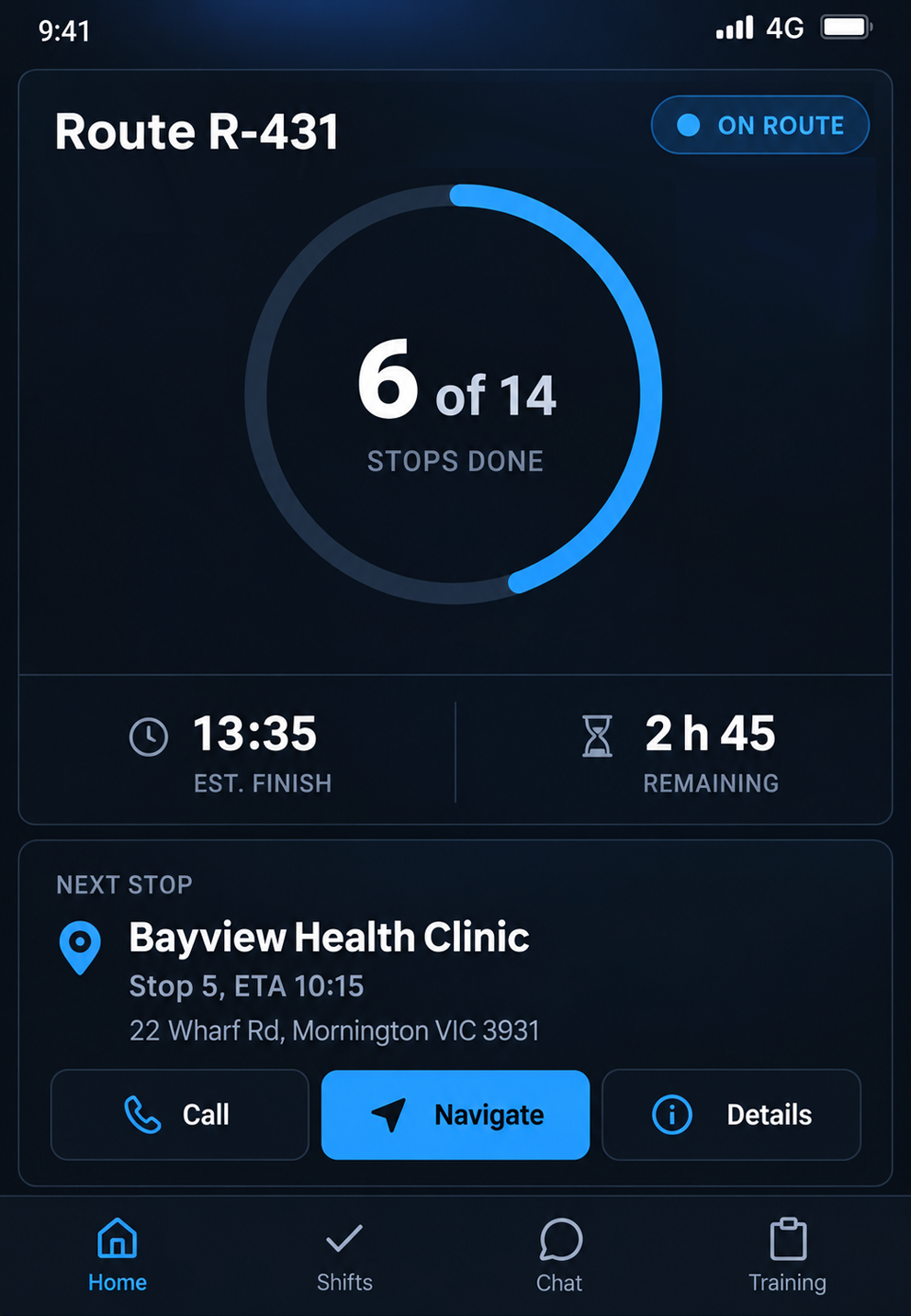
Today's Route
See completed stops, time remaining, estimated finish and the next stop with its ETA.
Navigation
Follow clear turn by turn directions with distance, speed limits and ETA in view.

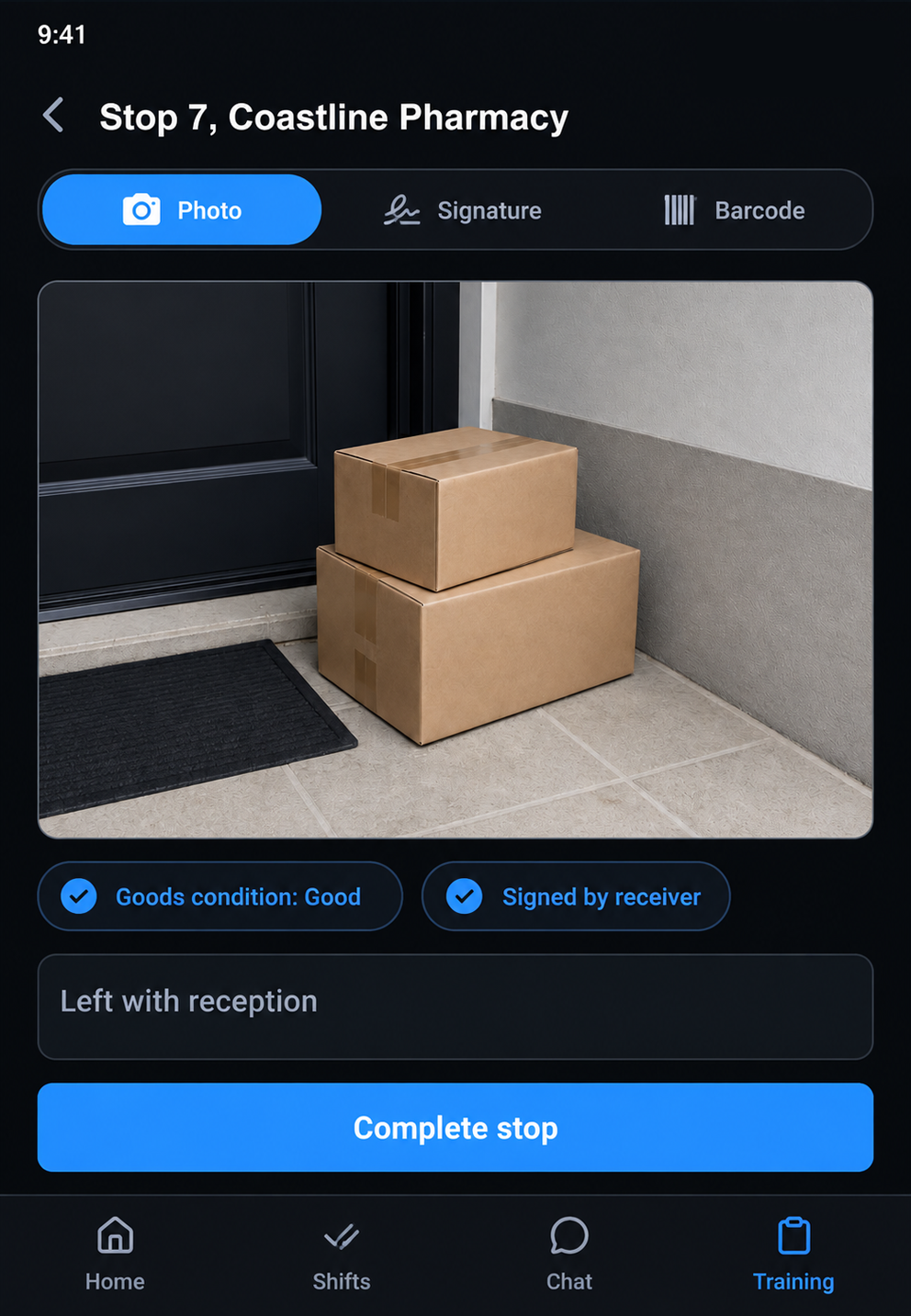
Proof of Delivery
Capture photos, signatures, barcodes, notes and goods condition against each stop.
Navigation Built for Your Fleet
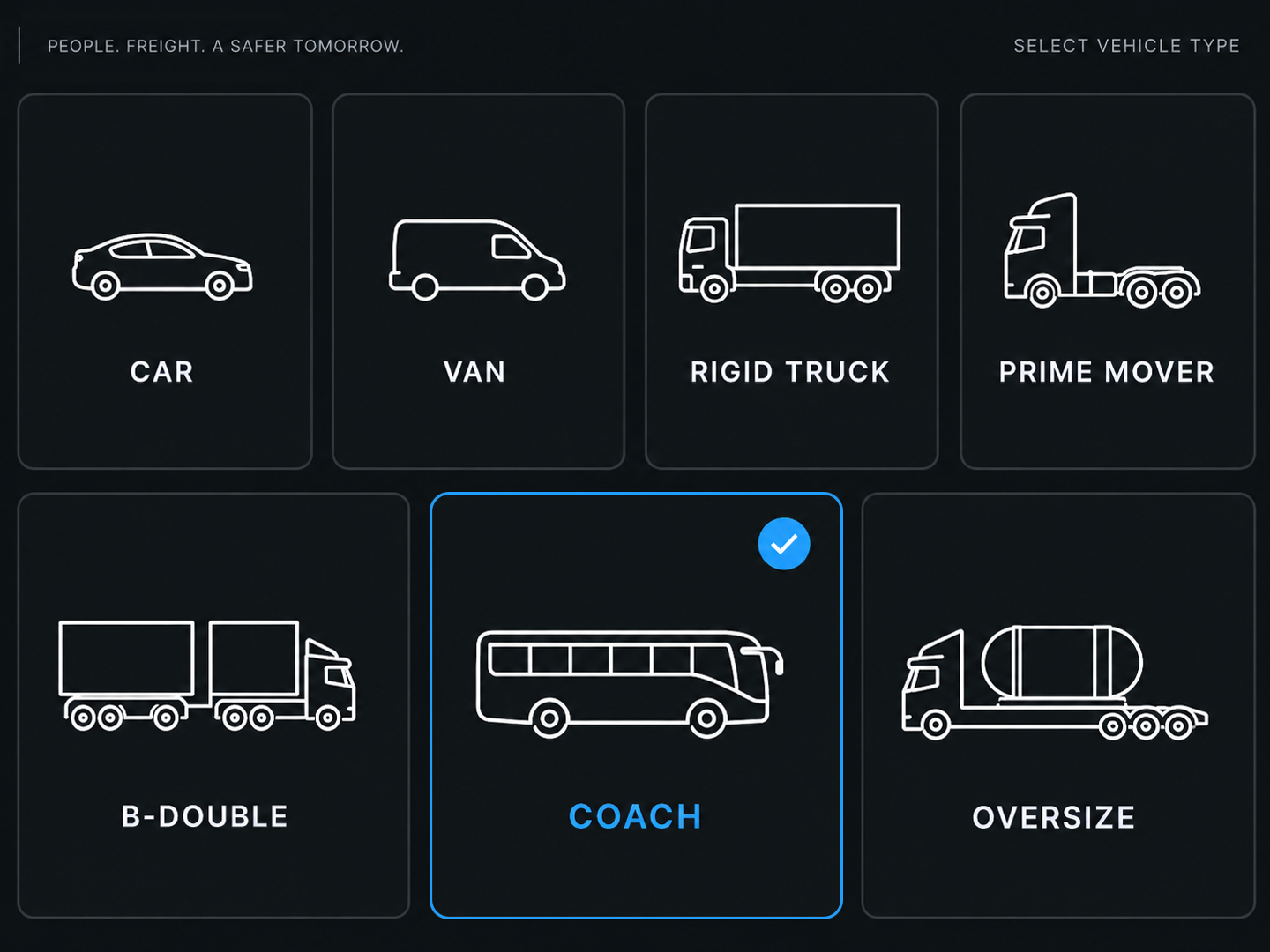
Vehicle profiles. See vehicle type and dimensions for cars, vans, rigid trucks, prime movers, B doubles, coaches and oversize vehicles.
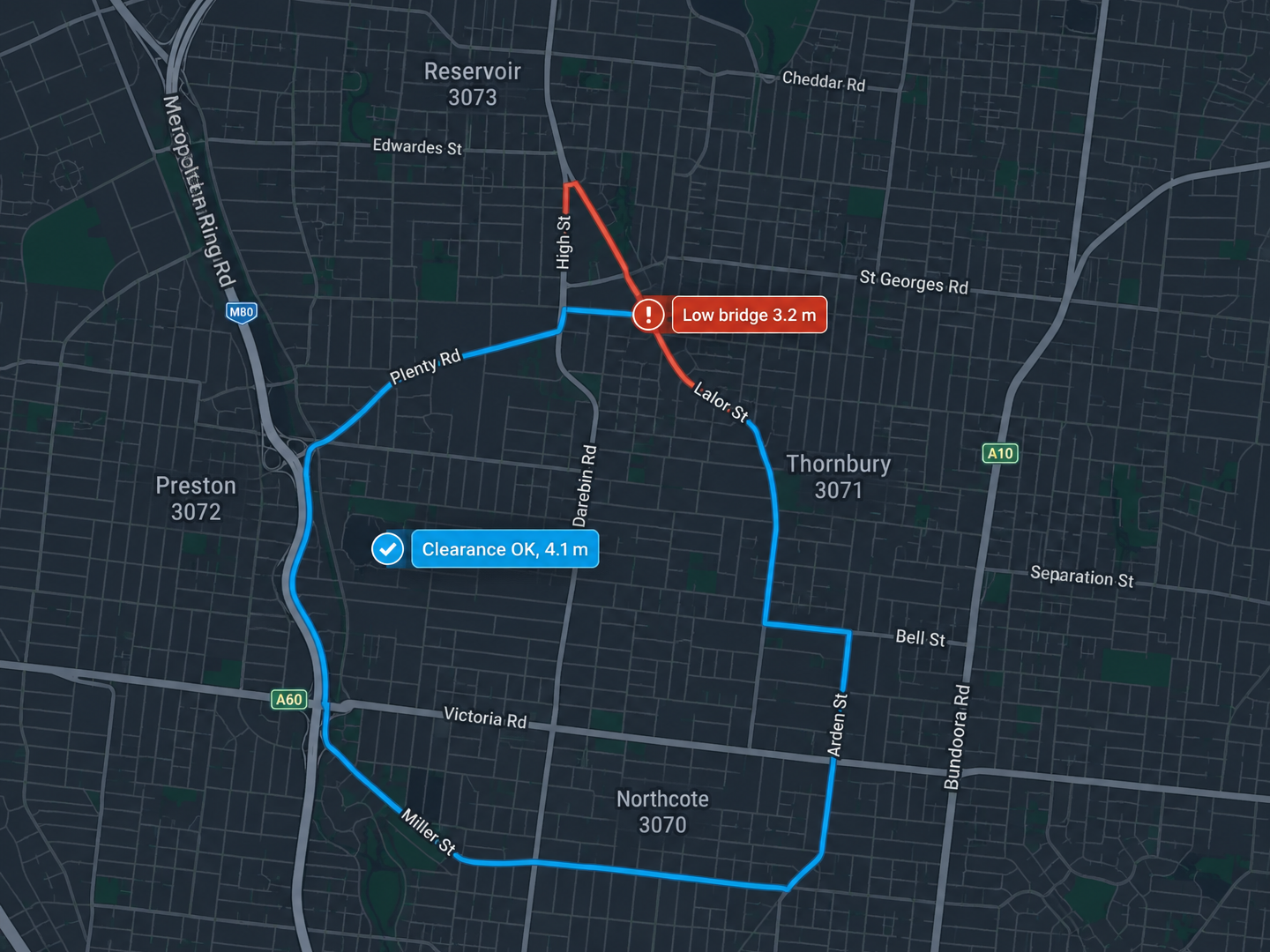
Vehicle aware routing. Build routes around vehicle height, width, length, weight, axle limits, access rules and road restrictions.
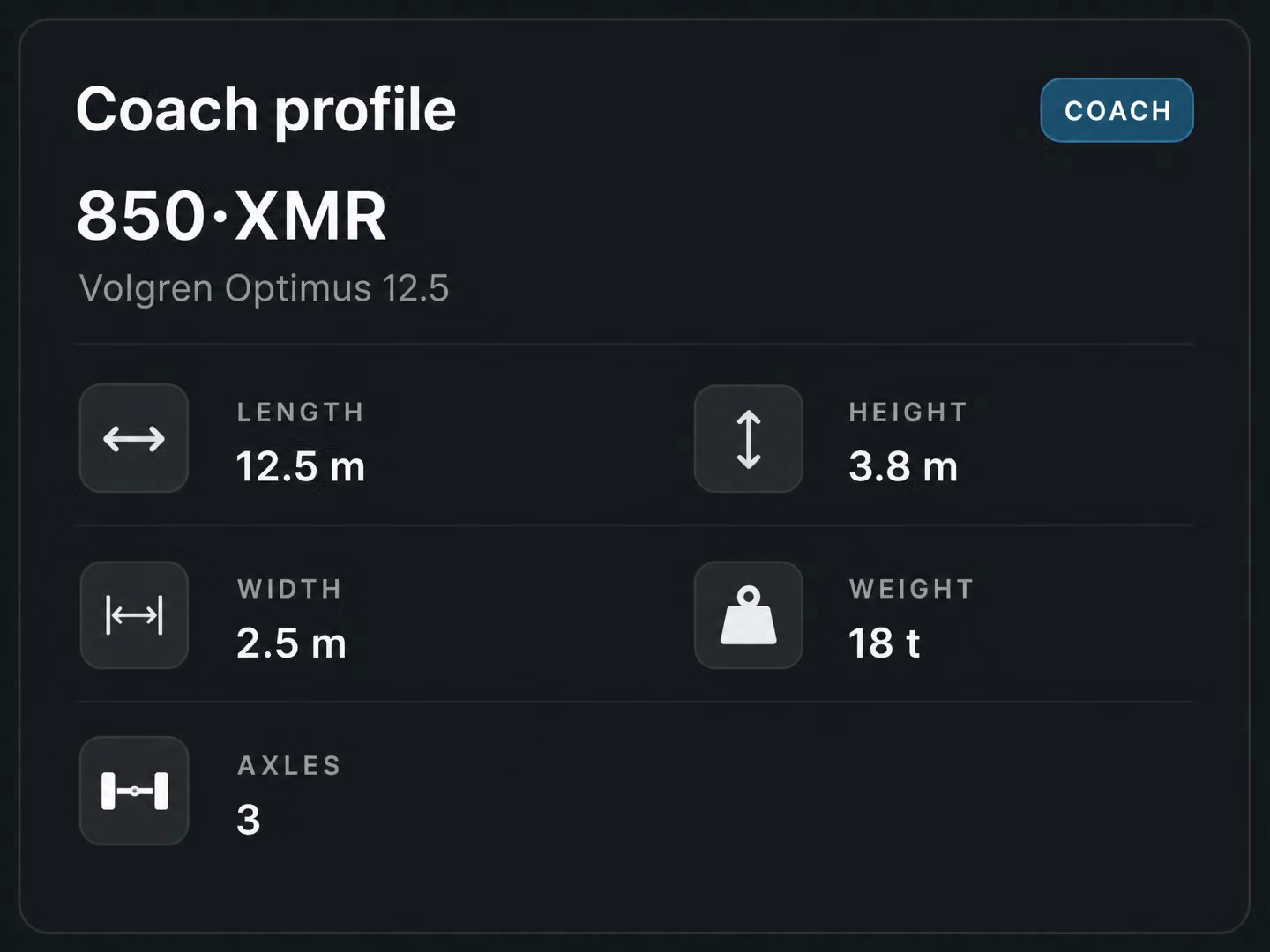
Clearance alerts. Flag bridges, tunnels and low clearances against the vehicle’s dimensions.
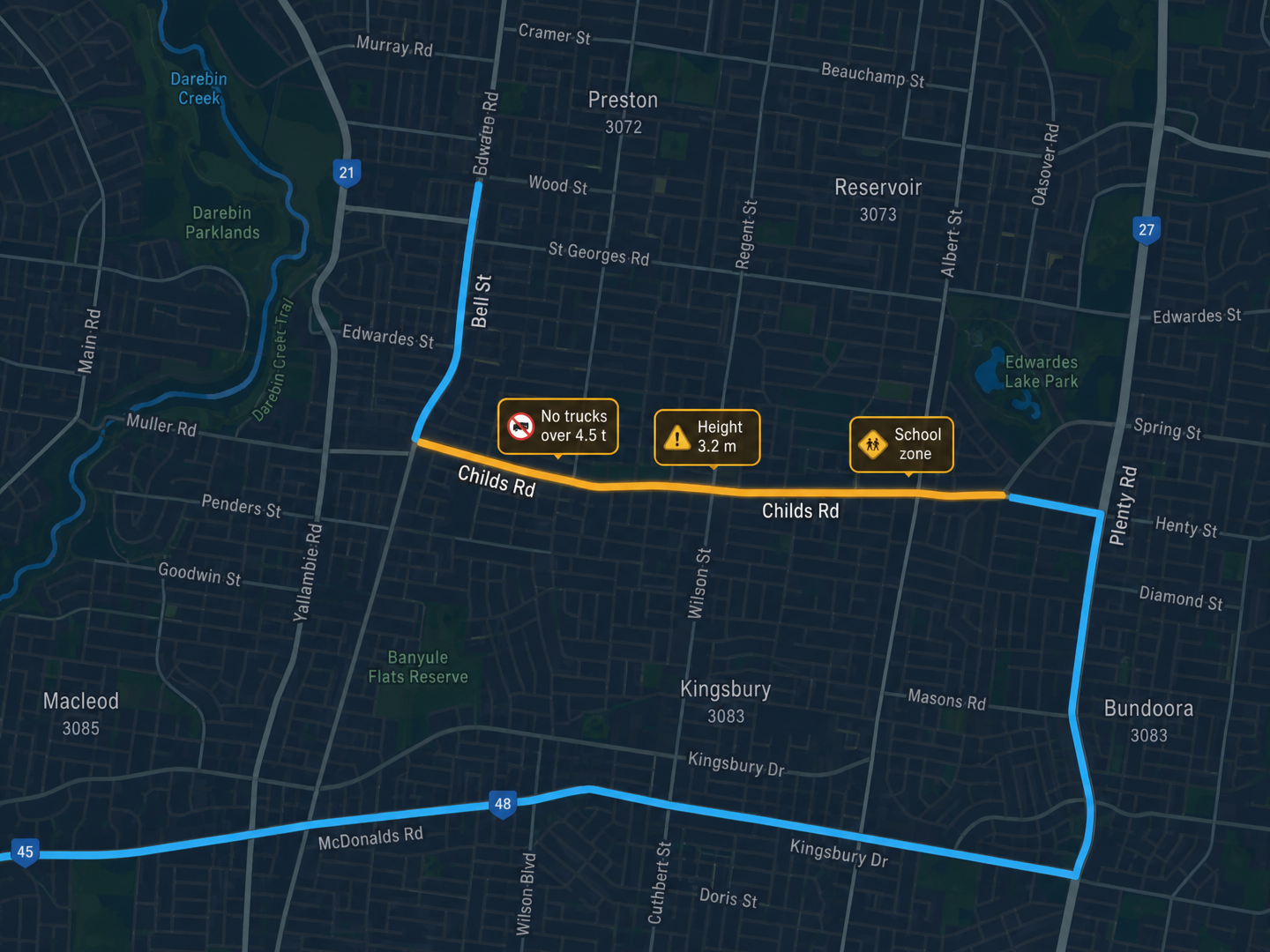
Access & time restrictions. Account for hazmat, curfews and access restrictions when building routes.
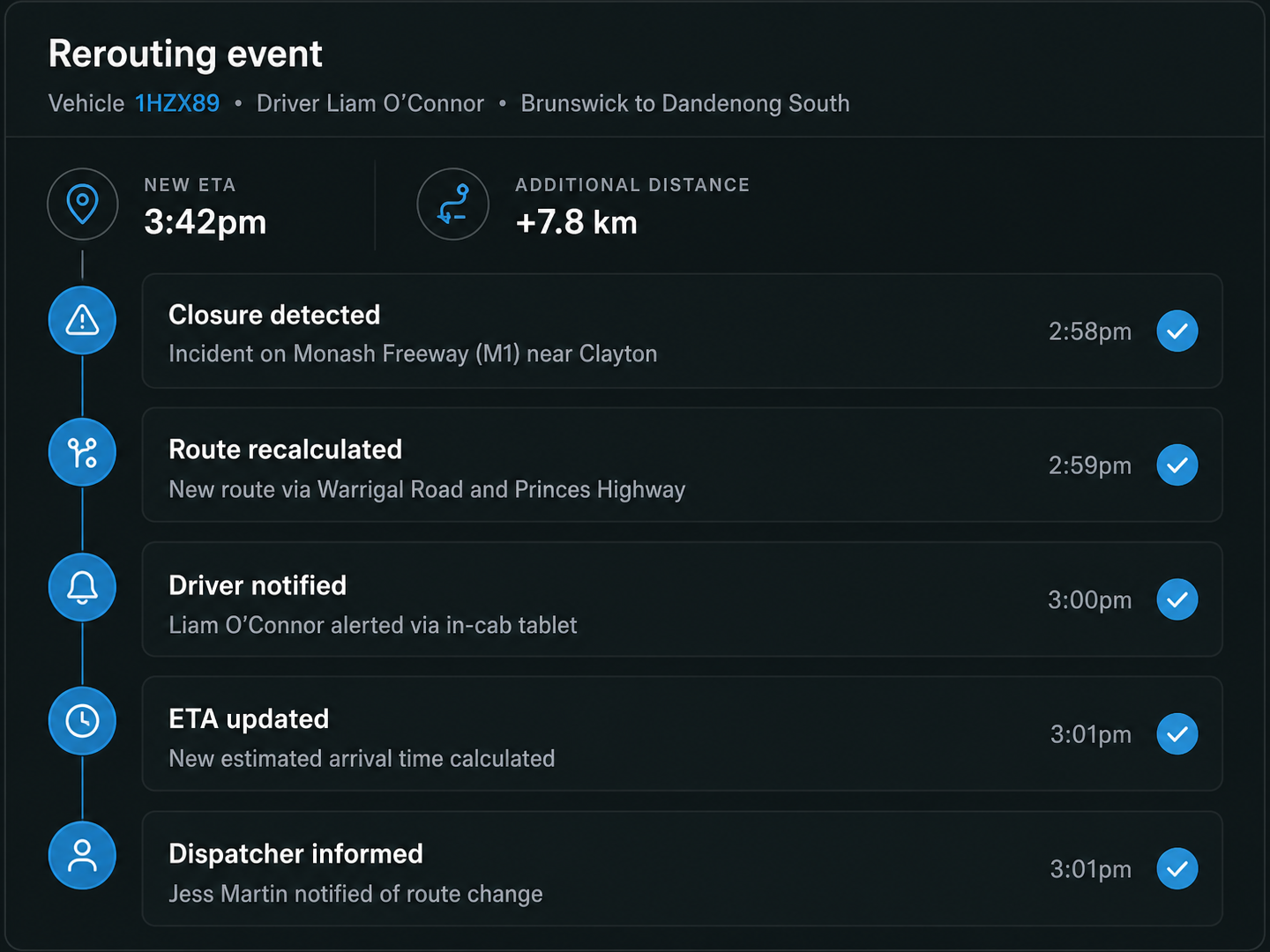
Compliant rerouting. Recalculate routes around closures while keeping the vehicle profile and restrictions in place.
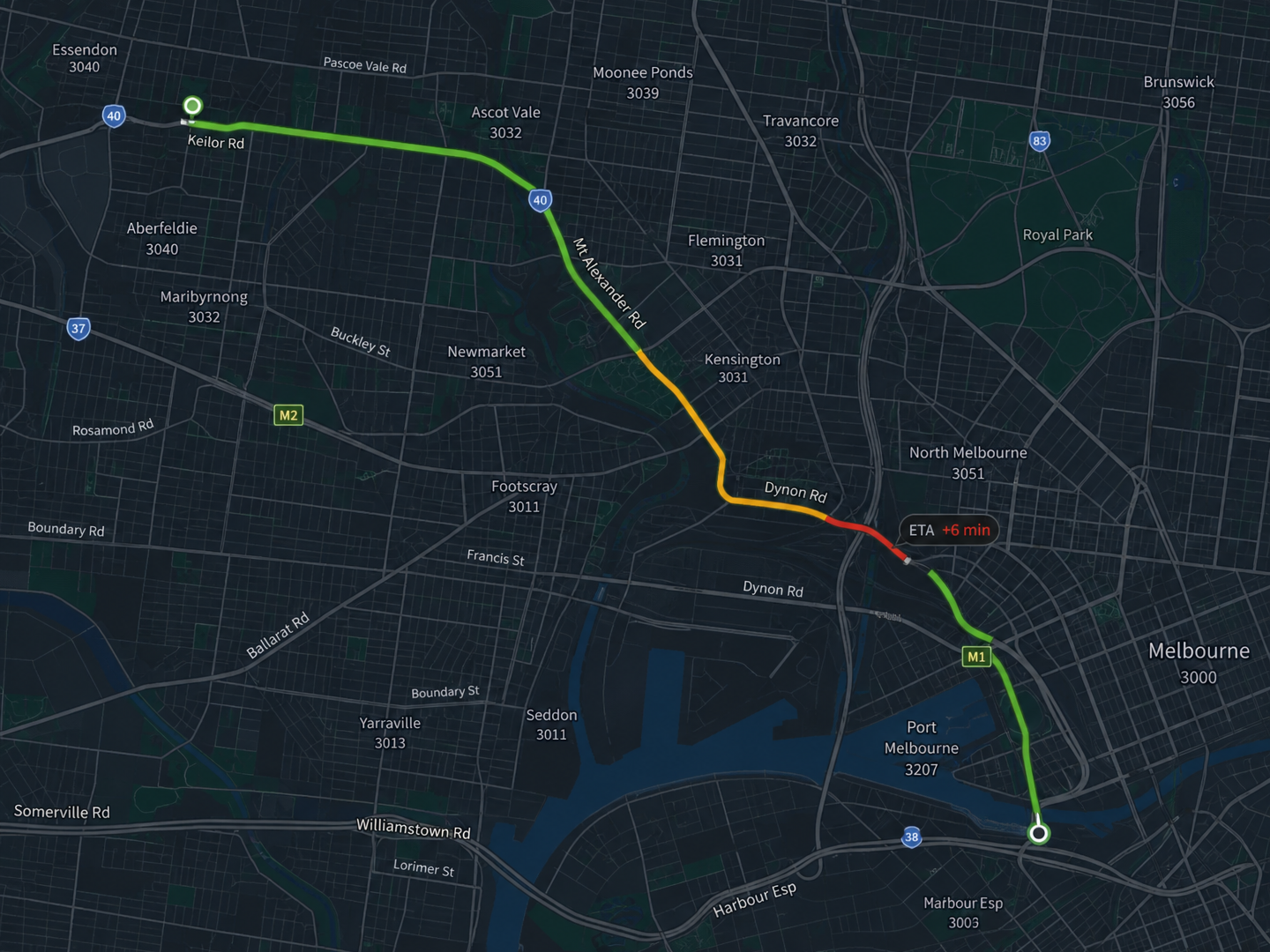
Live traffic. Use current road conditions to update ETAs for drivers, dispatchers and customers.
Additional features
Review Route
See stops, ETAs, breaks and instructions before setting off.
Arrive
Confirm arrival and update the stop status.
Complete Job
Record deliveries, collections and service work at each stop.
Report an Issue
Raise an exception when something needs attention.
Offline Mode
Access routes and maps without coverage, with changes saved until you reconnect.
Auto Sync
Sync saved changes automatically when coverage returns.
Contact
Contact customers or dispatch directly from the stop.
Breaks
Start and end breaks directly from the app.
Notes and Photos
Add notes and photos to provide context at any stop.
Barcode Scanning
Scan items, labels and containers at the stop.
Track Progress
See route progress and ETA throughout the shift.
Sync Status
See when changes are synced and when they are still pending.
Frequently Asked Questions
Which vehicles does the navigation support?
Support cars, vans, rigid trucks, prime movers, B doubles, coaches and oversize vehicles. Each vehicle profile carries its dimensions, weight and axle limits, so routes are planned around what that vehicle can safely and legally use.
What does the app do without a signal?
Routes, maps, stop details and instructions remain available offline. Drivers can still capture proof and make changes, which are saved locally and synced automatically when coverage returns.
What happens when a road closes mid route?
Route360 detects the closure and recalculates the route using the same vehicle profile and restrictions. The driver receives the updated route, while the dispatcher sees the new ETA and route status.
What can a driver capture at a stop?
Drivers can capture photos, signatures, barcode scans, quantities, notes, goods condition and exceptions. The required information can be set by job type, customer or route, so drivers see what is needed for each stop.
Do drivers need a separate app for compliance?
No. Drive360 brings work and rest status, driving alerts, vehicle inspections, defects, fatigue risk and maintenance readiness into the same workspace, giving managers and drivers one connected view of operational and compliance information.
Give Drivers What They Need for Every Journey
Give your drivers the tools they need to deliver with confidence.
- Secure, role based access
- Complete audit trail of every change
- Communication via app, SMS and email
- Available across web and mobile