[ Tailgating & Following Distance ]
Tailgating Detection That Warns the Driver to Drop Back
Monitor following distance, prompt drivers and turn events into safer driving habits.

From rule to response
Set a Tailgating Rule and See How Drivers Respond
01
Detection policy
Set the primary metric, additional factors, minimum speed, duration and severity for each rule.
02
Driver alert
Prompt the driver to maintain a safe distance with visual, audible and haptic alerts where supported.
03
Vehicle response
Measure changes after the alert, such as an increased following gap or adjusted speed.
04
Acknowledgement and escalation
Track the post event response and review status. No response notifies a manager or supervisor.
What we detect
Four Signals That Show When Following Risk Increases
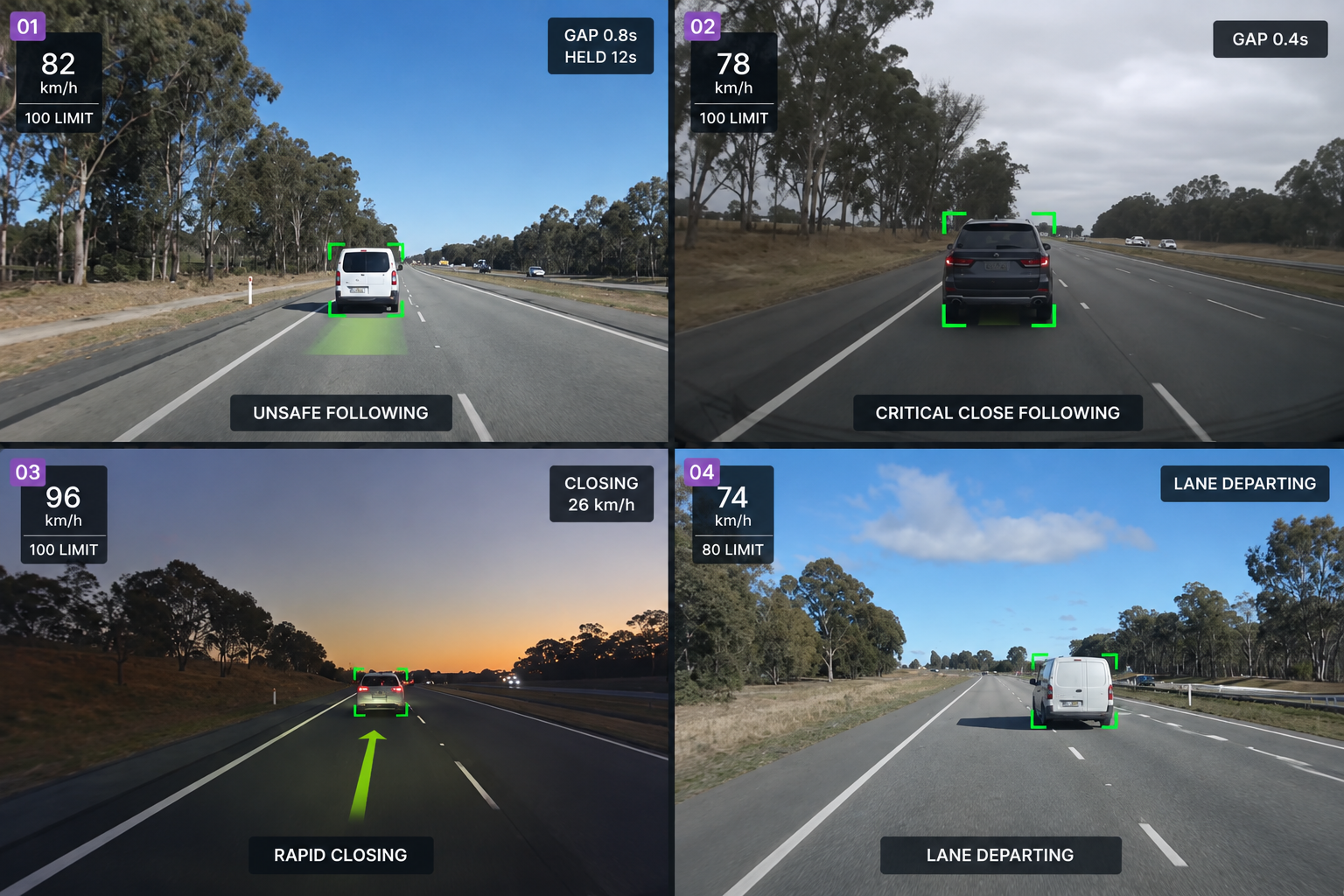
Unsafe following
The following time gap stays below your configured threshold for the required duration. Measures the gap and time below threshold.
Critical close following
The following gap falls below a more critical threshold, indicating a higher level of risk.
Rapid closing
The distance to the vehicle ahead reduces quickly, based on closing speed and available time to collision data.
Lead vehicle movement
Tracks when the vehicle ahead moves away or clears the lane, supporting situational awareness on supported hardware.
Additional features
Following Time Gap
Time between your vehicle and the one ahead.
Closest Following Gap
The shortest gap recorded during the event.
Time Below Threshold
How long the gap stayed below your configured threshold.
Closing Rate
How quickly the gap is reducing.
Multiple Rules
Run several policies side by side.
Minimum Speed
Keep low speed traffic out of the queue.
Rule Severity
High, medium and low, set by you.
Detection Quality
Camera calibration, view, visibility and detection quality.
Vehicle Response
Gap and speed before and after the alert.
Ten Seconds Either Side
Video from before and after the event.
Event Location
Where on the network the event happened.
Manage Policies
One place to change the rules for the fleet.
The Gap, the Warning and the Response
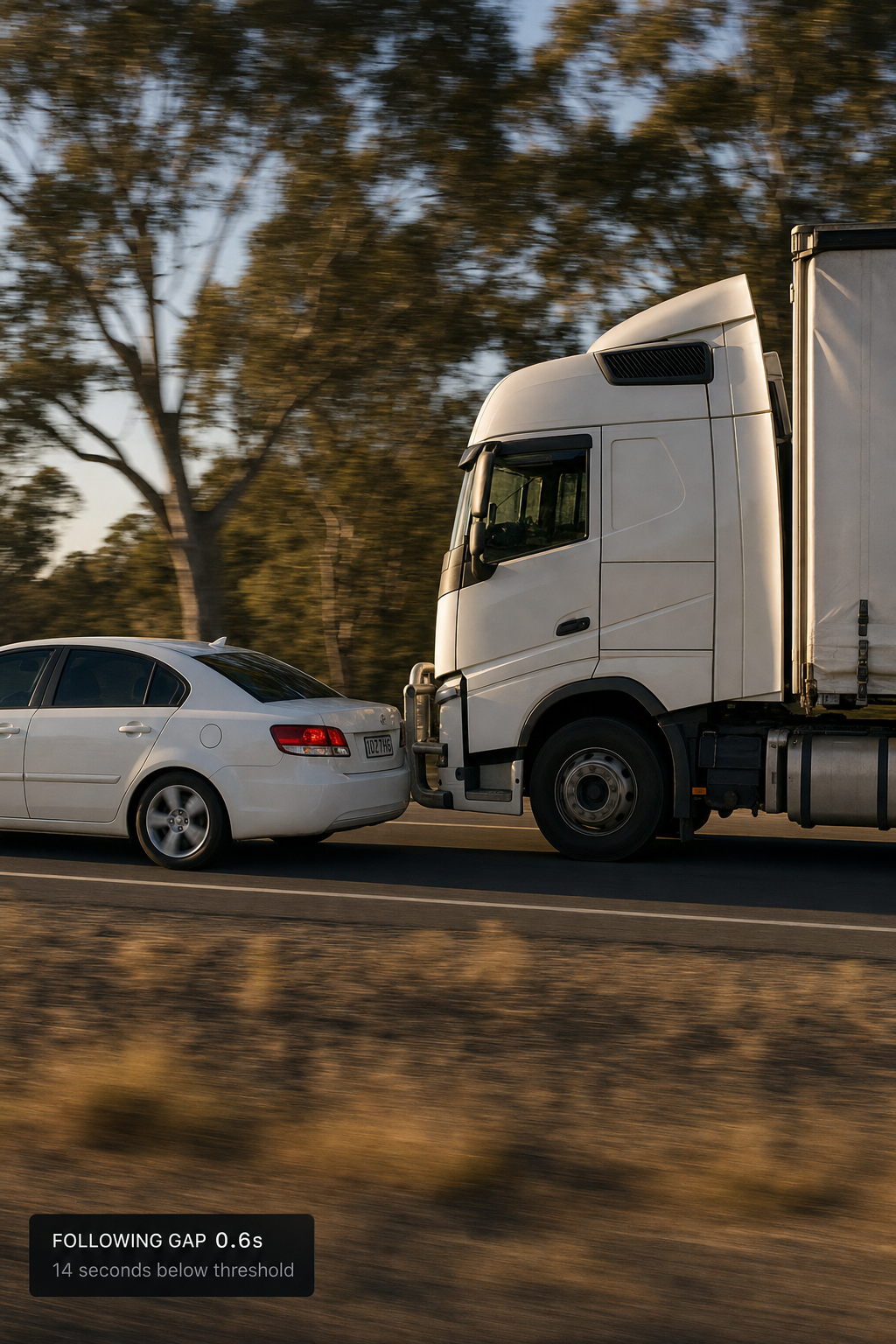
On the road
A gap that closes and stays too close
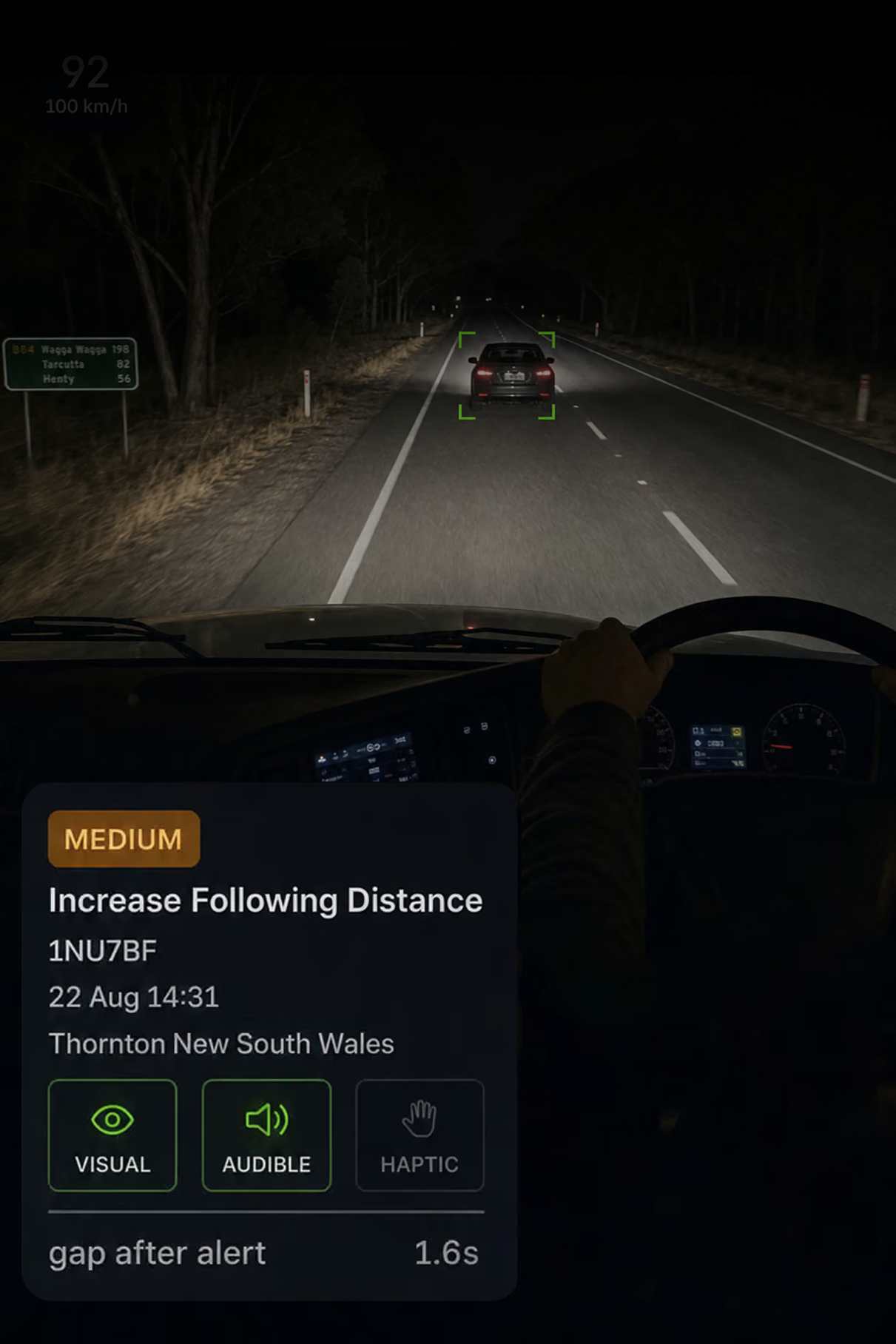
In the cab
A prompt to increase the gap
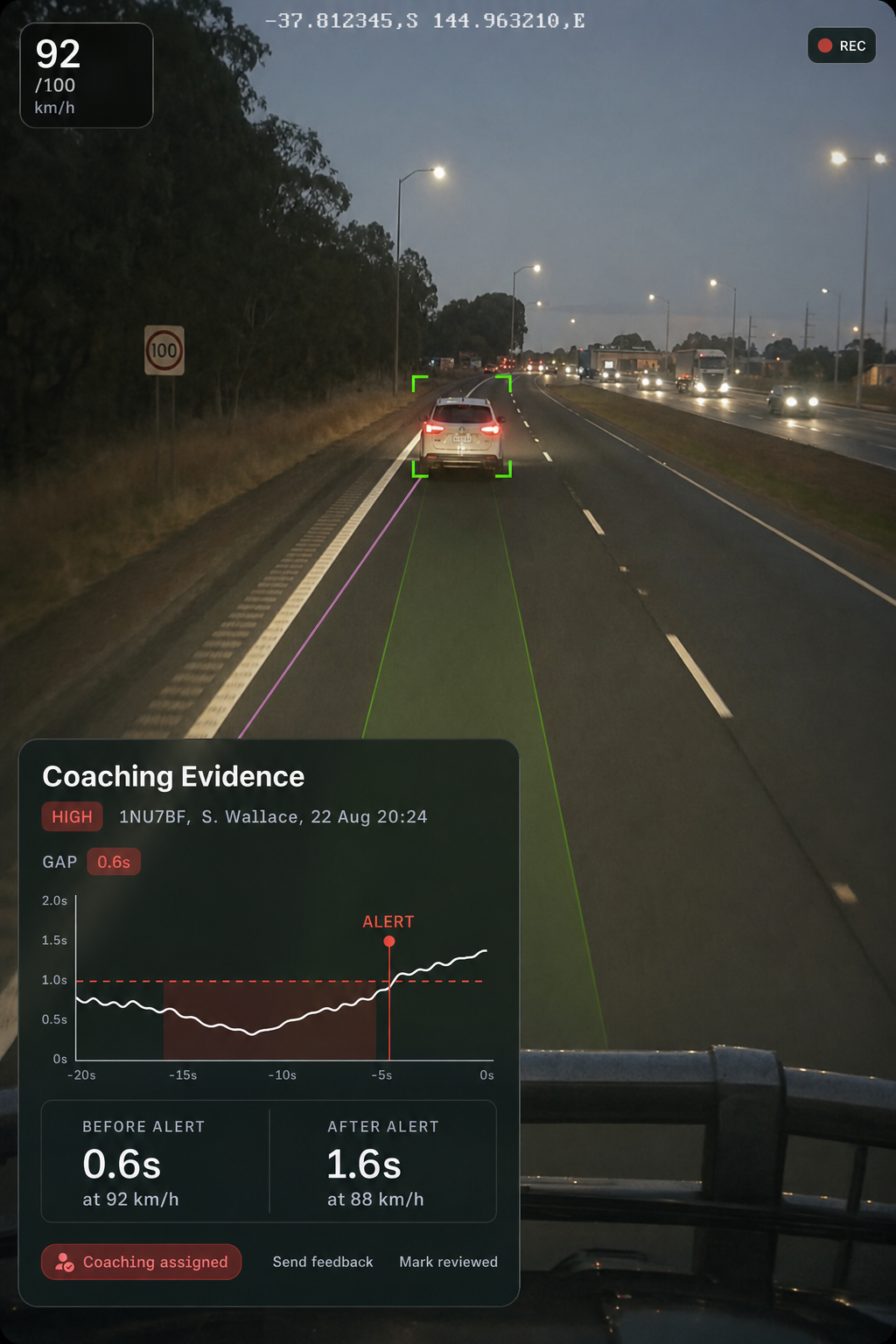
In coaching
The evidence that shows what happened
What is a following time gap?
The time between your vehicle and the vehicle ahead. It accounts for speed, so the same distance does not carry the same risk at 40 km/h and 90 km/h.
Why does duration matter?
A momentary close gap in traffic is different from staying below the threshold for several seconds. Each rule has a minimum time below threshold so normal traffic does not raise unnecessary events.
What rules can we configure?
Each rule can define its primary metric, additional factors, minimum speed, minimum time below threshold, driver alert, manager notification and severity.
How do you know the driver responded?
The system looks for a positive change after the alert, such as an increased following gap or adjusted speed. Both the before and after values are recorded on the event.
What are the data quality indicators?
Camera calibration, camera view, road visibility and overall detection quality are shown on the event, so reviewers can assess the quality of the detection before acting on it.
How is this different from forward collision detection?
Forward collision detection looks for situations where a collision is likely if nothing changes. Following distance detection looks for sustained unsafe following, helping identify a behaviour that can be coached before it becomes a more serious event.
Turn Following Distance into Something You can Measure
Help drivers maintain safer following distances with timely prompts, measurable events and the context for focused coaching.