Every job. Every technician. Every customer.
Field Service Management Software. Respond Faster, Work Safer.
Saphyroo connects jobs, technicians, vehicles and customers in real time, giving field teams the visibility and control to respond faster, work more efficiently and deliver reliable service.

- Active job & prioritySee what needs attention and how urgently it needs to be handled.
- Technician & skillsSee who’s assigned and confirm they have the right skills and qualifications.
- Estimated arrivalKeep ETAs current as technicians move between jobs.
- Job progressTrack work from dispatch to completion, with live location where available.
- Faster response & resolutionSend the right technician with the right skills and parts from the start.
- Higher first time fix ratesConfirm skills, parts and job requirements before the technician is dispatched.
- Safer crews & worksitesManage lone working, site risks and vehicle safety across every job.
- Stronger SLAs & customer serviceKeep service commitments on track with clear evidence of the work completed.
How Field Service Management Runs a Job
- 01
Request & Assess
Capture each request, then triage it by priority, service level, skills and job requirements.
- 02
Plan & Dispatch
Match the right technician, parts and vehicle, optimise the route and provide an accurate arrival time.
- 03
Travel & Arrive
Track the technician en route, keep the customer updated and complete the required safety checks on arrival.
- 04
Complete & Follow Up
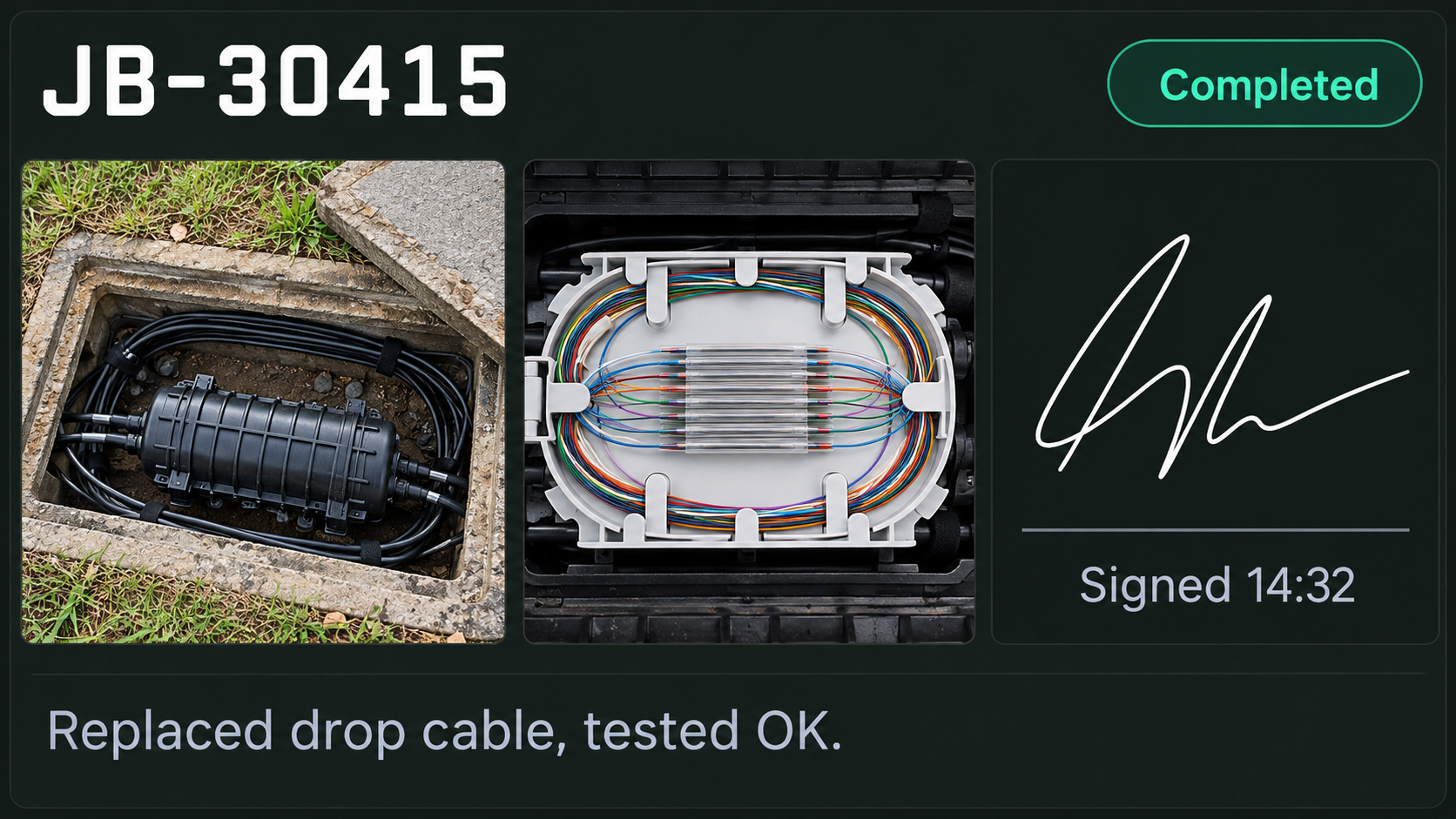
Capture job evidence, reports and sign off, then use the outcome to support feedback, warranty and preventative work.
Scheduling & dispatch
Match Every Job to the Right Technician
Skills & qualifications
Assign work based on the skills and certifications each job requires.
Parts & vehicle readiness
Confirm the right parts and vehicle are ready before dispatch.
Territories & travel
Balance territory, travel time and working hours when scheduling each job.
Emergency & outage response
Add urgent work while seeing the impact on the wider schedule.
Service level tracking
See jobs that are on track, at risk or approaching breach before it becomes a problem.
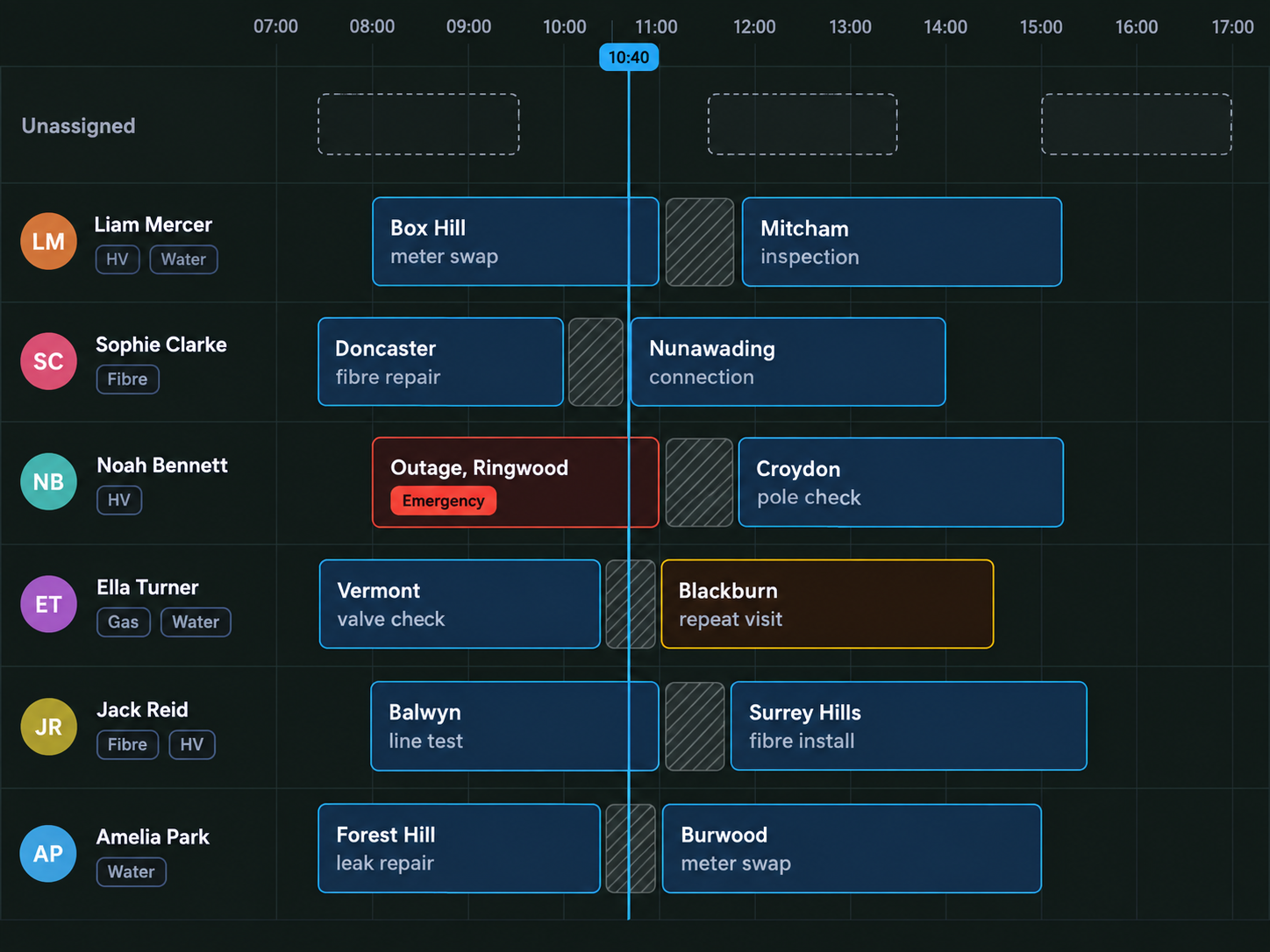
Field operations control centre
Full Oversight. Control the Day as It Unfolds.
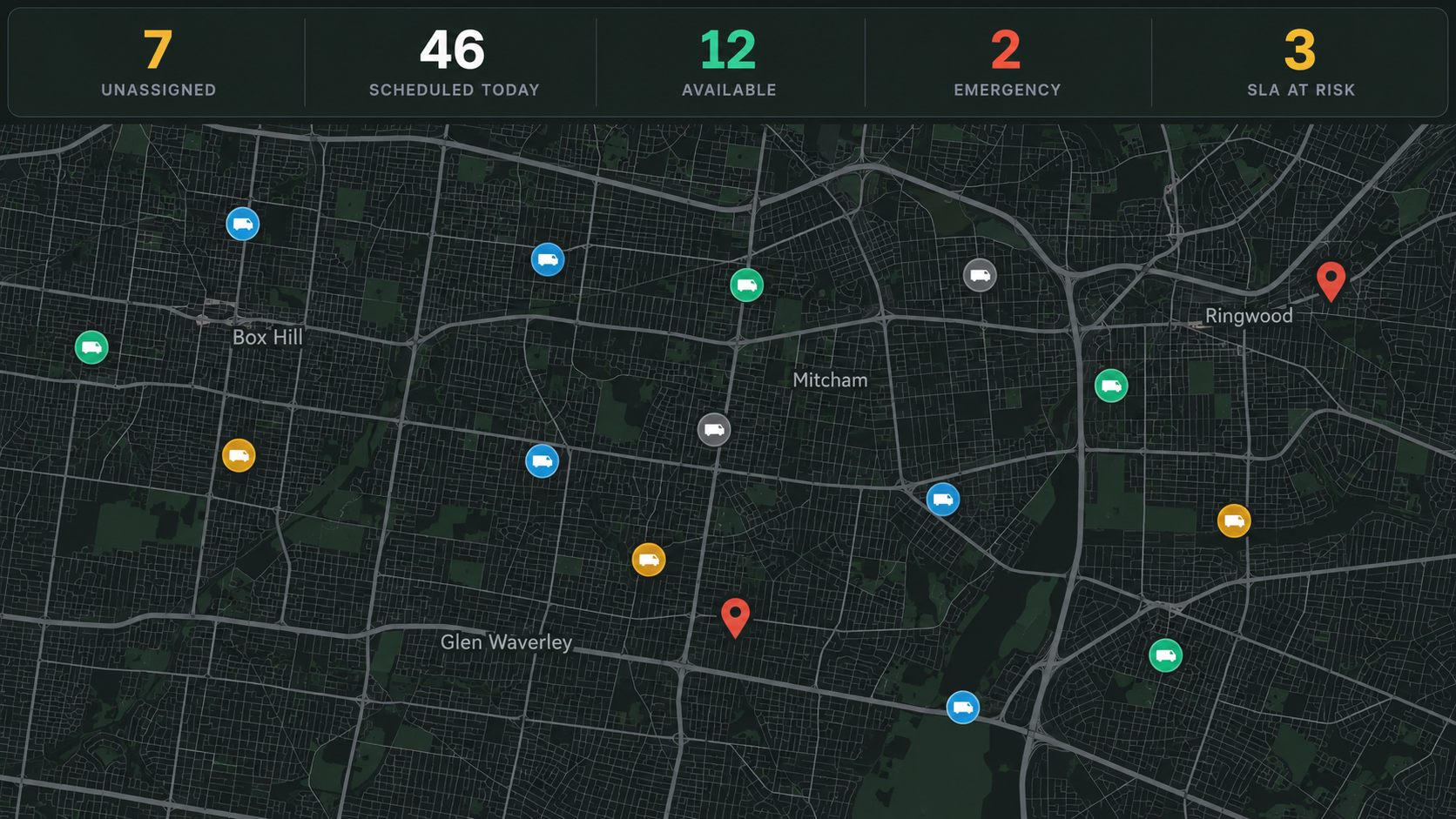
The day
Unassigned, Scheduled & At Risk
Stay across unassigned jobs, today’s schedule, available technicians, emergency work and service commitments at risk.
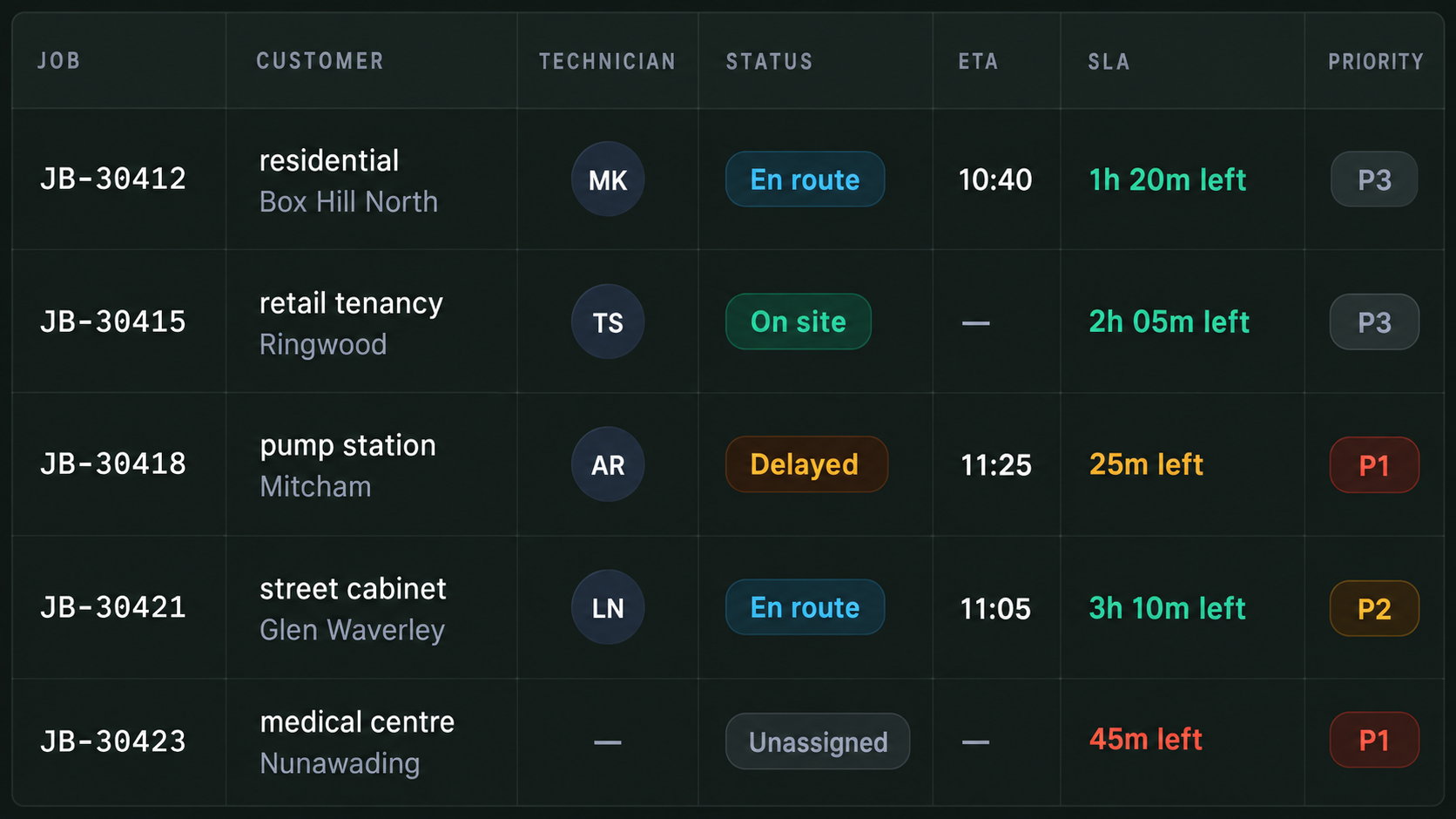
Live jobs
Live Jobs & Technician Status
Track every active job, assigned technician, status, ETA, priority and service commitment in real time.
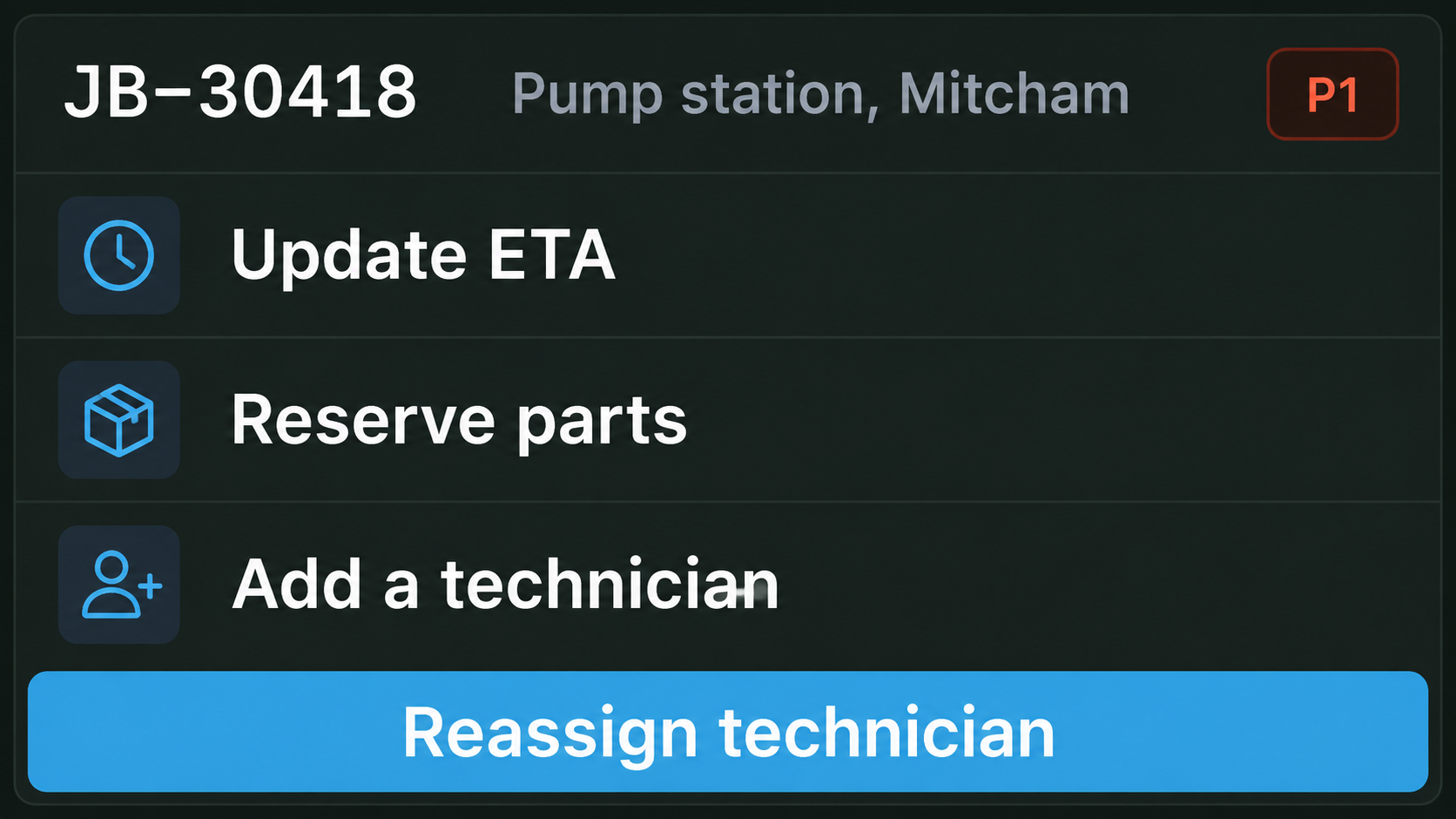
Operational Actions
Assign or reassign jobs, add emergency work, update ETAs, allocate additional technicians and reserve required parts.
Repeat Visits & Availability
Track repeat visits, unavailable parts and vehicle issues before they cause further delays.

Evidence & Sign Off
Capture photos, readings, signatures and notes on site, with every record attached directly to the job.
Built for the Crews Who Keep Services Running

Utilities
Water, power and network field operations

Telecom
Fibre, cabinet and network infrastructure

Field service
Installation, inspection and maintenance
Hardware Built for Field Operations
Cameras, trackers and in cab technology that connect your vehicles, crews and equipment in the field. Capabilities vary by vehicle, connectivity and configuration.
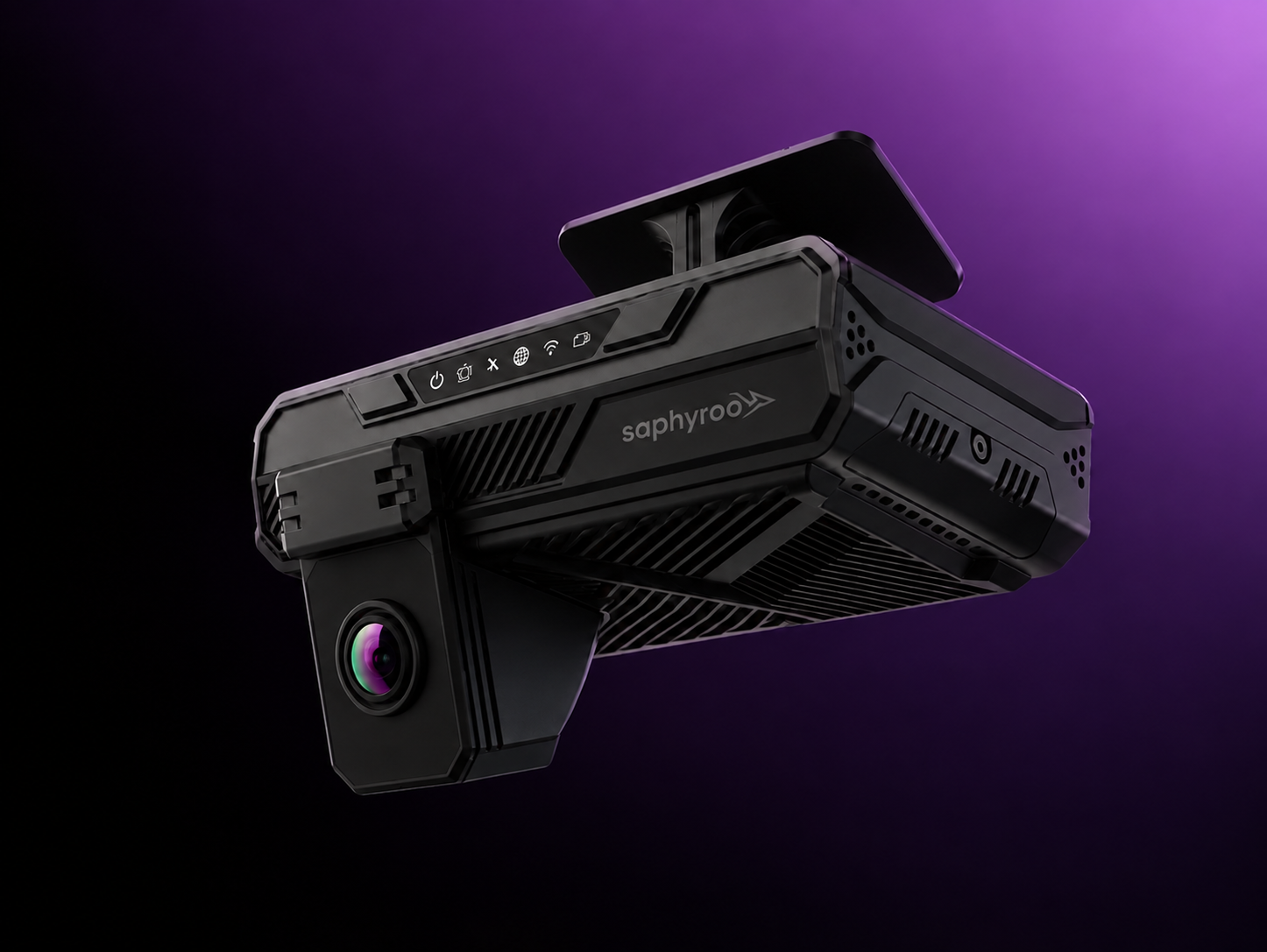
AI Dash Cameras
Monitor the road and driver with real time in cab safety alerts.

GPS Vehicle Trackers
Track live location, journey history and movement across service areas.

Vehicle Camera Kits
Improve visibility around the vehicle with rear, side and worksite camera coverage.
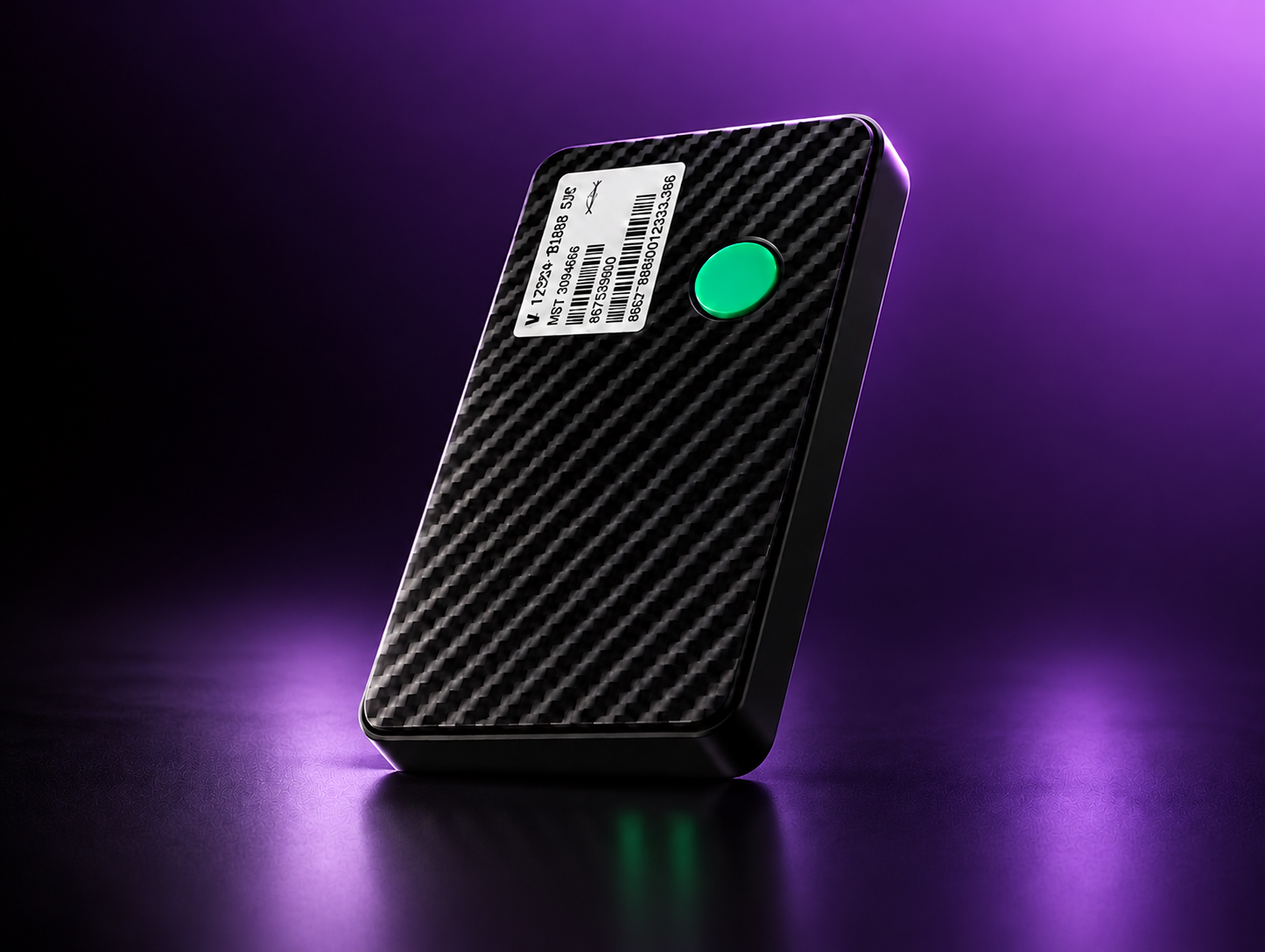
Asset Trackers
Keep track of tools, plant and portable equipment across vehicles, depots and worksites.

In Cab Displays
Driver facing displays for clear visibility on the road.
More for Field Service Teams
View all →
Guide
First time fix and the three things that break it
Skills, parts and travel, and why dispatching on distance alone costs you the second visit.

Guide
Giving a customer an arrival time you can keep
Where ETAs go wrong on a field round, and what to change so they hold.

Guide
Lone working and site risk for field crews
What to monitor, what to alert on, and what to leave alone.
More Control. Greater Productivity. Better Service.
Route360 plans the day. Drive360 keeps jobs, vehicles and crews moving efficiently. Vision360 helps protect teams on the road.Together, they help you maximise productivity, reduce wasted time and get more from every working day.