Timesheets & Logs
Timesheet Software That Captures the Whole Day.
Keep a clear record of every shift, with hours, breaks and activities captured as they happen and ready to review, approve or export.
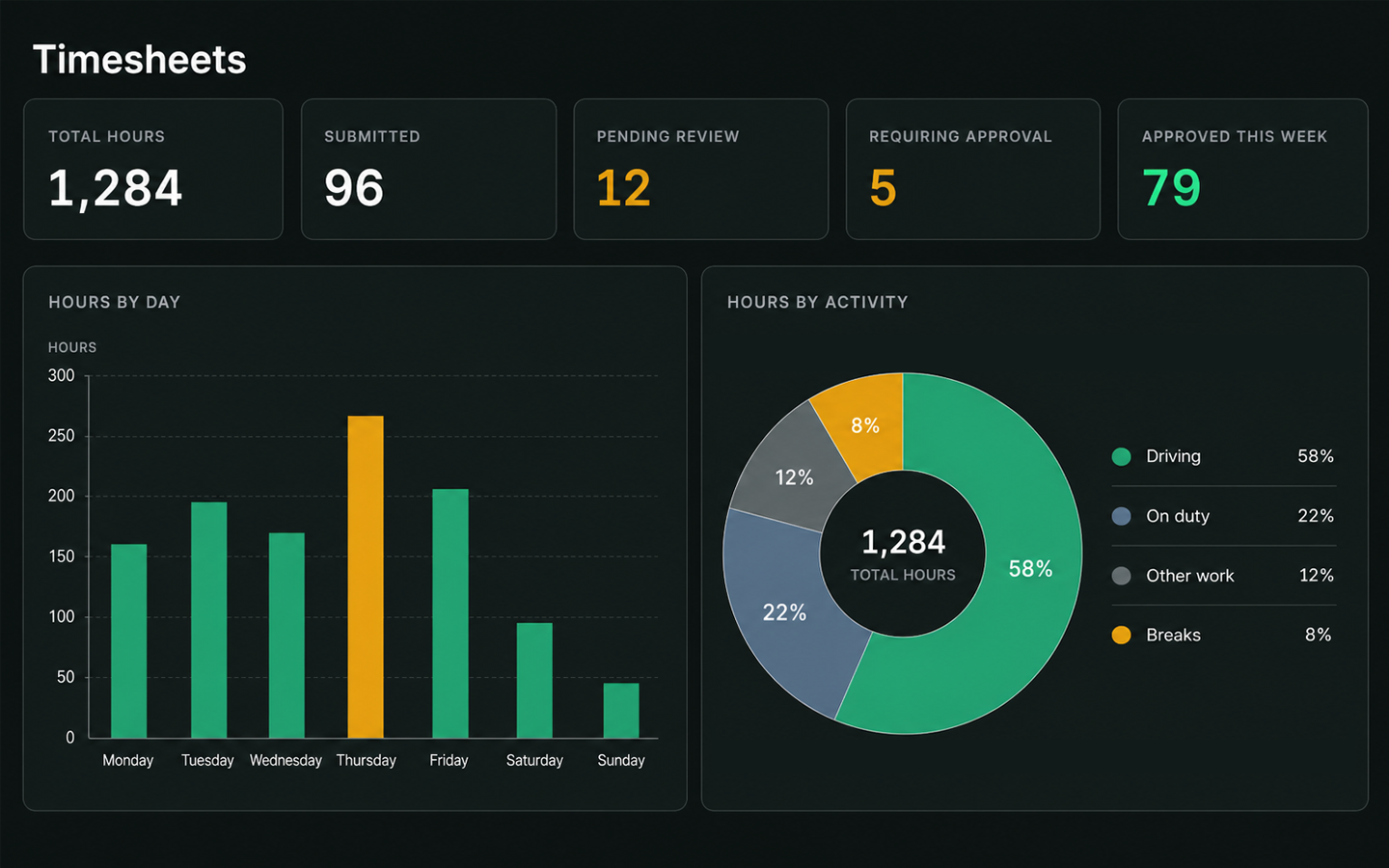
- Connected data
- EWD ready
- Easy review & approvals
- Payroll prepared
SIMPLIFY TIMESHEETS & LOGS
- Reduce manual timesheet entry
- Capture breaks and activities as they happen
- Keep corrections and reasons clearly tracked
- Simplify reviews and approvals
- Create payroll ready exports
- Maintain a complete history of changes
Timesheet list
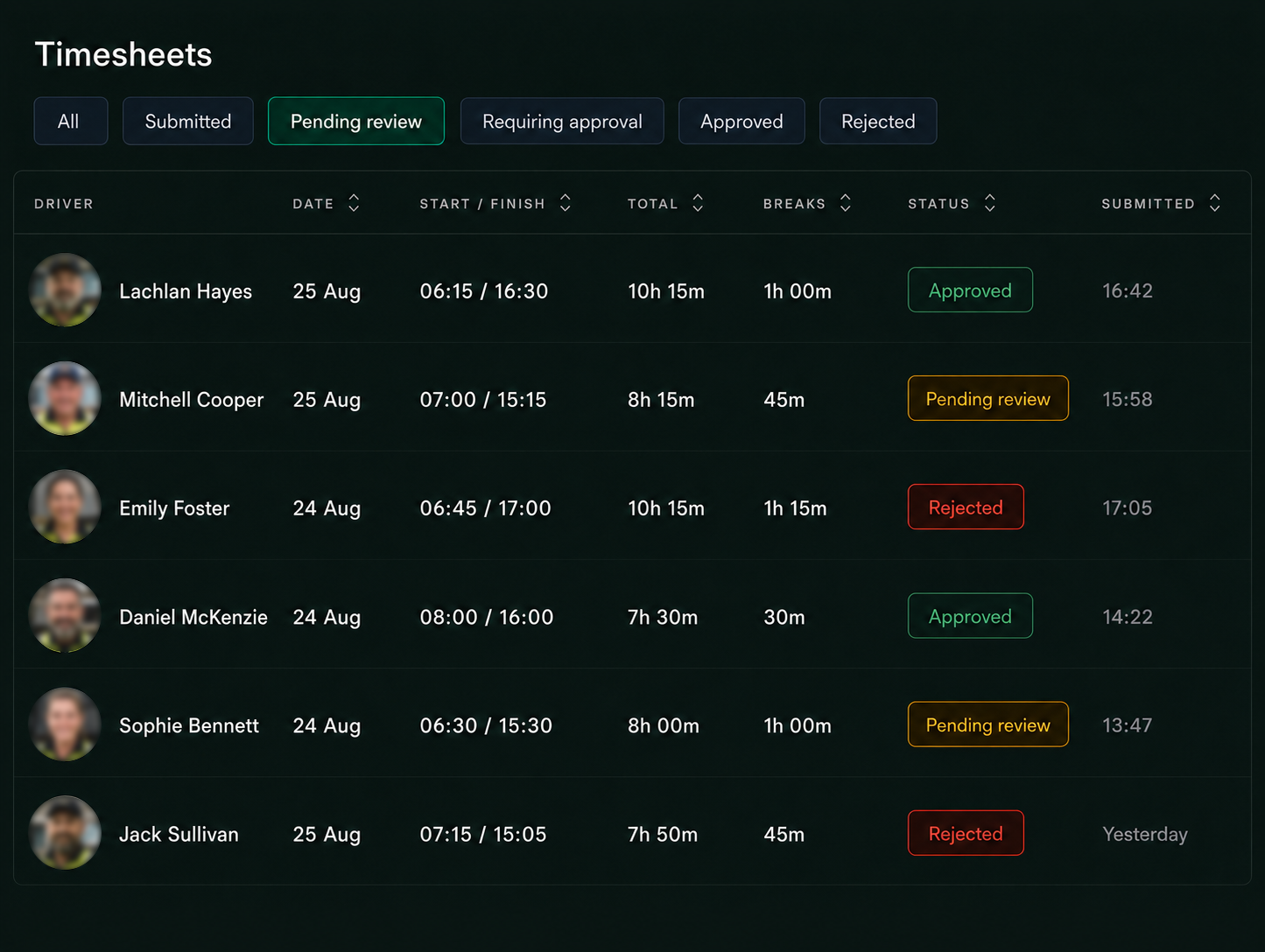
TIMESHEETS & LOGS IN ACTION
1
Capture
Record hours and activities automatically where available or add entries manually.
2
Review
Drivers review entries for accuracy before submitting.
3
Submit
Send the completed timesheet for manager review.
4
Approve
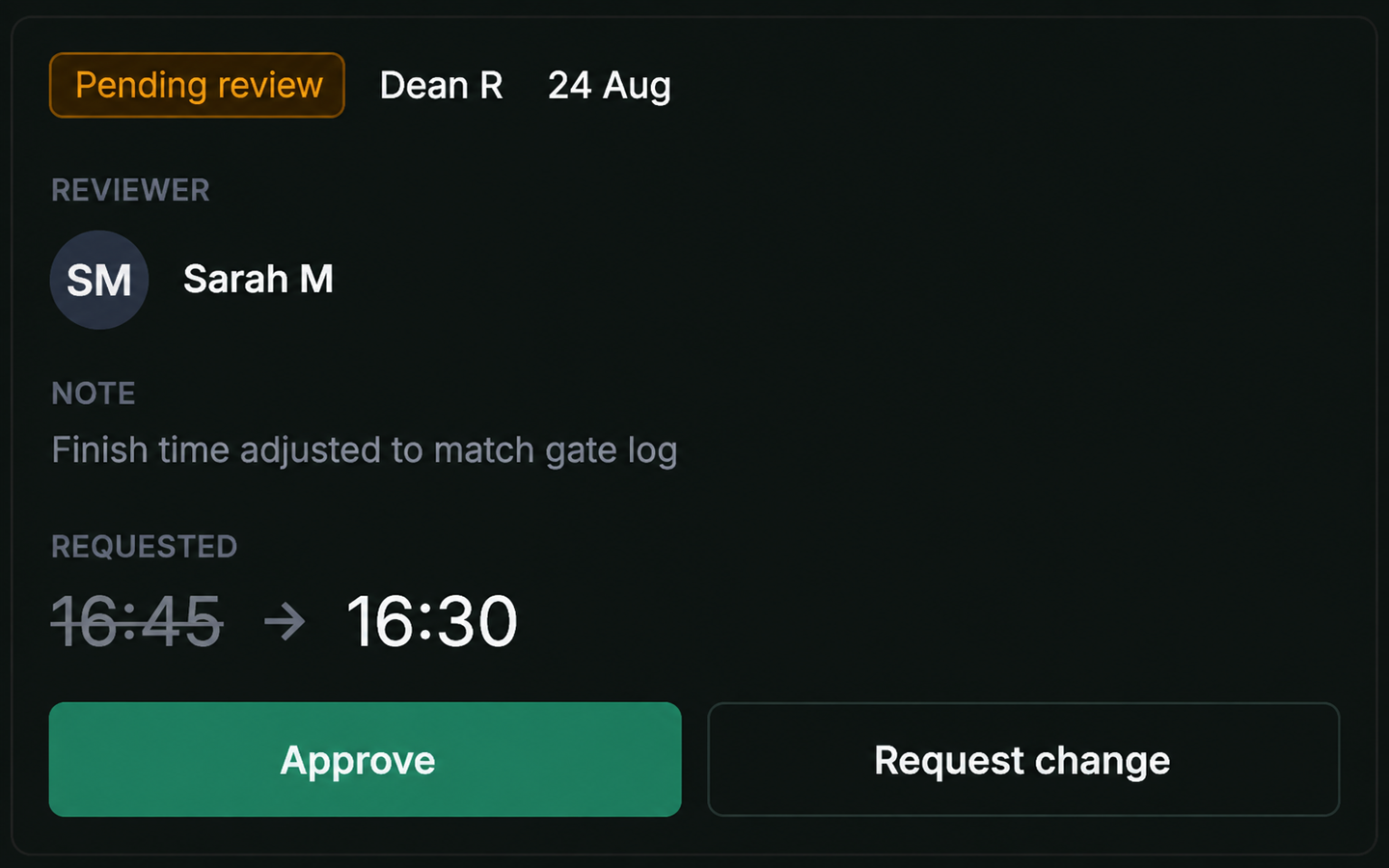
Managers review, approve or request changes.
5
Export
Send approved records to payroll or reporting.
6
Record
Keep a complete history of entries, changes and approvals.
Everything Accounted For
Connected Work Records
- EWD & vehicle data
- Schedules & activities
- Manual activity records
- Review ready records
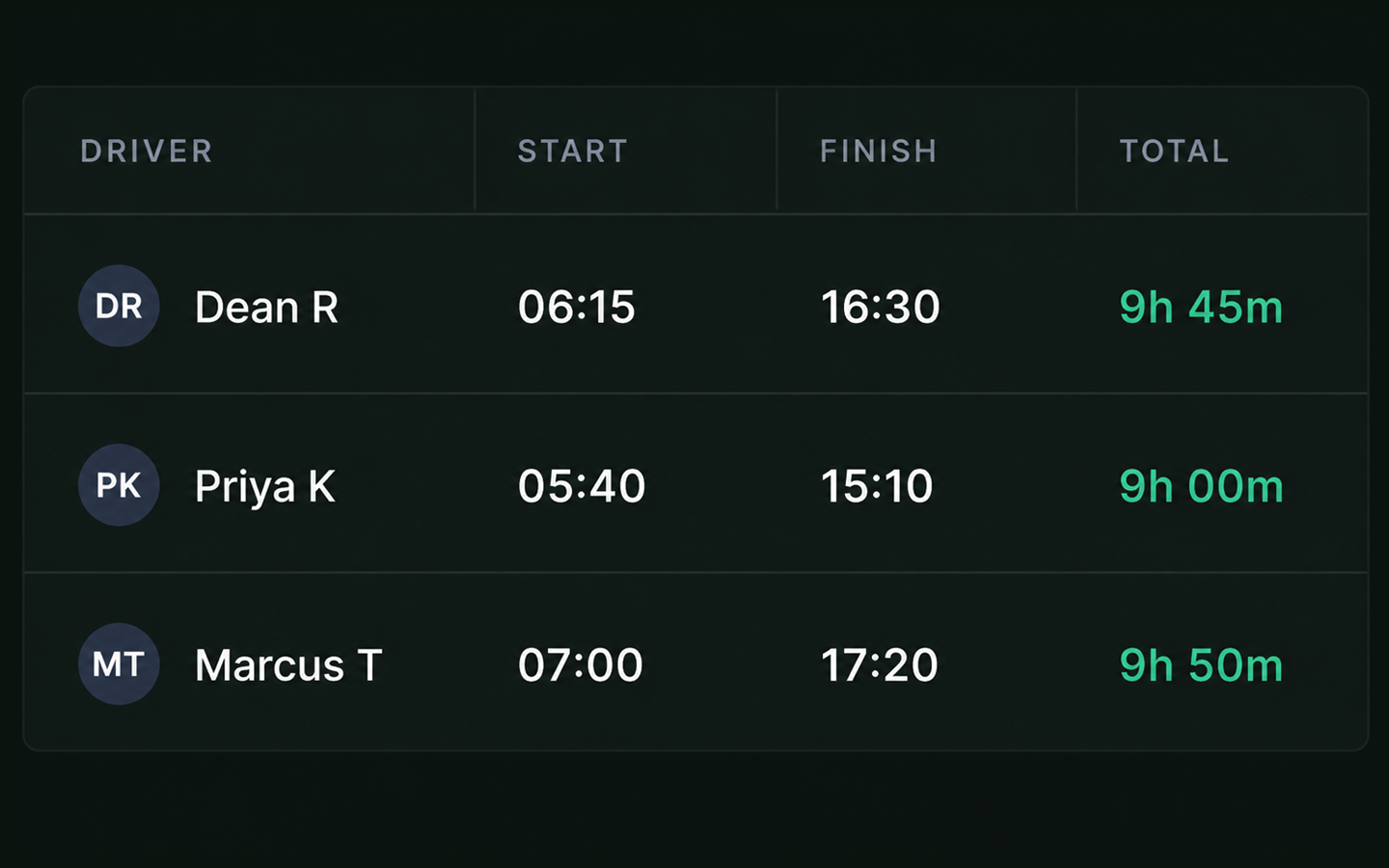
Breaks & Activities
- Meal & rest breaks
- On duty activities
- Work activity types and records
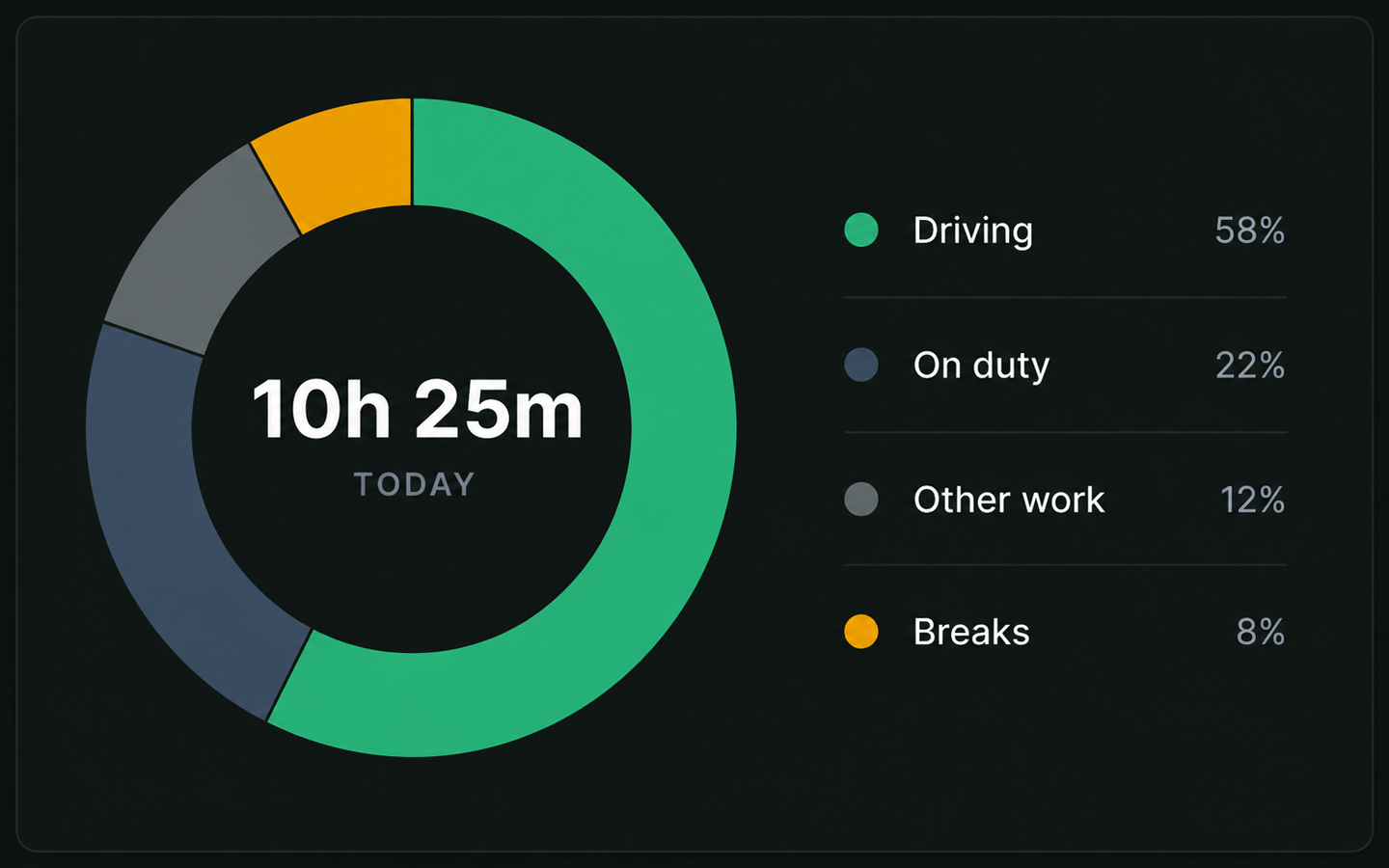
Approvals & Corrections
- Timesheet review
- Changes & corrections
- Notes & approvals
- Change history
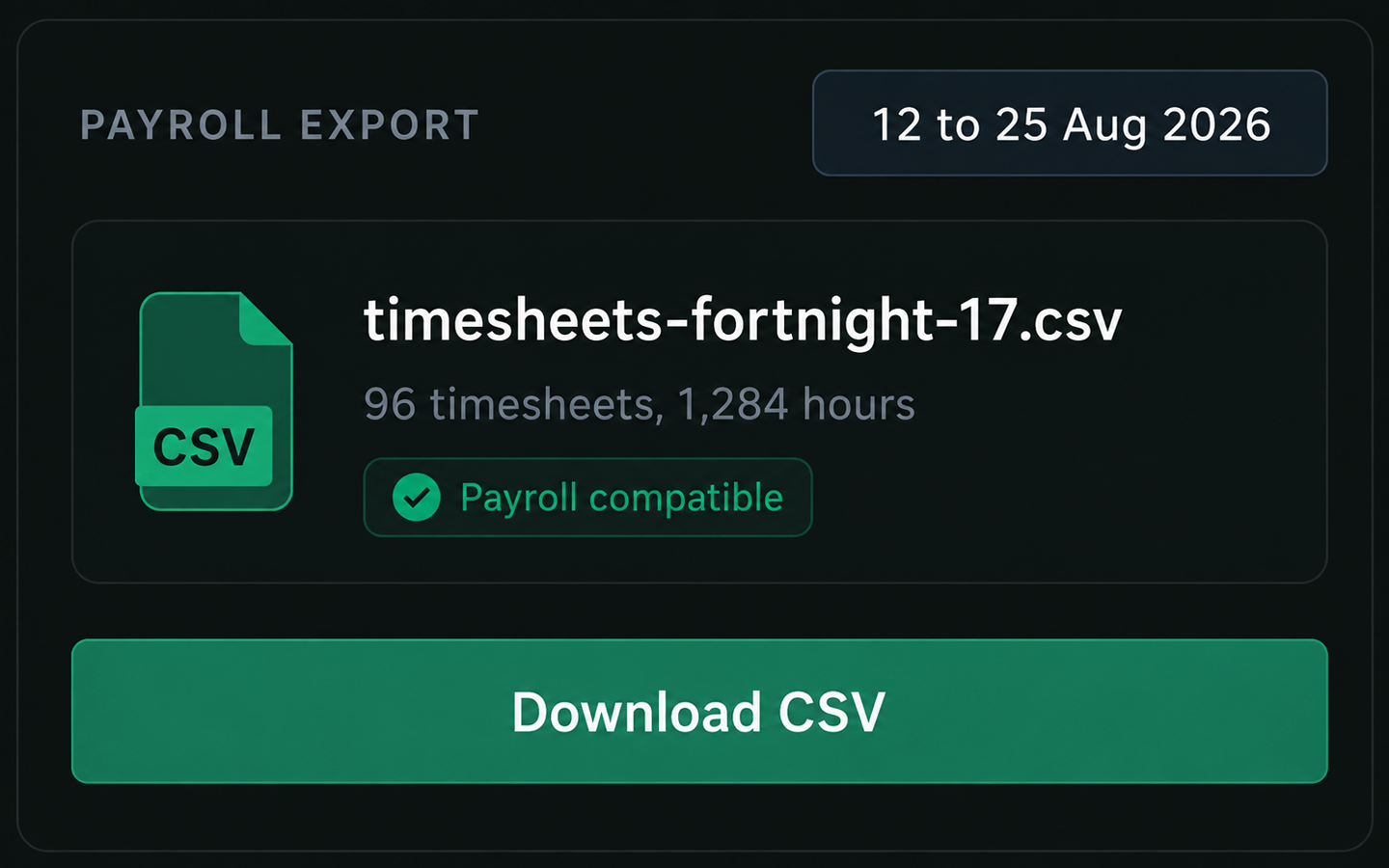
Payroll & Reporting
- Approved timesheets
- Payroll exports
- Detailed reports
- Reporting records
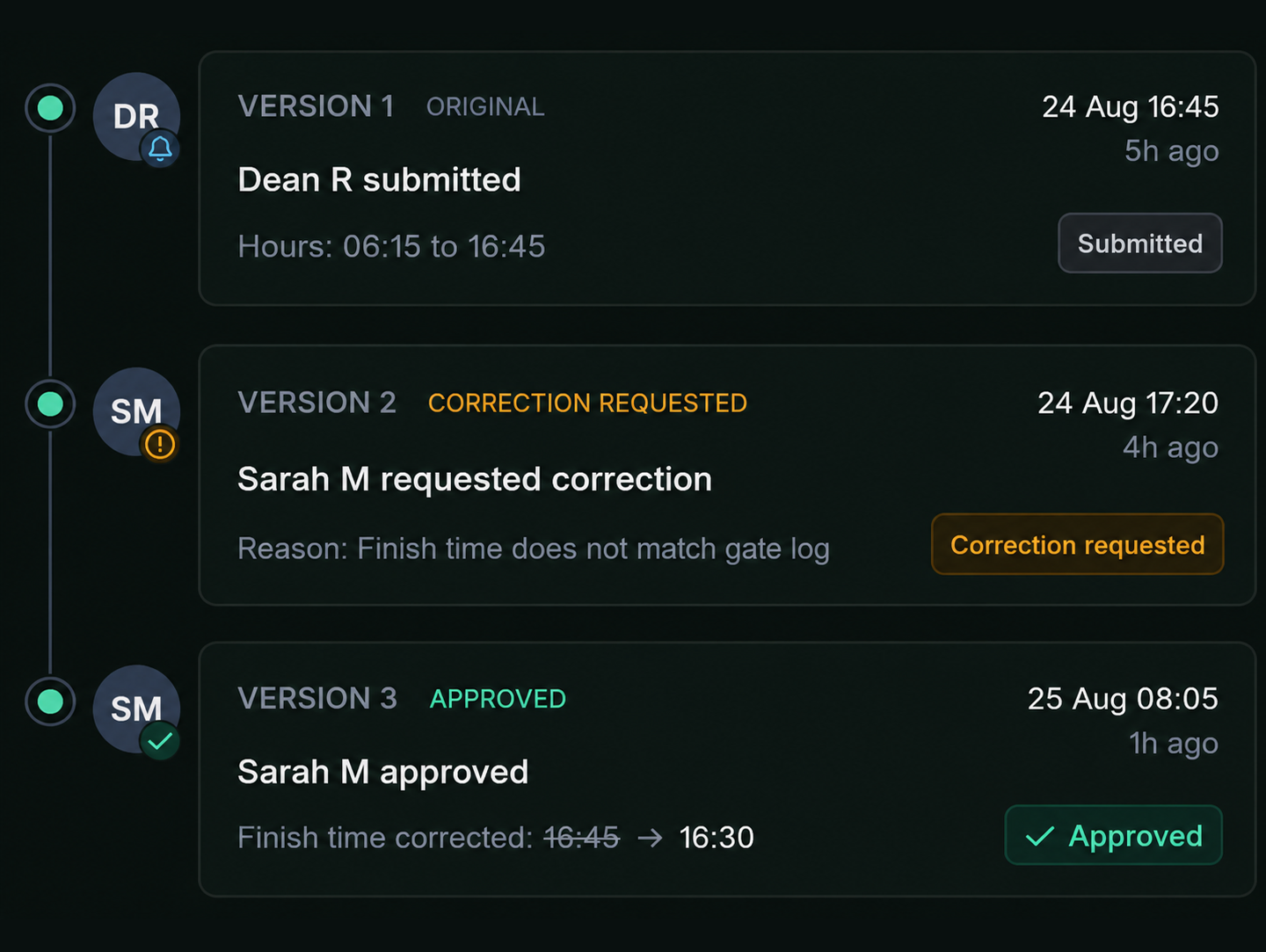
Corrections and Change History
See what was updated, who made the change, why it was made and when.
- Original & updated values — see exactly what changed
- Change ownership — know who made each change
- Reason for change — understand why it was made
- Date & time — see when the change happened
- Approval & review notes — keep decisions and approvals attached
- Complete change history — maintain a full record from start to finish
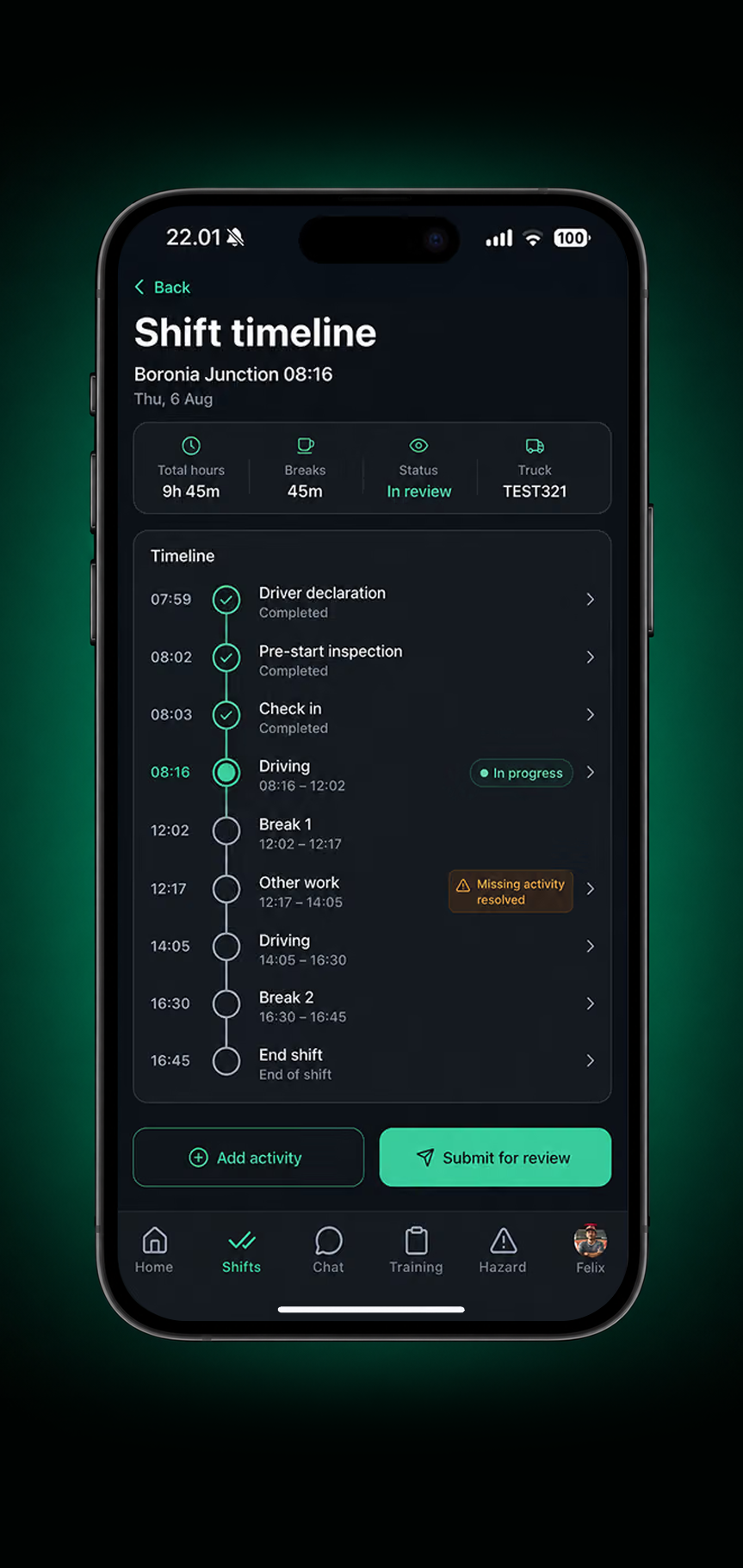
Every Shift’s Timesheet, Built as It Happens
A complete record of work, rest, declarations, exceptions and interventions, kept for review rather than reconstructed.
- Shift status & hours
- Work & rest
- Activity timeline
- Missing activity
- Submit for review
- Manager approval
1. Shift timeline
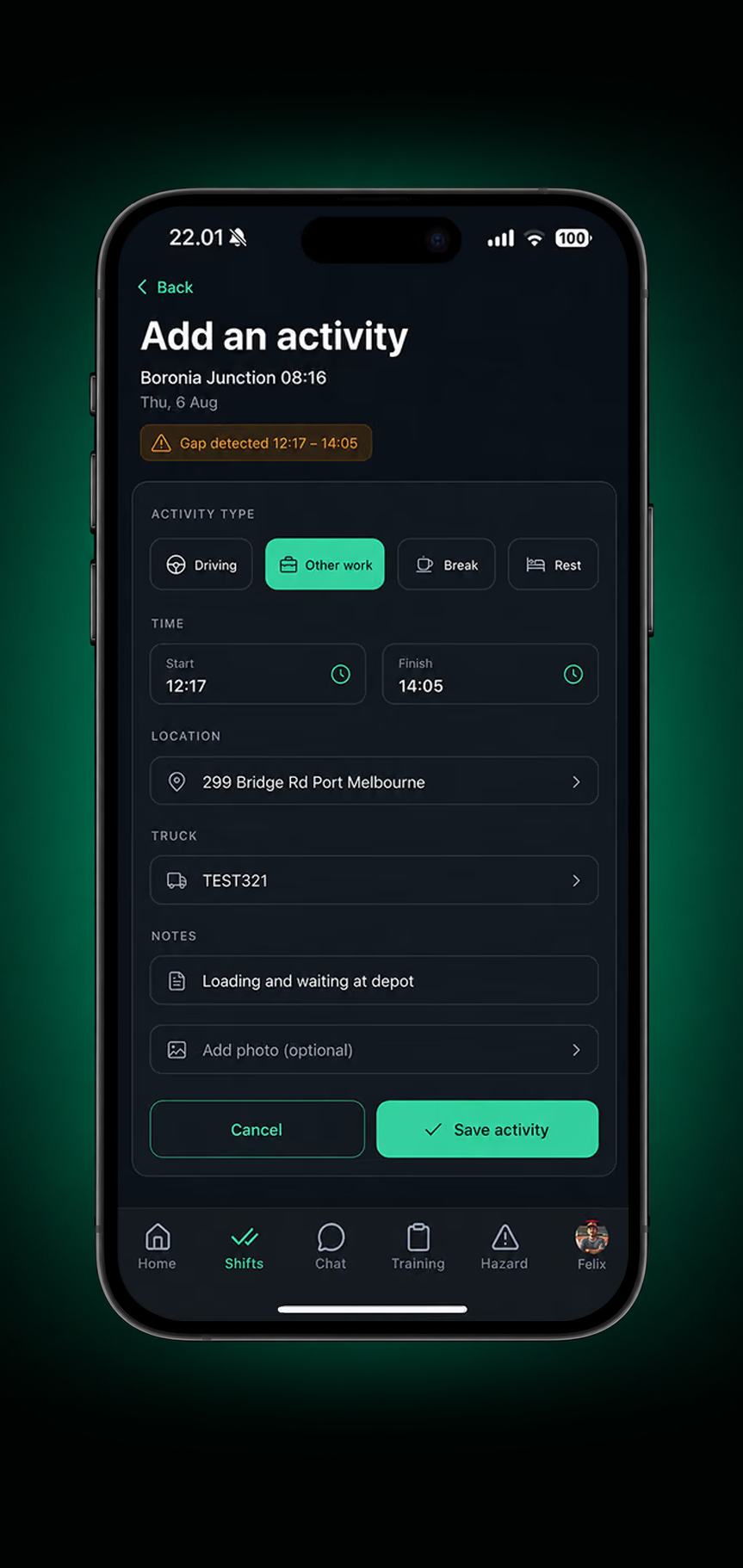
2. Add an activity
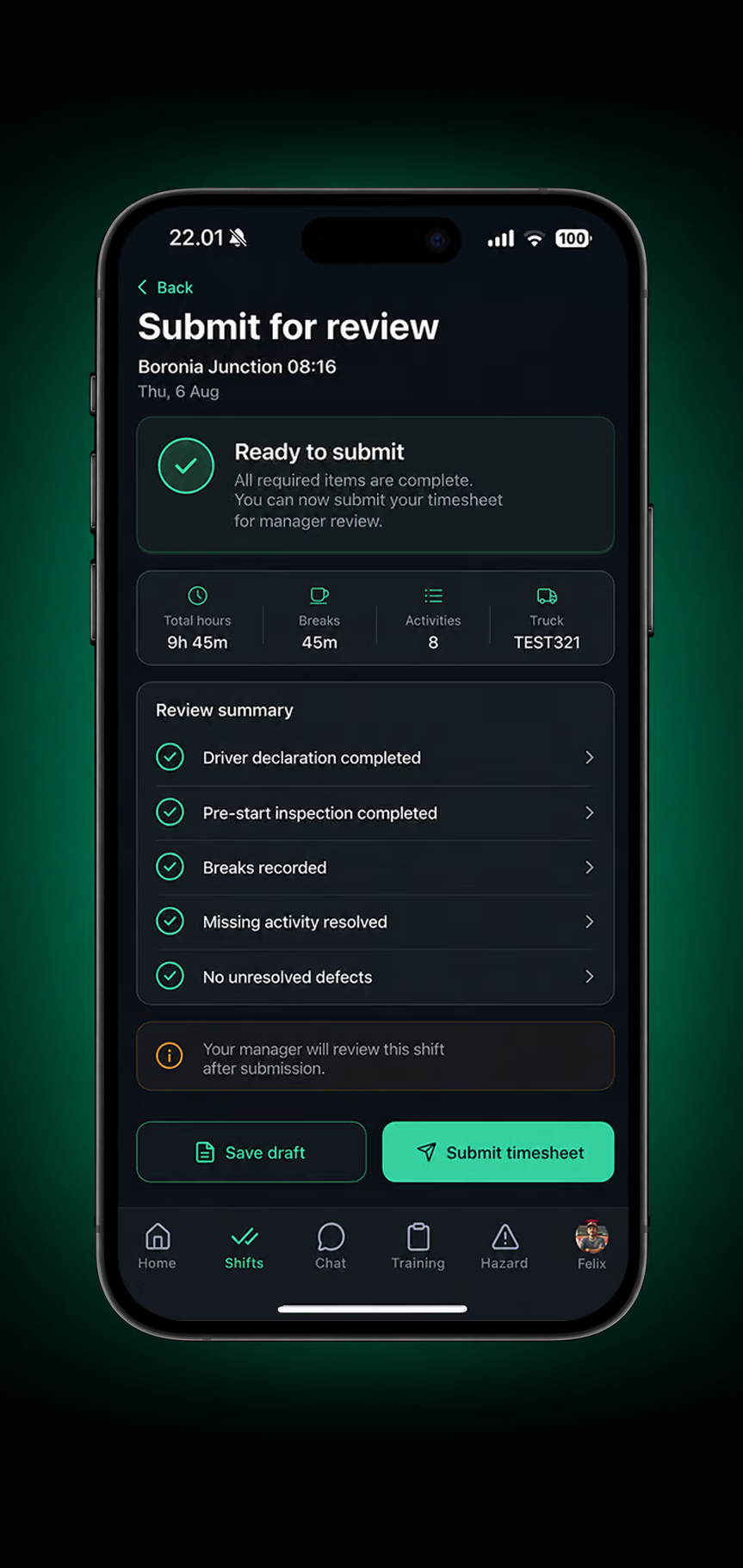
3. Submit for review
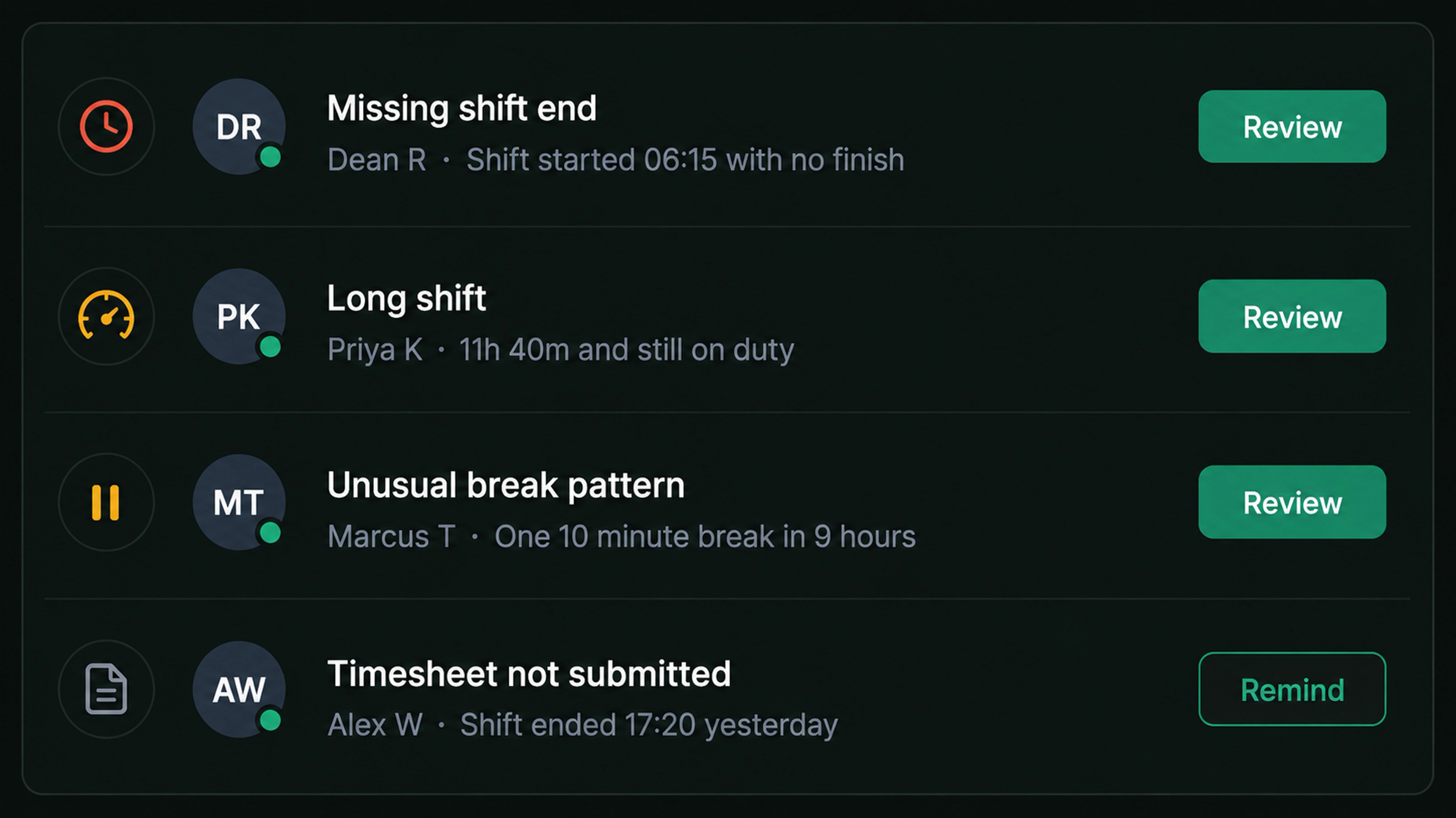
Know When Action Is Needed
Flag missing shift ends, long shifts, unusual break patterns and unsubmitted timesheets before they reach payroll.
Know Every Shift. Trust Every Record.
Clearer Shift Records
One reviewed record for every shift.
Better Visibility of Work & Rest
See how hours, activities and breaks were recorded.
Less Time Reconciling Records
Work and rest captured as they happen, not reconstructed later.
Clearer Approval History
Know what was approved, by whom and when.
Complete Shift History
Keep records available for review and auditing.
Payroll Ready Records
Approved records ready to export.
Frequently Asked Questions
How are timesheets created?
Drive360 can capture work hours and activities from connected data where available, while allowing drivers to add or correct entries manually.
Can drivers review their timesheets before submitting them?
Yes. Drivers can review their shift, hours, breaks and activities, add missing entries and submit the completed record for review.
How are timesheet corrections handled?
Changes can be made during review, with the original and updated values, reason for the change, person responsible and date and time retained in the change history.
Can managers approve timesheets?
Yes. Managers can review submitted timesheets, approve them or request changes, with approval activity recorded against the timesheet.
Can timesheets be exported for payroll?
Yes. Approved timesheets can be exported in payroll compatible formats, alongside detailed reporting records.
Does Drive360 keep a history of each shift?
Yes. Shift hours, activities, breaks, changes, submissions and approvals are retained, providing a complete record for review and reporting.
Know What Happened Across Every Shift
Bring timesheets, activities, schedules and approvals together, giving managers a clear record for payroll, reporting and review.
- No lock in contracts
- Quick and easy setup
- 24/7 support