Live Route & Delivery Tracking
Live visibility. Every stop. Every minute.
Monitor driver progress, respond to exceptions and keep ETAs up to date across your operation from local deliveries to long distance freight across the Kingdom.
- Live driver locations
- Traffic aware ETAs
- Flag issues that need attention
- Real time performance
- Automated customer updates

Keep the Whole Operation in View
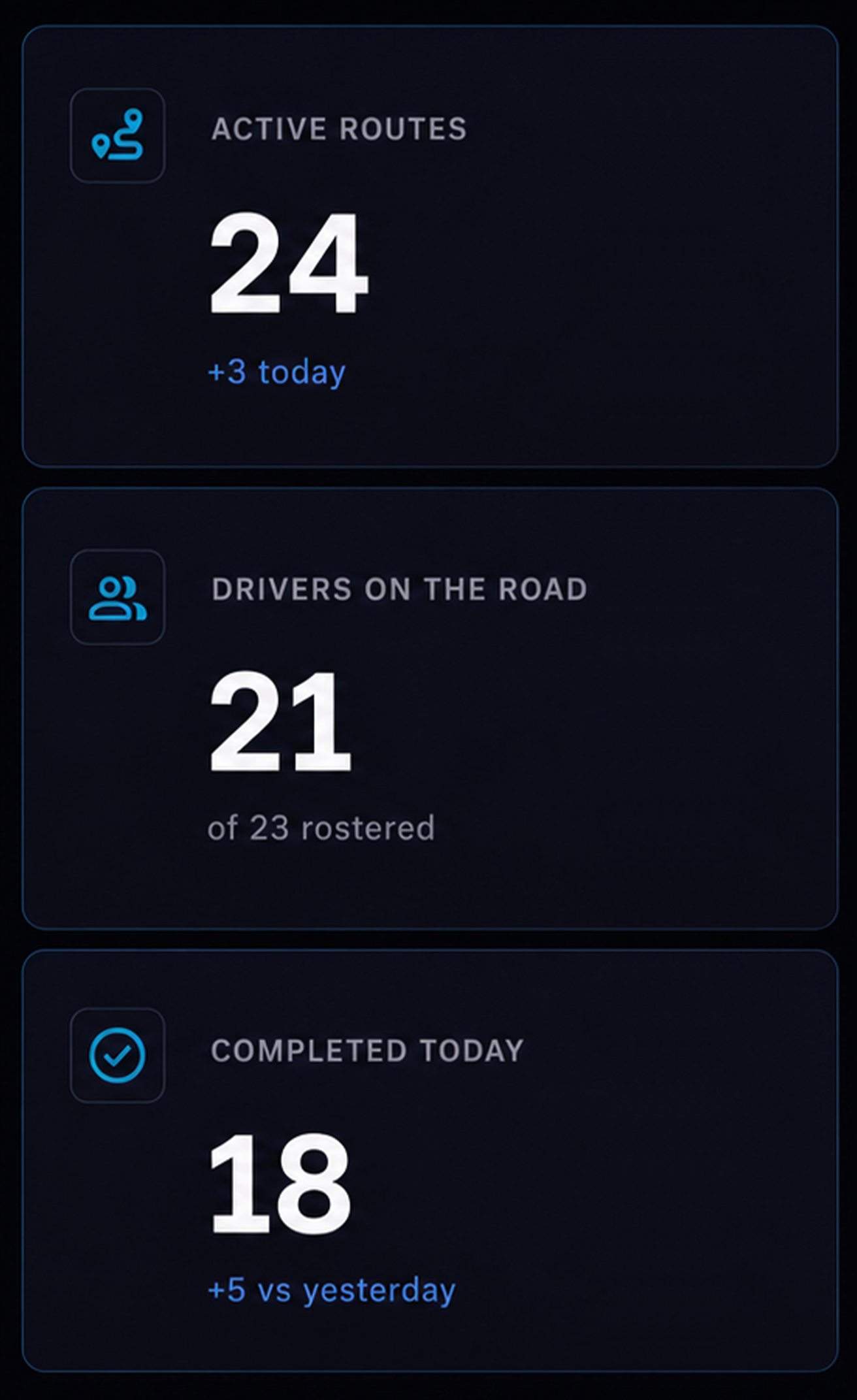
Active routes. See how many routes are running and how many drivers are currently on the road.
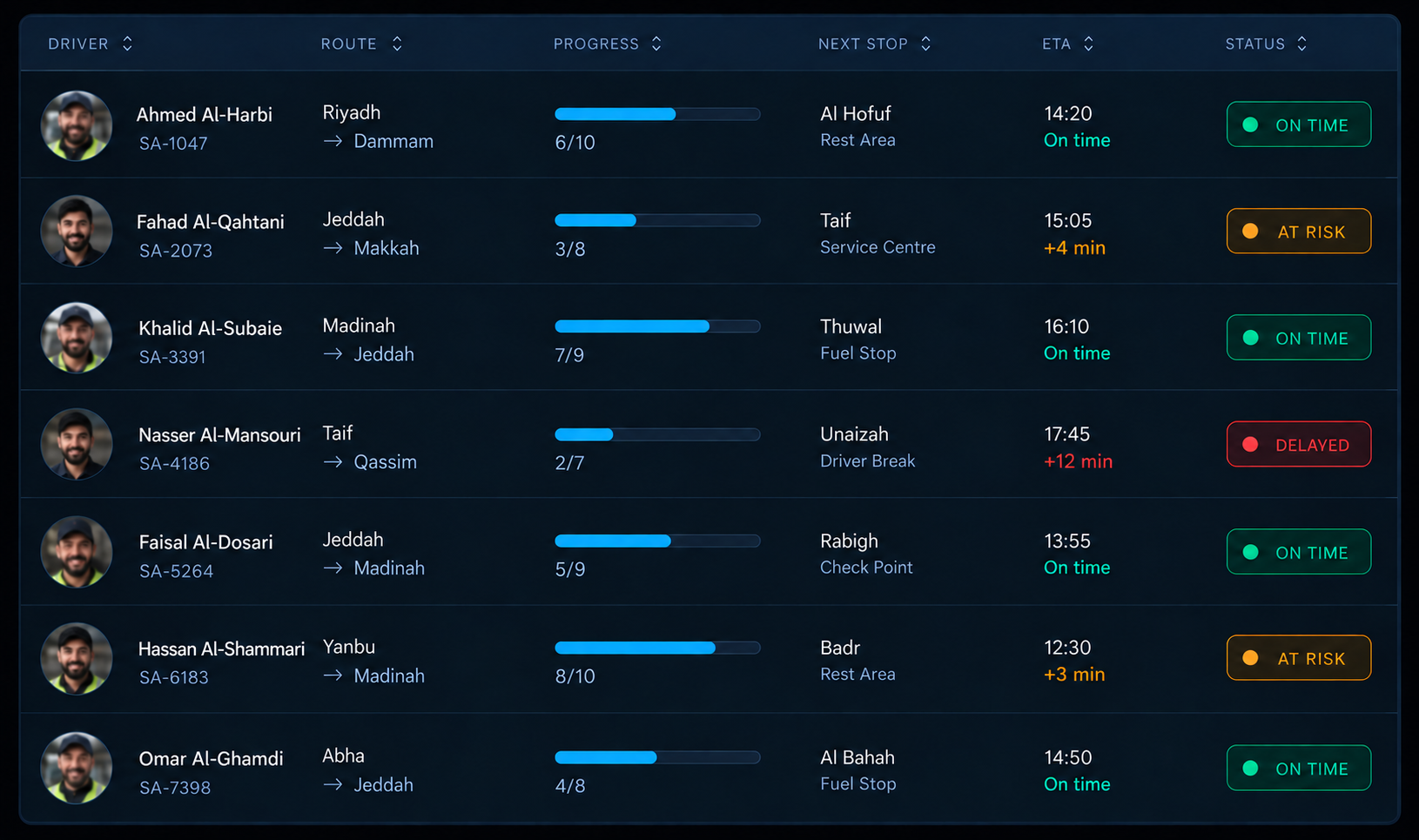
Route status. See every route by status, with driver, stop progress, next stop, ETA and current position.
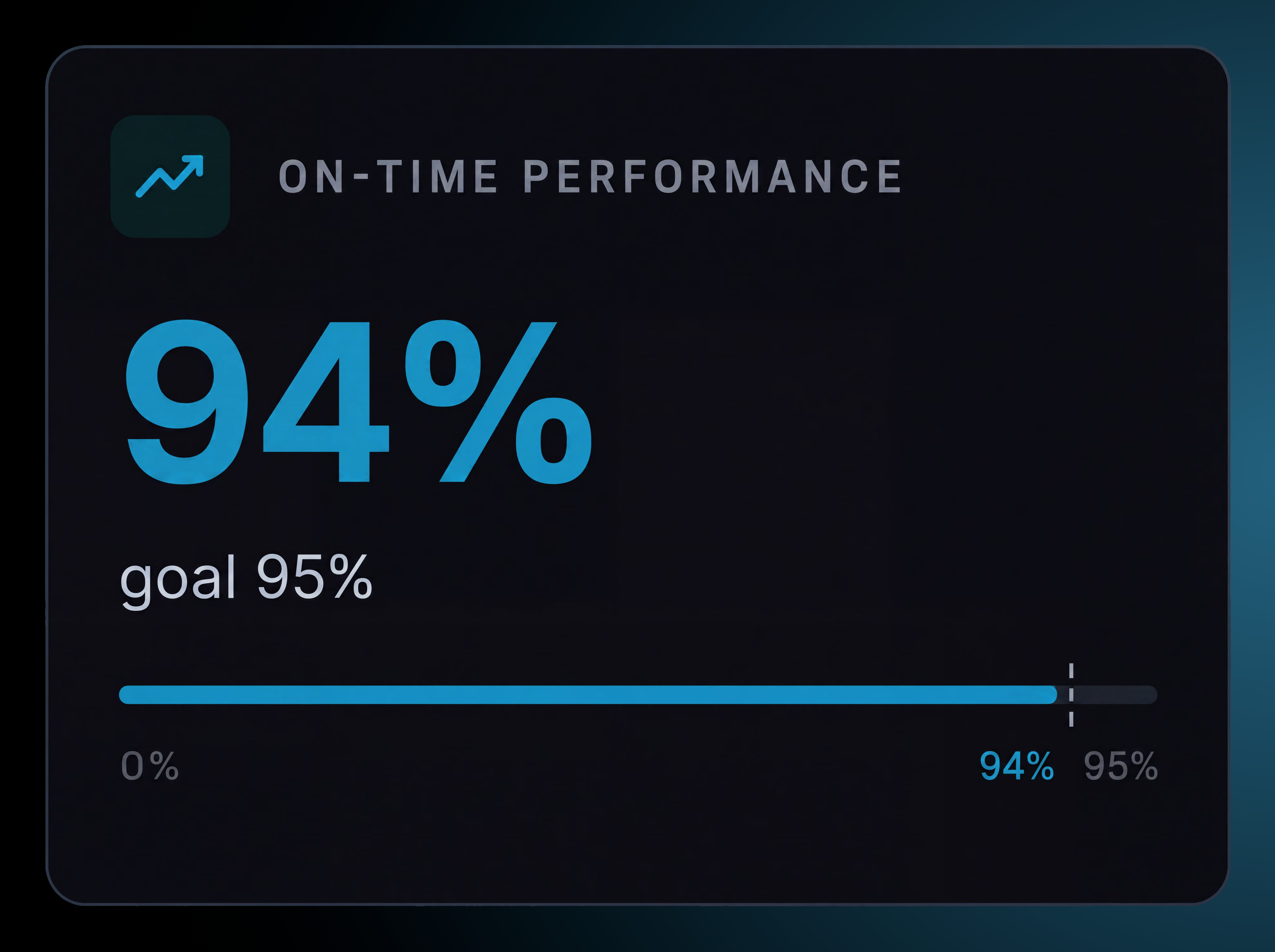
On time performance. Track performance against your target throughout the day.
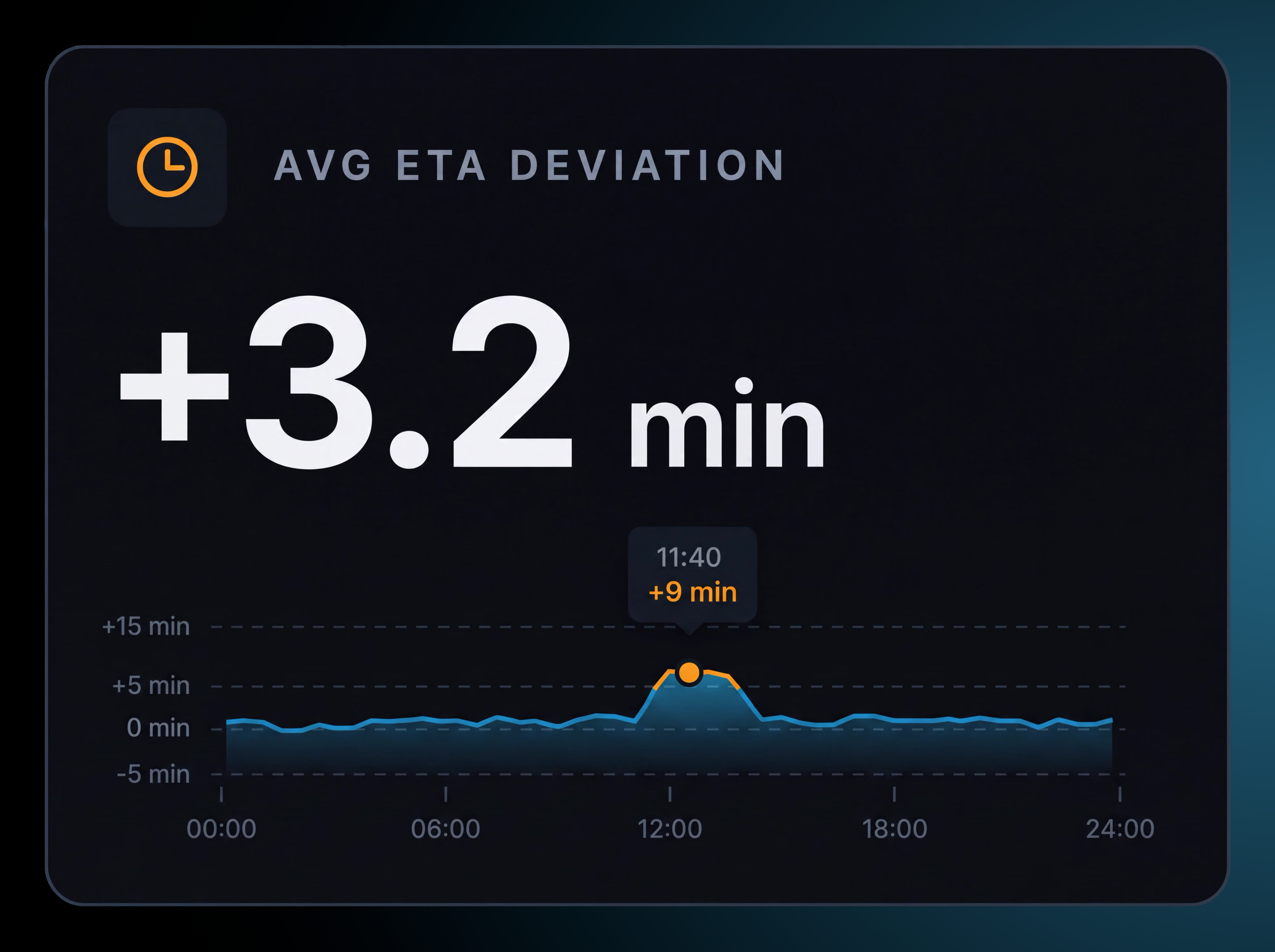
ETA performance. See how far ahead or behind plan routes are running and whether performance is improving.
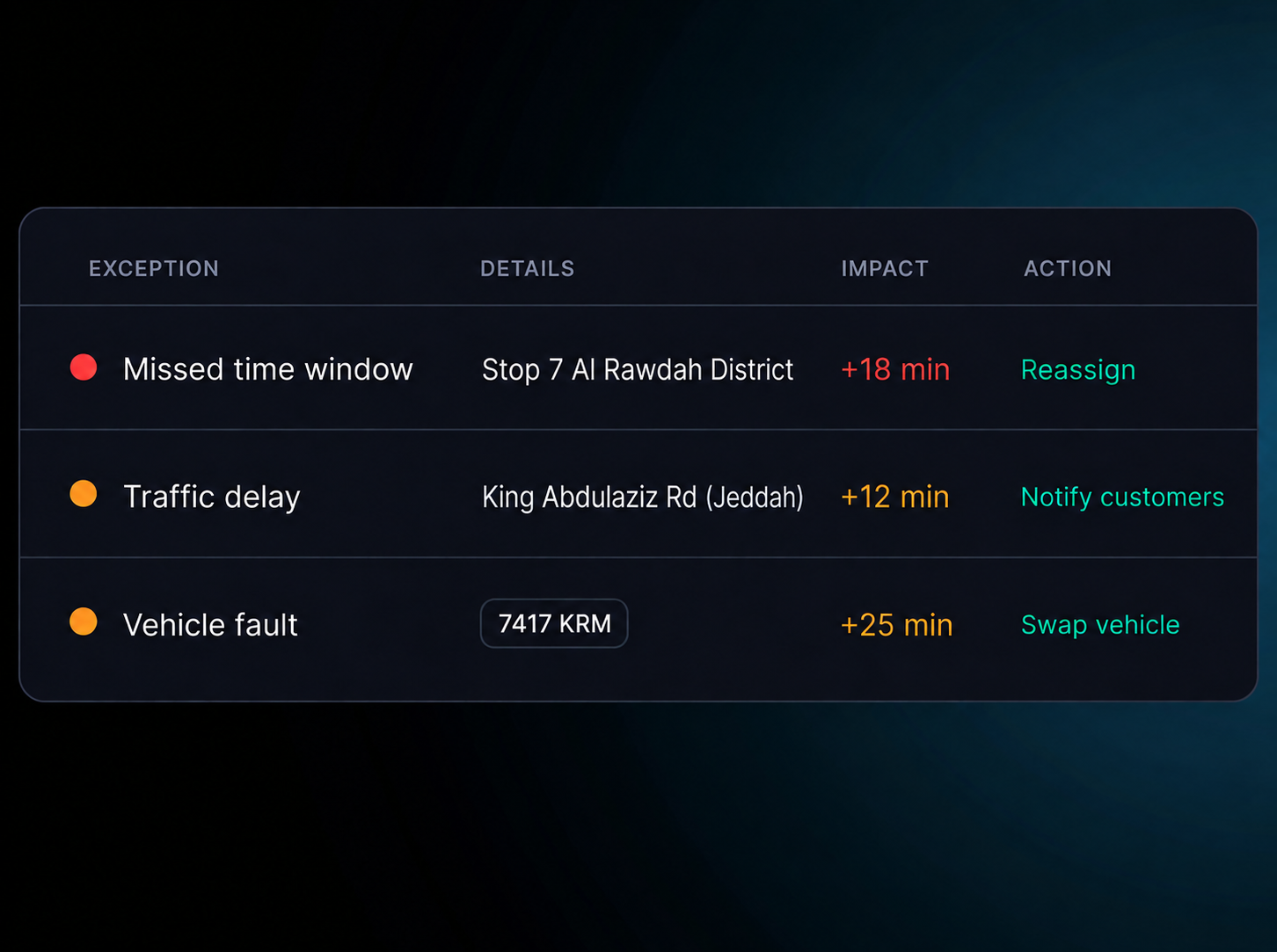
Live exceptions. See traffic delays, unavailable customers, vehicle issues, address changes and multi stop delays as they happen.
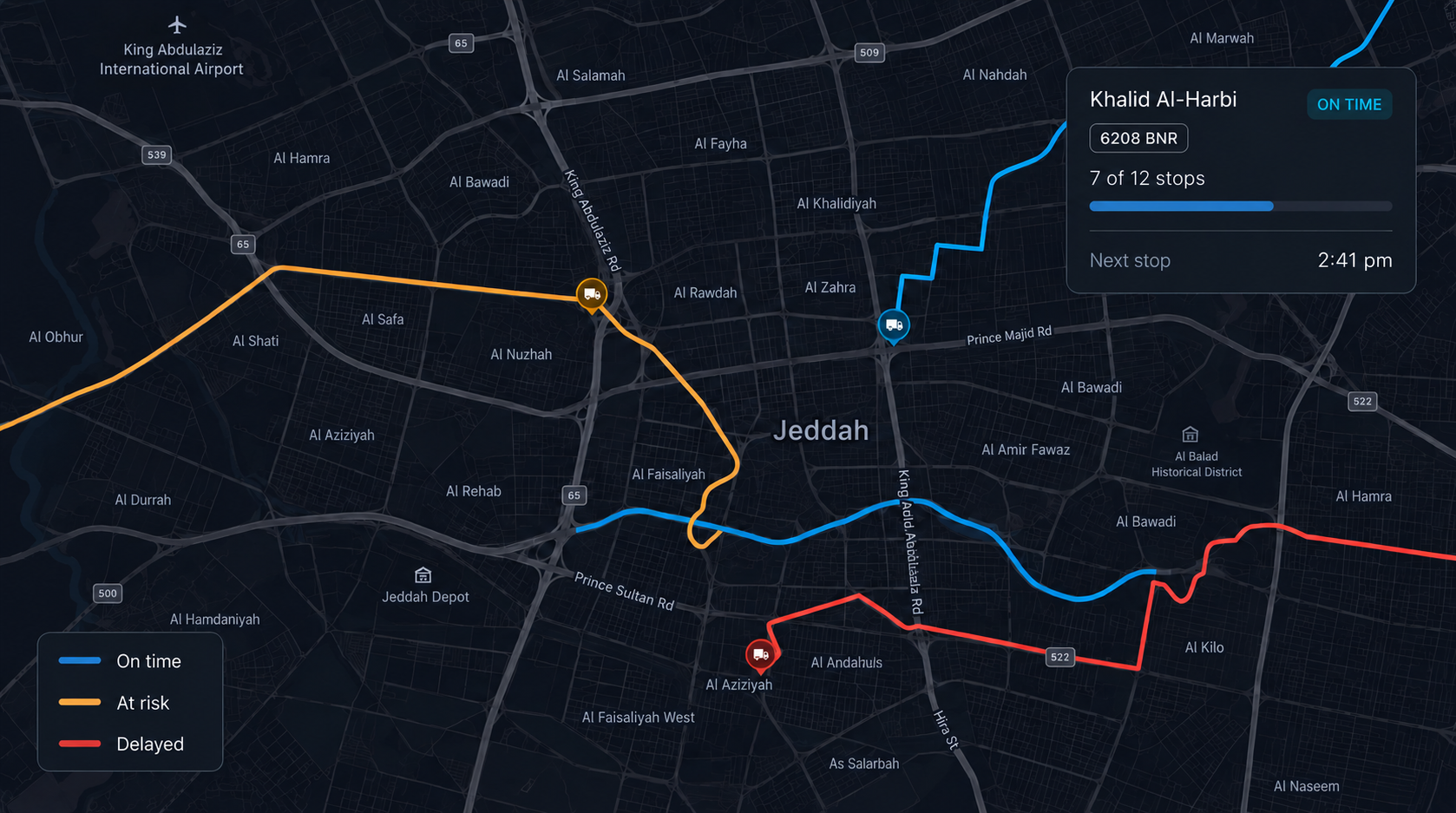
Live route map See routes by status on the map, with driver position and current stop progress.
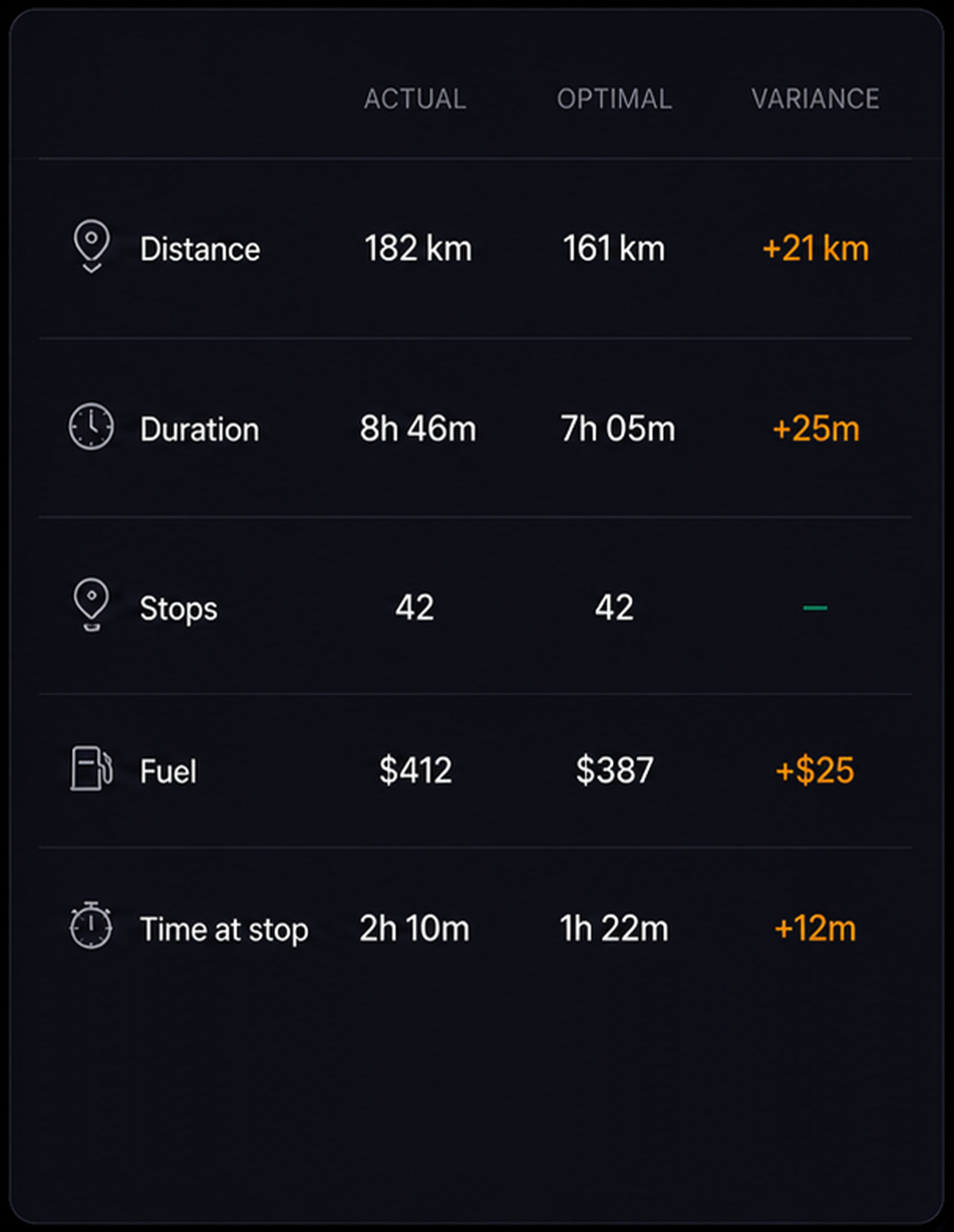
Planned vs actual. Compare current stop, progress, estimated finish, elapsed time and average stop duration.

A Unified Timeline for Every Route
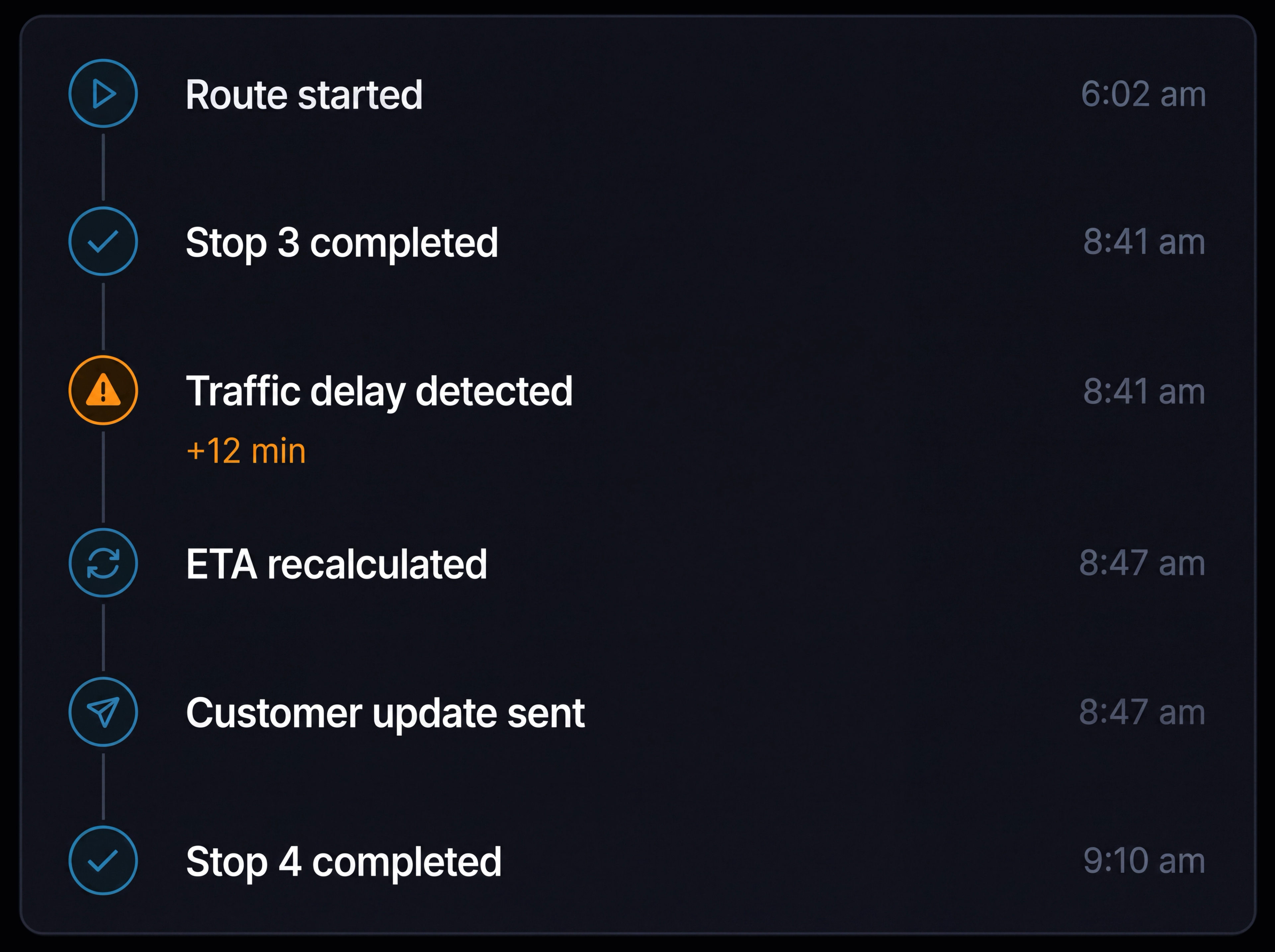
Every route event is recorded with a timestamp, creating a clear history of what happened, when it happened and what changed.
- 1
Route started
The driver checks in and the route begins.
- 2
Stop completed
Each completed stop is timestamped against its address.
- 3
Traffic delay detected
Delays are recorded with the affected road and time lost.
- 4
ETA recalculated
Remaining ETAs are updated when route conditions change.
- 5
Customer update sent
The latest ETA is sent to the customer for the next stop.
- 6
Route history retained
The full timeline stays with the route as its record.
BUILT FOR SAUDI OPERATIONS
Know Where Every Vehicle Is Across the Kingdom
Keep vehicles, routes and delivery progress visible from one connected view.
City & Depot Visibility
Monitor active routes across multiple depots and operating areas, giving dispatch teams a clear view of where vehicles are and what needs attention.
Intercity & Long Distance Tracking
Keep route progress, stop status and ETA visible across longer journeys so teams can identify delays before they affect downstream stops.
Live Operational Exceptions
Surface traffic delays, vehicle issues, missed stops and other exceptions as they happen, giving teams time to respond rather than reconstructing what happened later.
Connected Vehicle Tracking
Keep live vehicle location connected to route progress, driver information and operational records in one view.
Additional features
Depot filters
Filter the view by depot, driver or the full operation.
Map and list views
Switch between the live map and a sortable route list.
Traffic overlay
See live traffic conditions across your routes.
Time window alerts
Highlight routes that may be at risk of missing a planned time window.
Stop details
See the time window, items and instructions for each stop.
Driver contact
Contact drivers directly from the route view.
Customer tracking page
Share a live route view with customers from the same workspace.
Schedule performance
See estimated performance against planned time windows as the day progresses.
ETA recalculation
Update ETAs across the remaining stops when conditions change.
Live vehicle status
See vehicle location and route status together.
Activity timeline
See every route event with its timestamp.
Route status
See which routes are on track, delayed, at risk, completed or not started.
Frequently Asked Questions
How often do driver locations update?
Driver locations update approximately every 30 seconds while a route is running, keeping the live map, route progress and ETAs aligned.
Does Route360 support automated vehicle tracking?
Route360 connects live vehicle location with route activity, allowing dispatchers to monitor vehicle progress while routes are underway.
How are ETAs calculated?
ETAs use the driver’s current location, remaining stops and live traffic conditions. When a delay is detected, subsequent ETAs are recalculated to reflect the change.
What counts as an exception?
Exceptions include traffic delays, unavailable customers, vehicle issues, address changes and delays affecting multiple stops. Each exception shows its impact and the action needed to resolve it.
How is this different from route planning and from customer notifications?
Route planning happens before routes are published, while customer notifications communicate updates to customers. Live tracking shows what is happening on published routes and what needs attention during the day.
Can customers see the same information?
Customers see a branded tracking page with delivery status, estimated arrival and stop progress. Operational details such as the full route and other customer stops remain visible only to your team.
Complete visibility across every route and every stop
Monitor progress, respond to exceptions and keep customers informed across your Saudi operation.
- Secure, role based access
- Complete audit trail of every change
- Communication via app, SMS and email
- Available across web and mobile