Fatigue Management
Driver Fatigue Management Software for Saudi Fleets
Monitor driver working hours, rest periods and potential fatigue risks across your fleet. Identify approaching limits, prevent rosters that breach configured rules from being published and keep fatigue decisions and records connected in one platform.
Simplify Fatigue Management
- Replace manual logs and spreadsheets
- Keep driver fatigue information in one place
- Monitor driver working hours and rest periods
- Review fatigue declarations as they're submitted
- Get alerts when drivers approach configured limits
- Keep fatigue records and follow up actions organised
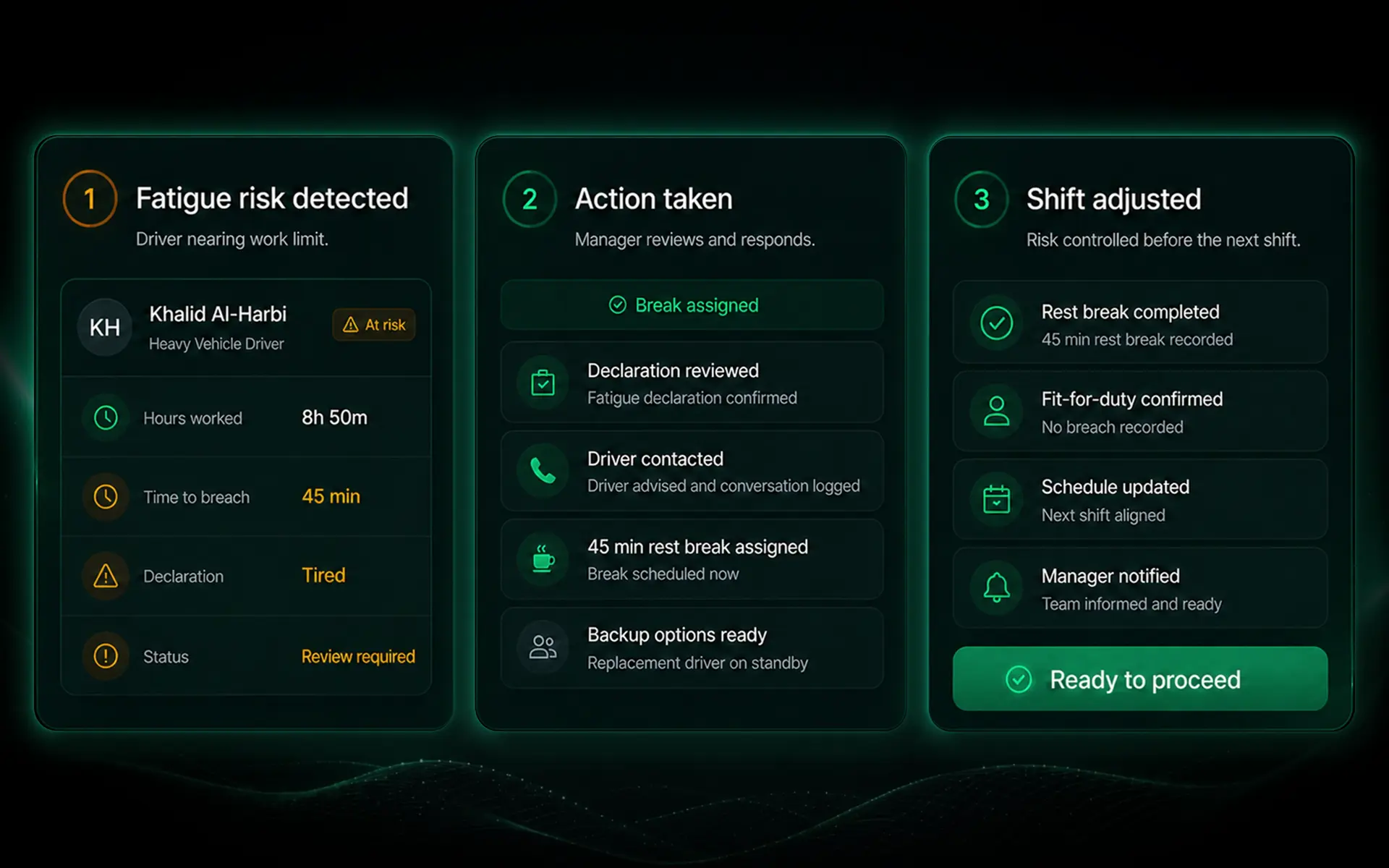
Fatigue risk and intervention
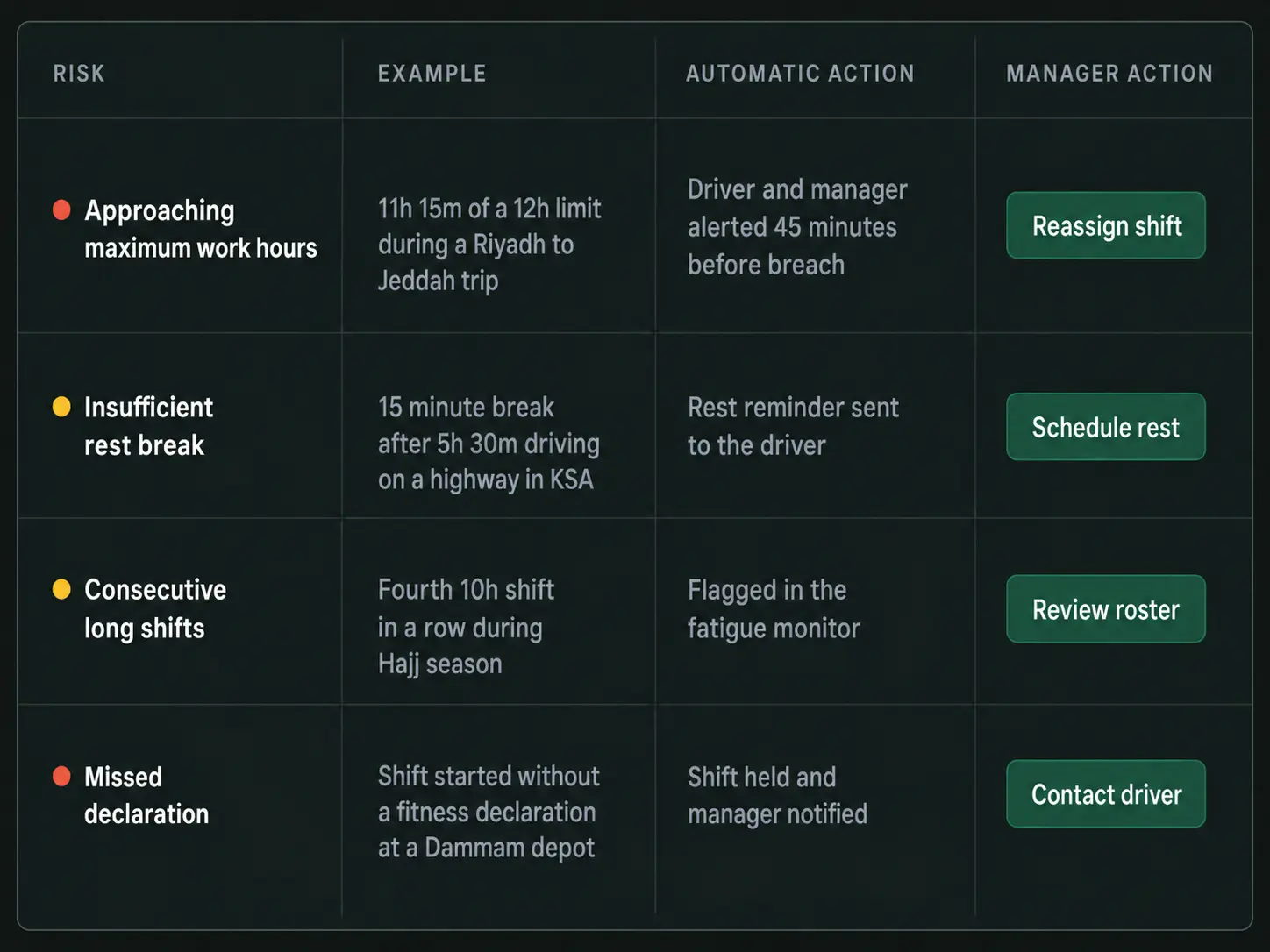
How Fatigue Management Works
1
Set
Configure driver working hours, rest thresholds and fatigue management requirements.
2
Capture
Record driver working hours, rest periods and fatigue declarations.
3
Monitor
Track driver hours against configured limits and identify approaching thresholds.
4
Flag
Highlight potential fatigue risks and notify the relevant team members.
5
Act
Review flagged risks and take appropriate action before they escalate.
6
Record
Keep a record of fatigue decisions, actions taken and outcomes.
Built for Saudi Transport Operations
Driver Hours, Rest Periods and Fatigue Risk in One System
Drive360 helps Saudi transport operators monitor driver working hours, manage rest periods and identify potential fatigue risks before they affect operations.
Configure fatigue thresholds around your fleet's applicable requirements, automatically check rosters against those limits and keep supporting records organised in one place.
Driver Working Hours
Monitor driver working hours against configured limits, helping managers identify excessive hours and potential fatigue risks.
Rest Period Management
Track driver rest periods and breaks, giving managers a clearer view of when drivers may be available for their next shift.
Fatigue Risk Monitoring
Identify approaching thresholds, extended working hours and potential fatigue risks before they escalate.
Shift & Roster Compliance
Automatically check planned shifts against configured working hour and rest requirements, preventing rosters that breach those rules from being published.
Driver Fitness for Duty
Capture driver fatigue declarations and readiness status before or during shifts, giving managers additional information when assessing driver availability.
TGA Compliance Support
Keep driver hours, fatigue declarations, alerts and recorded interventions organised to support internal safety management and applicable Transport General Authority (TGA) compliance processes.
Operating across Saudi Arabia: Configure fatigue management requirements to reflect your fleet's operations, driver arrangements and applicable transport requirements.
Keep Fatigue Risk in View
Working Hours & Rest Monitoring
- Track driver working hours
- Monitor rest periods and breaks
- Check cumulative working hours
- Monitor configured fatigue limits
- See current driver status
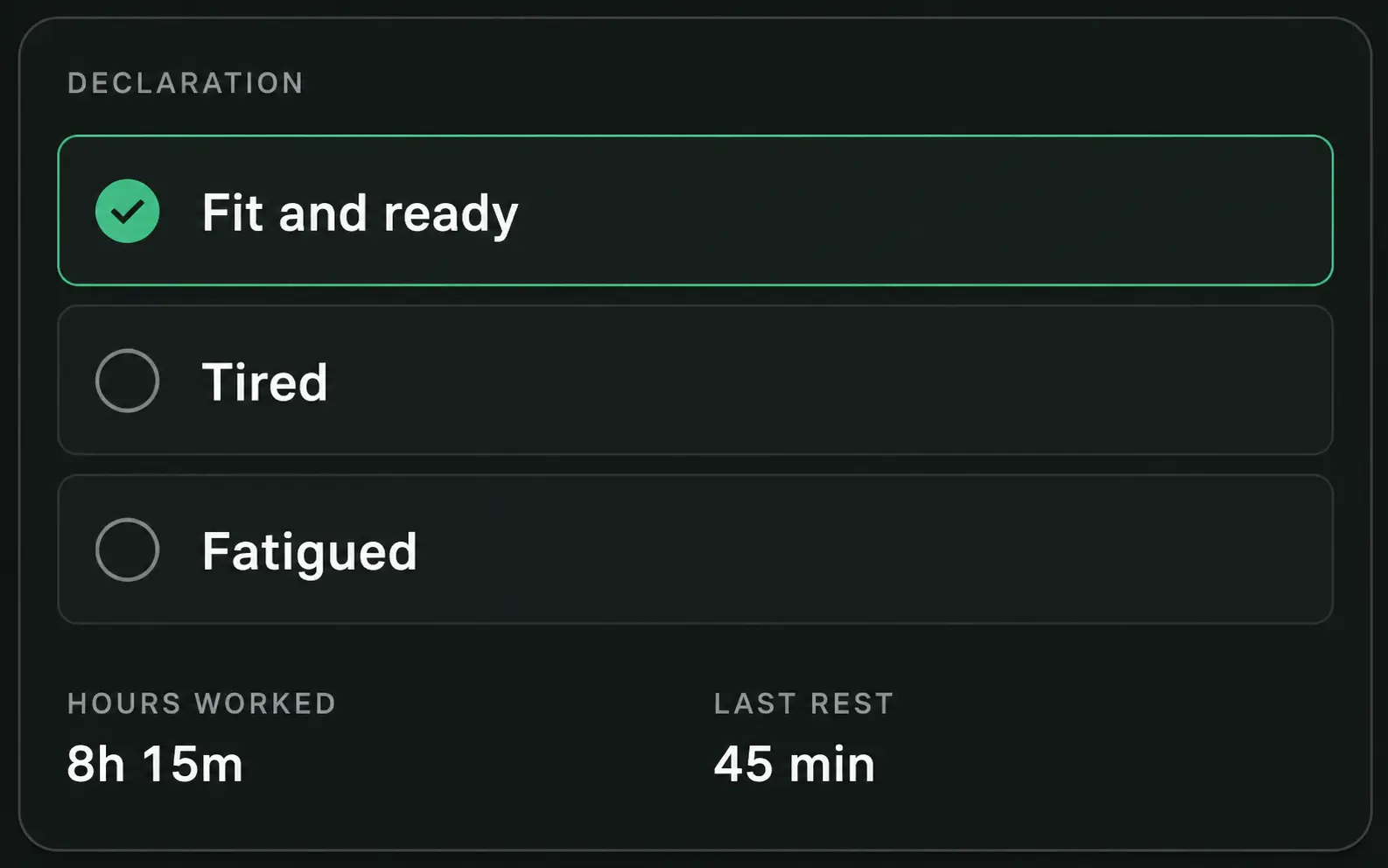
Driver Declarations
- Pre-shift fatigue declarations
- Driver updates during shifts
- Fitness-for-duty status
- Driver comments and notes
- Time-stamped and location-linked records
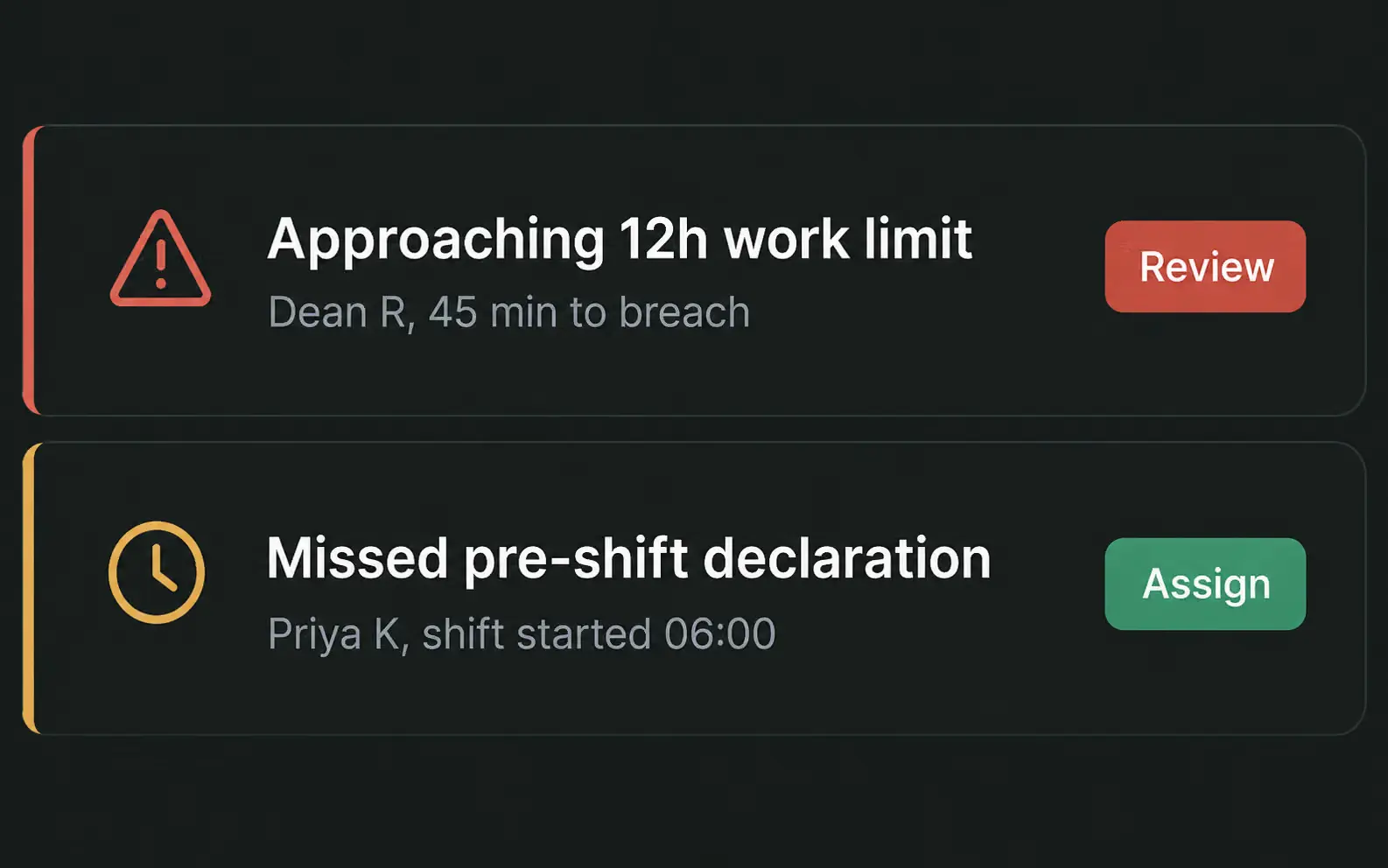
Risk Alerts & Exceptions
- Automatic threshold alerts
- Potential fatigue risk notifications
- Working hour and rest exceptions
- Escalation to relevant managers
- Recorded actions and follow-ups
Fatigue Records & Reporting
- Driver fatigue history
- Recorded interventions and outcomes
- Exportable fatigue reports
- Fatigue trends and recurring risks
- Supporting safety and compliance records
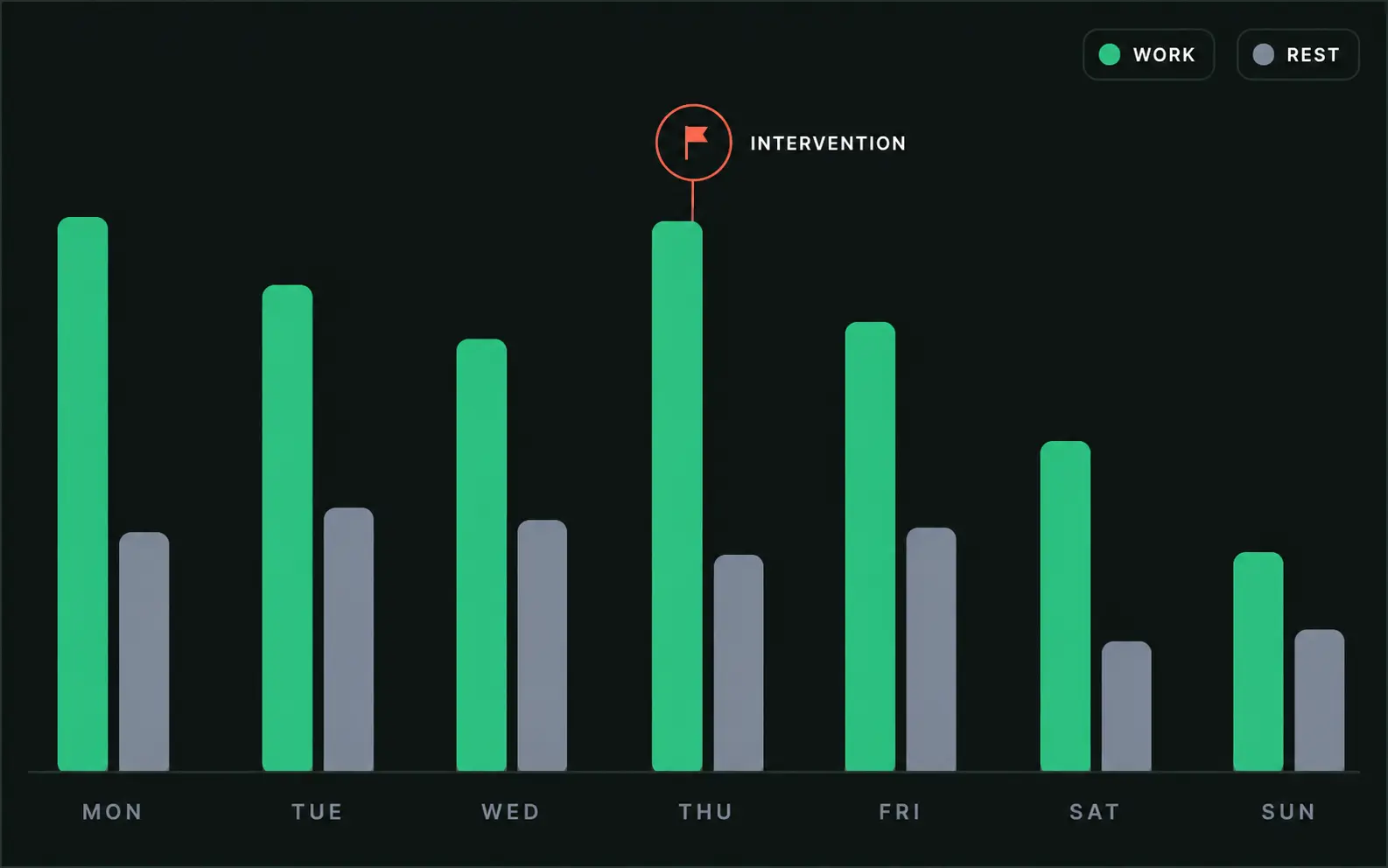
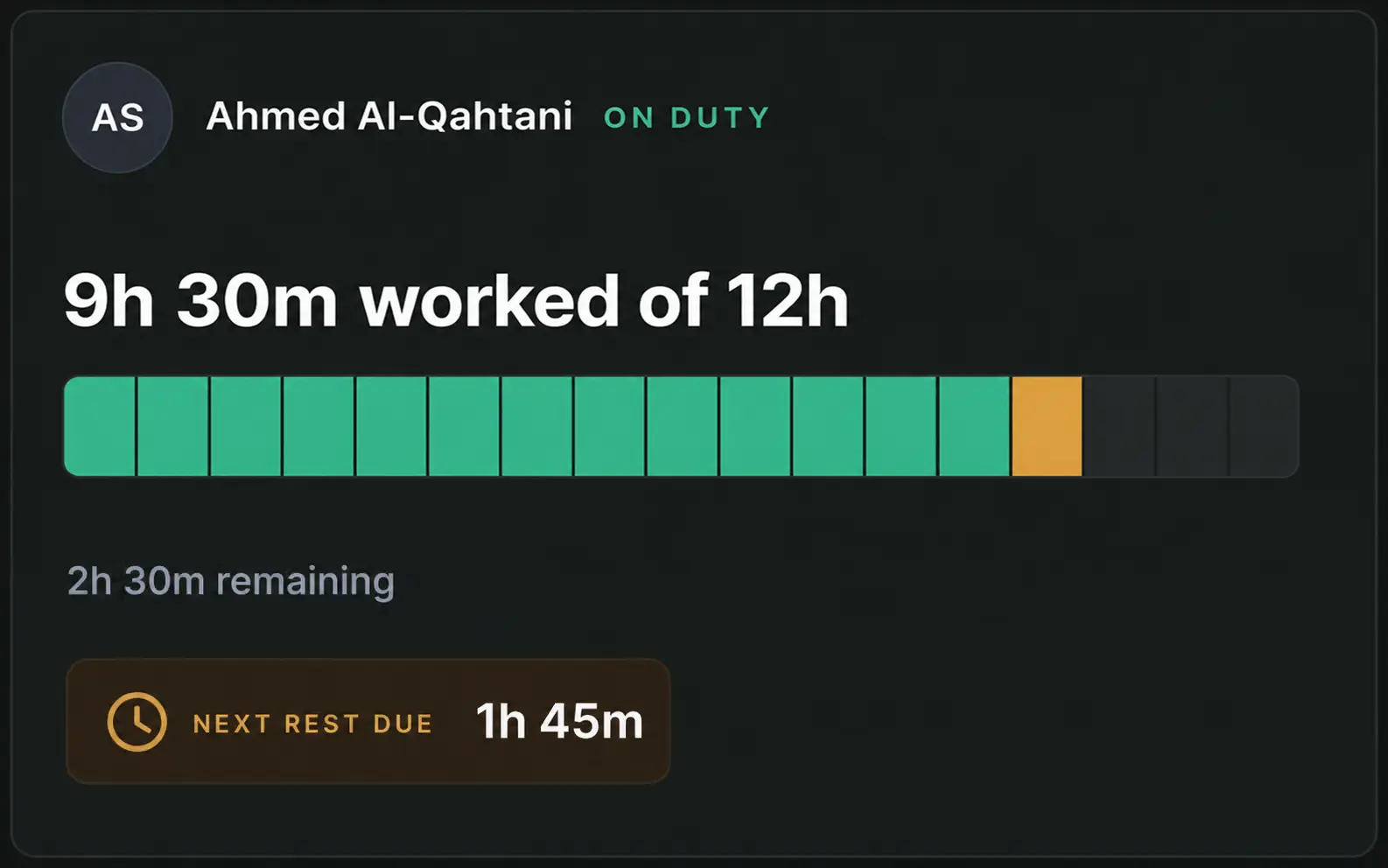
Fatigue History
Fatigue Management Software That Keeps Every Shift on Record
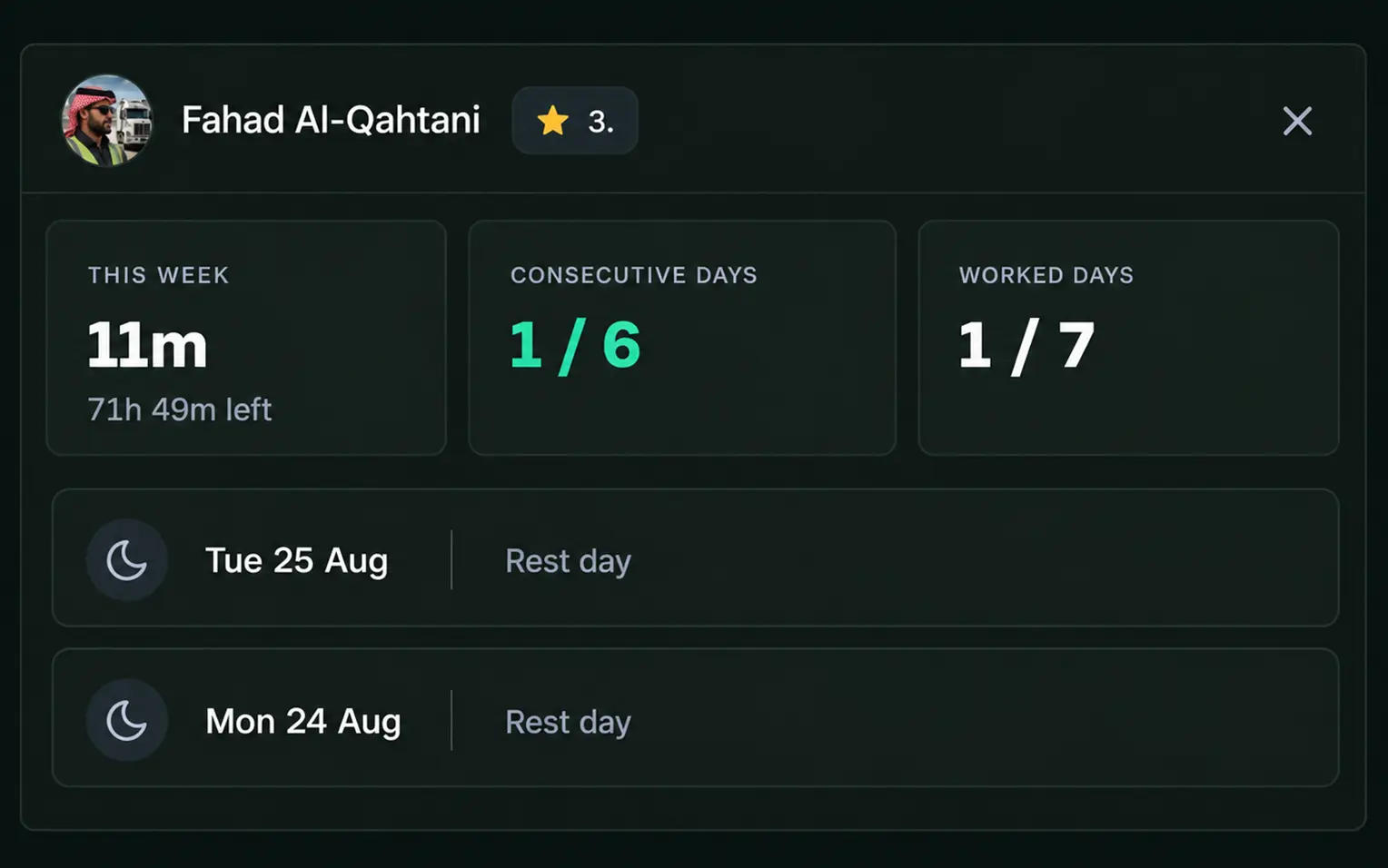
Open a driver's fatigue history and see their working hours, rest periods, declarations, flagged risks and manager actions in one place.
- Current shift and driver status
- Previous working hours and rest periods
- Next scheduled rest period
- Recorded fatigue alerts and interventions
- Exportable records for safety and compliance reviews
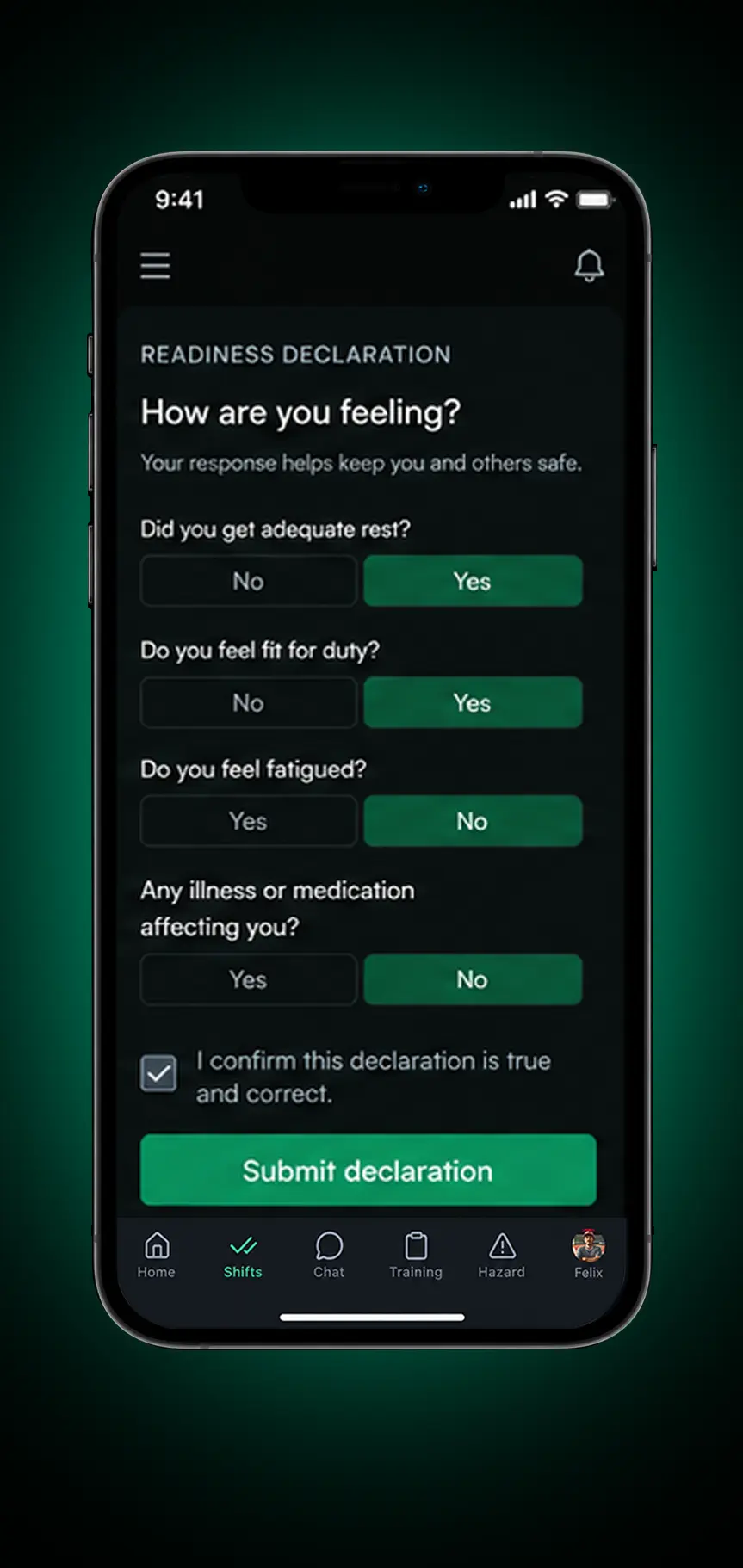
Driver & Manager Workflow
From Fatigue Declaration to Manager Action
- Driver submits a fatigue declaration through the app.
- Drive360 flags potential risks and alerts the relevant manager.
- Manager reviews the declaration and supporting driver information.
- Manager takes appropriate action or adjusts the shift.
- Drive360 records the decision and outcome.
1. Declare
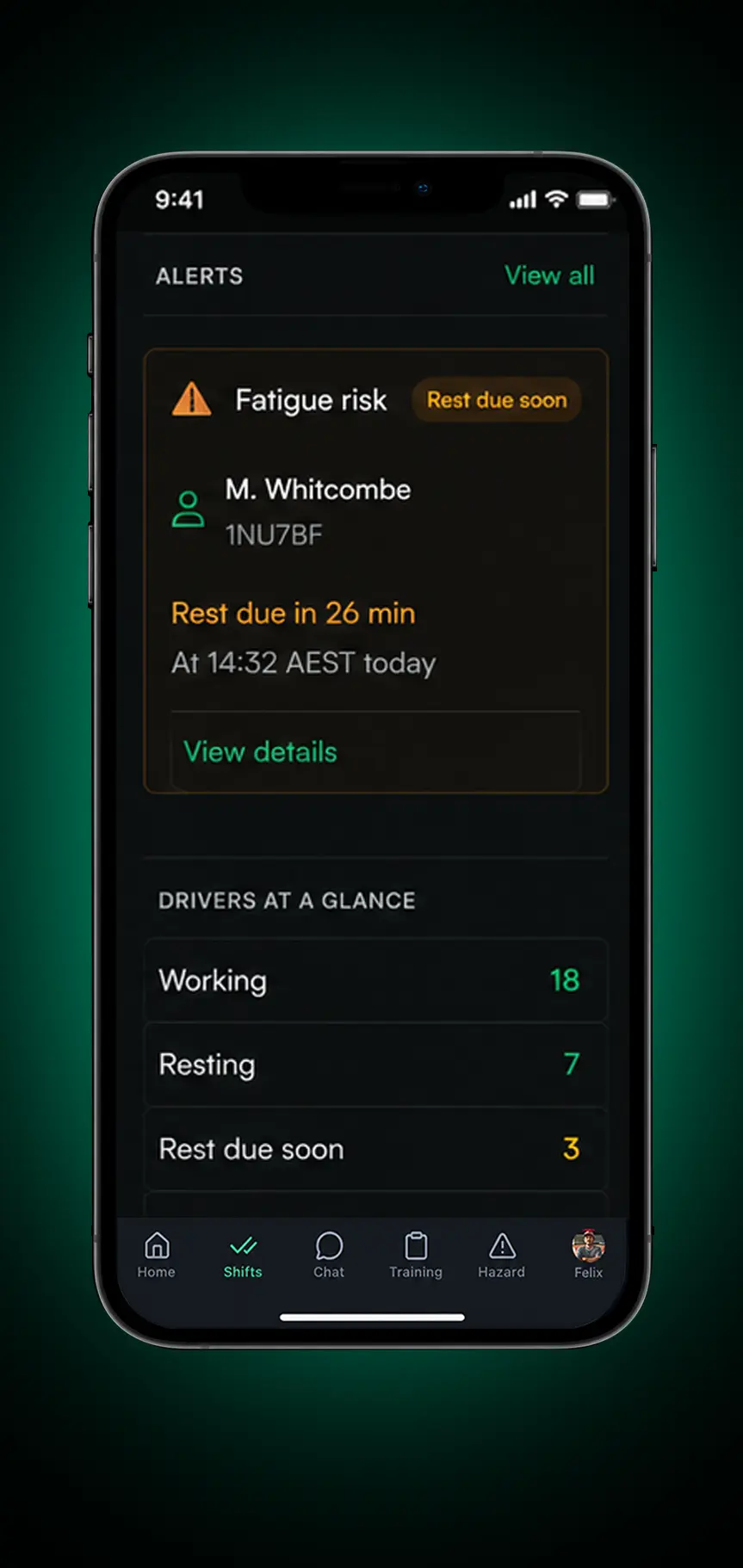
2. Flag
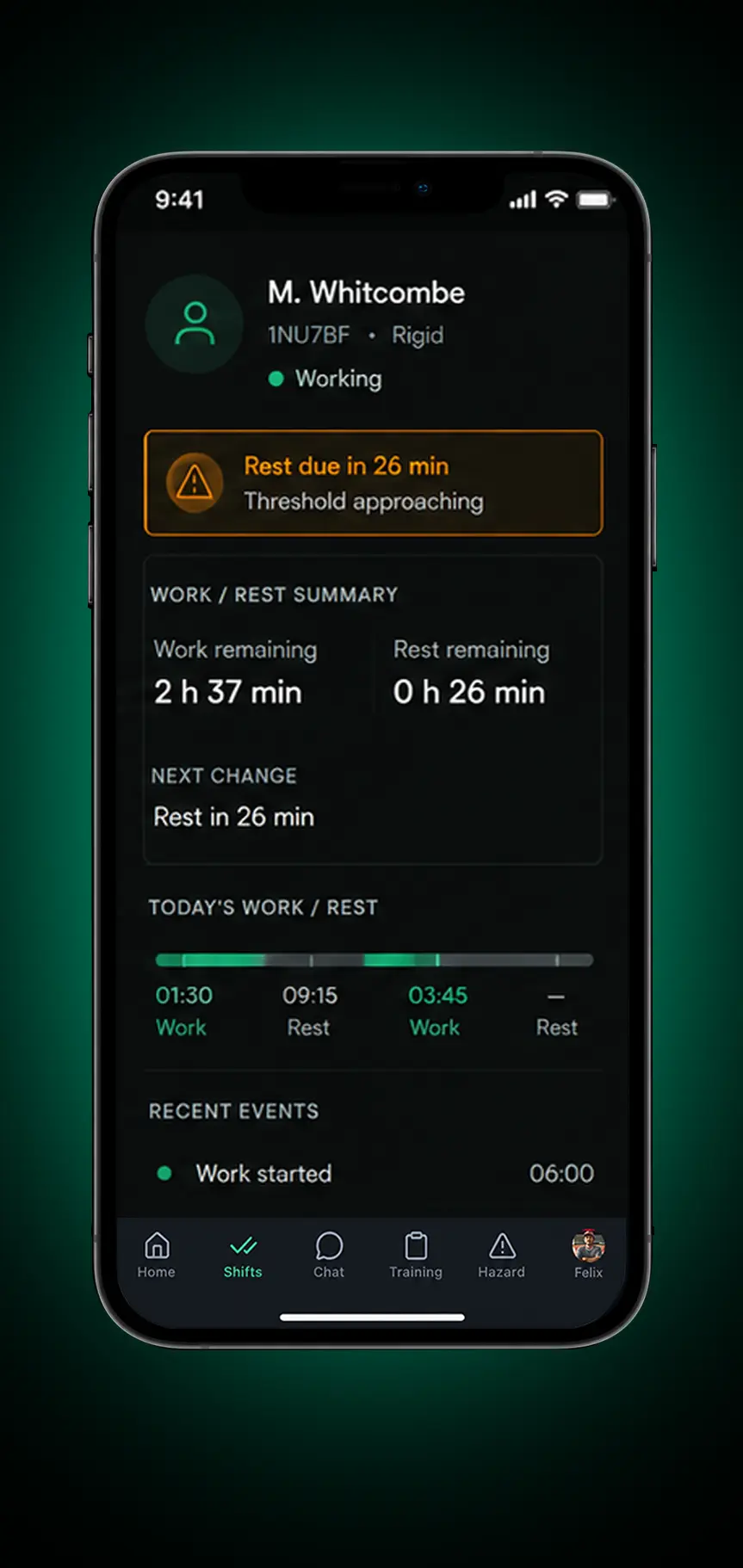
3. Review
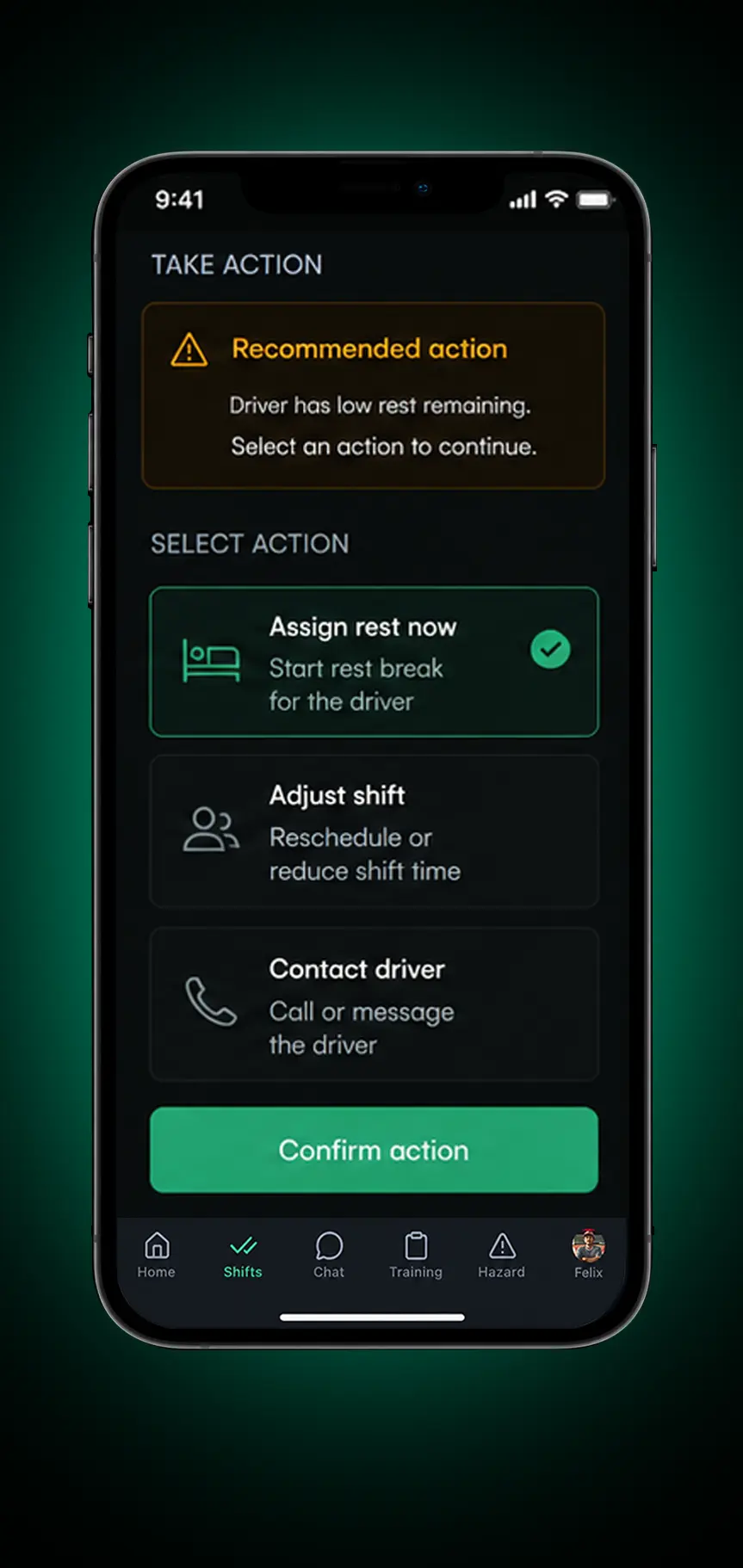
4. Act
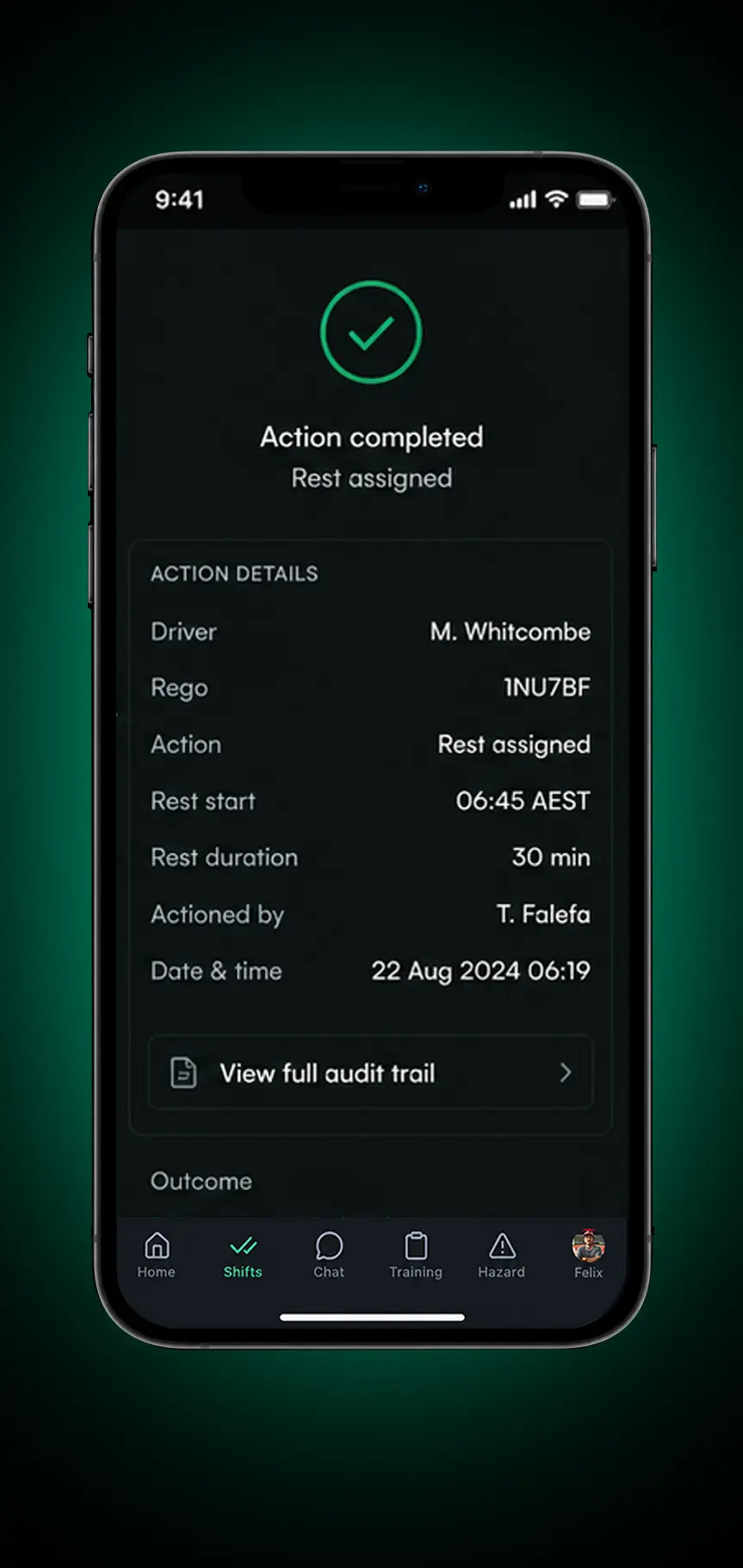
5. Record
Fatigue Management Doesn't Work in Isolation
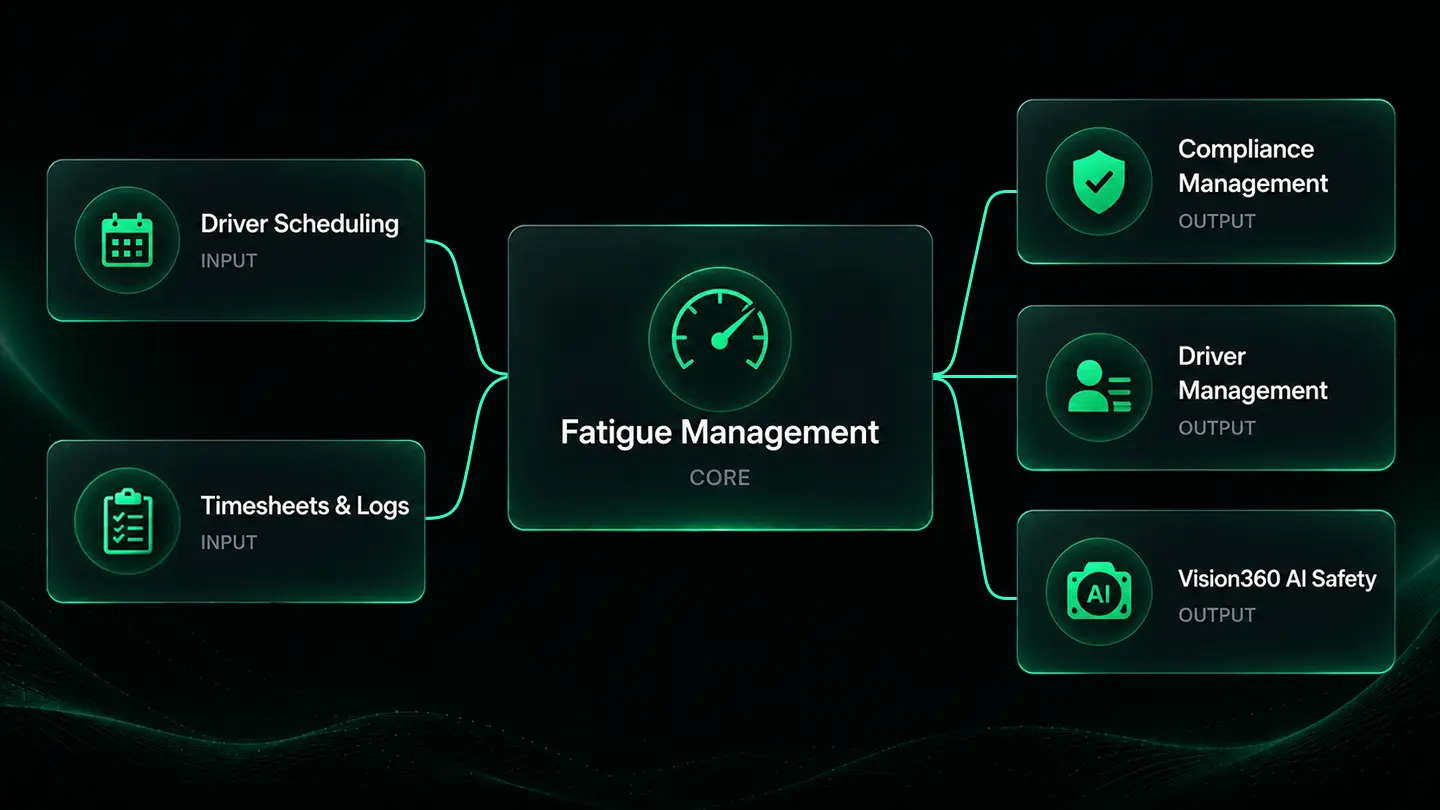
Connect fatigue monitoring with driver management, scheduling and operational reporting. Give fleet managers a clearer picture of driver availability, working hours and potential fatigue risks when planning shifts, allocating vehicles and managing daily operations.
Less Time Chasing Records. More Control Over Fatigue Risk.
Fewer Last Minute Scheduling Disruptions
Identify working hour and rest conflicts before rosters are published, reducing avoidable scheduling problems.
Less Manual Administration
Spend less time chasing declarations, checking spreadsheets and searching for driver records.
Better Driver Availability Decisions
Understand who has been working, who needs rest and who may be available for the next shift.
Faster Response to Fatigue Risks
Give fleet managers the information they need to assess risks and take appropriate action sooner.
More Consistent Fatigue Processes
Follow a clear process for driver declarations, fatigue alerts, manager reviews and interventions.
Records Ready When You Need Them
Keep fatigue history and supporting information accessible for internal safety reviews and applicable compliance checks.
Frequently Asked Questions
What is driver fatigue management software?
Driver fatigue management software helps fleet operators monitor driver working hours, rest periods and potential fatigue risks. Drive360 brings hours monitoring, driver declarations, alerts and intervention records together in one platform.
Can Drive360 support fatigue management for Saudi transport operators?
Yes. Drive360 helps operators monitor driver hours, configure fatigue thresholds, identify potential risks and maintain supporting records. Operators can configure the system around their operational requirements and applicable working hour and rest arrangements.
Does Drive360 support TGA compliance?
Drive360 helps transport operators organise driver hours, fatigue declarations, alerts and manager actions, supporting internal safety management and compliance recordkeeping. Operators remain responsible for meeting applicable TGA requirements. Fatigue management functionality should not be confused with official TGA certification or regulatory integration.
Can Drive360 prevent non-compliant rosters from being published?
Yes. Drive360 checks planned shifts against configured working hour and rest limits and prevents rosters from being published when they breach those rules.
What does Drive360 track for fatigue management?
Drive360 tracks driver working hours, rest periods, fatigue declarations and configured thresholds, giving managers a clearer view of driver status and approaching limits.
Can drivers submit fatigue declarations through the app?
Yes. Drivers can submit fatigue and fitness-for-duty declarations before or during a shift, including their status, comments and supporting time and location information.
What happens when a driver is flagged as at risk?
Drive360 flags the potential risk and alerts the relevant manager. The manager can review the driver's status, working hours and supporting information before taking appropriate action.
Can managers review fatigue history and recorded interventions?
Yes. Drive360 keeps driver hours, rest records, declarations, alerts, manager actions and outcomes together, making it easier to review previous shifts and retrieve supporting records.
Can Drive360 help manage fatigue across multiple depots?
Yes. Drive360 brings fatigue information into one platform, helping operators monitor drivers, review alerts and maintain consistent fatigue management processes across their operations.
Take Control of Driver Fatigue Across Your Fleet
See how Drive360 helps Saudi transport operators monitor driver hours, identify fatigue risks, manage shifts and keep supporting safety records organised.
- No lock in contracts
- Quick and easy setup
- 24/7 support