[ Collision detection ]
Capture the Moments Before, During and After an Incident.
Detect supported impact events, preserve relevant footage and bring video, vehicle and operational context together in one incident record across Saudi roads and operating environments.
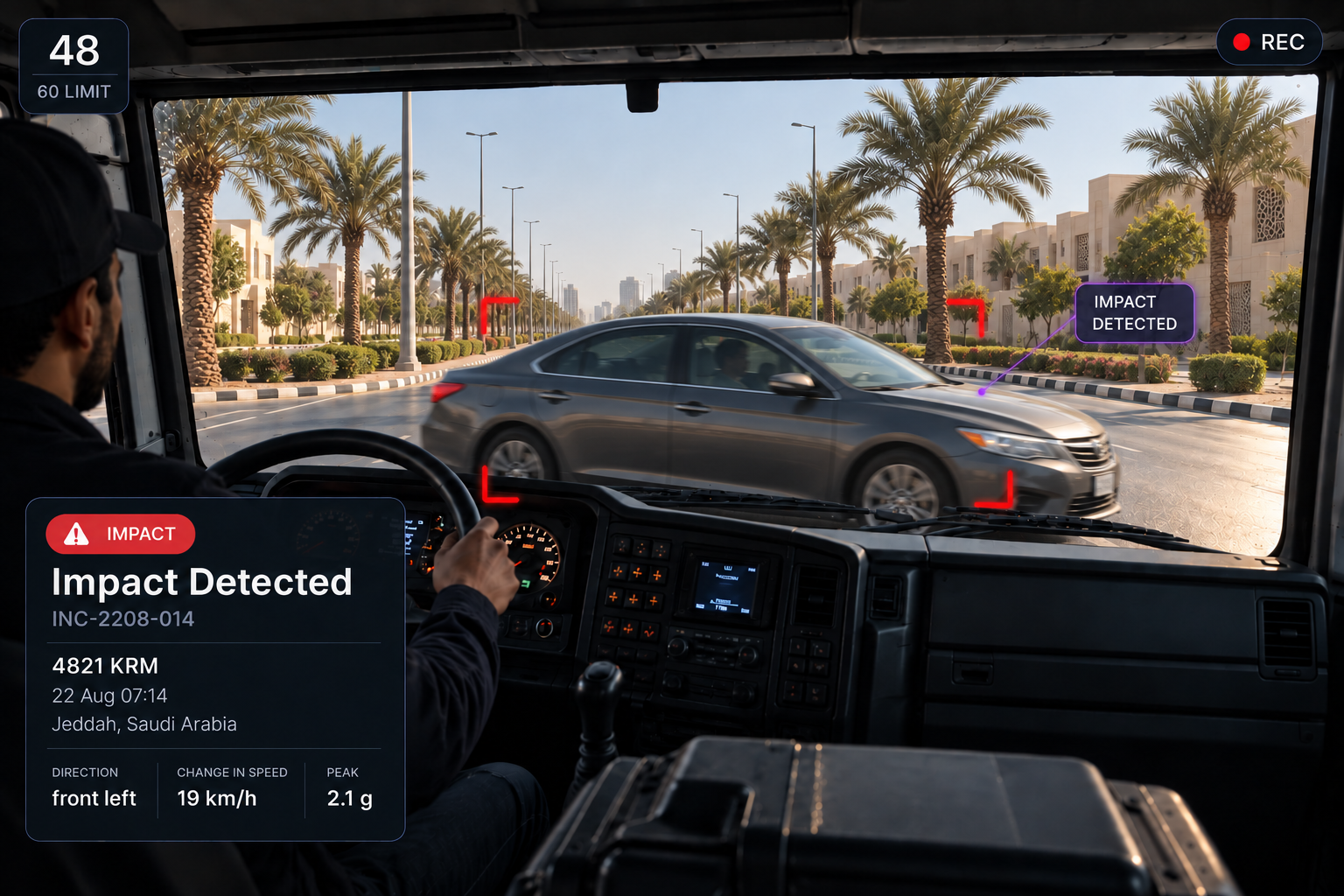
WHAT HAPPENS IN THE FIRST MINUTE
Detected. Preserved. Checked. Assigned.
01
Impact detected
A supported impact event is identified from sensor data, including its time, direction and severity.
02
Footage preserved
Footage from before and after the event is protected across connected cameras, keeping the relevant evidence from being overwritten.
03
Driver checked
A welfare check is sent to the driver, with their response, response time and reported condition recorded against the event.
04
Incident created and assigned
An incident record is automatically created and assigned for review, bringing the footage, driver and vehicle details together from the start.
THE FIRST RESPONSE
Check the Driver First. Record What Follows
Driver welfare and response
See whether the driver responded and how quickly, what they reported, whether they can continue, whether the vehicle is drivable, any roadside assistance requested and the driver’s own comments.

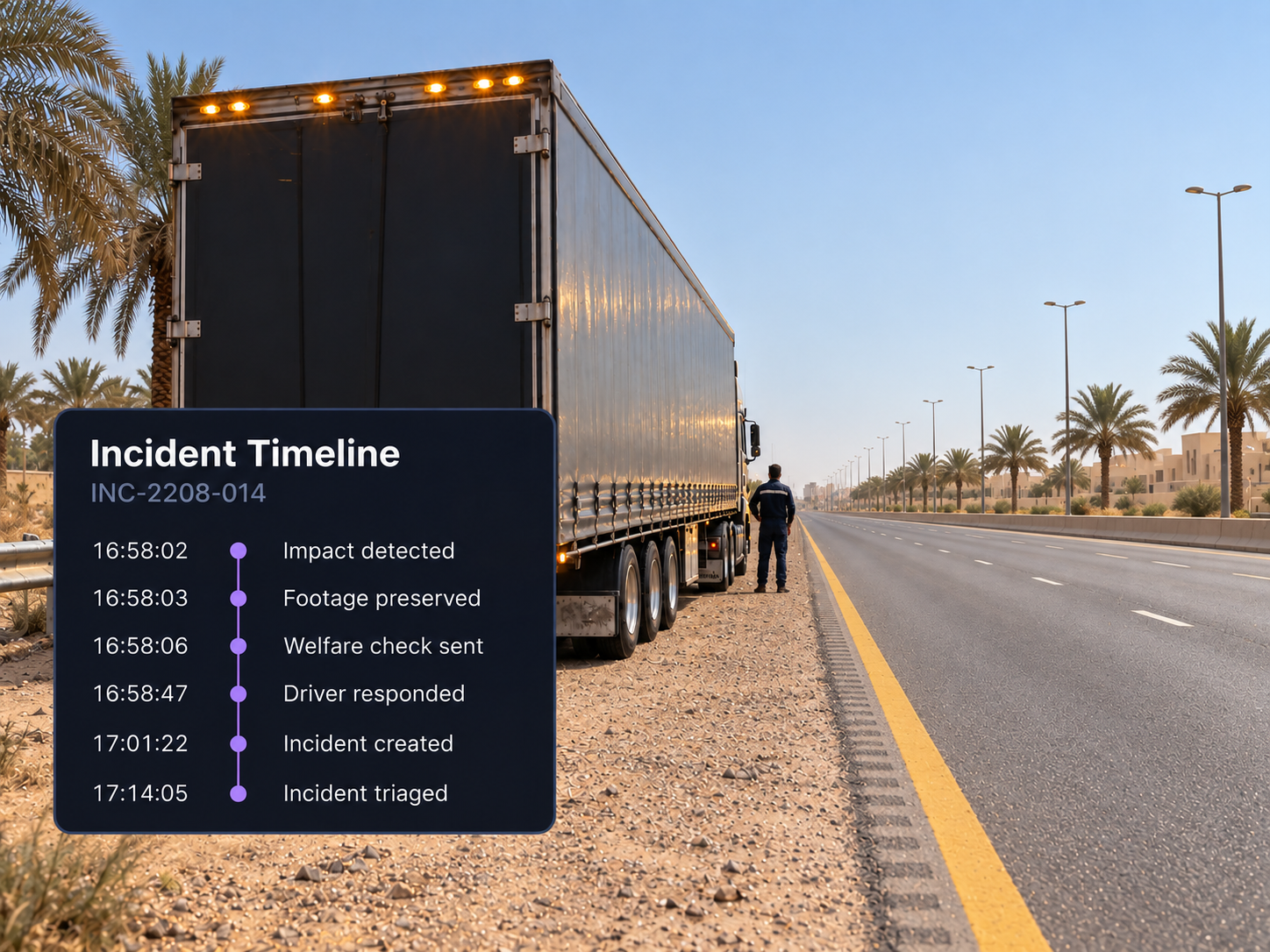
Incident timeline
Follow the response from impact detection through to review, with every action and its time recorded in one continuous timeline.
Bring the Whole Incident Into View
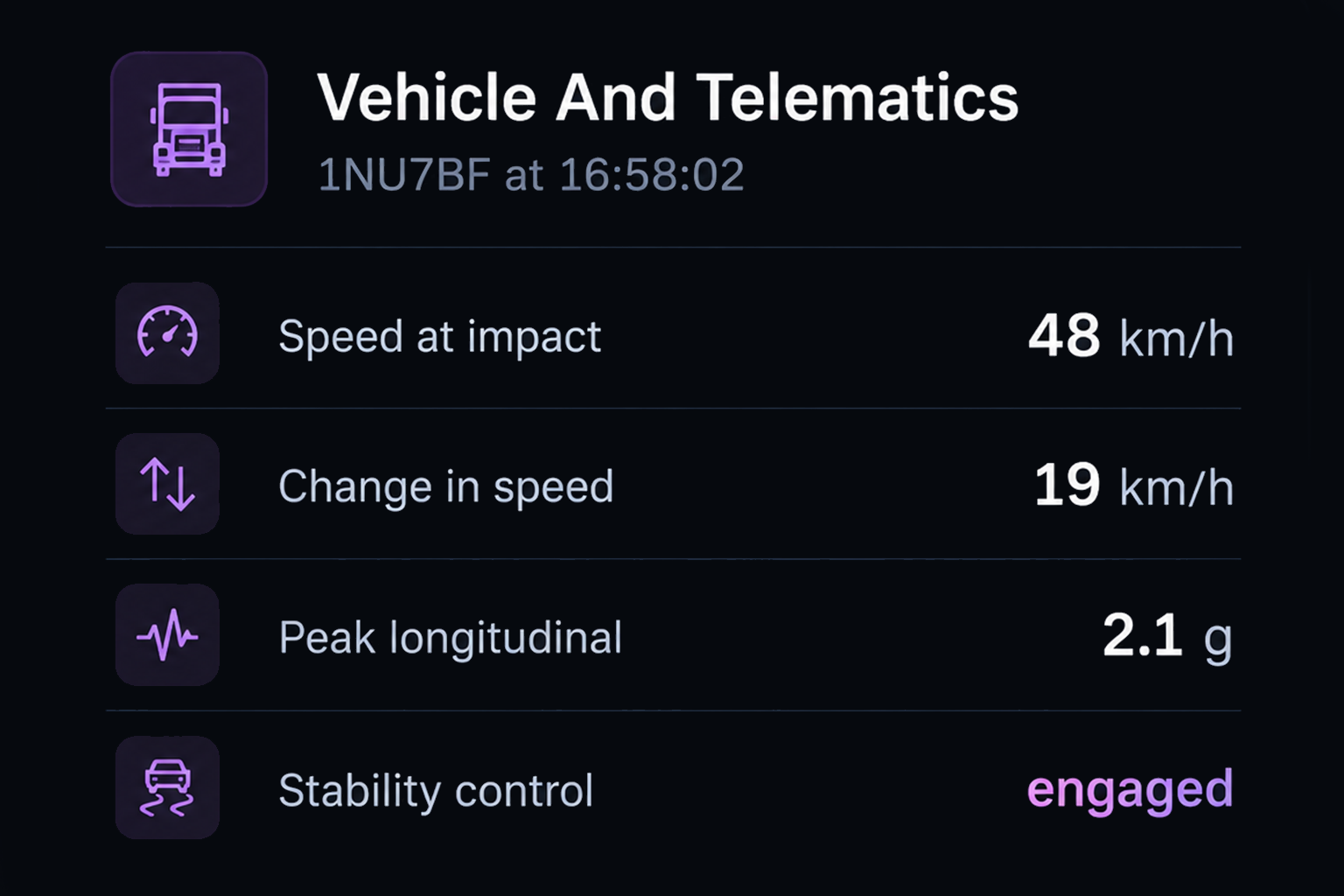
Vehicle and telematics context
Vehicle data from Drive360 at the time of impact, including speed, peak longitudinal and lateral forces and estimated delta v.
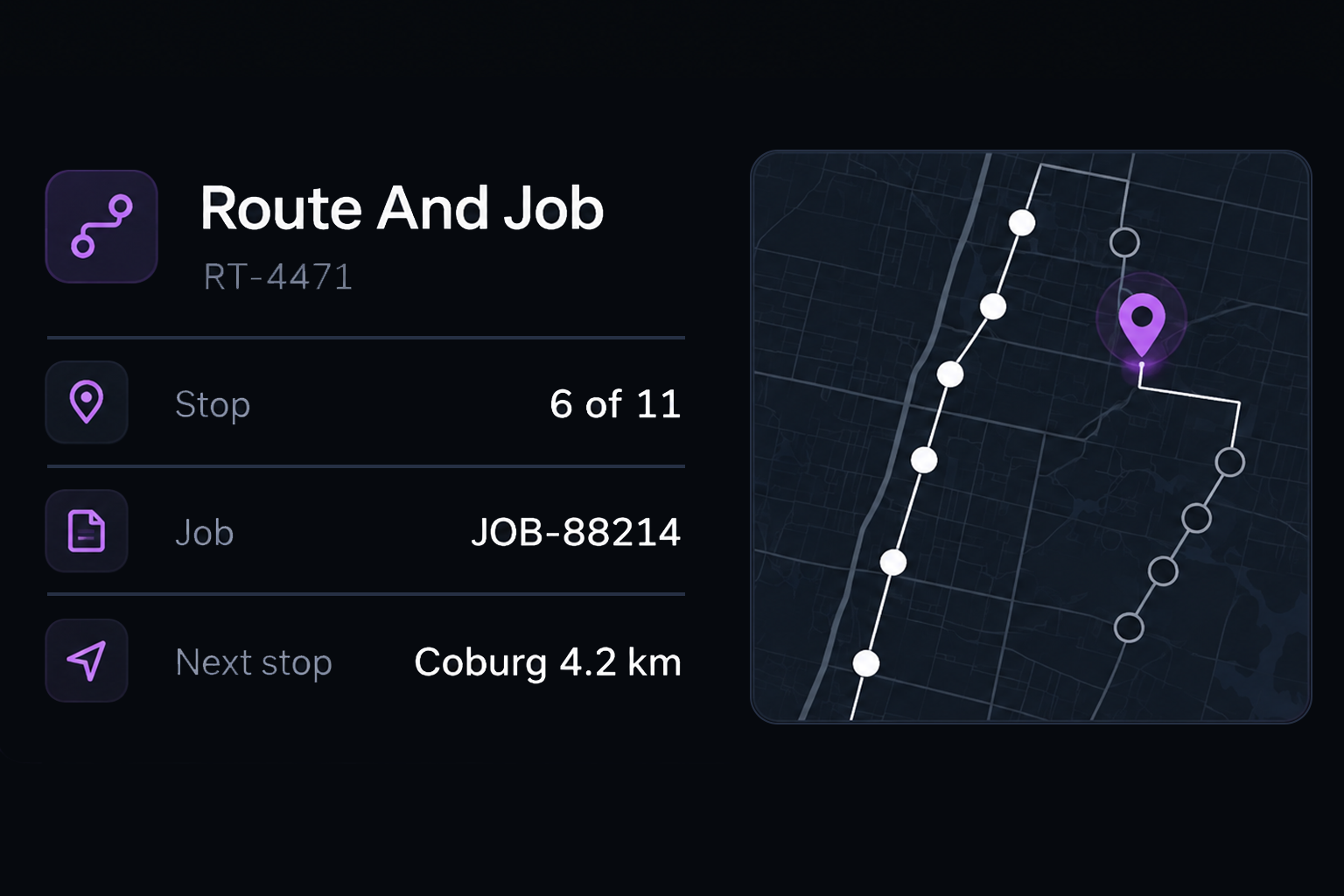
Route and job context
Where available, Route360 adds the route, stops and operational context around the incident.
Environmental context
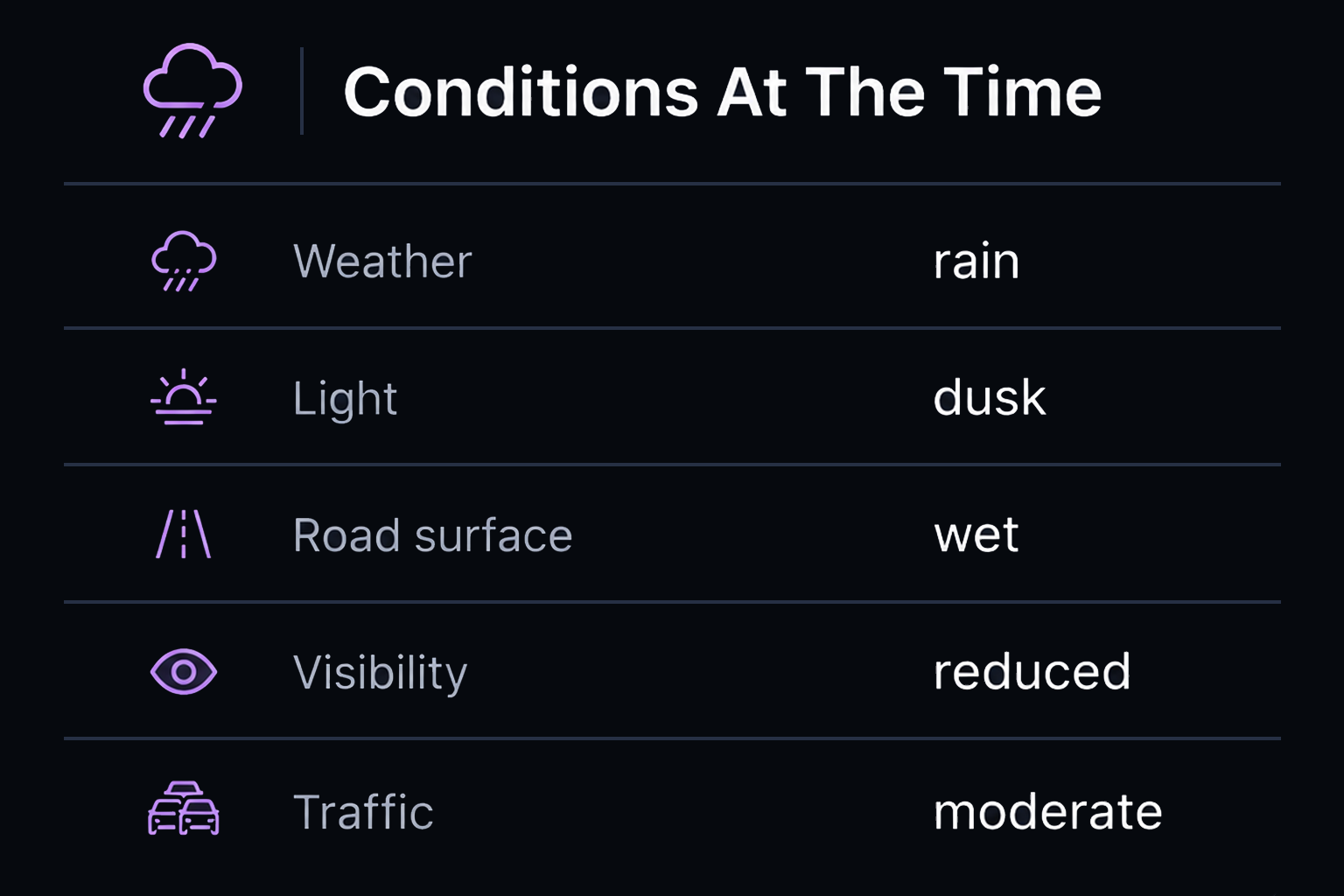
Weather, light and road conditions recorded around the time of impact.
BUILT FOR SAUDI FLEET OPERATIONS
Incident Visibility Across Every Operating Environment
From busy city roads and intercity highways to industrial, project and remote operations, Vision360 helps Saudi fleet teams preserve the information around an impact and bring the response into one connected incident record.
City & Commercial Operations
Capture supported impact events and preserve available footage across urban delivery and commercial fleet operations.
Intercity & Long Distance Operations
Keep impact events, vehicle information and available journey context connected across longer highway operations.
Industrial & Project Operations
Maintain incident evidence and response information across construction, industrial and project environments.
Driver Welfare & Response
Keep the driver’s response, reported condition and available vehicle information connected to the incident from the beginning.
Additional features
Impact direction
Front, rear or side, recorded on the event.
Impact severity
Severity graded from sensor data.
Ninety seconds preserved
Thirty seconds before and sixty seconds after, protected from overwrite.
Available camera views
Preserve incident footage across supported connected camera views.
Vehicle stopped
Whether the vehicle stopped, with the time recorded.
Peak forces
Longitudinal and lateral forces recorded from the sensors.
Estimated delta v
Estimated change in velocity across the impact.
Third party involved
Recorded on the incident where applicable.
Injuries reported
Captured through the driver welfare check.
Insurer reference
Held against the incident record.
Evidence in one place
Clips, photos, telematics, attachments, statements and notes together.
Next action and owner
Assigned with an owner and due date from the moment it is created.
The Ninety Seconds Around the Impact
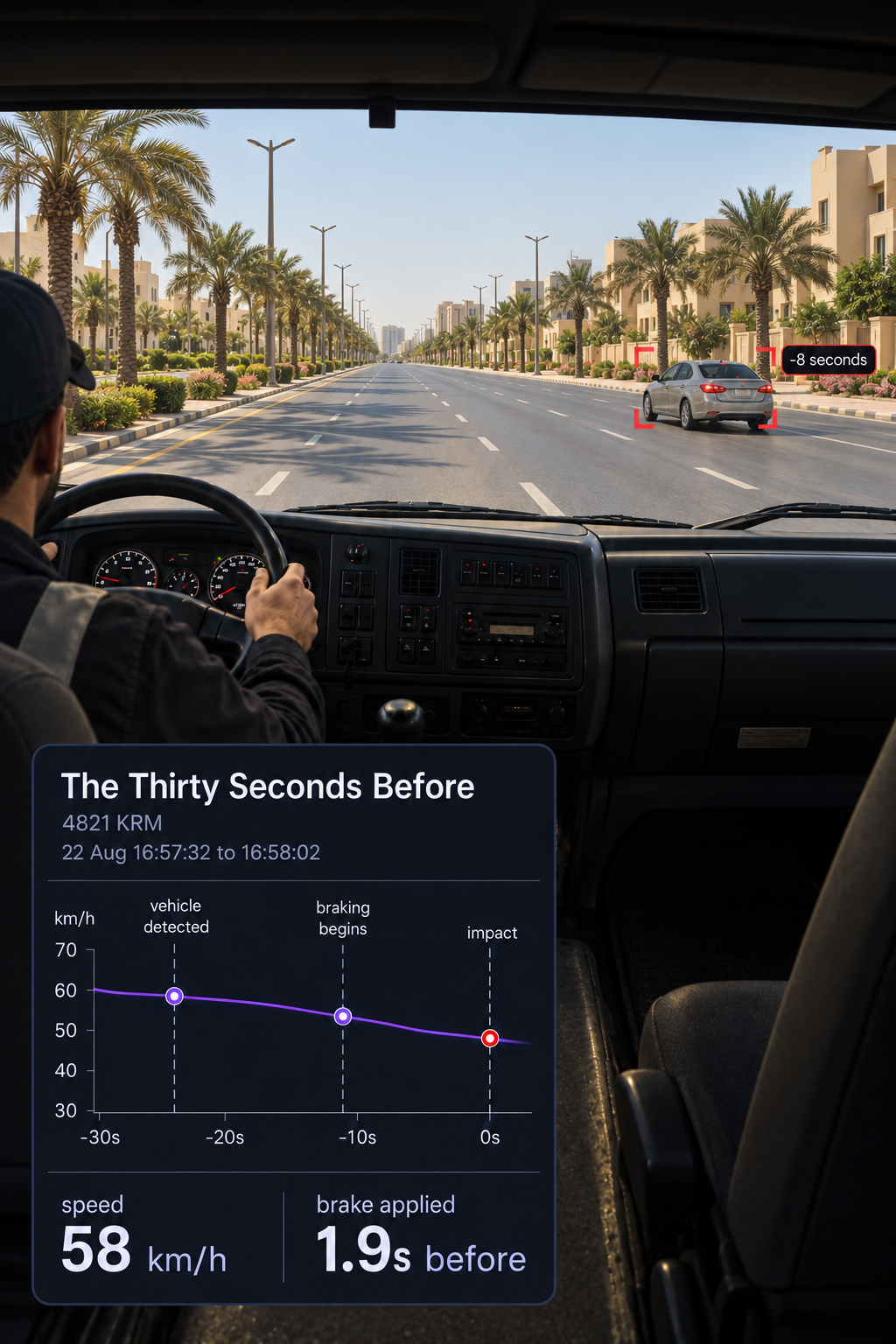
Before
What led up to the impact
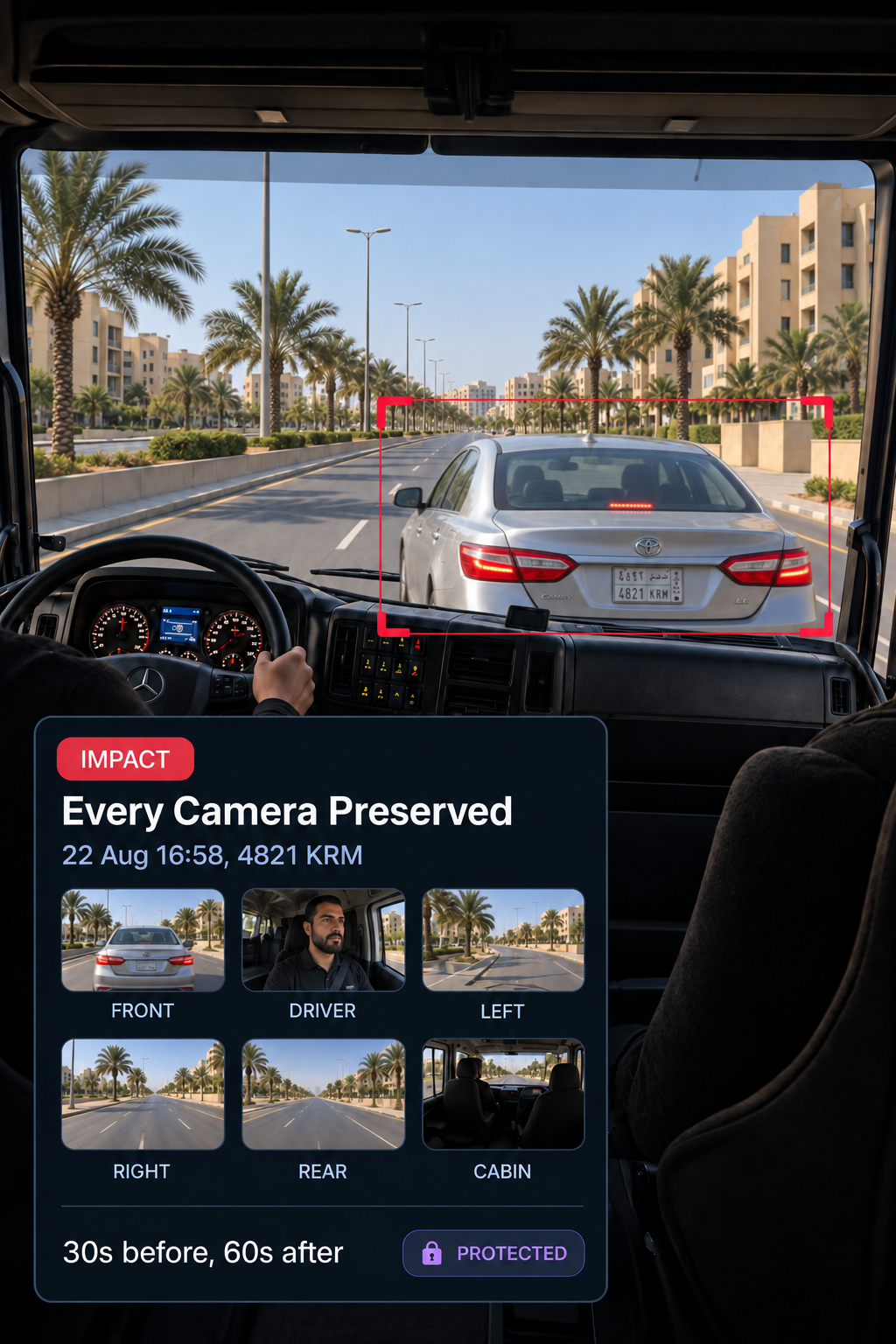
During
The moment of impact preserved
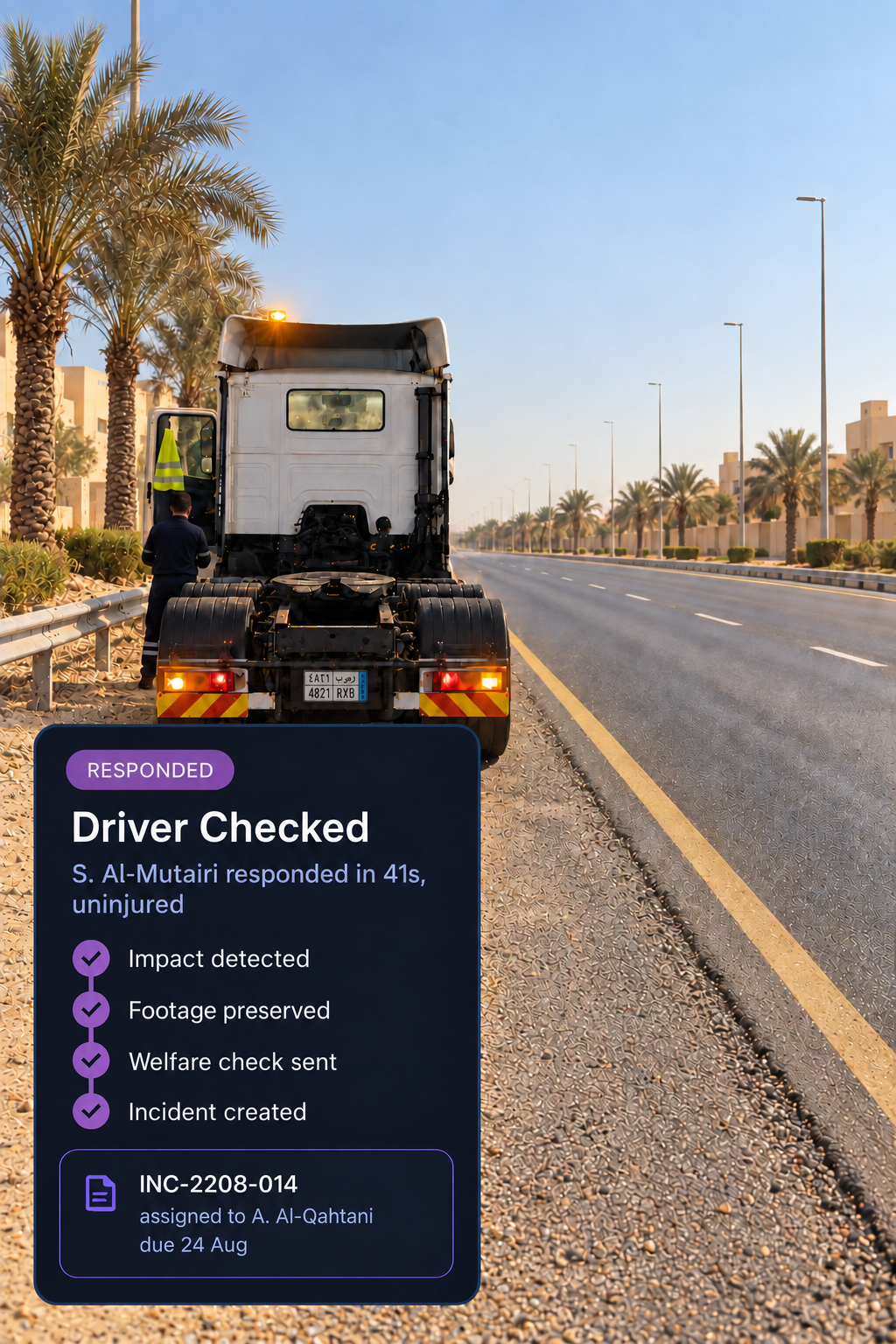
After
The driver checked. The response recorded.
How much footage is preserved?
Ninety seconds in total, with thirty seconds before the impact and sixty seconds after, across every fitted camera. The footage is protected from the normal overwrite cycle.
Is the incident record created automatically?
Yes. The impact creates the incident within seconds and assigns an investigator, so the record is ready before anyone has to create it manually.
What happens for the driver?
A welfare check is sent and the response is recorded, including how long it took, what the driver reported, whether they can continue, whether the vehicle is drivable and whether roadside assistance was requested.
Where do the impact metrics come from?
They come from the vehicle's sensors, including peak longitudinal and lateral forces, estimated delta v and speed before and after impact. The record shows which values are sensor derived.
What evidence ends up on the incident?
Video clips, photos, telematics, attachments, witness statements and notes are organised on the incident, with an insurer reference and third party flag where relevant.
Does this replace an investigation?
No. It starts one with the evidence already in place. The incident record and preserved footage feed into the investigation workspace, where findings are recorded and actions assigned.
The Incident Record Writes Itself
Everything from the moment of impact to the response that follows, captured in one record for incidents across your Saudi fleet.