Compliance Management
Turn Compliance into a Connected Process.
Keep requirements, upcoming expiries and compliance records visible in one connected workspace, from professional driver cards and training to vehicle inspections, registration and operating records.
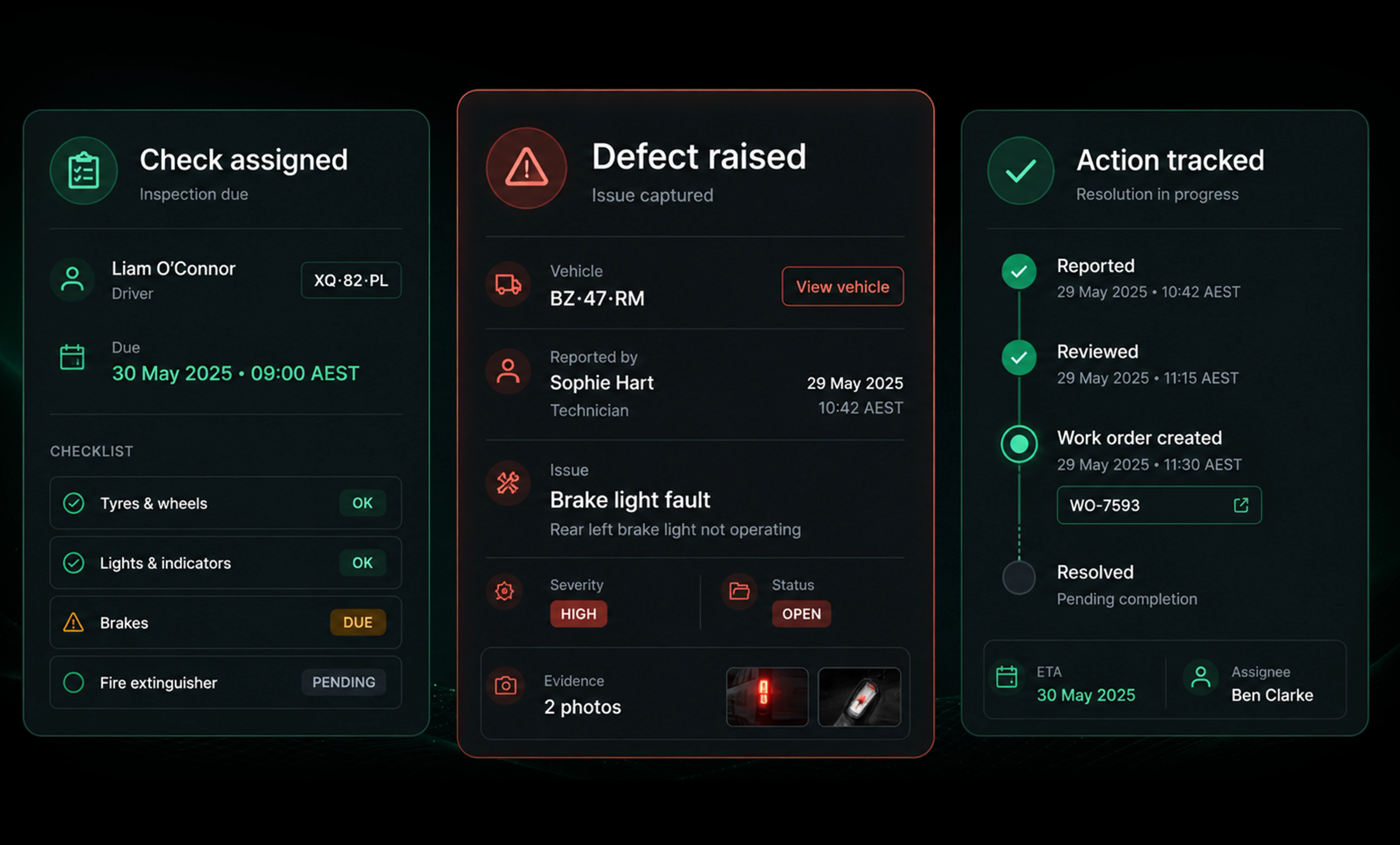
SIMPLIFY COMPLIANCE MANAGEMENT
- Bring scattered compliance records together
- Stay ahead of licences and expiries
- Reduce manual tracking and follow ups
- Keep inspections and evidence connected
- Maintain a clear history of actions and records
- Keep evidence ready when it’s needed
Requirements, ranked by what needs action
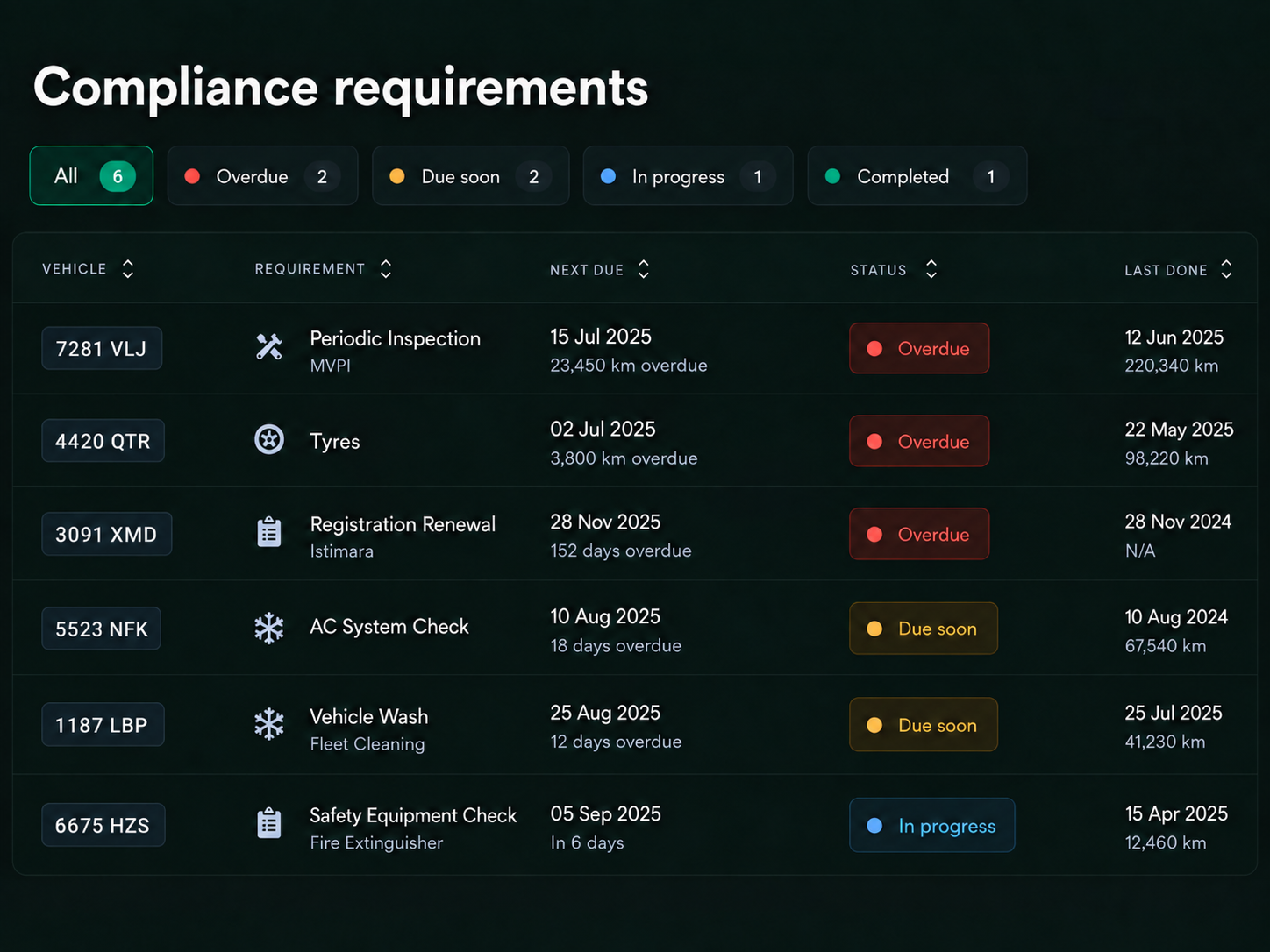
Compliance lifecycle
1
Set Requirements
Record the requirements that apply to each driver and vehicle.
2
Monitor
See recorded requirements, upcoming expiries and outstanding actions in one view.
3
Flag
Surface upcoming and overdue requirements early.
4
Capture
Collect documents, records and supporting evidence.
5
Resolve
Assign actions and track them through to completion.
6
Evidence Ready
Keep supporting records organised and ready when needed.
One Connected View of Compliance
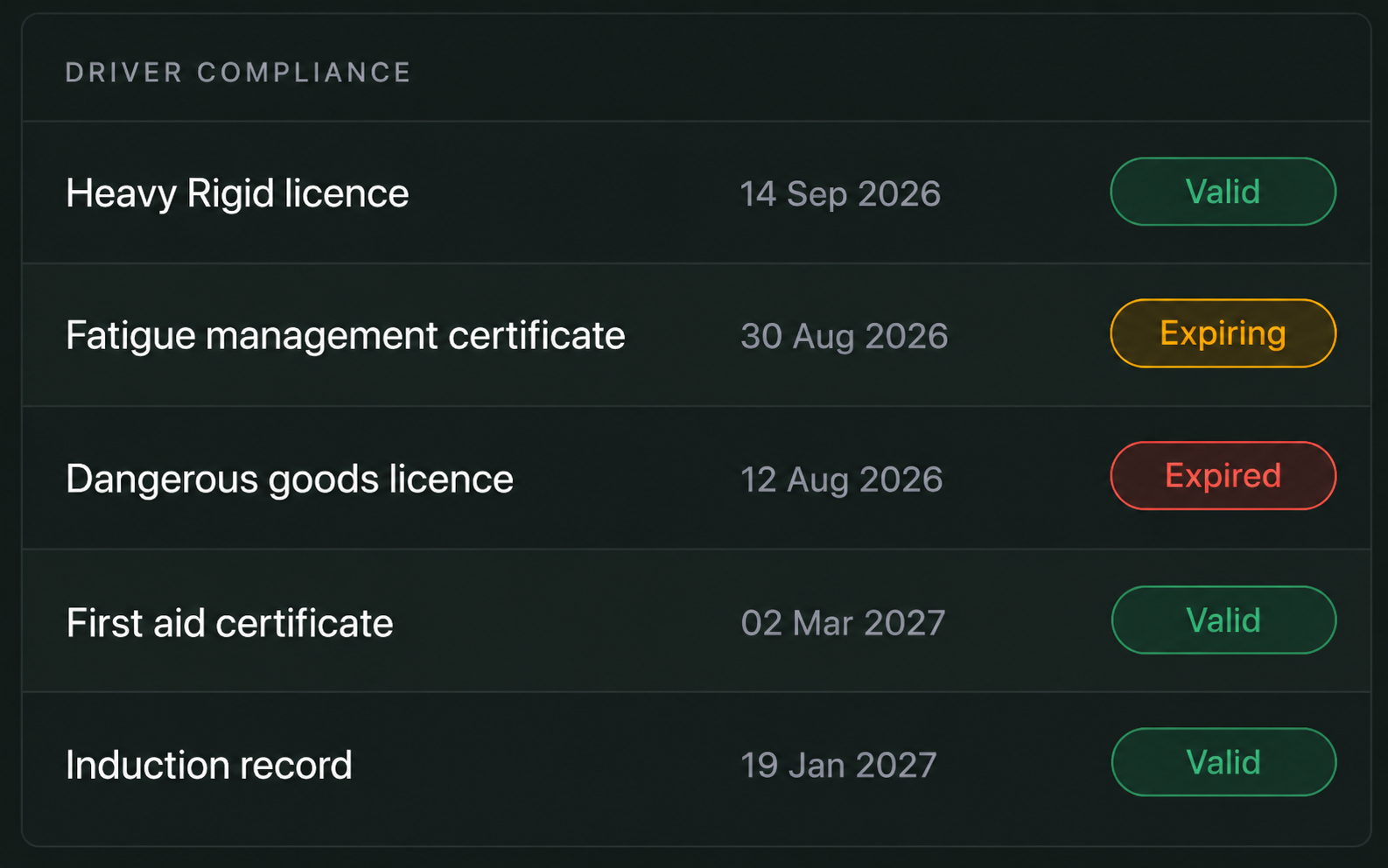
Driver Compliance
- Licences & endorsements
- Training & certifications
- Inductions & renewals
- Expiry alerts
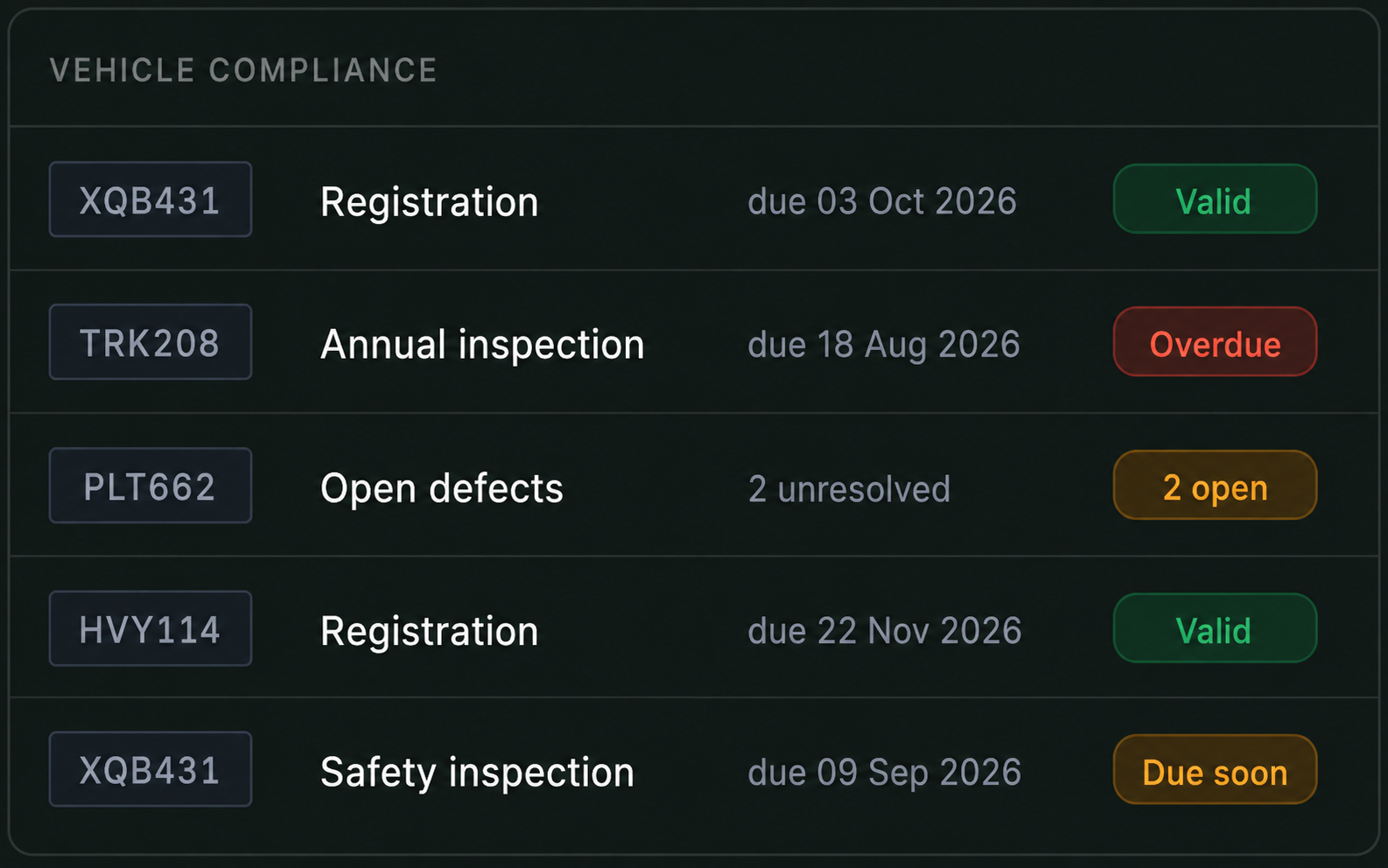
Vehicle Compliance
- Istimara & operating cards
- MVPI / Fahas inspections
- Inspections & defects
- Requirements & expiry status
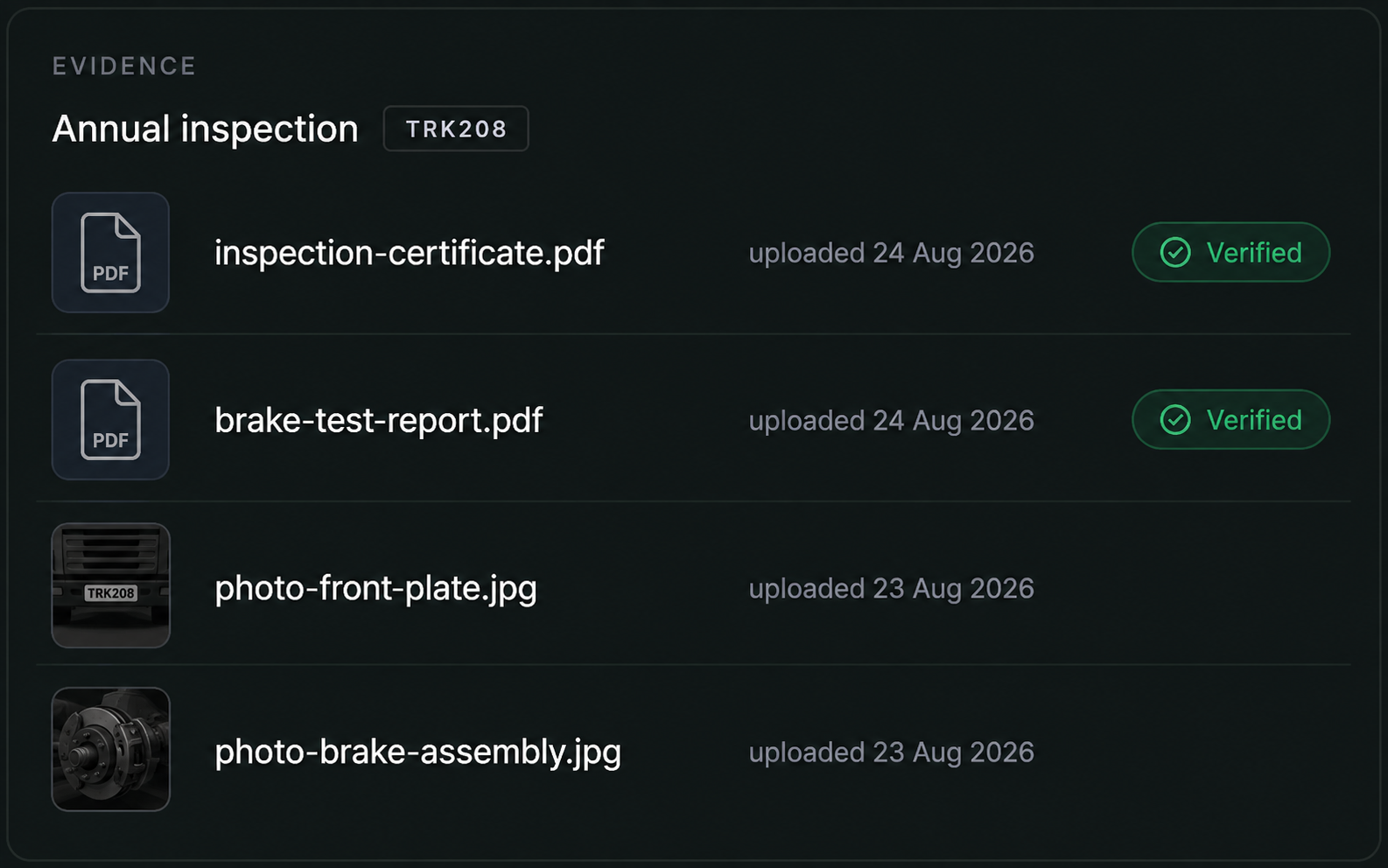
Evidence Management
- Documents & photos
- Evidence captured in the field
- Records stored together
- Searchable when needed
Actions & Records
- Assign responsibility
- Set due dates & reminders
- Track actions to completion
- Maintain a complete history

Stay Ahead of What Needs Action
See what’s overdue, what’s coming up and what still needs attention across your operation in one live view.
- Overdue Requirements
- Upcoming Expiries
- Open Inspections & Defects
- Outstanding Actions
- Requirements by Depot

Evidence Captured at the Source
Capture documents, checks and evidence in the field and keep them connected to the right record from the start.
- Capture licences and certificates
- Complete inspections from the field
- Report defects with photo evidence
- Keep actions and evidence connected
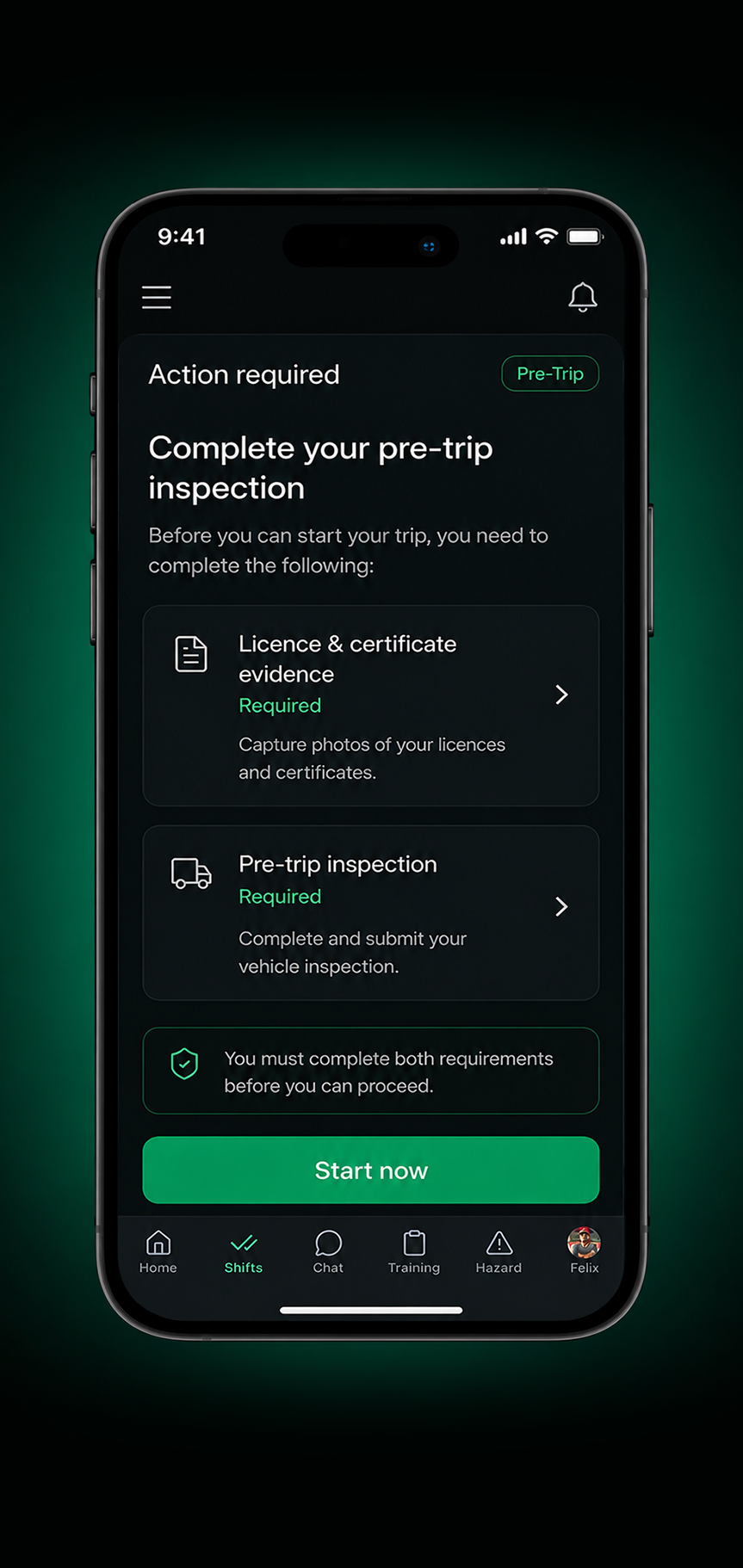
1. Requirement flagged to the driver
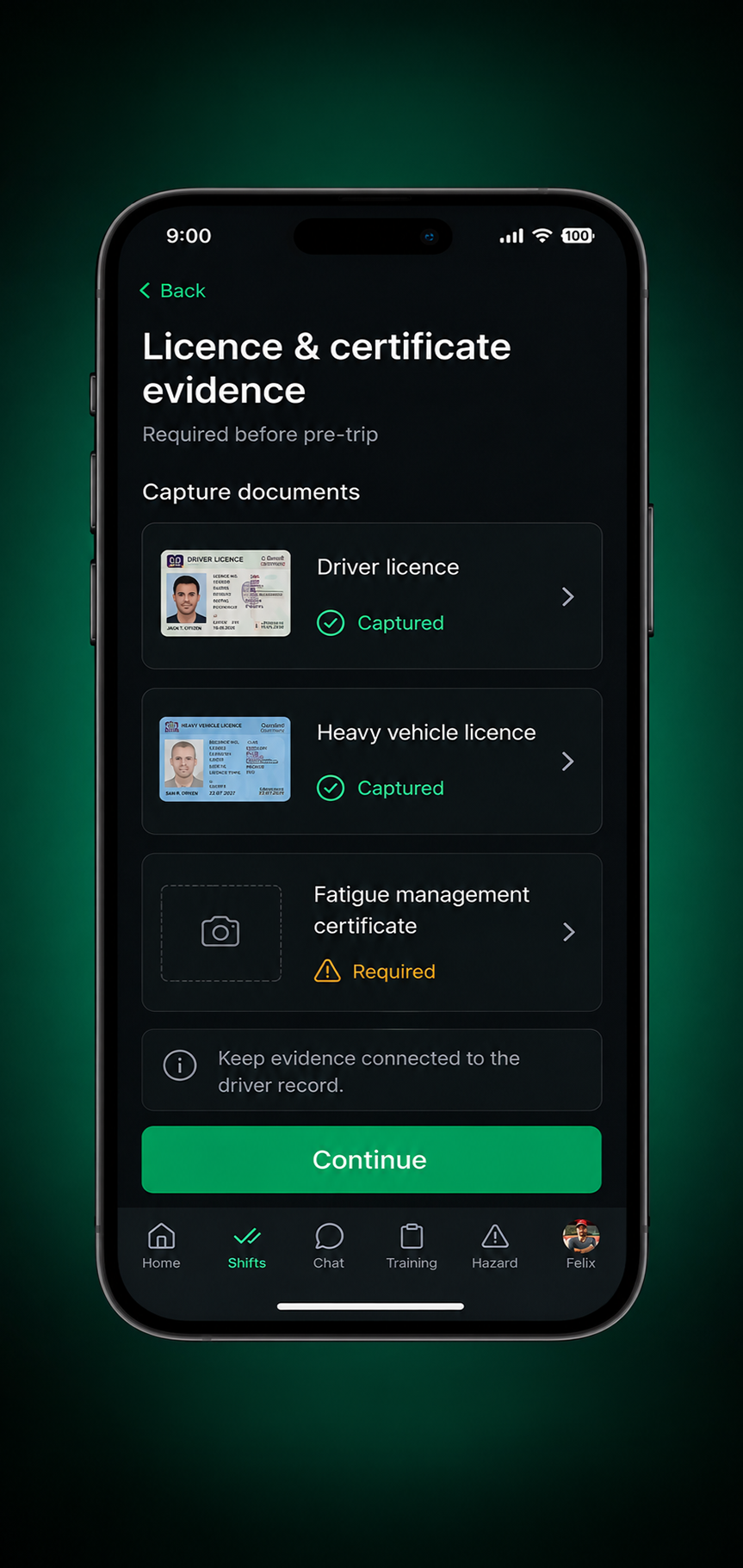
2. Document captured on the phone
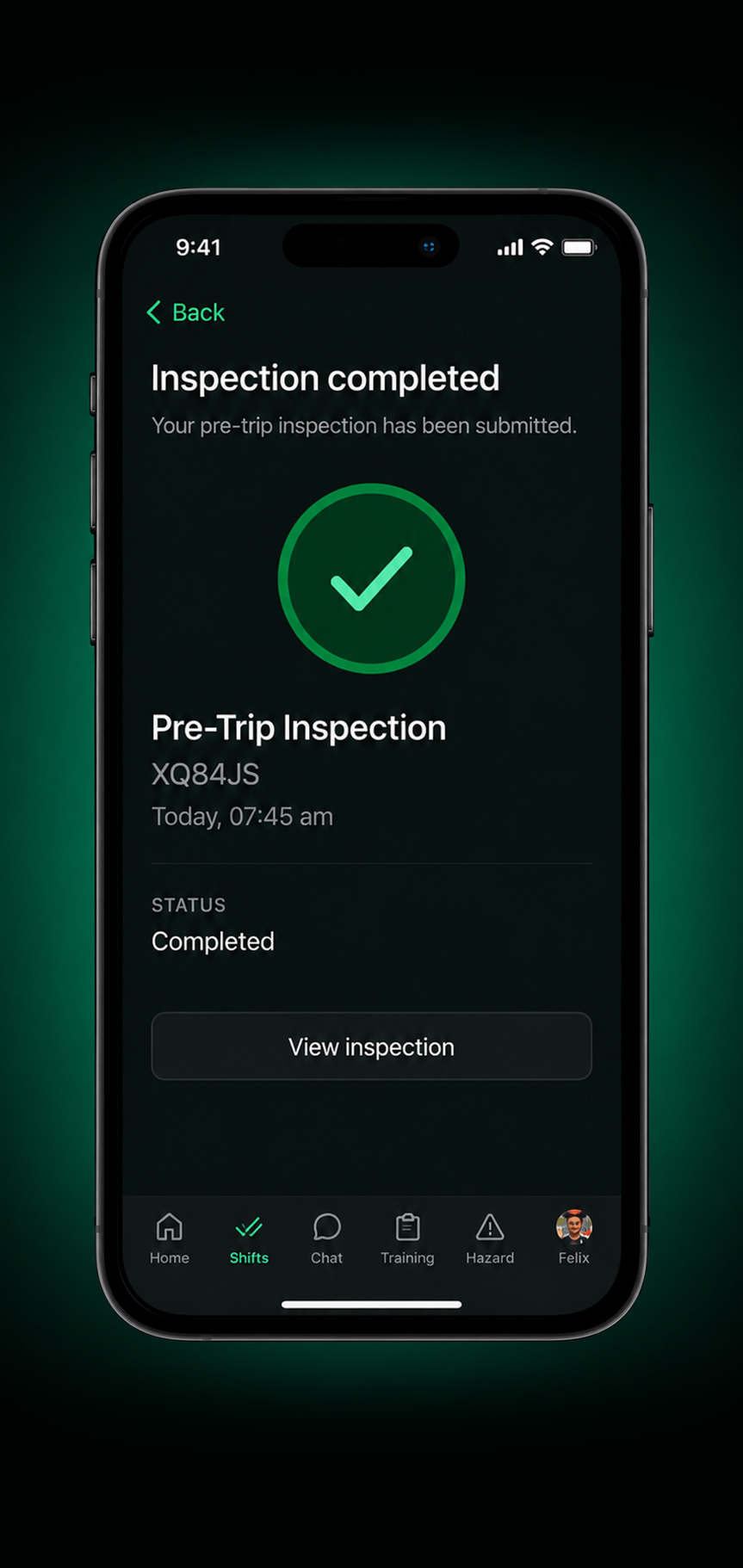
3. Inspection completed
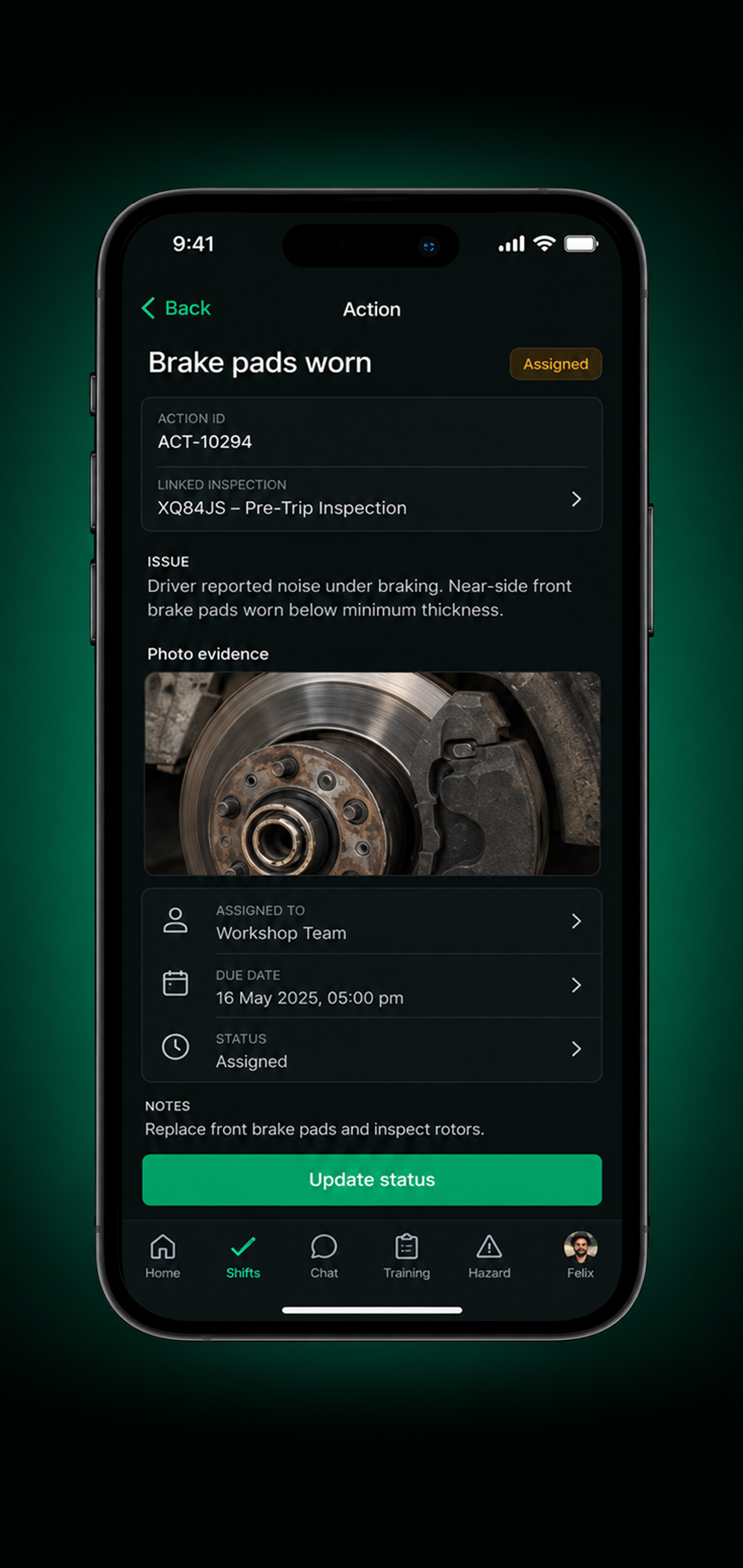
4. Action assigned and tracked

5. Completed and recorded
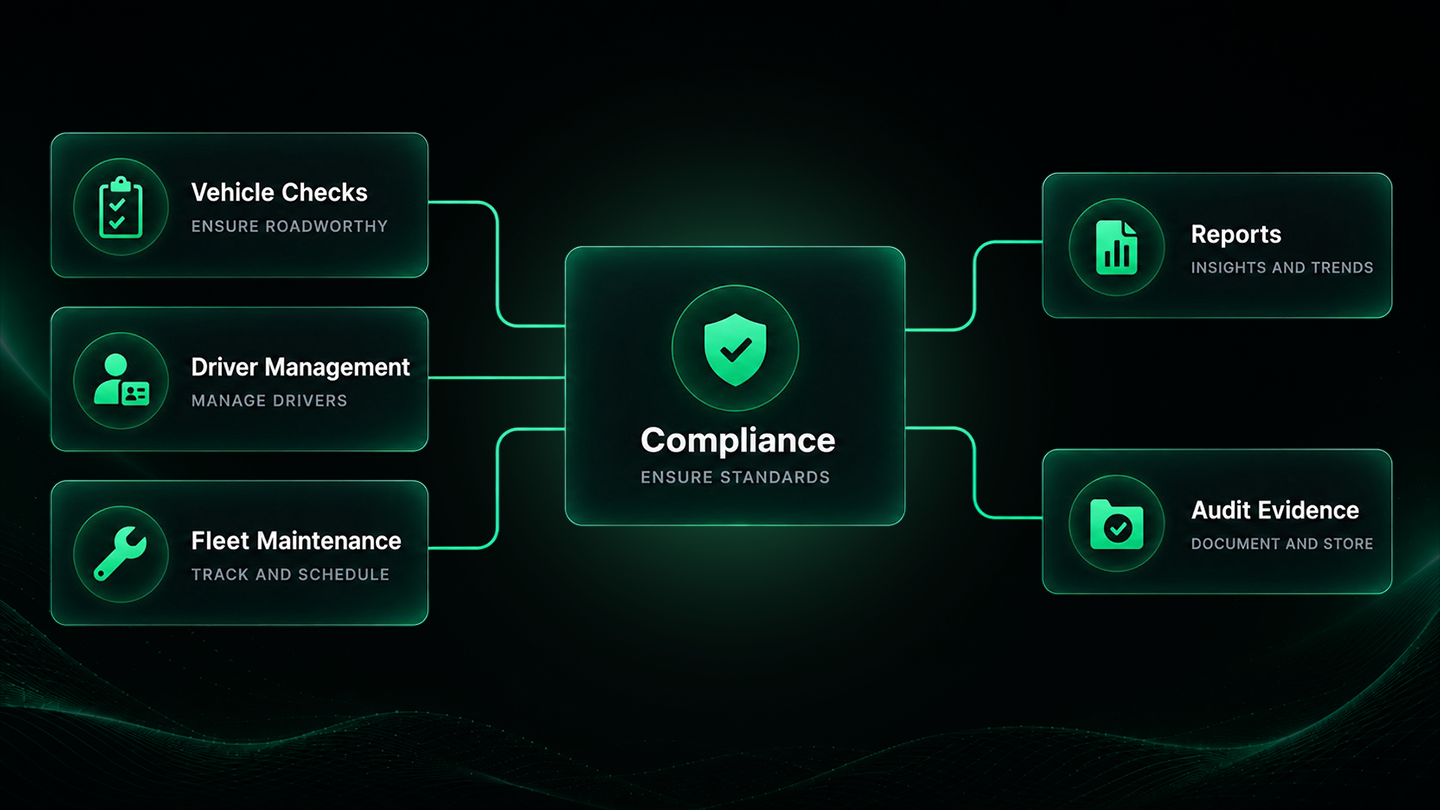
Connected Drive360 Workflows
Vehicle checks, maintenance and driver management connect with the same compliance workspace, helping keep requirements, actions and supporting records together.
Clearer Compliance. Less Admin. More Control.
Stay Ahead of Expiries
See upcoming requirements before they become overdue.
Evidence in the Right Place
Keep documents and supporting evidence connected to the right record.
Clear Accountability
Know who owns each action and when it’s due.
Faster Audit Preparation
Keep records and evidence organised and ready for review.
Fewer Surprises
See overdue items and compliance gaps as they emerge.
Less Administration
Reduce manual tracking, chasing and disconnected records.
Built to support Saudi compliance
Keep Key Requirements in View
Bring important records for Saudi fleet operations together, from professional driver cards and periodic technical inspections to Istimara and TGA operating cards, with requirements and supporting records connected to the relevant driver or vehicle.
Professional Driver Cards
Keep professional driver card records connected to the relevant driver and visible alongside other requirements.
Periodic Technical Inspection
Keep periodic technical inspection records connected to the vehicle and visible alongside its wider compliance history.
Istimara
Keep vehicle registration expiry dates in view alongside the rest of the vehicle record.
TGA Operating Cards
Keep operating card records connected to the relevant vehicle and visible alongside other requirements.
Compliance Evidence
Keep documents, inspections, defects and supporting evidence together for review and audit preparation.
Frequently Asked Questions
Can I manage professional driver card records?
Yes. Drive360 can keep driver credentials and compliance information connected to the relevant driver record, making requirements easier to review alongside scheduling and other driver information.
Can I track vehicle inspection requirements?
Yes. Periodic technical inspection records can be kept against the relevant vehicle alongside defects, maintenance and other vehicle records.
Can I keep TGA operating card records against a vehicle?
Yes. Operating card records can be kept with the relevant vehicle's compliance information, helping teams keep key vehicle requirements together.
What happens when a compliance document is about to expire?
Expiry dates can be kept against the relevant driver or vehicle so upcoming requirements are visible and teams can take action before they become overdue.
Can compliance records connect with vehicle and driver management?
Yes. Drive360 connects driver, vehicle and operational records so compliance information can be viewed alongside scheduling, vehicle checks, maintenance and other fleet activity.
Keep Compliance Moving With Your Operation
See how Drive360 connects requirements, evidence and actions as your operation runs.