[ In cab safety & speeding events ]
See the Behaviours That Need Attention
Detect supported seatbelt, smoking and speeding events, alert drivers and give your team the context to review and respond.
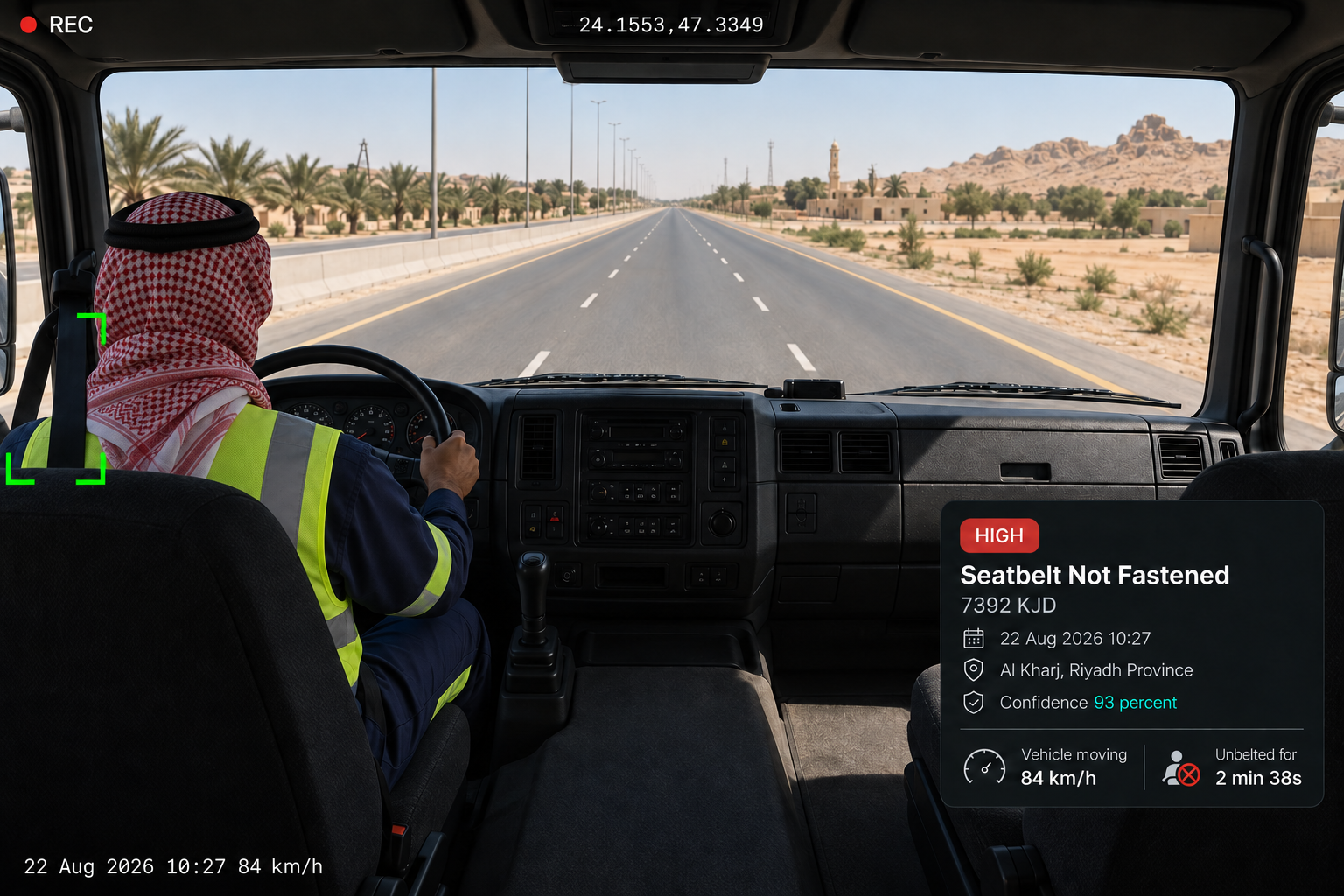
FROM RULE TO ESCALATION
Set the Rule. Define What Happens Next.
01
Configurable detection policies
Set rules for each event type, including when an event is triggered, whether the driver is alerted, who is notified and how severity is handled.
02
Driver alert in cab
Alert drivers through supported devices with a visual warning, audible prompt or haptic vibration where the hardware supports it.
03
Acknowledgement
Require an acknowledgement and record both the alert delivery and the driver's response.
04
Escalation
If the driver does not acknowledge within the configured window, notify the appropriate manager or supervisor rather than closing the event without action.
CRITICAL EVENT TYPES
Supported Detection. Clear Response.
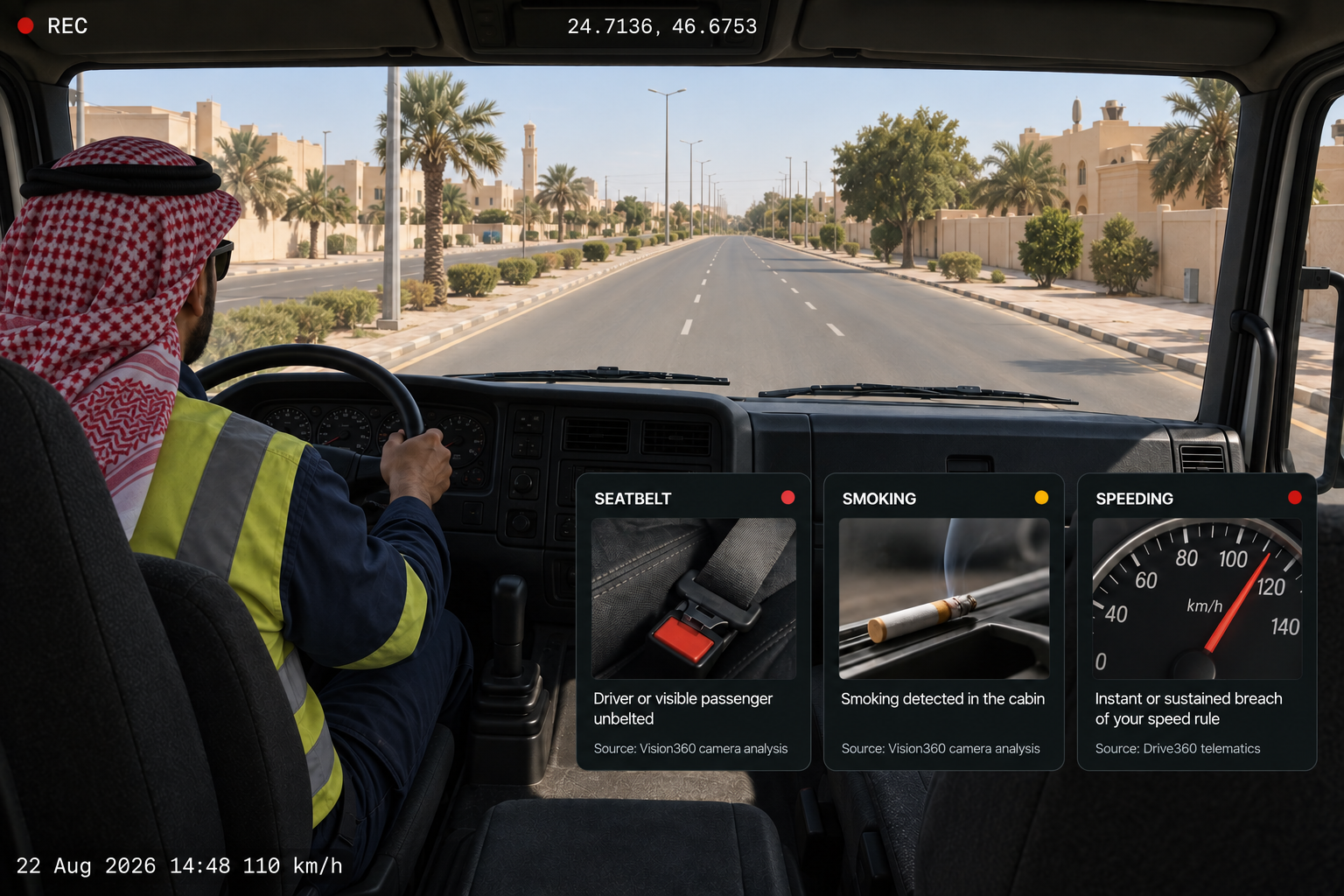
Seatbelt detection
Identify potential seatbelt non use by the driver and visible passengers, where supported by camera positioning and vehicle configuration.
Smoking detection
Identify supported smoking events involving the driver or visible passengers, providing video context for review.
Speeding detection
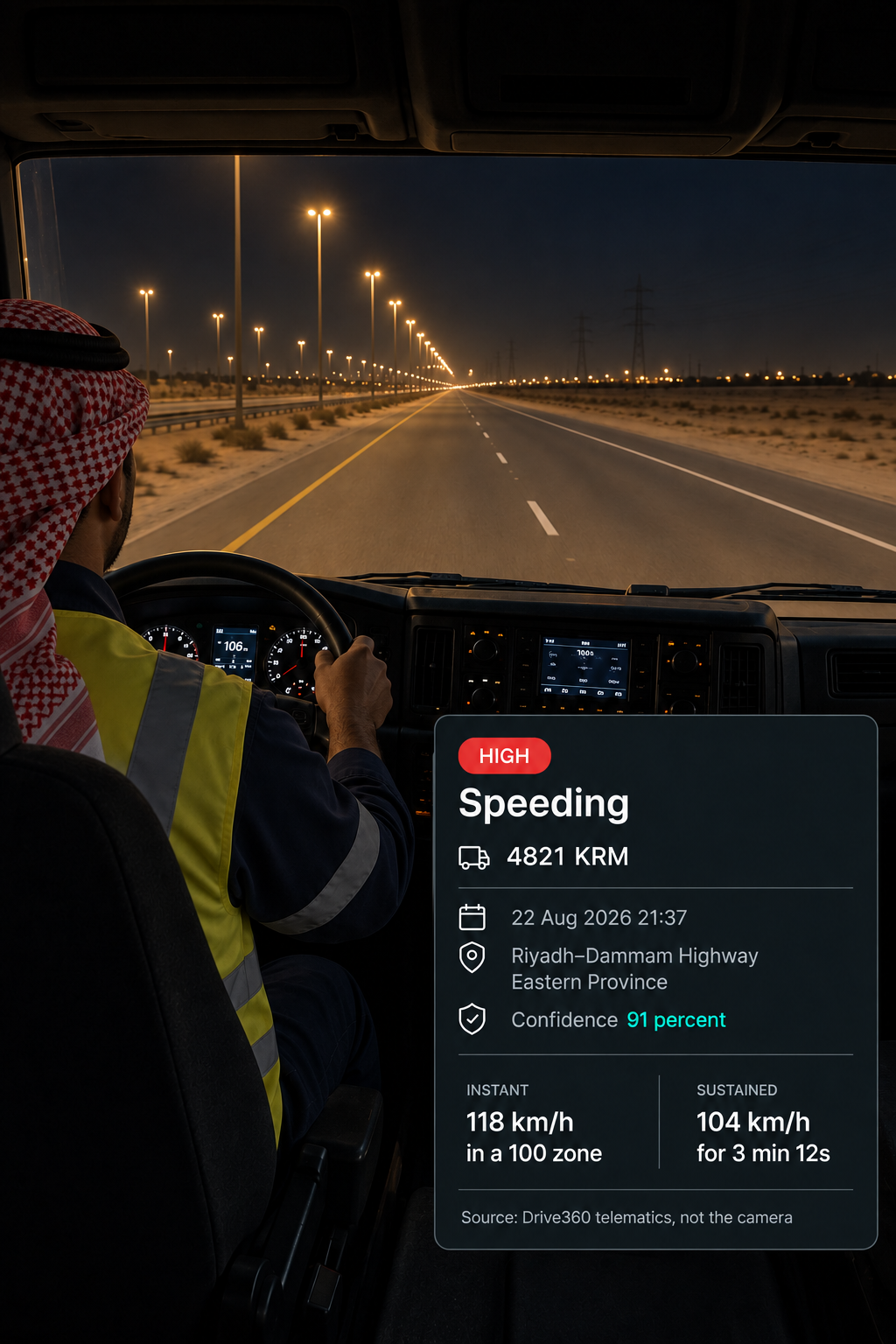
Identify when vehicle speed exceeds a defined threshold, either as an individual event or for a sustained period. Drive360 telematics provides the vehicle speed data used against the applicable speed rule.
What the hardware supports
Camera coverage, recording, in cab alerts and available event types depend on the fitted hardware and your organisation's configuration and policies.
BUILT FOR SAUDI OPERATIONS
Clearer Visibility Across Every Journey
From busy city roads and intercity highways to industrial and project operations, Vision360 helps identify supported seatbelt, smoking and speeding events and brings driver alerts, video and vehicle context together for review.
City & Commercial Operations
Monitor supported events across delivery, service and commercial fleet operations.
Intercity & Long Distance Operations
Bring seatbelt, smoking and speeding events into view across longer highway journeys.
Heavy & Commercial Vehicles
Apply event policies across different vehicle groups and operating requirements.
Industrial & Project Operations
Use defined event rules across vehicles operating around industrial facilities, project sites and other operating areas.
Additional features
Driver seatbelt
Detect non use whenever the vehicle is in motion.
Passenger seatbelts
Detect non use where camera positioning supports it.
Driver smoking
Detect smoking behaviour in cab from the camera.
Passenger smoking
Detect smoking by visible passengers in the cabin.
Instant speeding
Detect when the configured speed limit is exceeded.
Sustained speeding
Detect when the limit is exceeded for a defined duration.
Rule per event type
Give each event its own conditions, alerts and severity.
Manager notification
Notify the manager independently of the driver alert.
In cab prompts
Use visual, audible or haptic alerts where supported.
Acknowledgement window
Set how long the driver has to acknowledge before escalation.
Ten seconds either side
Preserve footage from before and after the detected event.
Manage policies
Configure and update fleet-wide detection rules in one place.
Three Habits, One Workflow
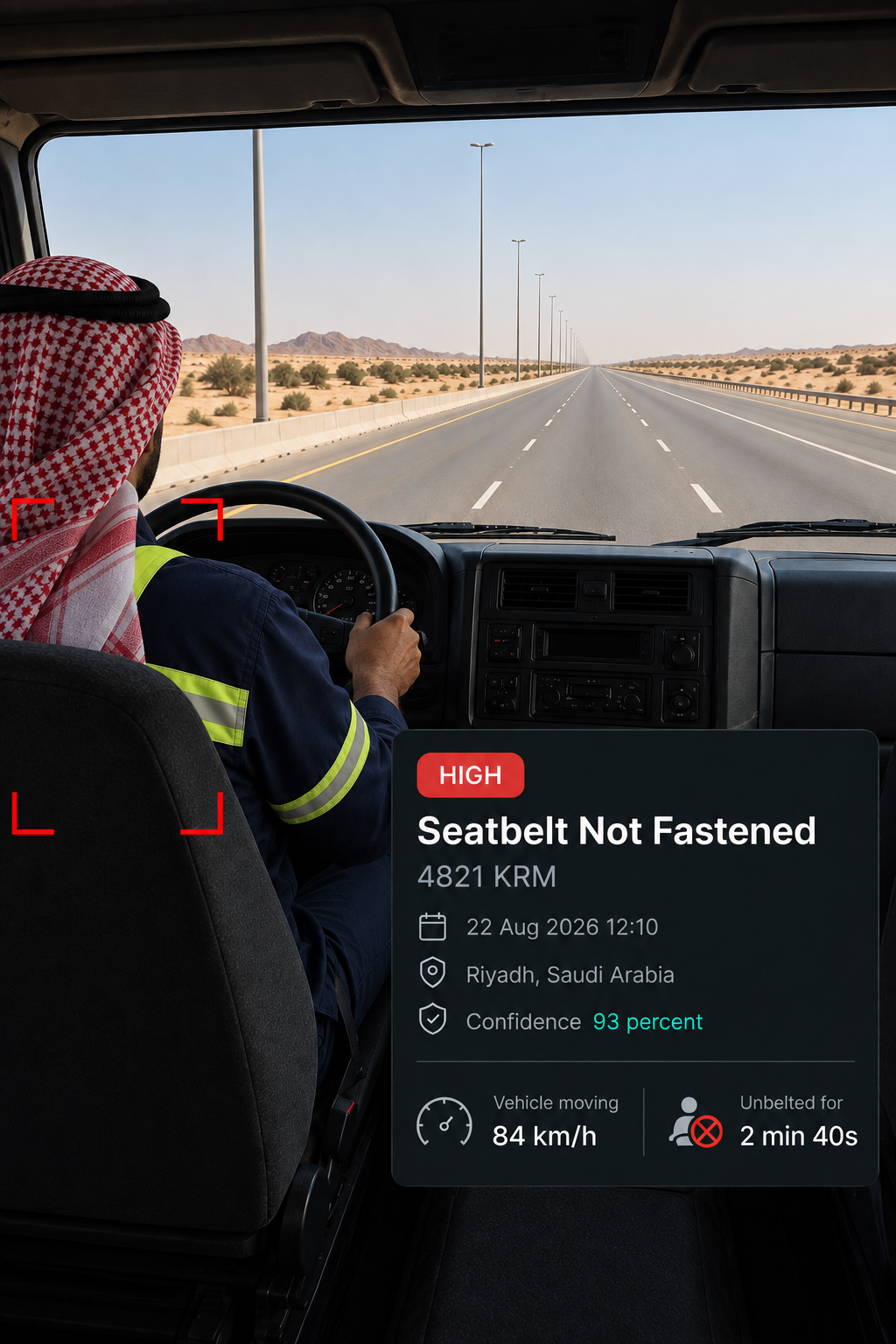
Seatbelt
Identify potential non use
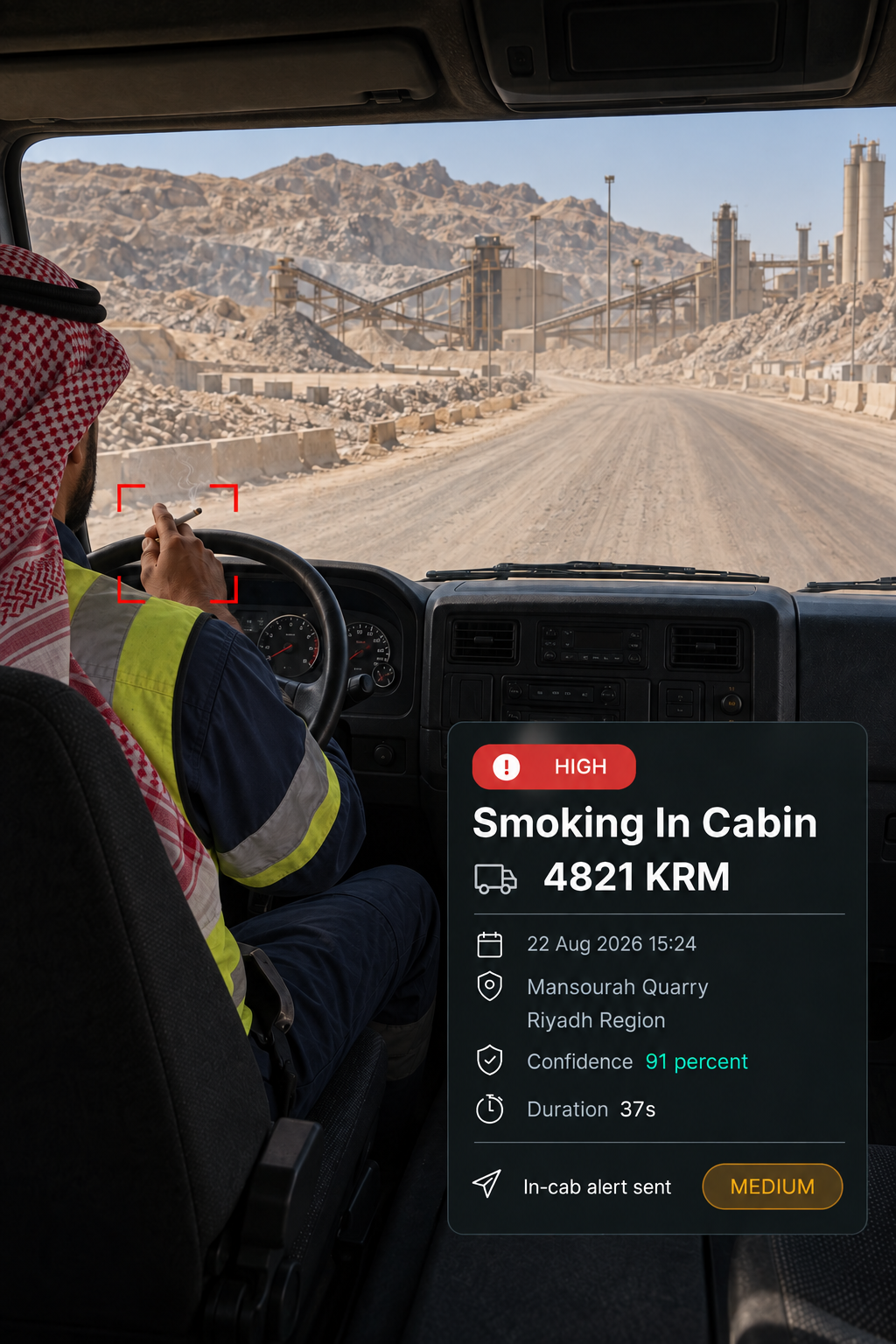
Smoking
Bring the event into view
Speeding
Apply the right threshold
Are passenger seatbelts detected too?
Visible passenger seatbelts can be detected where camera positioning and vehicle configuration support it. Driver seatbelt detection is the baseline.
Where does speeding come from?
Vehicle speed data comes from Drive360 telematics and is assessed against your configured speed rule, rather than through the camera. Vision360 provides the video context around the event.
What is the difference between instant and sustained speeding?
Instant speeding records a breach at a specific moment. Sustained speeding records when the vehicle remains above the configured limit for a defined duration, allowing the two behaviours to be treated differently.
Can each event type have its own severity?
Yes. Each rule has its own conditions, driver alert, manager notification and severity, so different behaviours can receive different responses.
What happens if the driver does not acknowledge?
Alert delivery and driver acknowledgement are both recorded. If there is no acknowledgement within the configured window, the event escalates to the appropriate manager or supervisor.
Does this depend on the hardware fitted?
Yes. Camera coverage, recording, access and alert capabilities depend on the hardware fitted and your organisation's policy. Haptic alerts also require supported hardware.
See the Risk. Take the Right Action.
Detect when a supported safety standard is missed, alert the driver and escalate events that need further attention.