[ Harsh Braking & Cornering ]
Measure the Movement. Understand the Event.
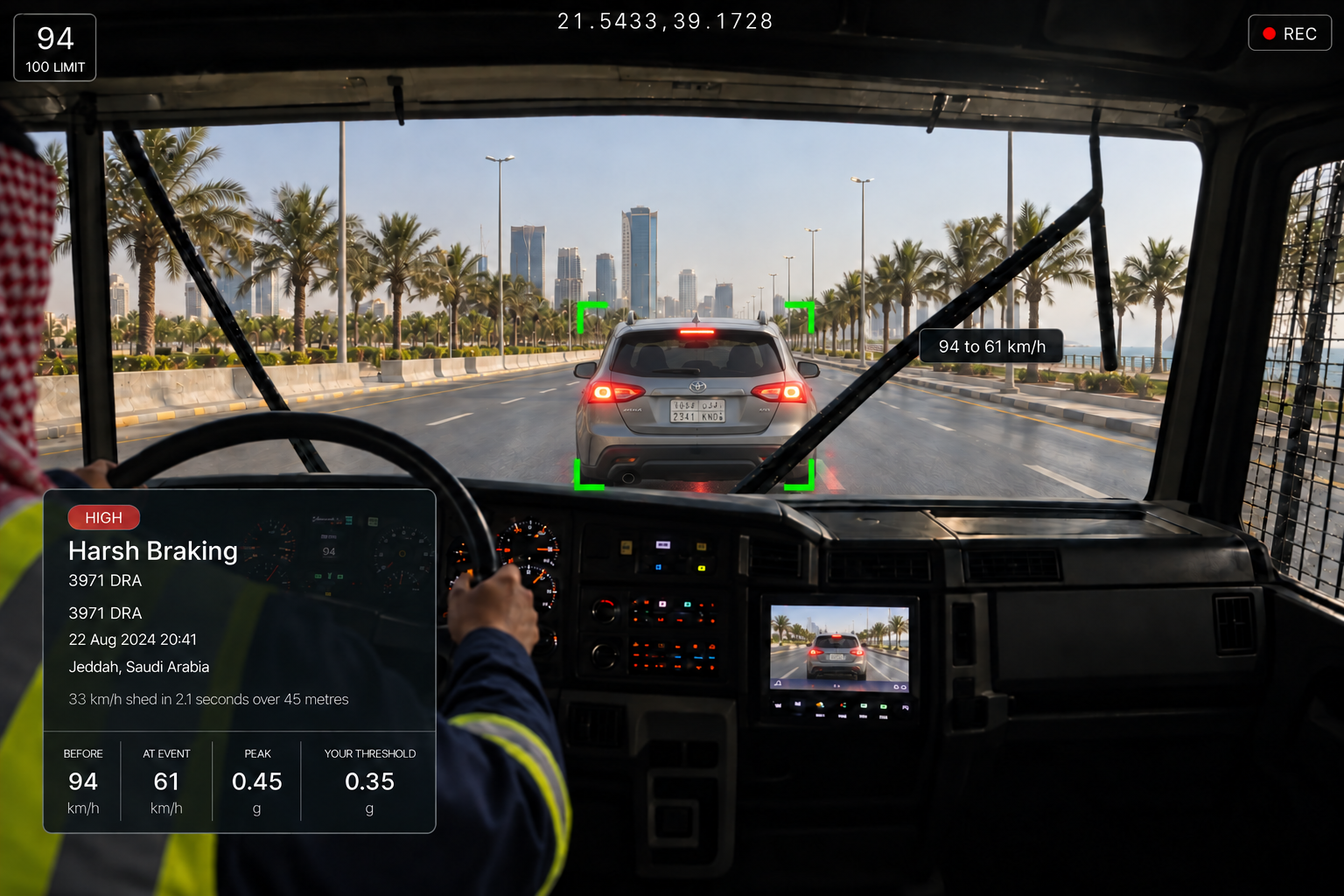
Review harsh braking, acceleration and cornering events with video and vehicle context, identify patterns and take action where needed across Saudi roads and operating environments.
REVIEW, DECISION AND FOLLOW UP
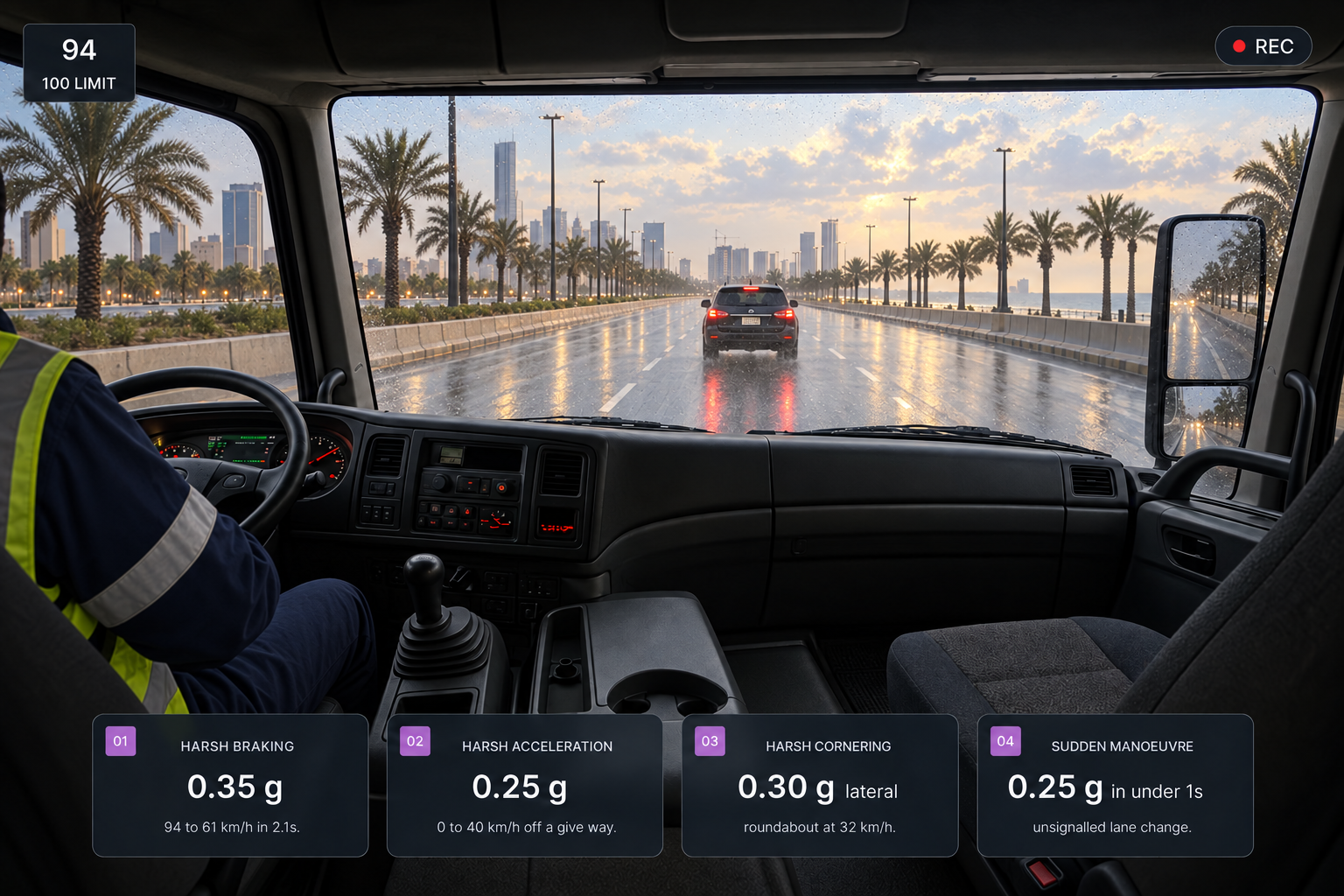
Review Every Event in Context Before Deciding What Happens Next
01
Review
The reviewer checks the video, vehicle data and conditions at the time.
02
Decide
Confirm, dismiss or reclassify the event, then assess whether it indicates a risk or an appropriate defensive response.
03
Act
Assign coaching, further review or a maintenance action where appropriate.
04
Record
Record the outcome against the event and close it.
WHAT WE DETECT
Vehicle Movement Events, Seen in Context
Harsh braking
Sudden deceleration that exceeds a defined threshold, captured for review with available vehicle and video context.
Harsh acceleration
Rapid acceleration that exceeds a defined threshold.
Harsh cornering
Lateral movement that exceeds a defined threshold during a turn or change in direction.
Sudden manoeuvres
Significant vehicle movement that meets defined event conditions and may warrant further review.
BUILT FOR SAUDI FLEET OPERATIONS
Understand Harsh Events in the Conditions They Happened
From intercity highways and busy urban roads to construction, industrial and project operations, Vision360 brings vehicle movement, video and journey context together so Saudi fleet teams can understand what happened before deciding what action is needed.
Heavy & Commercial Vehicles
Review braking, acceleration and cornering events across heavy vehicles and commercial fleets, with vehicle speed and available operating data providing additional context.
Intercity & Long Distance Operations
Review harsh events alongside location, speed and journey information across longer highway operations.
City & Delivery Fleets
Understand braking, acceleration and cornering events in the context of busy urban routes, frequent stops and changing traffic conditions.
Construction & Project Operations
Keep vehicle movement events visible across project, industrial and site based operations.
Additional features
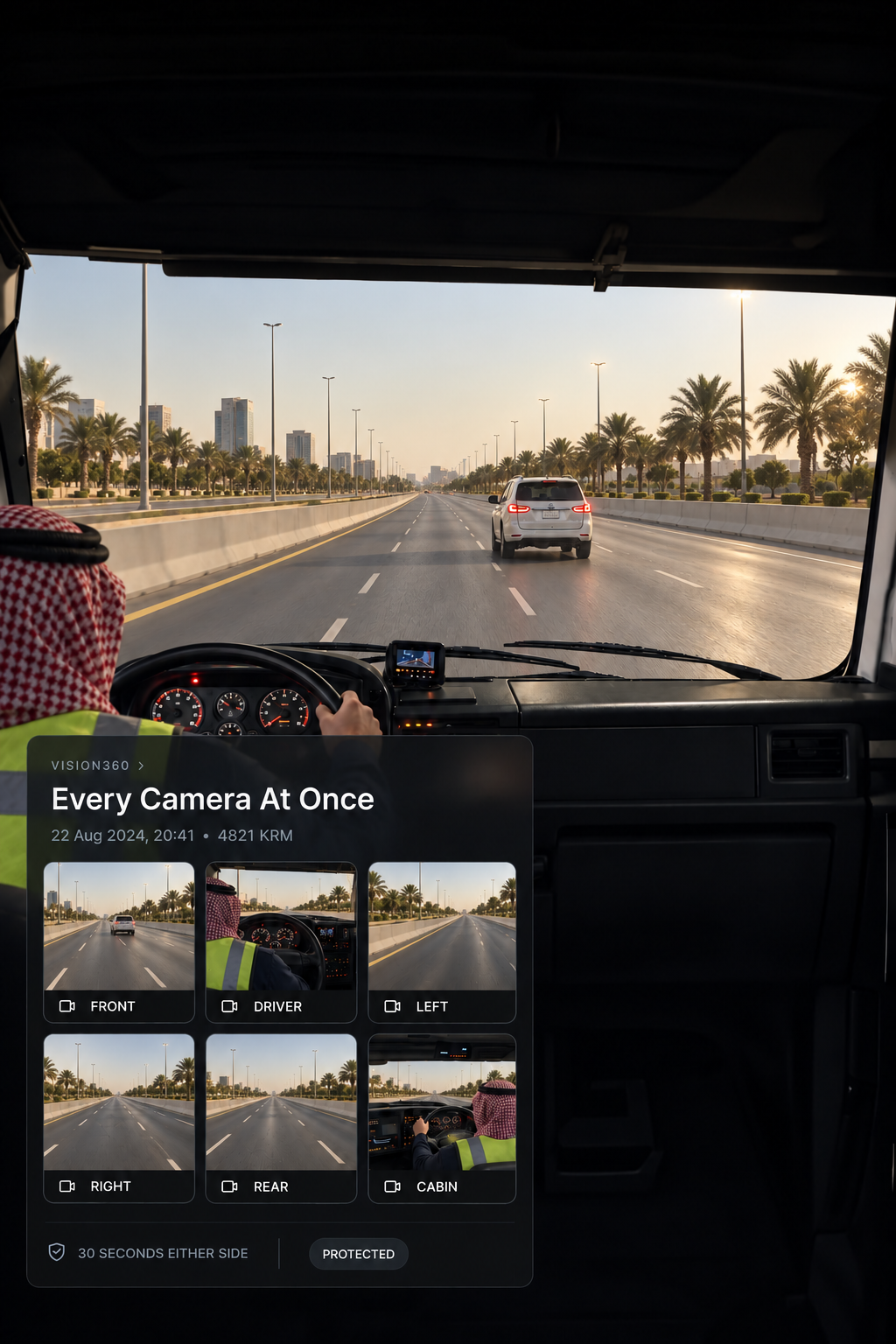
Synchronised cameras
Front, driver, left, right, rear and cabin views together.
Before, During & After
Review footage around the event to see what happened before, during and immediately after.
Protected footage
Event video is protected from being overwritten.
Speed at the event
Speed before and during the event, with the change between them.
Peak deceleration
Maximum deceleration recorded alongside duration and distance.
Road and conditions
Road type, weather, visibility and conditions at the time.
Traffic and visibility
Traffic density and lane markings captured with the event.
Vehicle data
Odometer, load, RPM, transmission, ABS and stability control.
Event location
Road, direction and nearest map marker.
Response after the event
Whether the driver returned to safe driving and how quickly.
Event reclassification
Confirm, dismiss or reclassify the event during review.
Coaching progress
Assigned and completed coaching tracked per driver.
A Harsh Event Does Not Always Mean Harsh Driving
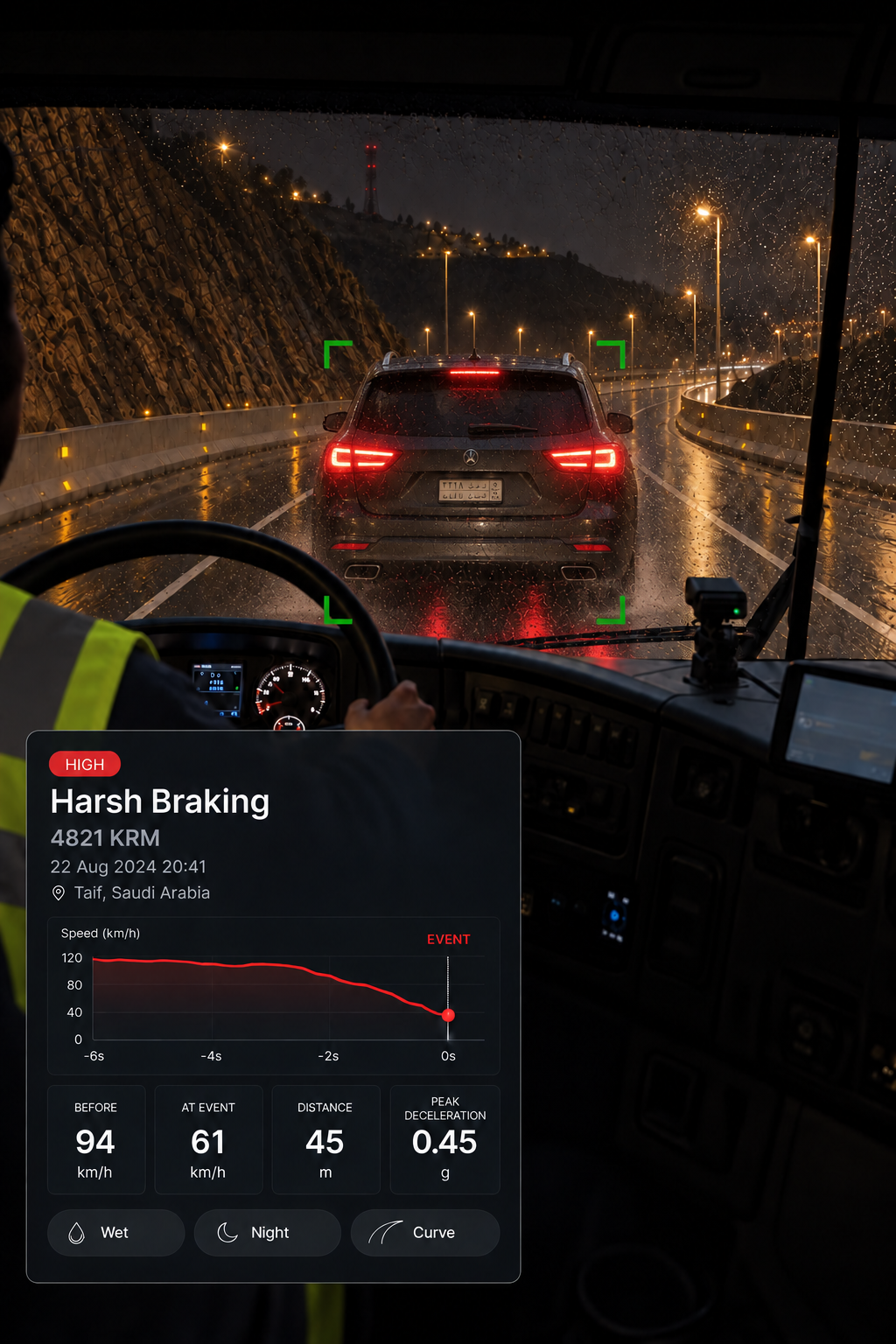
The event
Sudden braking
The context
See what was happening around the vehicle
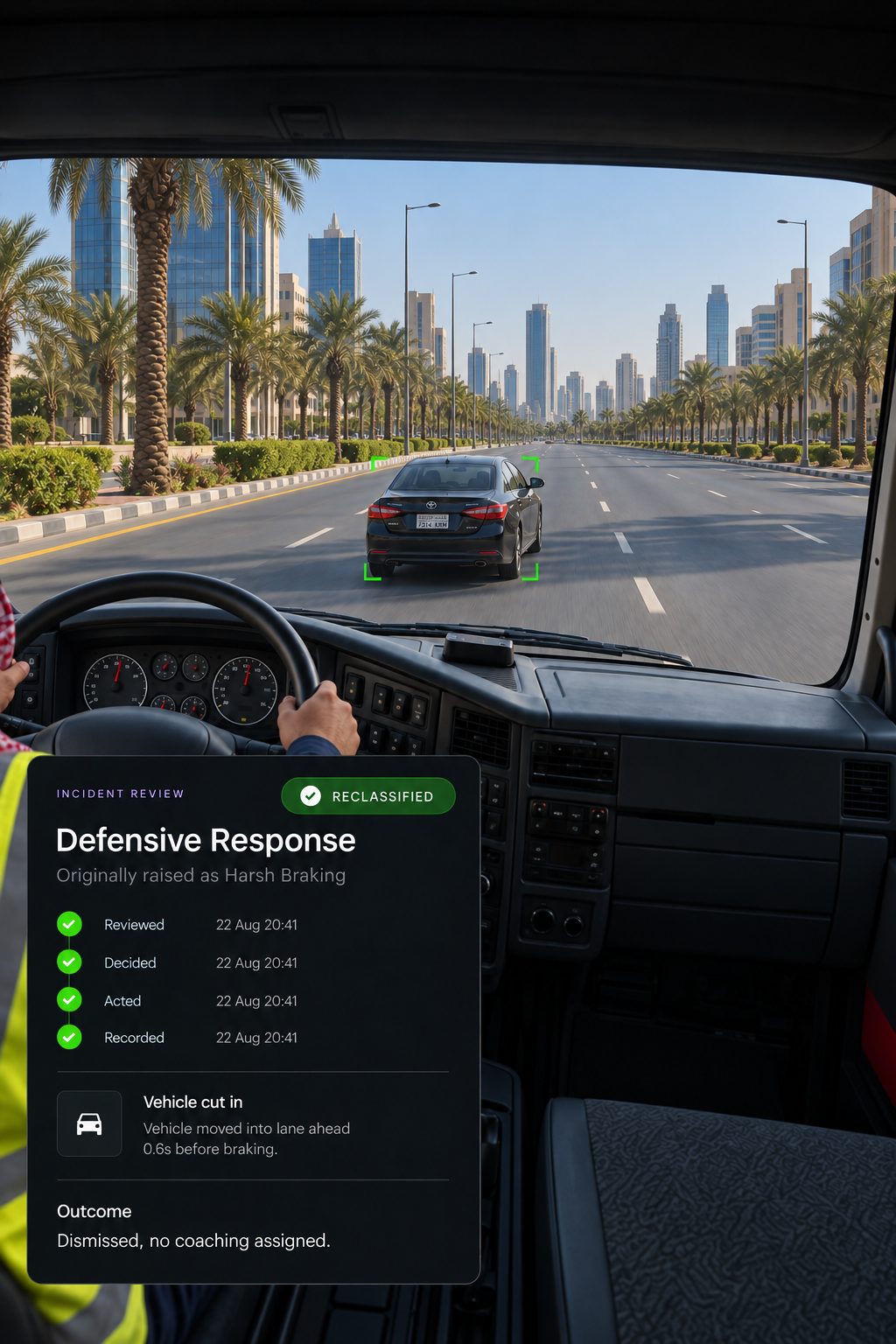
The outcome
The response is reviewed in context
Where do harsh events come from?
Drive360 detects harsh events from telematics and accelerometer data. Vision360 adds video evidence and the review workflow, while Route360 provides road, route, job and stop context where available.
Can a harsh event be the right thing to do?
Yes. Harsh braking may be an appropriate defensive response, for example, when another vehicle suddenly moves into the vehicle's path. That's why the event should be reviewed alongside the available video and vehicle context before deciding whether further action is needed.
What context is shown with an event?
Road type and condition, weather, visibility, lane markings, posted speed limit, traffic density, location and vehicle data such as load, RPM, ABS and stability control.
How much video is kept?
Ninety seconds in total, with thirty seconds before and after the event across the synchronised camera views fitted to the vehicle. Event footage is protected rather than overwritten.
Are the thresholds configurable?
Yes. Each event type has its own configurable threshold. The right settings can vary between operations, such as a heavy vehicle operating on Saudi highways compared with a delivery vehicle working on urban routes.
Which values are measured and which are estimated?
The event shows which values are sensor derived and which are calculated from supported telematics and sensors. Availability depends on the hardware fitted.
Look Beyond the Event
See the conditions, vehicle data and video that explain what happened.