[ Incident Investigation ]
One Investigation. Every Piece of Evidence.
Bring video, vehicle data and route context together, record findings and assign actions from one investigation workspace.
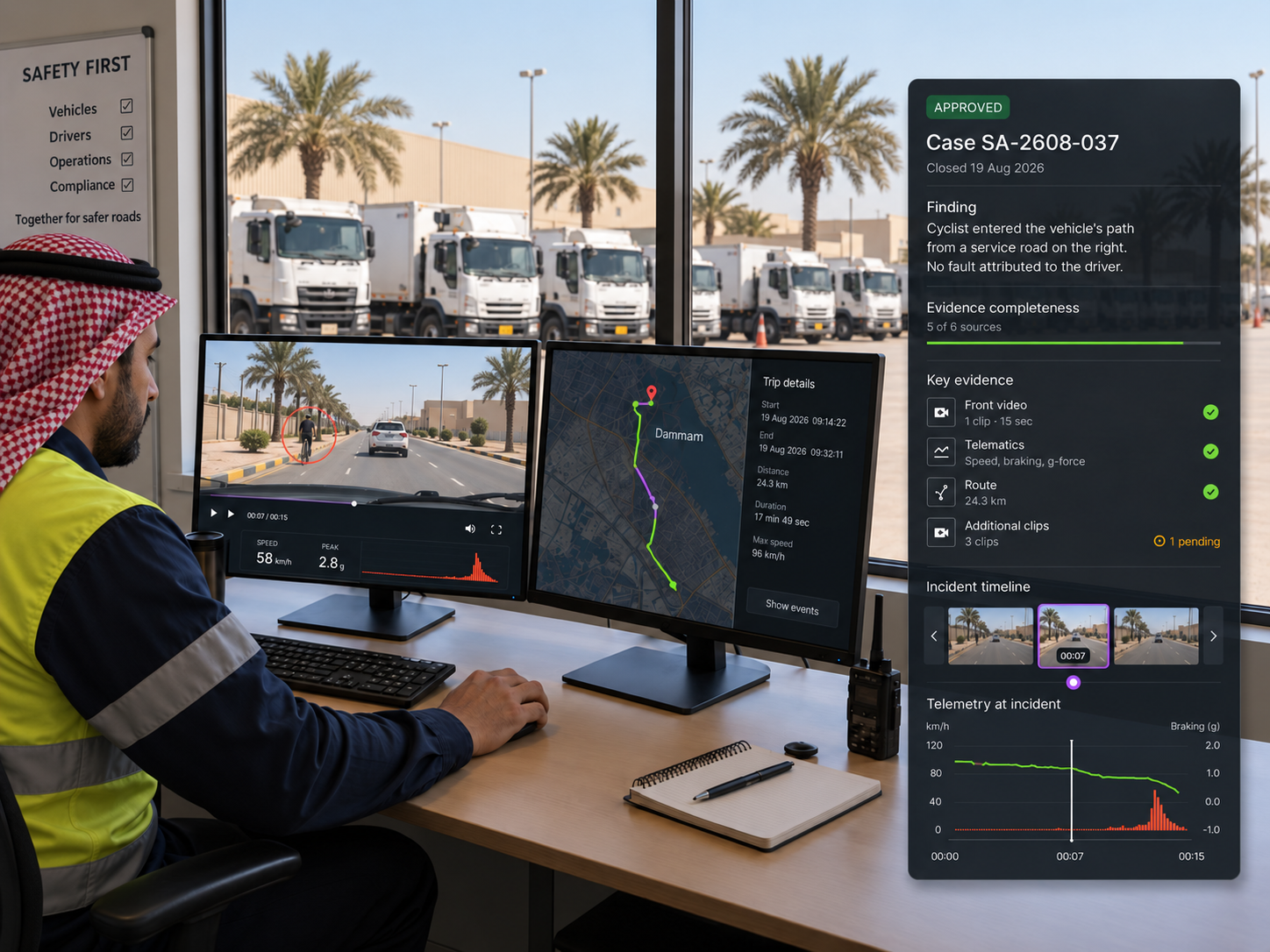
THE INVESTIGATION WORKFLOW
Bring the evidence together. Record the outcome.
01
Find and prioritise
Search and filter cases by status, type, assignee and date, then prioritise what needs attention.
02
Review all evidence together
Review synchronised multi camera video, available vehicle and telematics data, plus route, job and stop context on one timeline.
03
Record findings and assign actions
Record the finding, attach the supporting evidence and assign the next action to a named owner with a due date.
04
Approve and close
Send the finding for approval, record the outcome against the case and keep the evidence package with it.
INSIDE THE INVESTIGATION
Every angle. Every relevant piece of context.
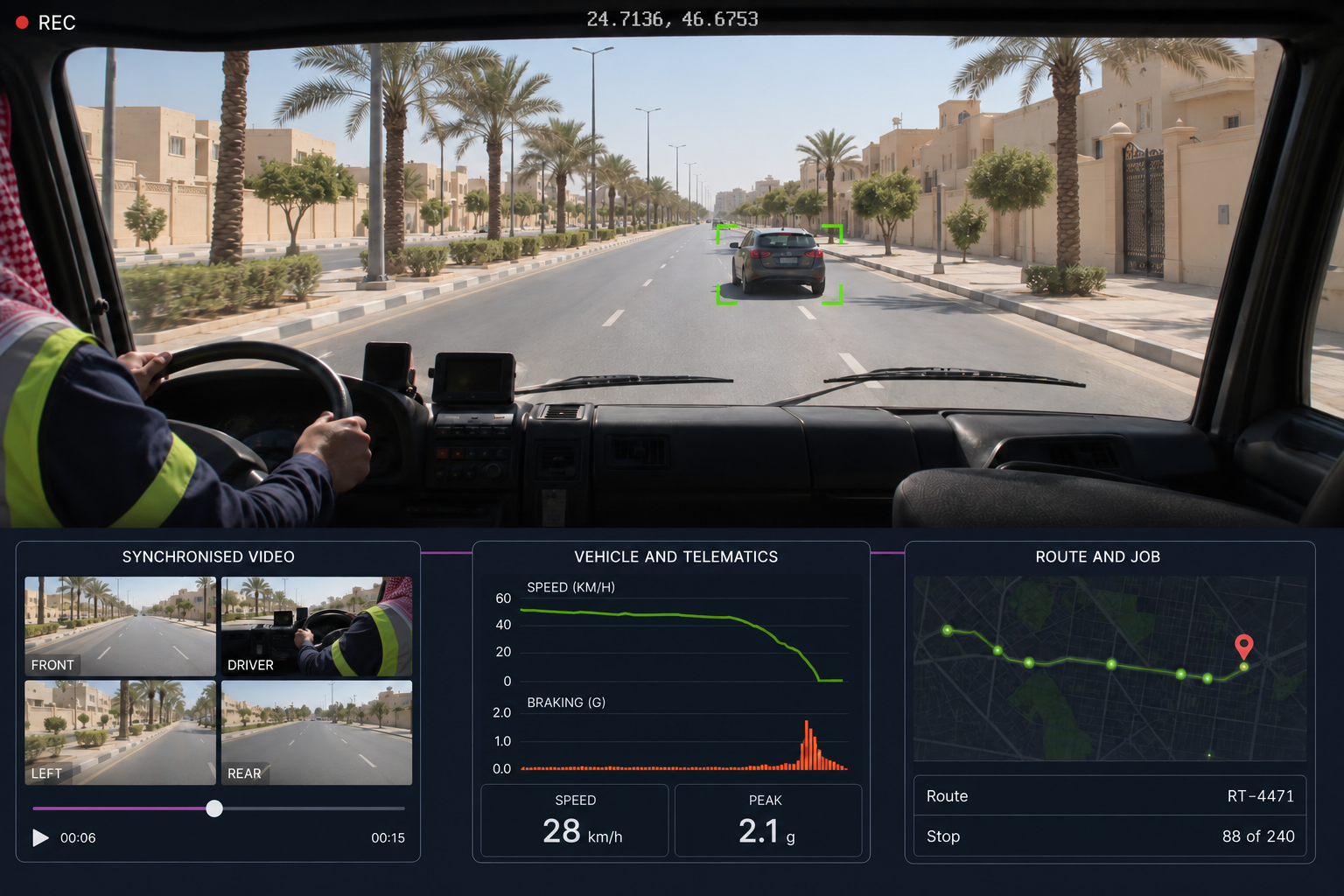
Synchronised video
Multi camera views stay aligned on one timeline, so every angle can be reviewed together.
Vehicle and telematics
Speed, braking and other vehicle data help explain what happened, not just show it.
Route and delivery context
Route, job and stop information from Route360 adds the operational context around the event.
Event timeline
Events, selected clips, AI highlights and other vehicle activity are marked together on one timeline.
Evidence completeness
See how much of the expected evidence is available, with gaps visible before a decision is made.
BUILT FOR SAUDI OPERATIONS
Clearer Investigations Across Every Journey
From city roads and intercity highways to industrial sites and remote operations, bring video, vehicle, driver, location and journey context together to understand what happened and determine what needs to happen next.
City & Commercial Operations
Review incidents across delivery, service and commercial fleets with available video, vehicle and journey context together.
Intercity & Long Distance Operations
Investigate events across longer journeys with location, vehicle and route information connected to the case.
Industrial & Project Operations
Keep incident evidence, findings and follow-up actions together across project sites and industrial environments.
Investigation & Follow Up
Record findings, assign actions and maintain the supporting evidence alongside the case through review and closure.
Additional features
Case search
Search by ID, title, vehicle or keyword.
Status and type filters
Filter cases by status, type and workflow stage.
Severity and age
See what needs attention and which cases are becoming overdue.
Assignment
Give each case and action a named owner.
Multi camera sync
Review front, driver, left, right and cabin views together.
AI highlights
See relevant moments marked on the timeline for faster review.
Draft findings
Record the finding before it is approved.
Supporting evidence
Attach and track the evidence supporting each finding.
Approval status
See which findings are approved and which still need review.
Next actions
Assign actions to an owner with a due date.
Evidence packages
Export an authorised case record with its supporting evidence.
Case context
Keep vehicle, driver, route, delivery, stop, location and speed together.
One case. One complete record.
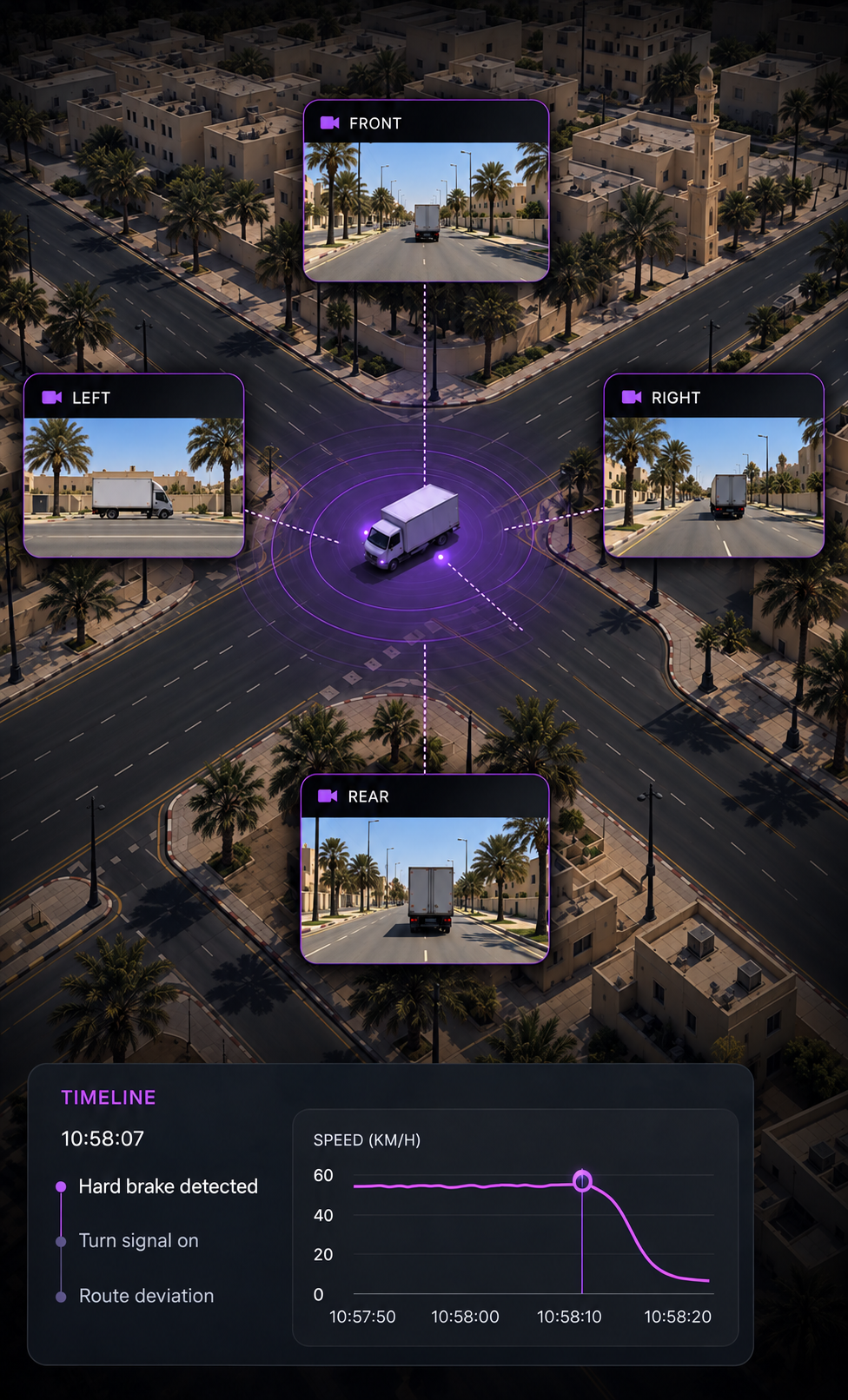
The moment
Review what happened from the available angles
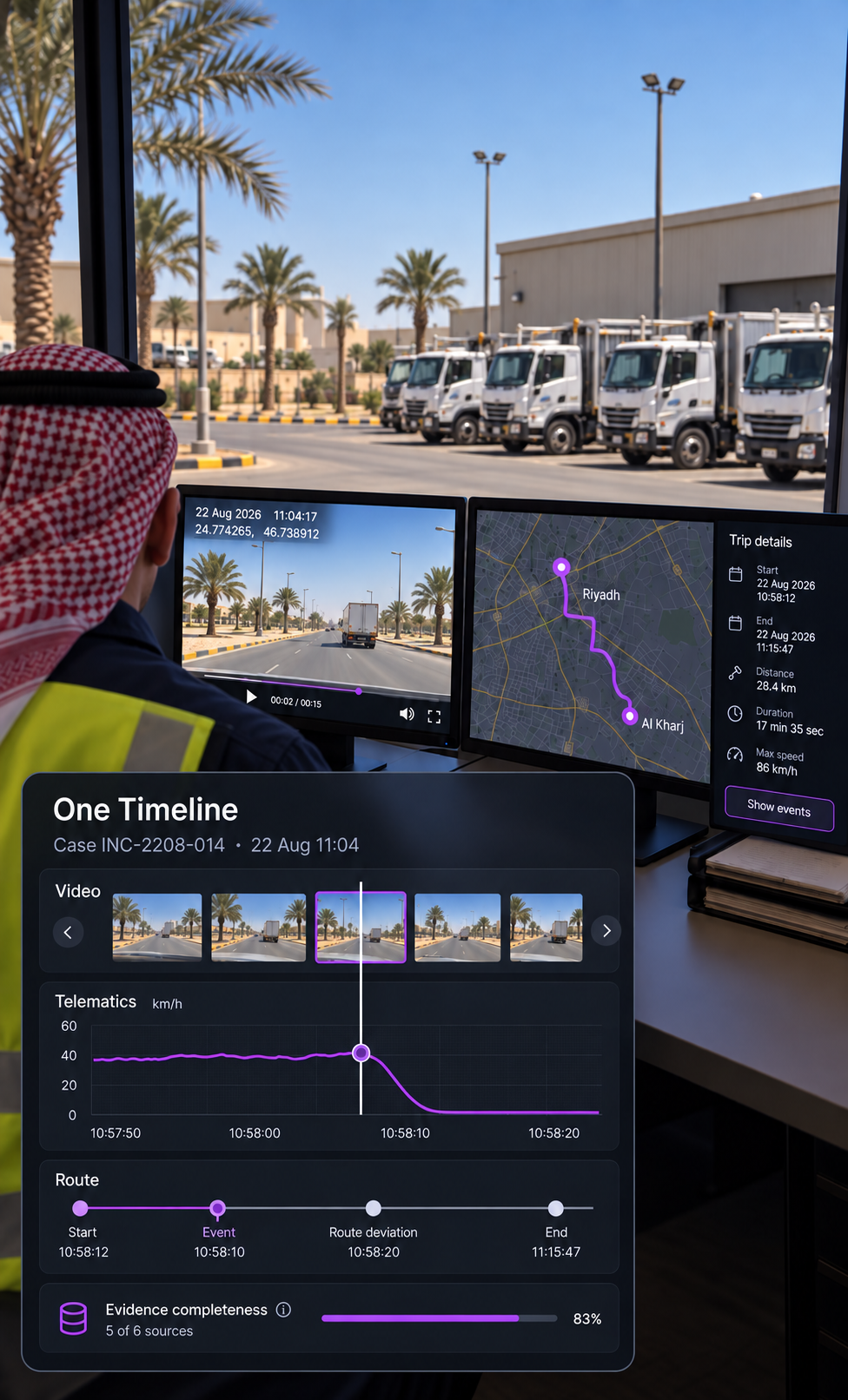
The review
Bring video, data and context together
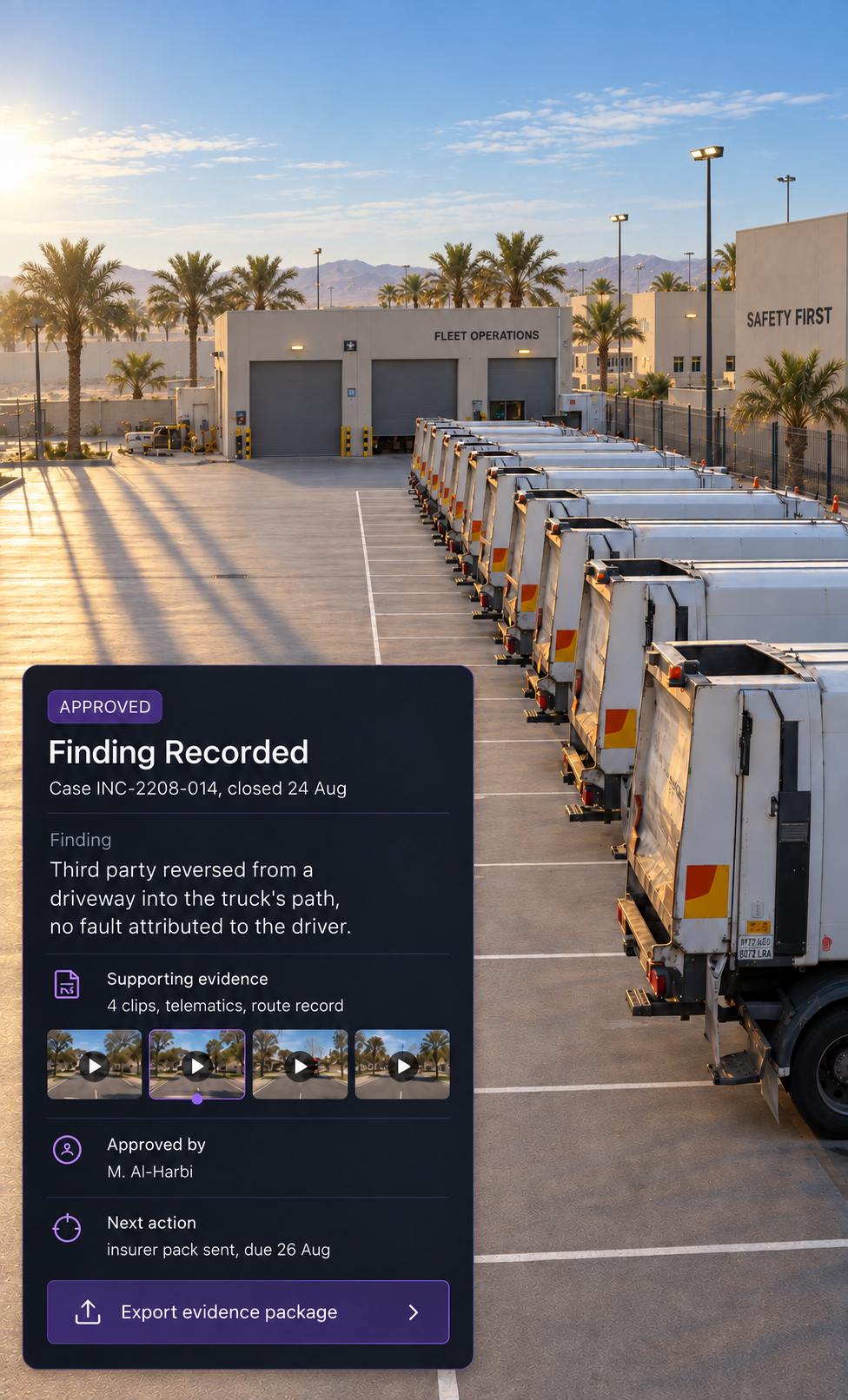
The outcome
Record the finding and what happens next
What is evidence completeness?
Evidence completeness shows how much of the expected evidence is available for a case, helping investigators identify gaps before recording a finding.
Where does the non video evidence come from?
Drive360 provides vehicle and telematics data such as speed and braking. Route360 provides route, job and stop context, while Vision360 holds the video and investigation record.
Can findings be changed after approval?
Yes, where the user's permissions and investigation workflow allow it. Changes remain part of the case history so teams can see what changed, when and by whom.
What is an investigation package?
An authorised export of the case and its supporting evidence for use outside the platform. Access and export remain controlled throughout.
How are actions tracked?
Each action has a named assignee and due date, so the investigation ends with a clear next step.
Can several people work a case?
Yes. Cases can be assigned and filtered by owner, with status and case age visible so teams can see what needs attention and which investigations have been open the longest.
One Workspace, From First Clip to Final Action
Bring the evidence together, record what you find and assign what happens next.