[ Fleet Incident Investigation & Evidence ]
One Investigation. Every Piece of Evidence.
Bring video, vehicle and telematics data, route context and supporting evidence together, record findings and assign actions from one investigation workspace.
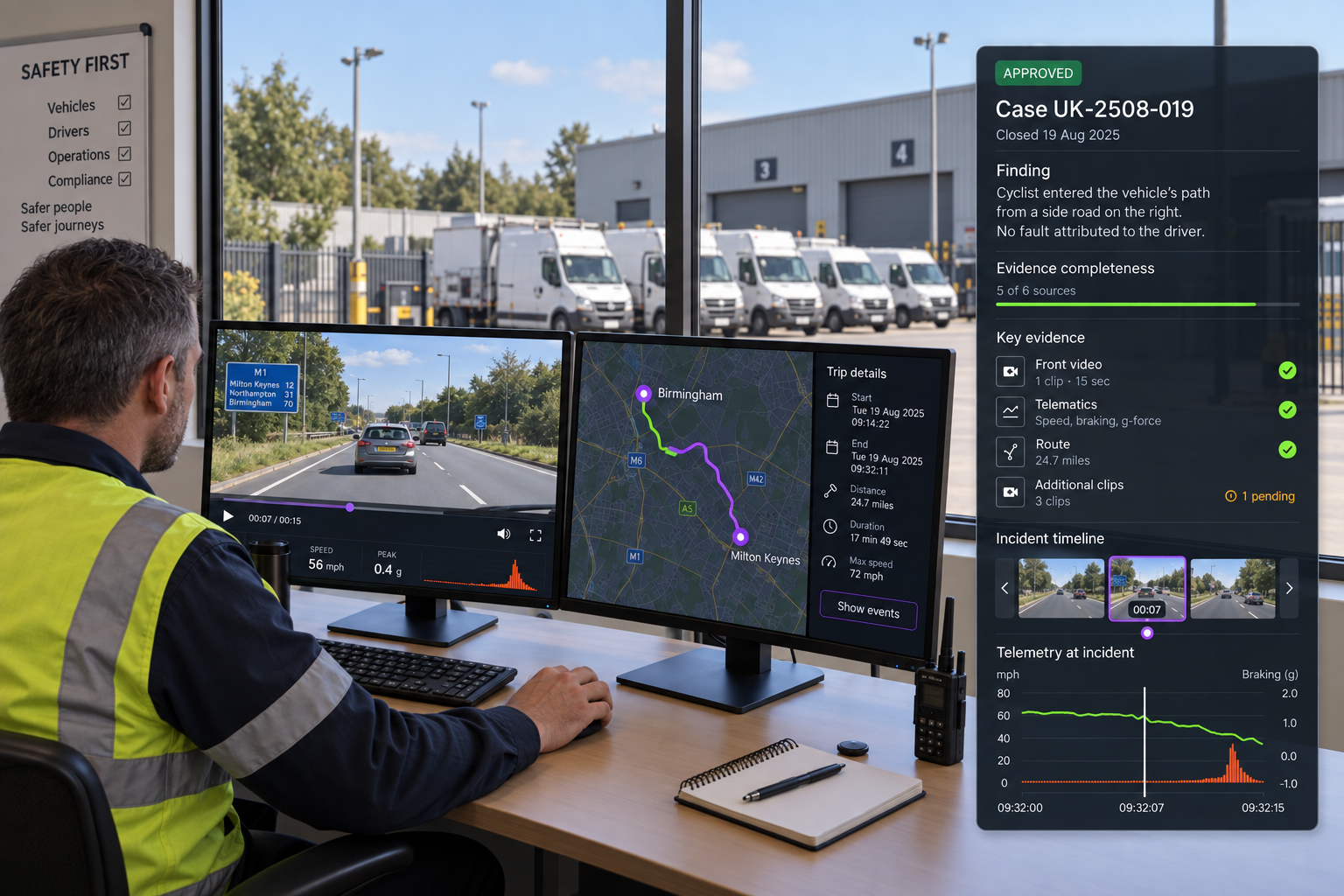
THE INVESTIGATION WORKFLOW
Bring the Evidence Together. Record the Outcome.
01
Find and prioritise
Search and filter cases by status, type, assignee and date, then prioritise what needs attention.
02
Review all evidence together
Review synchronised multi camera video, vehicle and telematics data, plus route, job and stop context, on one timeline.
03
Record findings and assign actions
Record the finding, attach the supporting evidence and assign the next action to a named owner with a due date.
04
Approve and close
Send the finding for approval, record the outcome against the case and keep the evidence package with it.
INSIDE THE INVESTIGATION
Every Angle. Every Relevant Piece of Context.
Synchronised video
Multi camera views stay aligned on one timeline, so every angle can be reviewed together.
Vehicle and telematics
Speed, braking and other vehicle data help explain what happened, not just show it.
Route and delivery context
Route, job and stop information from Route360 adds the operational context around the event.
Event timeline
Events, selected clips, AI highlights and other vehicle activity are marked together on one timeline.
Evidence completeness
See how much of the expected evidence is available, with gaps visible before a decision is made.

Incident Investigation Tools
Case Search
Search by ID, title, vehicle or keyword.
Status and Type Filters
Filter cases by status, type and workflow stage.
Severity and Age
See what needs attention and which cases are becoming overdue.
Assignment
Give each case and action a named owner.
Multi Camera Sync
Review front, driver, left, right and cabin views together.
AI Highlights
See relevant moments marked on the timeline for faster review.
Draft findings
Record the finding before it is approved.
Supporting Evidence
Attach and track the evidence supporting each finding.
Approval Status
See which findings are approved and which still need review.
Next Actions
Assign actions to an owner with a due date.
Evidence Packages
Export an authorised case record with its supporting evidence.
Case Context
Keep vehicle, driver, route, delivery, stop, location and speed together.
One case. One complete record.
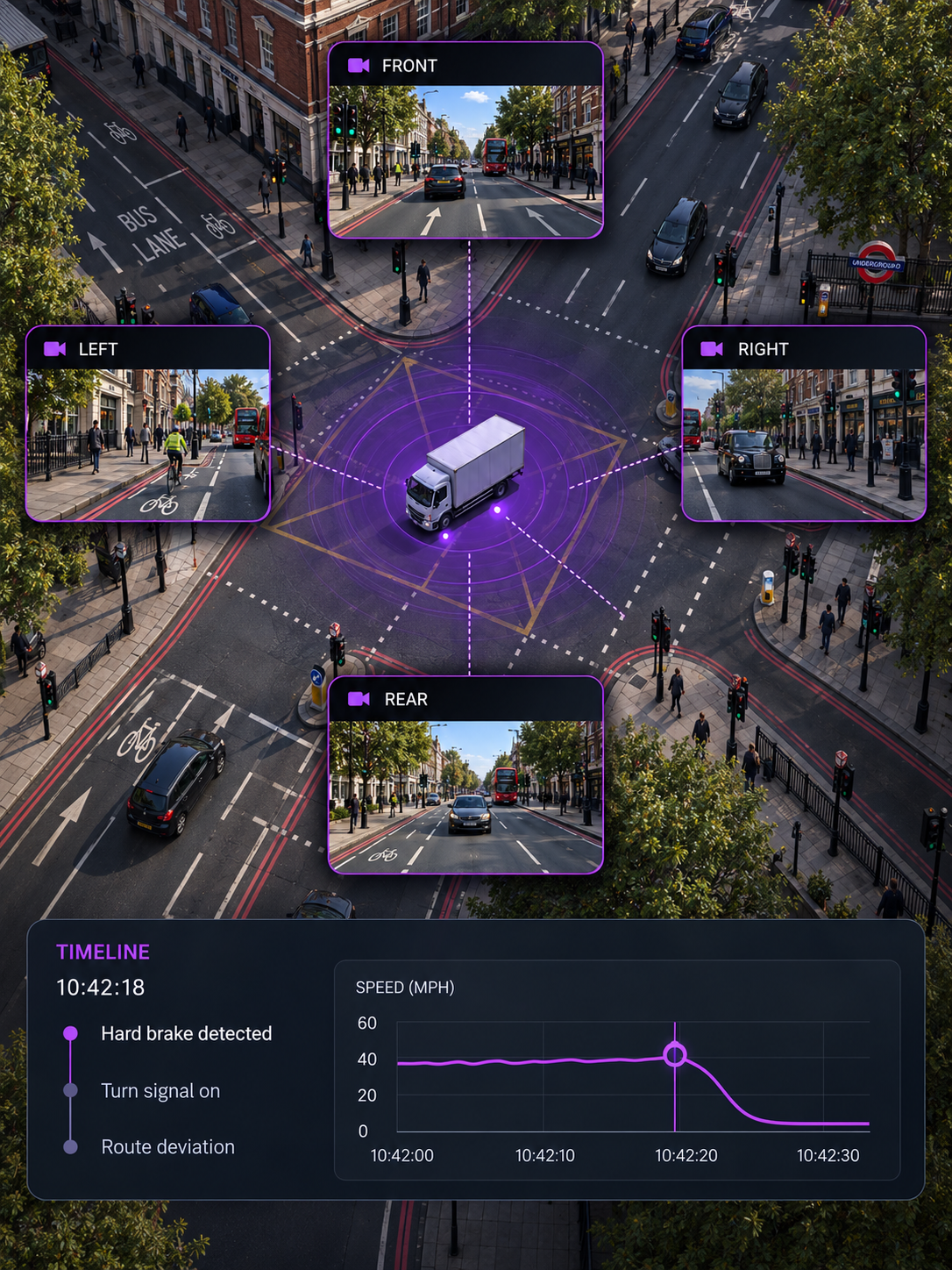
The moment
See what happened from every angle
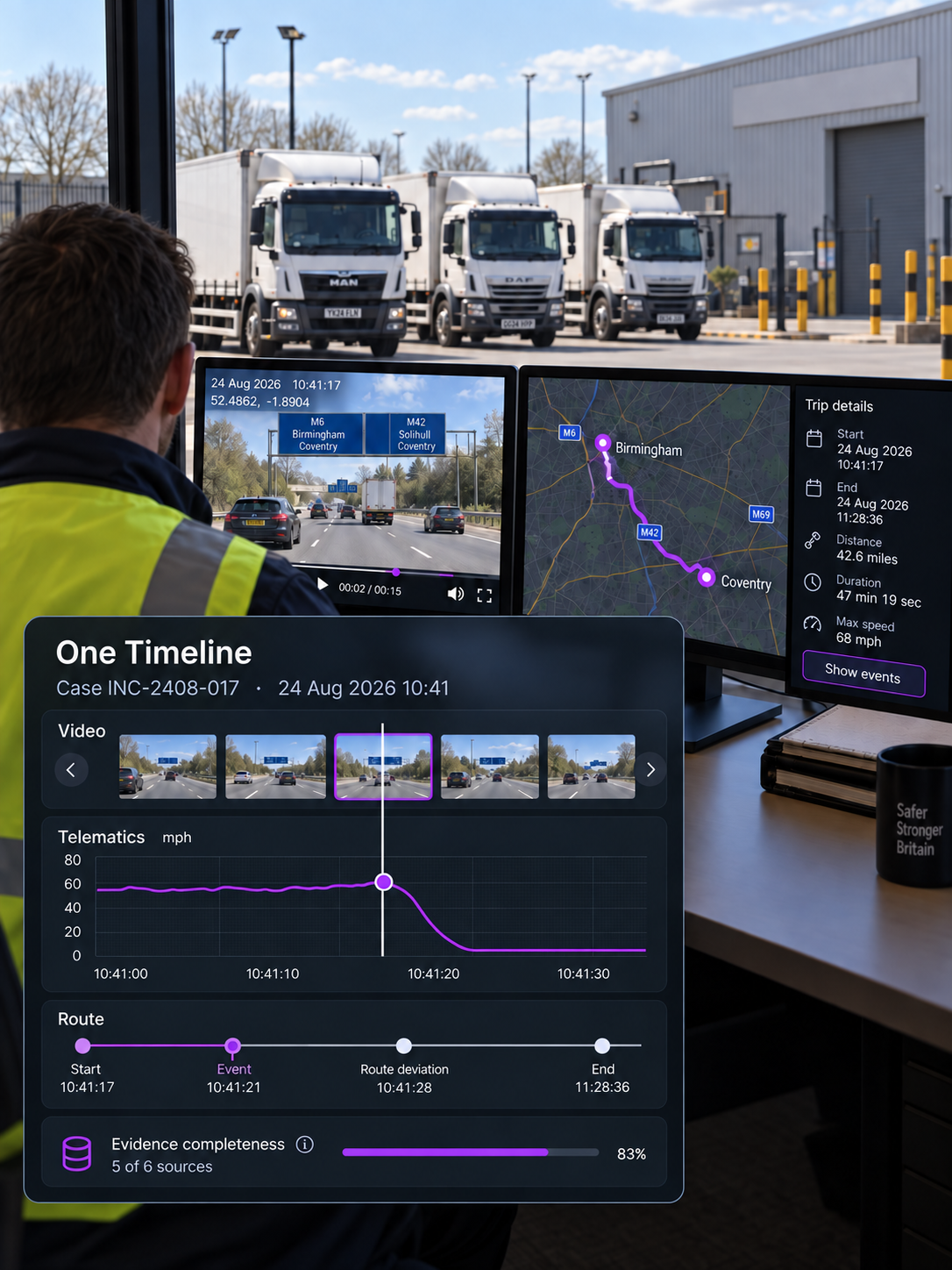
The review
Bring video, data and context together
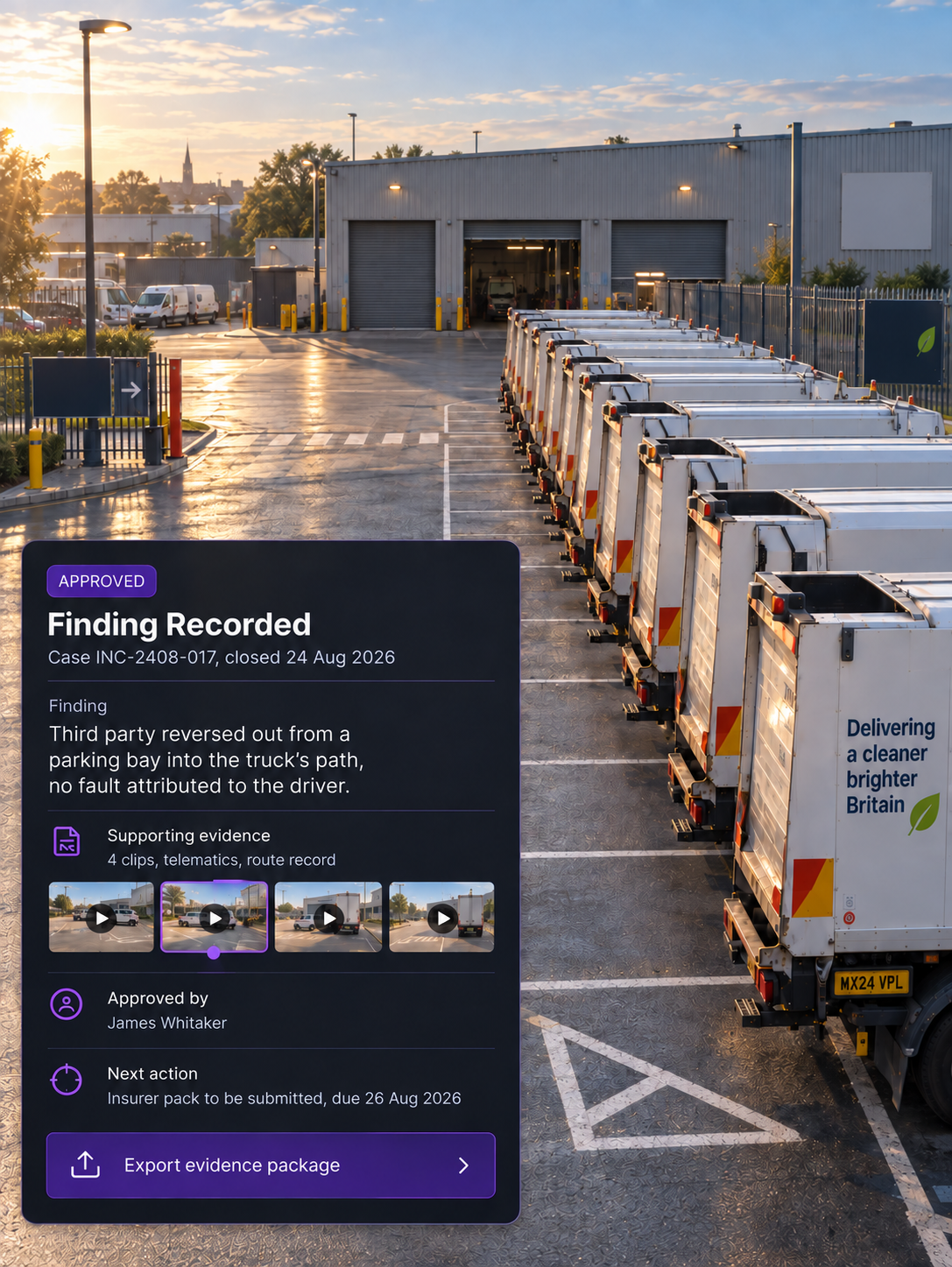
The outcome
Record the finding and what happens next
What is evidence completeness?
A measure of how much of the expected evidence a case contains. It makes gaps visible before a finding is recorded.
What evidence can be included in an incident investigation?
Vehicle and telematics data such as speed and braking can be reviewed alongside route, job and stop context, with video and the investigation record held together in Vision360.
Can findings be changed after approval?
Findings move through an approval status, with the case history retained so the outcome and when it was recorded remain part of the record.
What is an investigation package?
An authorised export of the case and its supporting evidence for use outside the platform. Access remains controlled throughout.
How are actions tracked?
Each action has a named assignee and due date, so the investigation ends with a clear next step.
Can several people work a case?
Yes. Cases can be assigned and filtered by owner, with status and age visible so teams can see what needs attention and which cases are ageing.
One Workspace, From First Clip to Final Action
Bring the evidence together, record what you find and assign what happens next.