[ Fleet Telematics ]
Fleet Telematics That Turns Vehicle Data Into Action
Monitor vehicle health, fuel use, idling, utilisation and supported CAN and FMS data in Vision360. Spot issues earlier, understand performance and act on what your vehicles are telling you.
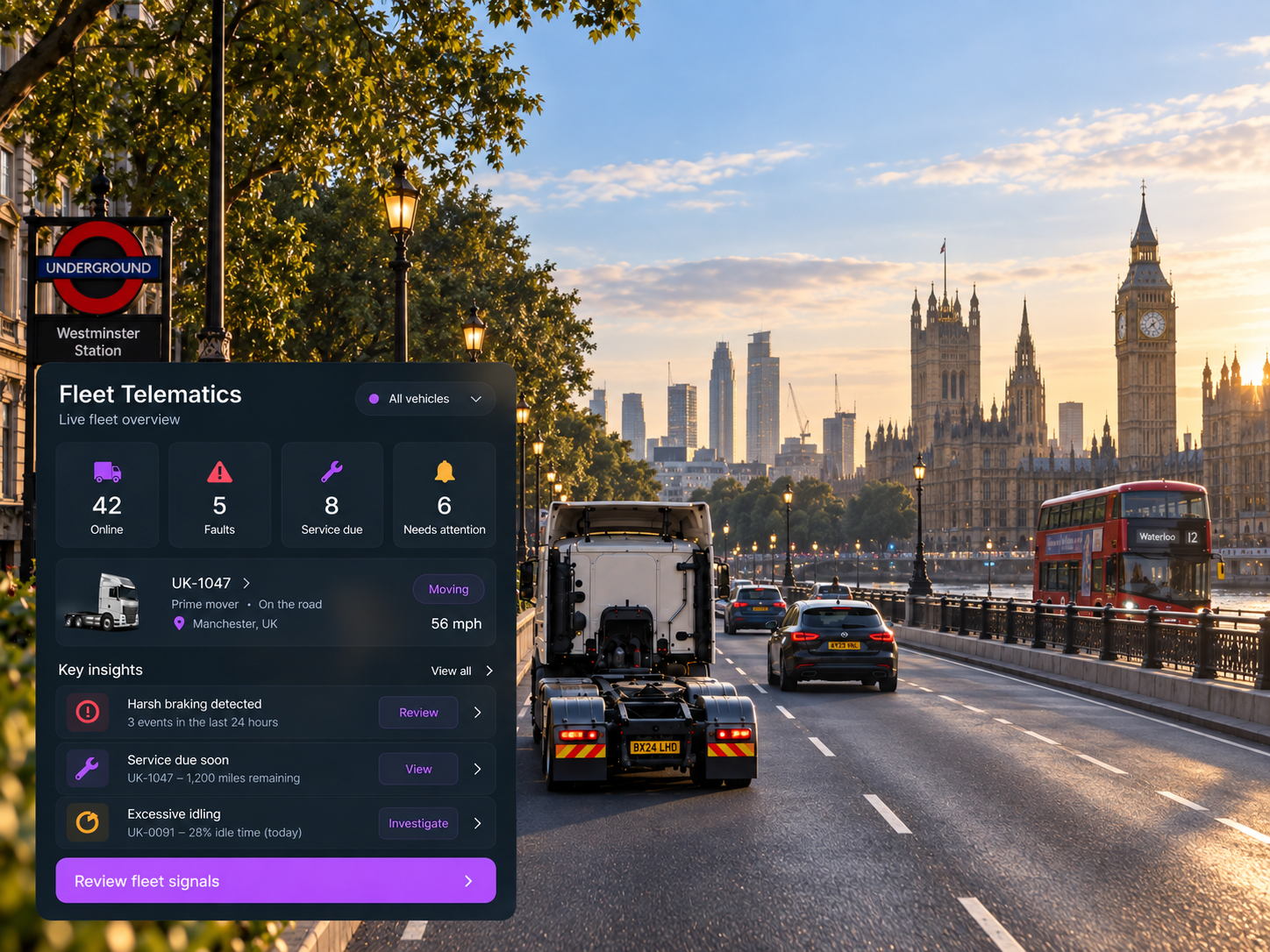
Vehicle Telematics At a Glance
Vehicle Health & Diagnostics
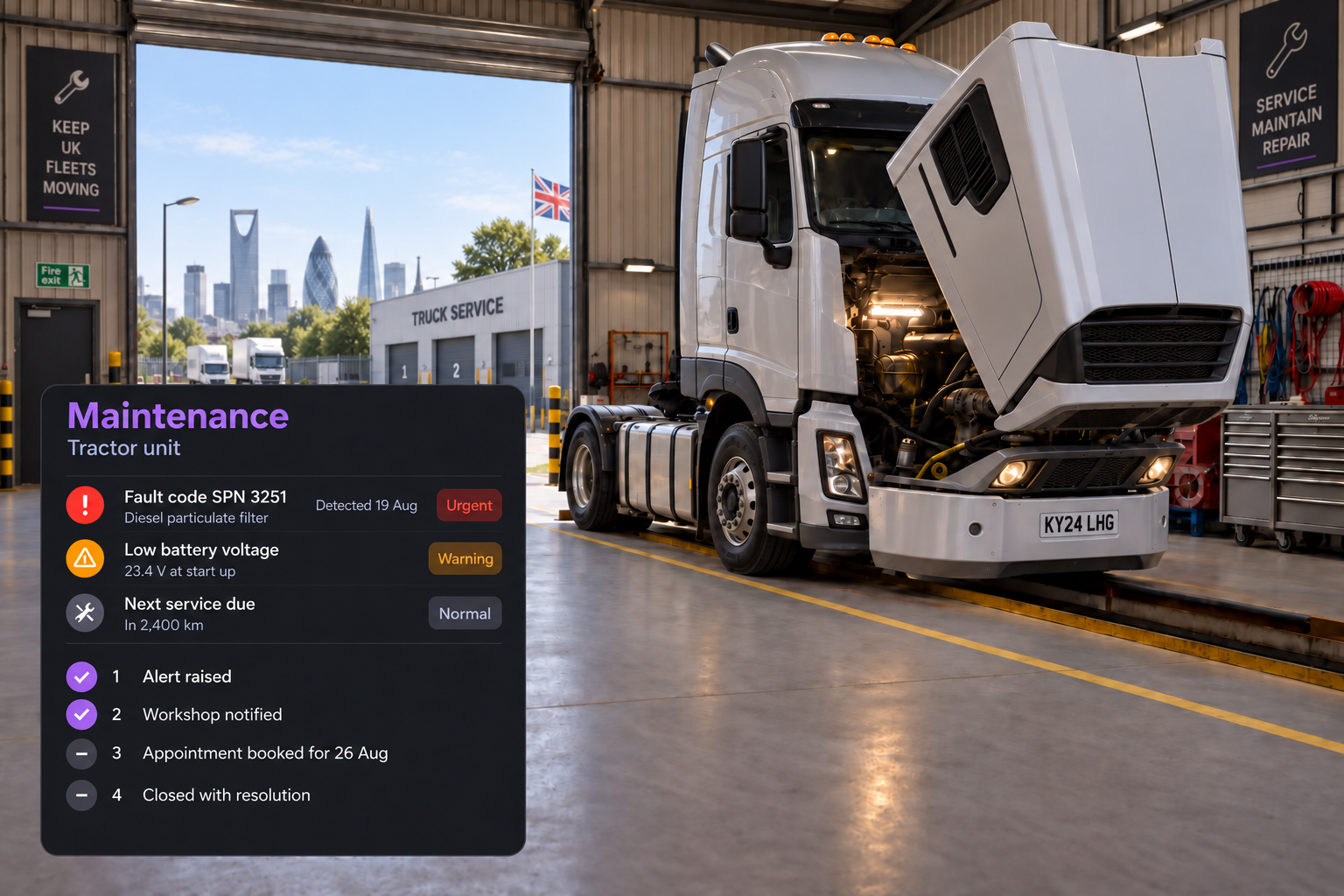
See fault codes, battery status, engine status and available diagnostic data in one place.
Fuel & Idling
Understand fuel consumption, idle time and the operating patterns behind them.
Odometer & Engine Hours
Keep mileage and engine hour data together for maintenance and utilisation decisions.
Fault & Vehicle Alerts
Surface connected vehicle signals that need attention before they become bigger issues.
Vehicle Utilisation
See which vehicles are active, idle or underused.
CAN & Connected Data
Bring supported CAN and FMS telematics data into Vision360 for a broader view of vehicle performance.
SIGNALS INTO ACTION
What the Data is Actually Telling You
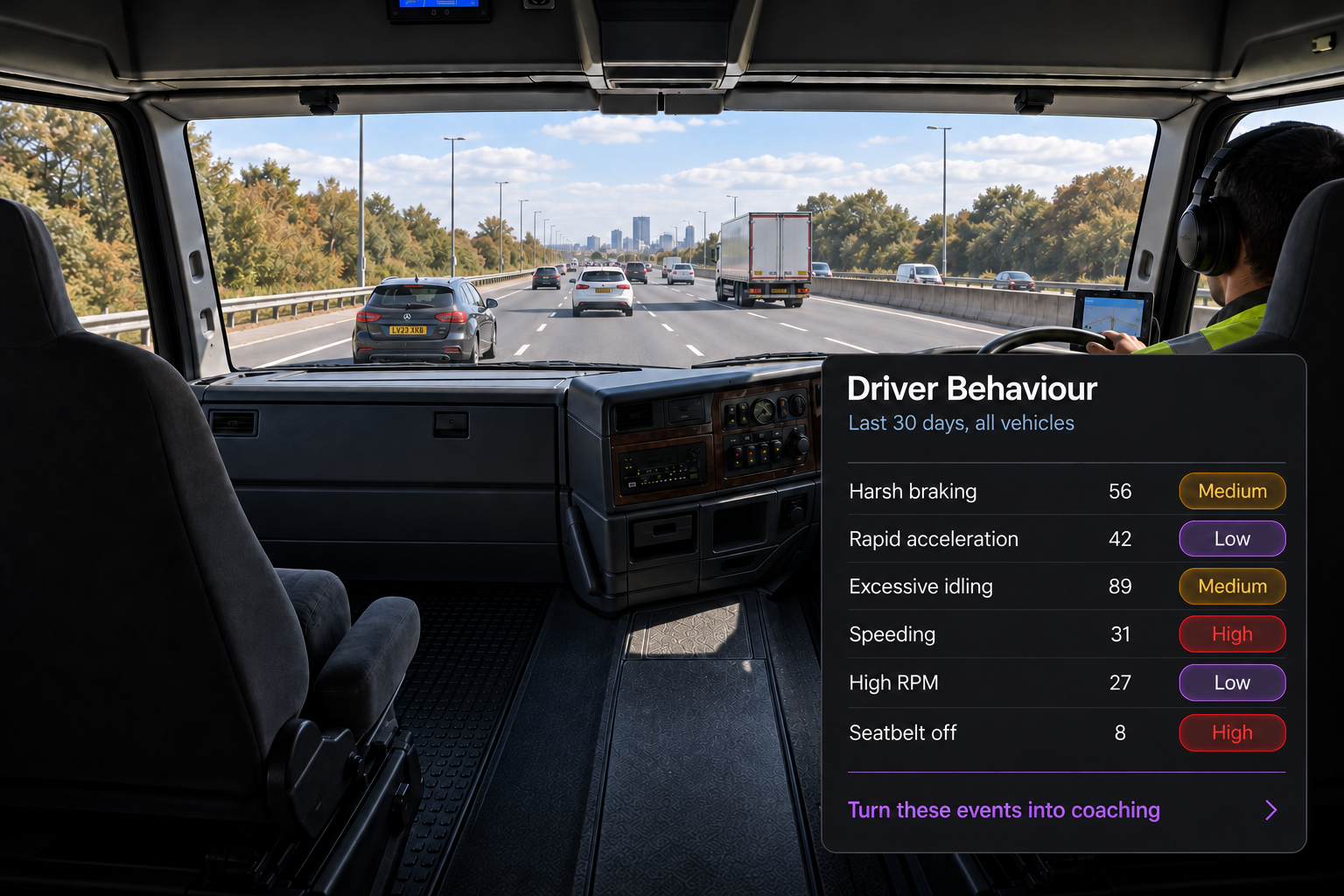
Driver Behaviour Insights
See patterns across harsh braking, acceleration, idling, speeding, high RPM and seatbelt use, with severity and trends to help focus driver coaching through Drive360.
Vehicle Readiness & Compliance
Use connected vehicle data alongside maintenance and inspection records to identify vehicles that may need attention before dispatch, keeping readiness visible before they are put into operation.
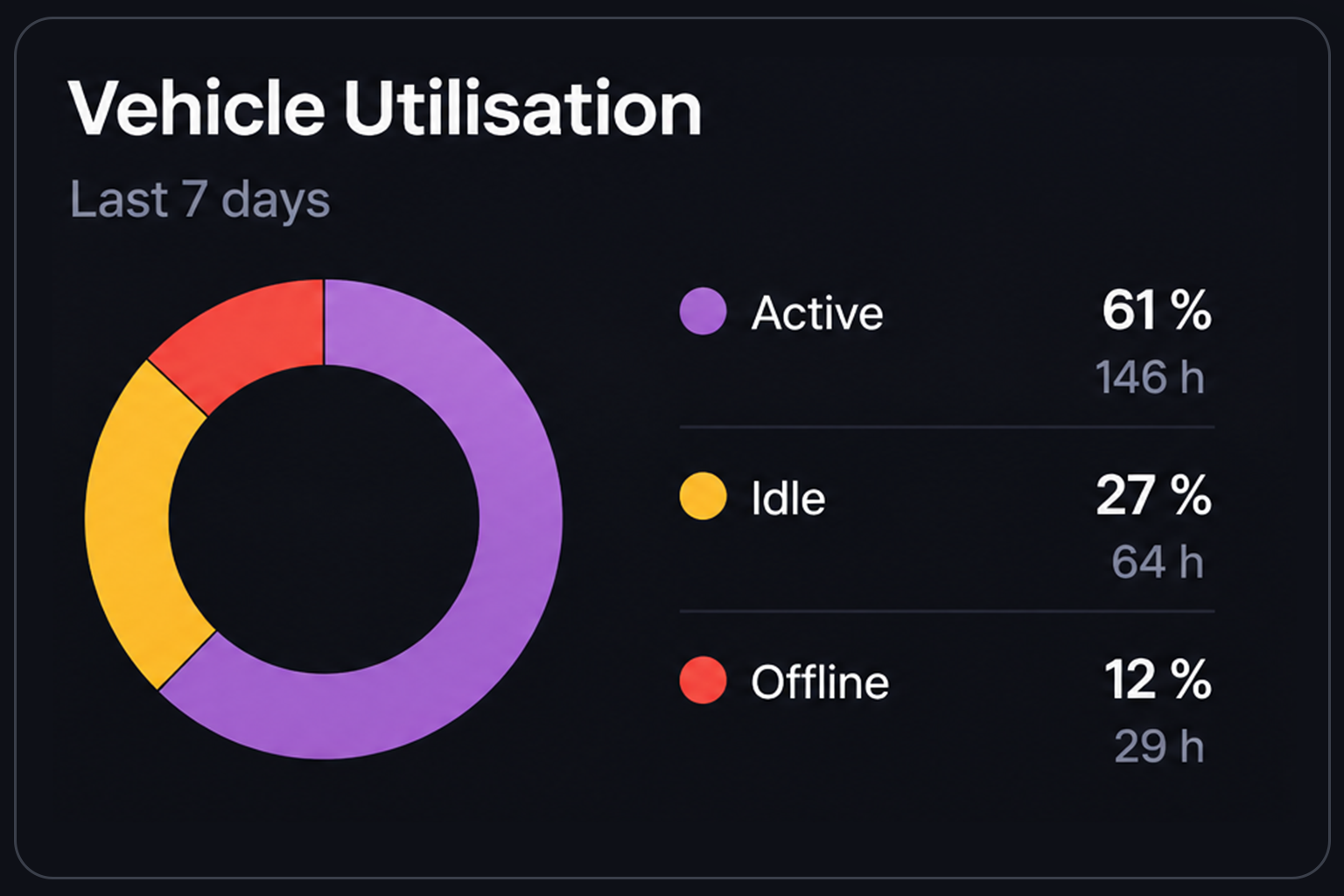
Measure Utilisation. Make Better Fleet Decisions.
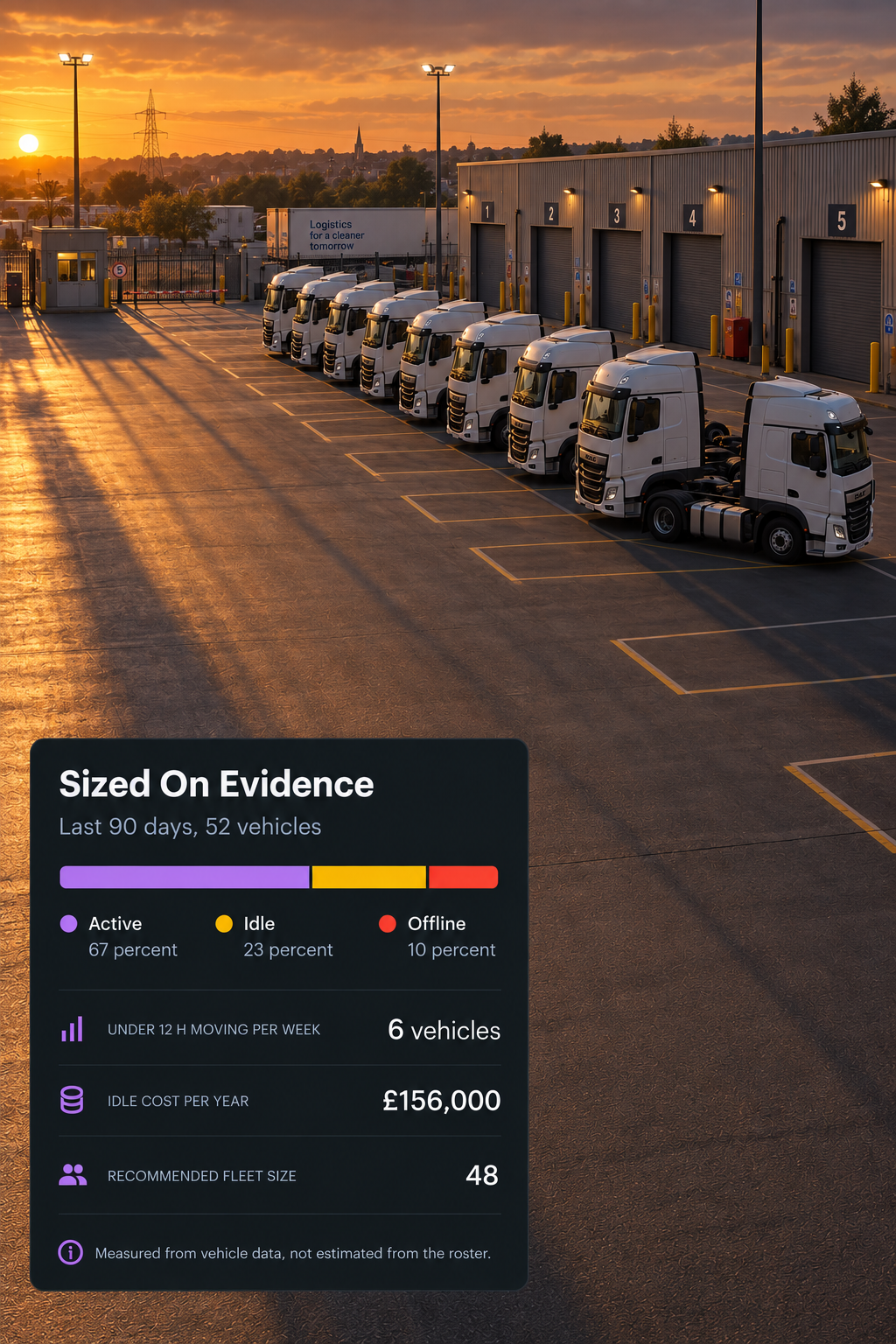
Active, Idle and Offline
See how fleet time is split between active, idle and offline, helping you understand how much of your fleet is actually being used.
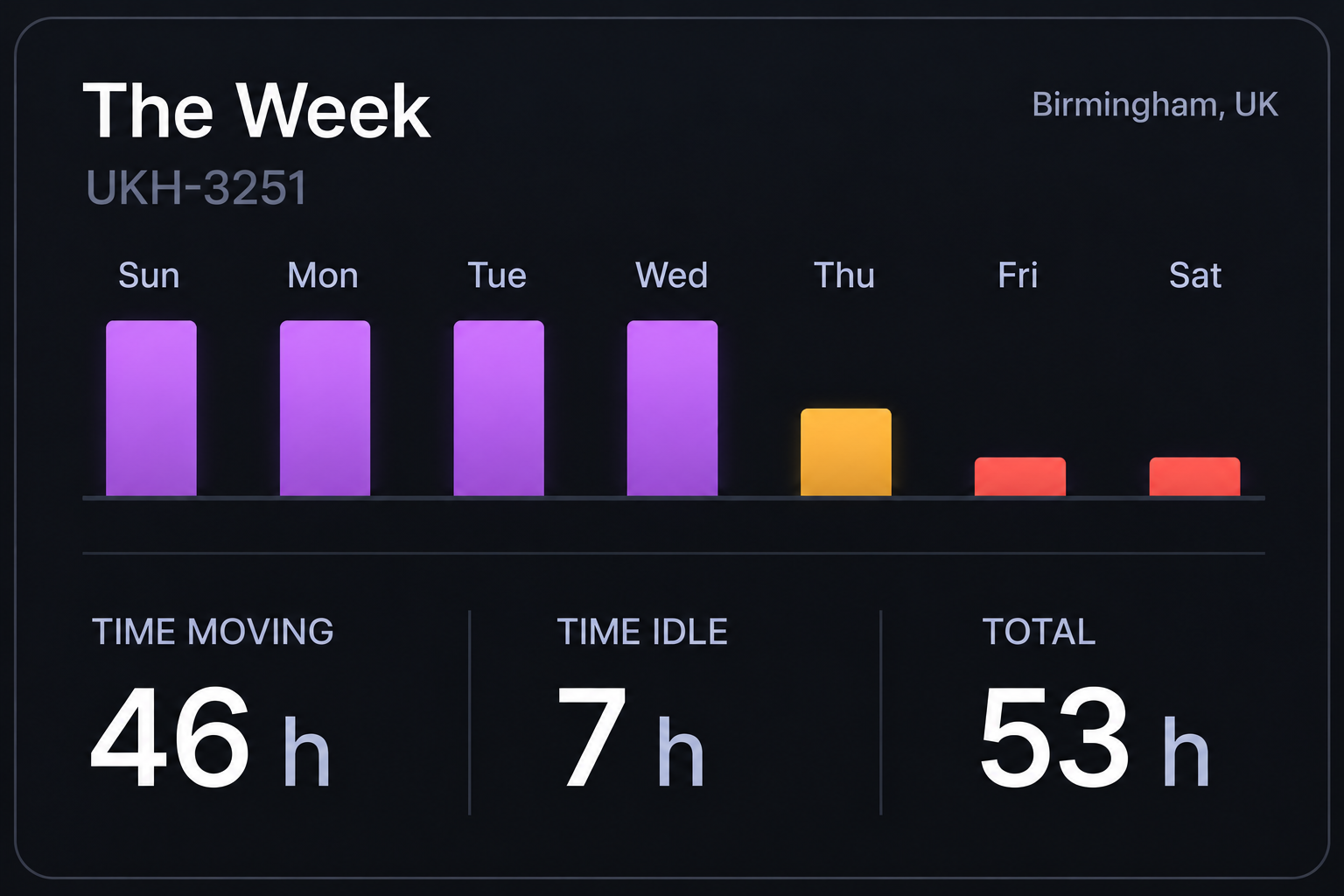
See the Week, Day by Day
Compare moving time, idle time and total activity across the week to uncover patterns that a single day might miss.
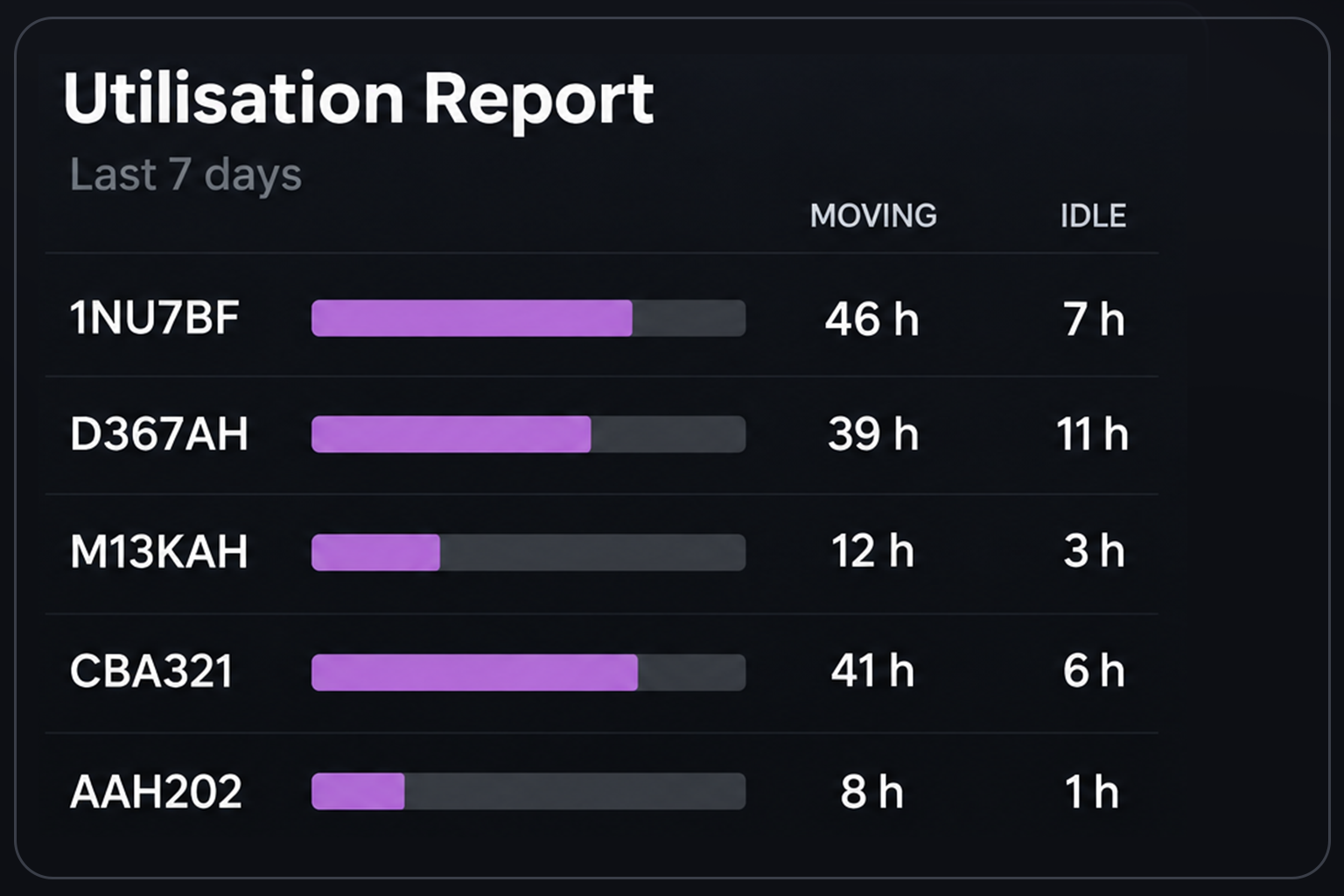
Full Utilisation Report
Drill into utilisation by vehicle and depot to understand what sits behind the headline numbers and where capacity may be underused.
Additional features
Vehicles Online
See the live online count and compare it with yesterday.
Active Faults
Surface connected fault codes that need attention.
Maintenance Due
See vehicles with maintenance due within the configured window.
High Fuel Usage
Identify vehicles consuming more fuel than their usual pattern.
Vehicles Requiring Review
Flag vehicles that need someone to investigate.
Battery and Engine Status
View available battery and engine diagnostics.
Idle Time
Measure actual idle time rather than estimating from the roster.
Odometer and Engine Hours
Keep mileage and operating hours together for each vehicle.
CAN and FMS Data
Bring supported connected vehicle signals into the platform.
Live Map and Traffic
See every connected vehicle and current traffic conditions in one view, with GPS fleet tracking.
Mobile Vehicle Card
Access vehicle health, alerts, next service and fuel information on the go.
Drive360 Handover
Turn relevant vehicle alerts into maintenance or coaching actions in Drive360.
The Data that Drives the Next Decision
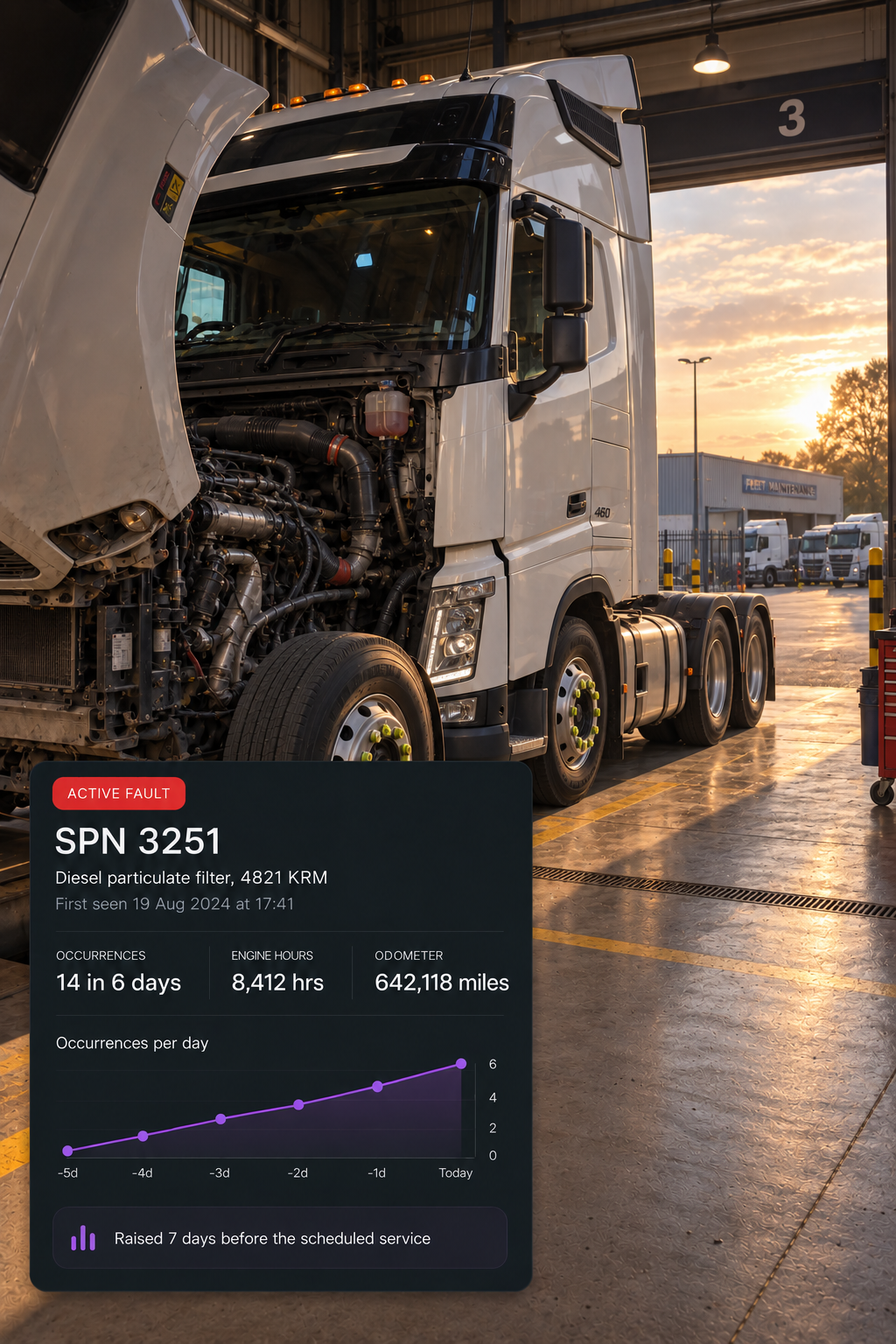
The signal
A fault code, before it becomes a breakdown
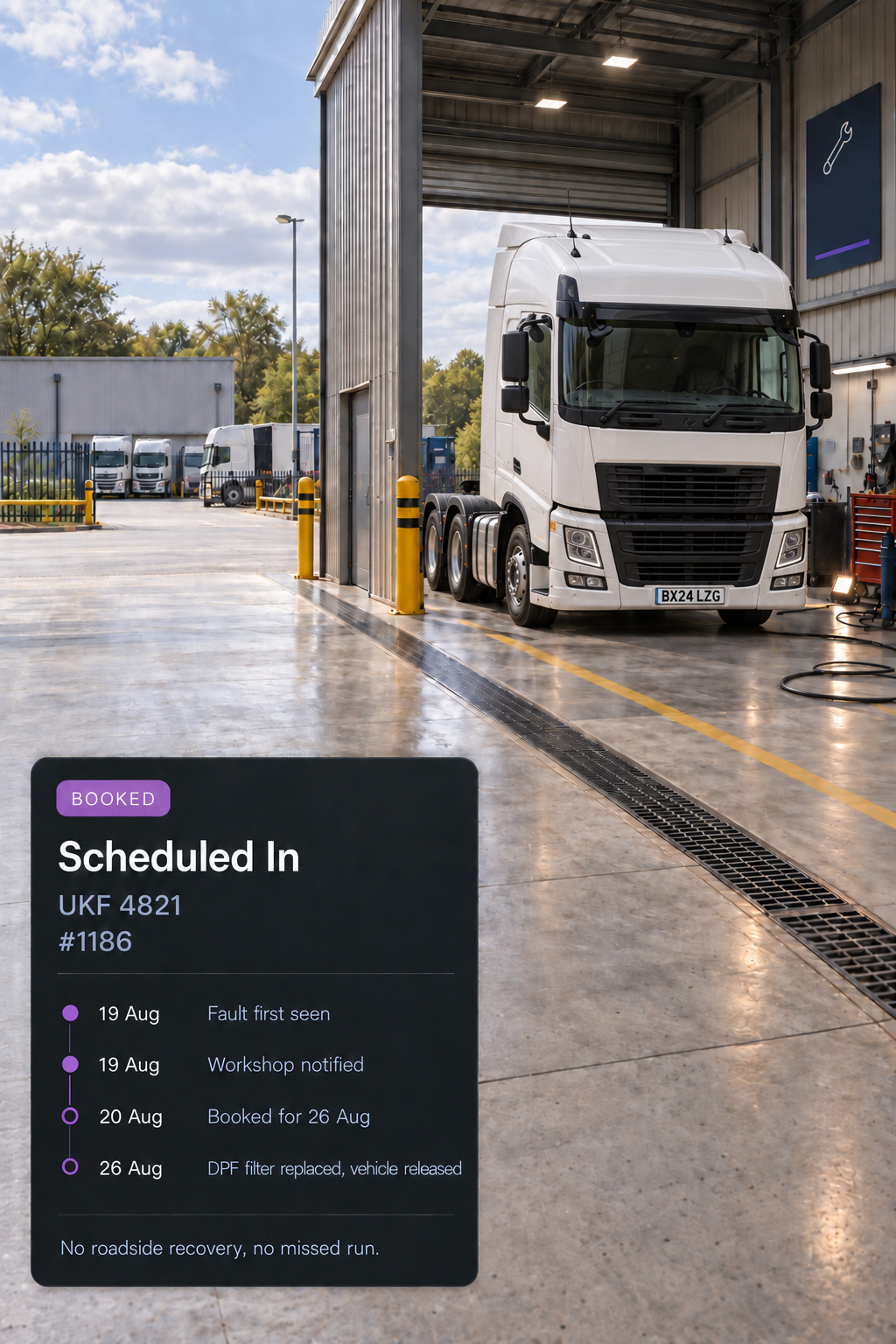
The decision
Schedule the repair before recovery is the only option
The outcome
Fleet decisions based on what the vehicles are actually telling you
What telematics data is available?
Vehicle health and diagnostics, including fault codes, battery and engine status, fuel and idling, odometer and engine hours, vehicle alerts, utilisation, and supported CAN and FMS data.
Does this depend on the vehicle?
Yes. Available data depends on the connected hardware and the vehicle's own data bus, so diagnostic depth varies by make, model and equipment fitted. Trailers, plant and equipment without their own data bus are covered by GPS asset tracking.
What happens to an alert once it is raised?
It hands over to Drive360, where it can become a maintenance action. Vehicle availability is updated, the repair is tracked and the vehicle is returned to service, so the alert ends in a completed job rather than a notification.
How is utilisation calculated?
From active, idle and offline time across the working day. The split is shown over the week, with per vehicle detail available in the full report.
Can driver behaviour be coached from here?
Yes. Harsh braking, rapid acceleration, excessive idling, speeding, high RPM and seatbelt off can be measured by severity and turned into coaching through Drive360.
Is any of this visible on mobile?
Yes. The vehicle card shows health, active alerts, next service and fuel level, giving you the vehicle's current state without opening the full console.
Can Vision360 help with vehicle readiness?
Yes. Connected vehicle data can be viewed alongside maintenance and inspection information, helping teams identify vehicles that require attention before they are put into operation.
See More Than the Vehicle. Understand Its Performance.
Understand the health, efficiency and utilisation of every vehicle, with the insight to make better fleet decisions.