Tachograph
Bring Driver Hours and Tachograph Records Into Clearer View
Connect tachograph data with Drive360 to give managers greater visibility over driving, work and rest records, exceptions and driver activity.
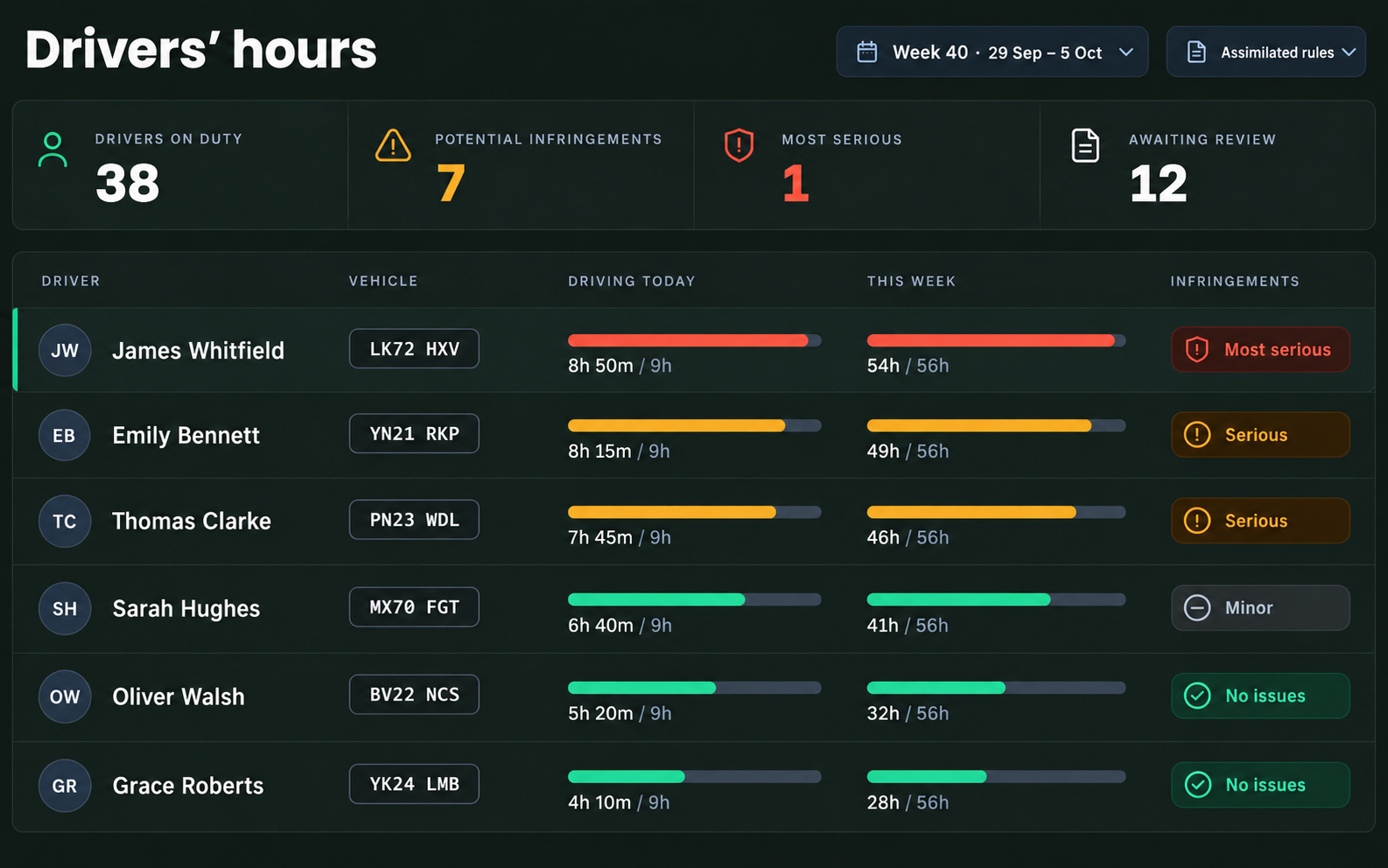
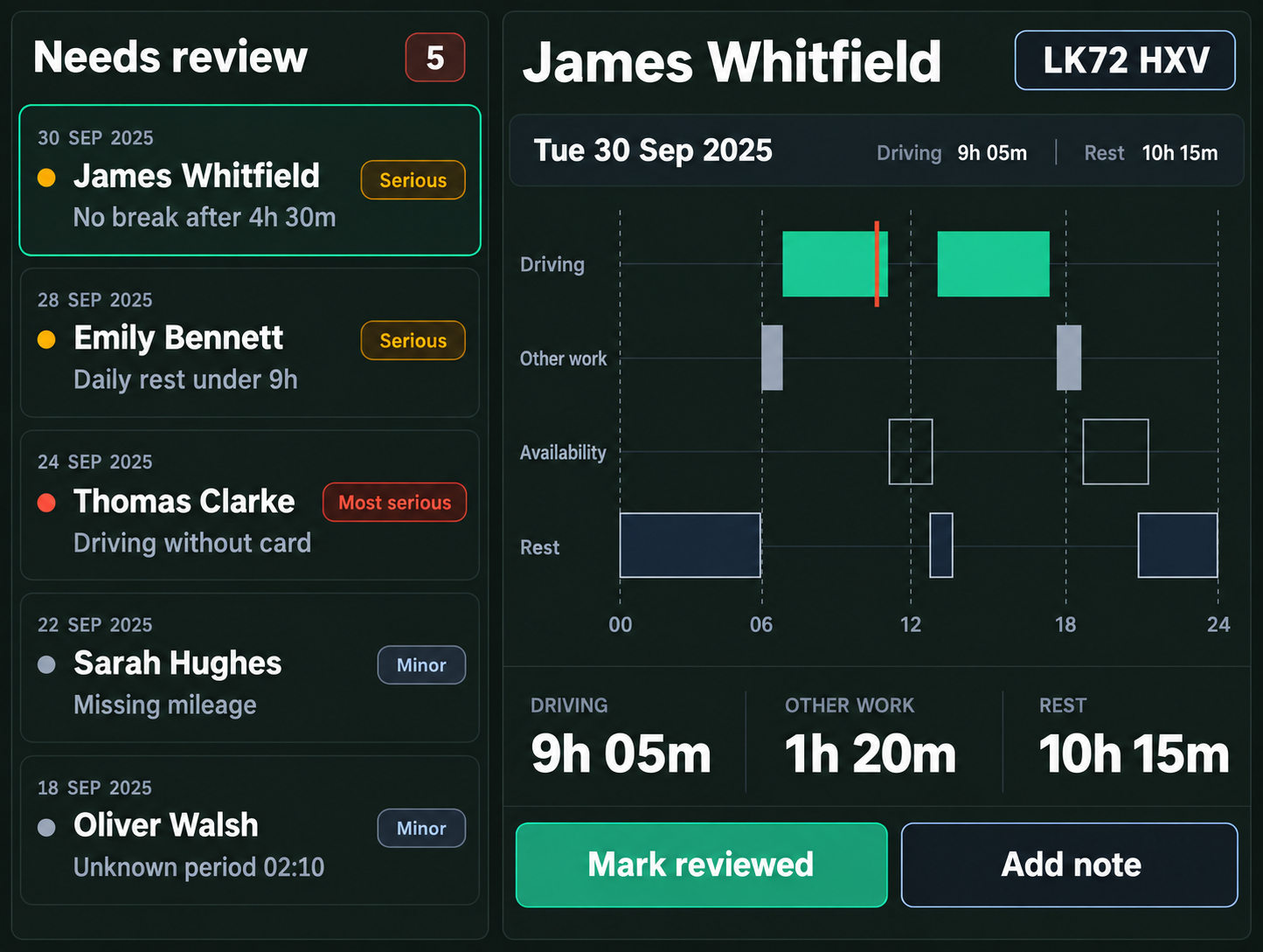
- Driving, Work & RestSee recorded driving time, breaks, rest, other work and periods of availability.
- Driver Hours VisibilityGive managers a clearer view of driver activity and hours across the operation.
- Exceptions & ReviewBring potential drivers’ hours issues and records requiring attention forward for review.
- Clear Record HistoryKeep tachograph information accessible for review, reporting and follow up.
MAKE TACHOGRAPH DATA EASIER TO MANAGE
Bring Driver Hours Into the Wider Operation
- Connect tachograph data with driver records
- Keep driving, work and rest activity visible
- Bring potential exceptions forward for review
- Reduce time spent pulling records together
- Give managers clearer oversight
- Keep tachograph activity connected to the driver
How it works for drivers
1
Insert Driver Card
Insert the driver card into the correct slot and make sure it is ready for use before the vehicle is moved.
2
Record Activity
Driving is recorded by the tachograph, while the correct modes are used for other work, availability, breaks and rest.
3
Complete Manual Entries
Record relevant activity that occurred away from the vehicle where required.
4
Keep Records Complete
Make sure the required activities are correctly recorded throughout the daily working period.
5
Make Data Available
Driver card data can then be downloaded by the operator for review and analysis.
Complete Visibility Across Driver Activity
Driving & Activity History
- Driving time
- Breaks and rest
- Other work
- Periods of availability
- Driver activity history
Records & Reporting
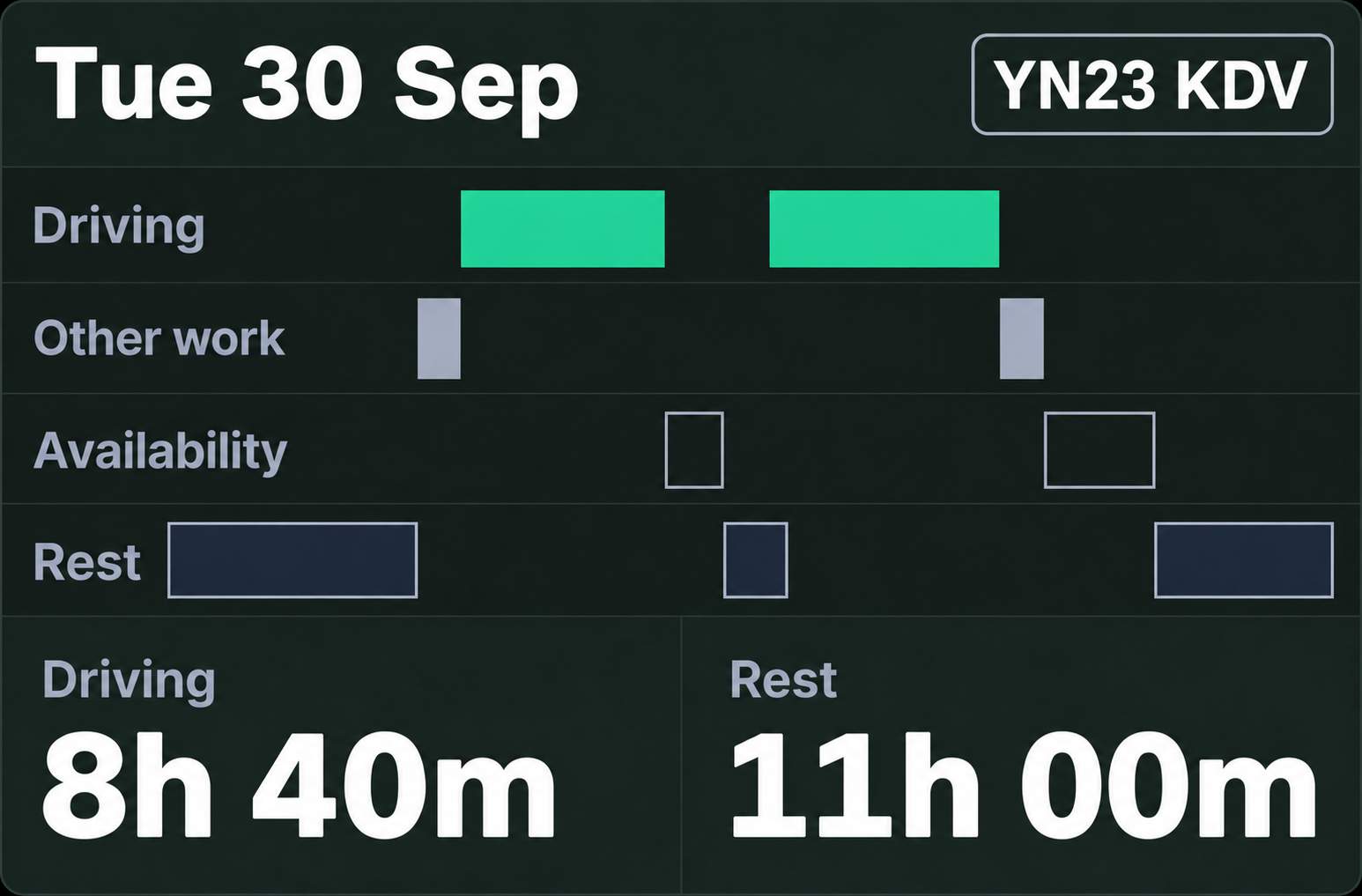
- Driver card records
- Vehicle unit data
- Driver summaries
- Date range reporting
- Data available for analysis
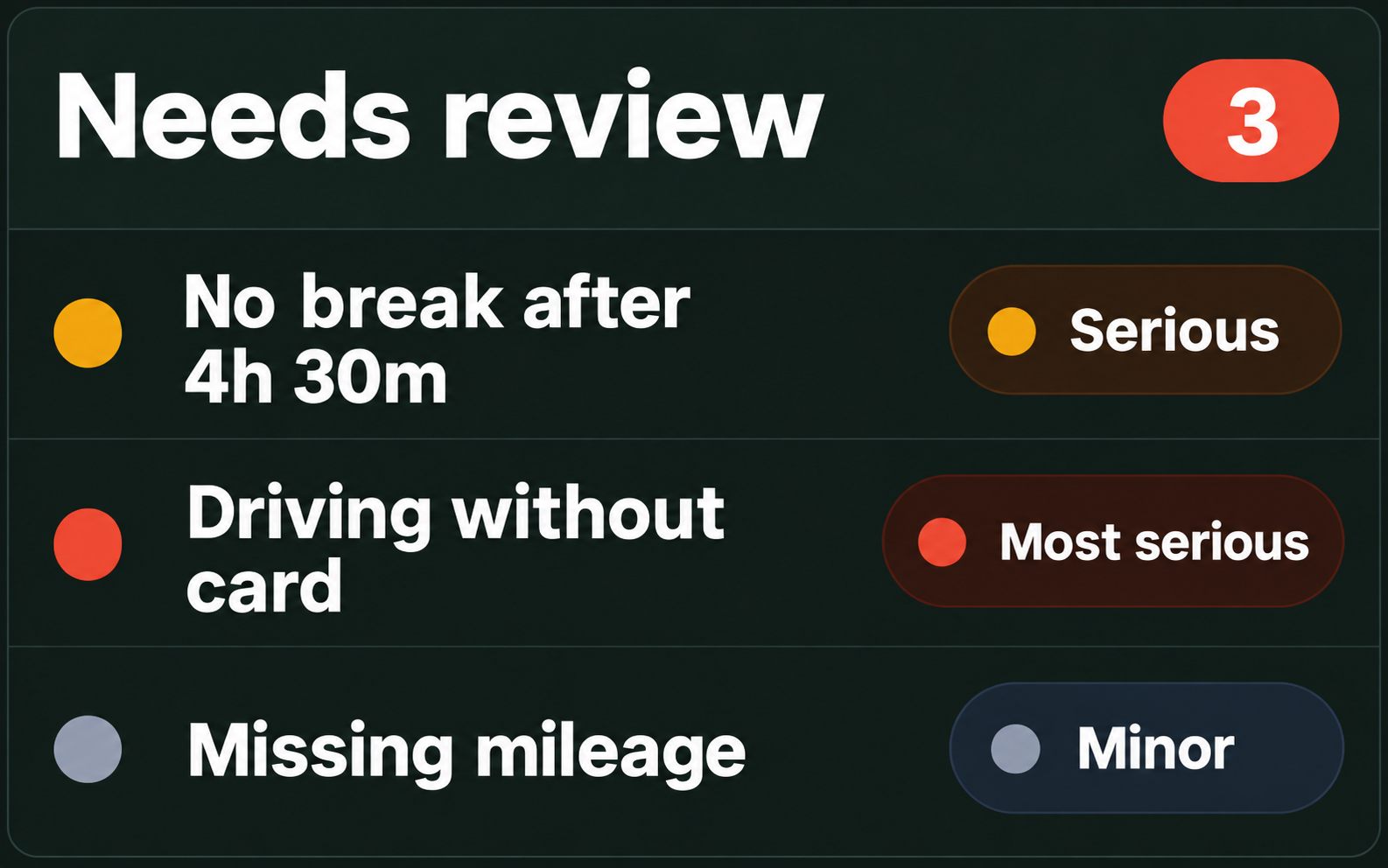
Exceptions & Review
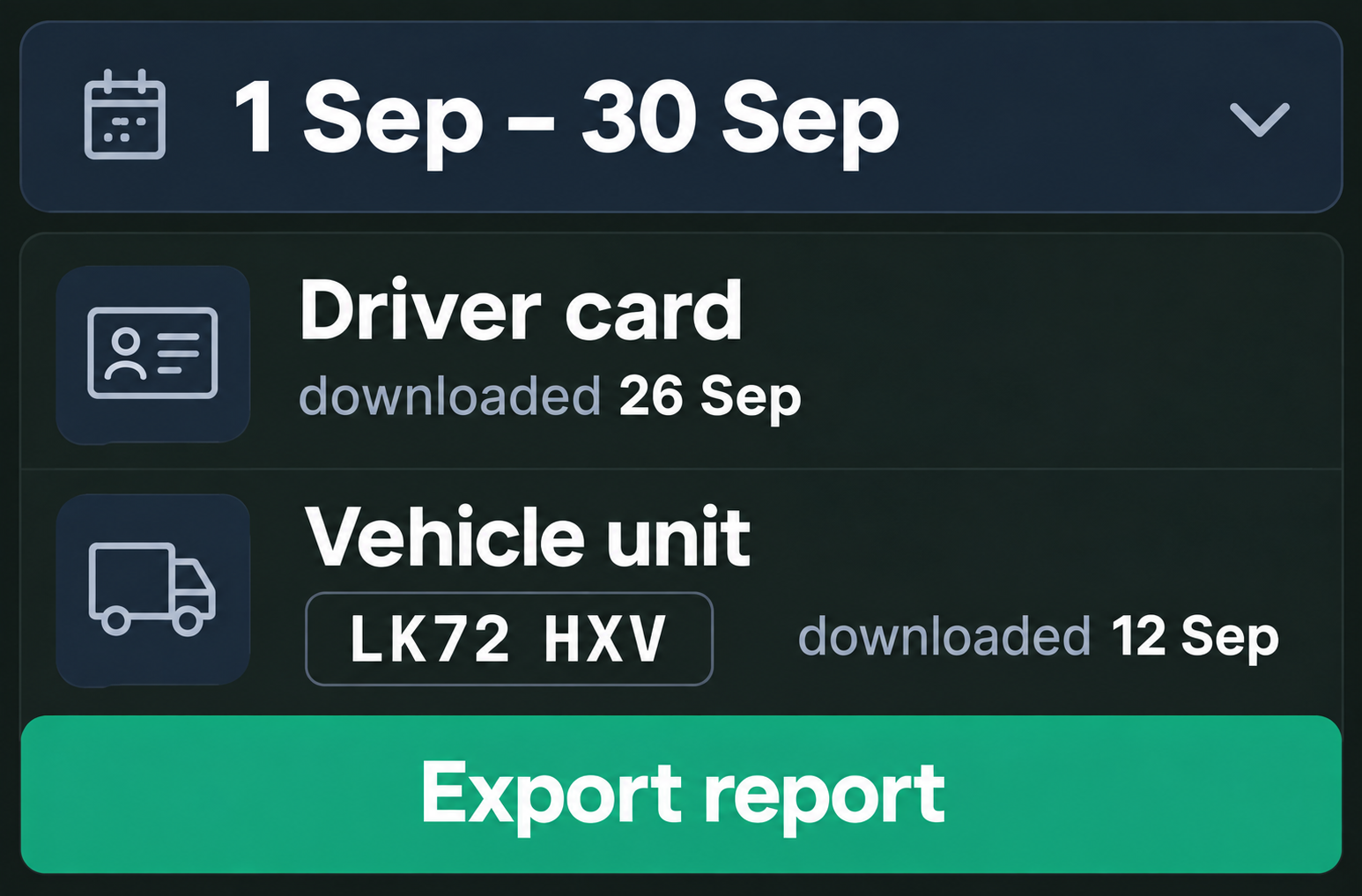
- Potential driver hours infringements
- Missing or incomplete activity
- Records requiring attention
- Activity requiring manager review
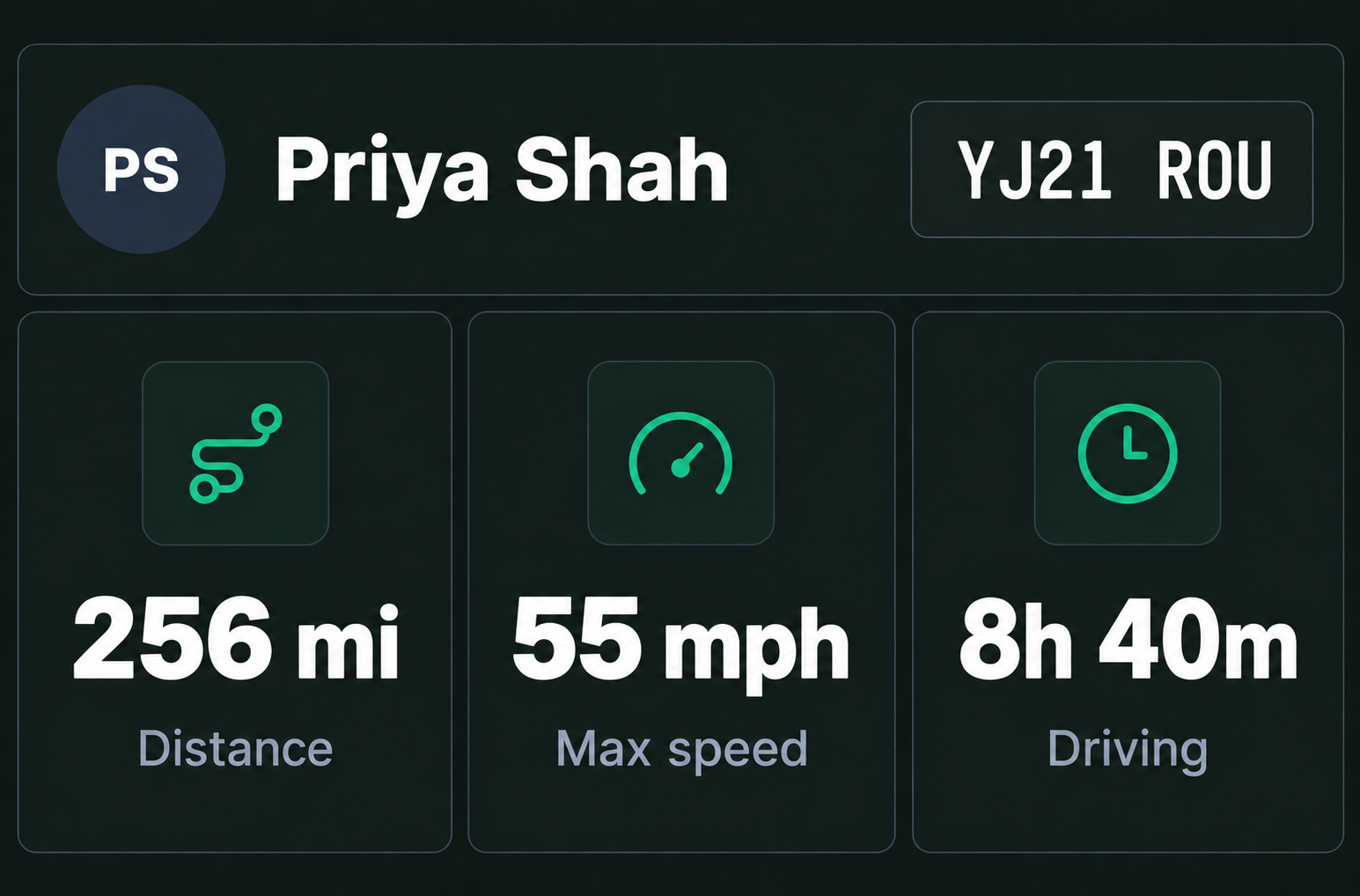
Driver & Vehicle Context
- Driver activity
- Vehicle activity
- Speed and distance data
- Relevant tachograph records connected for review
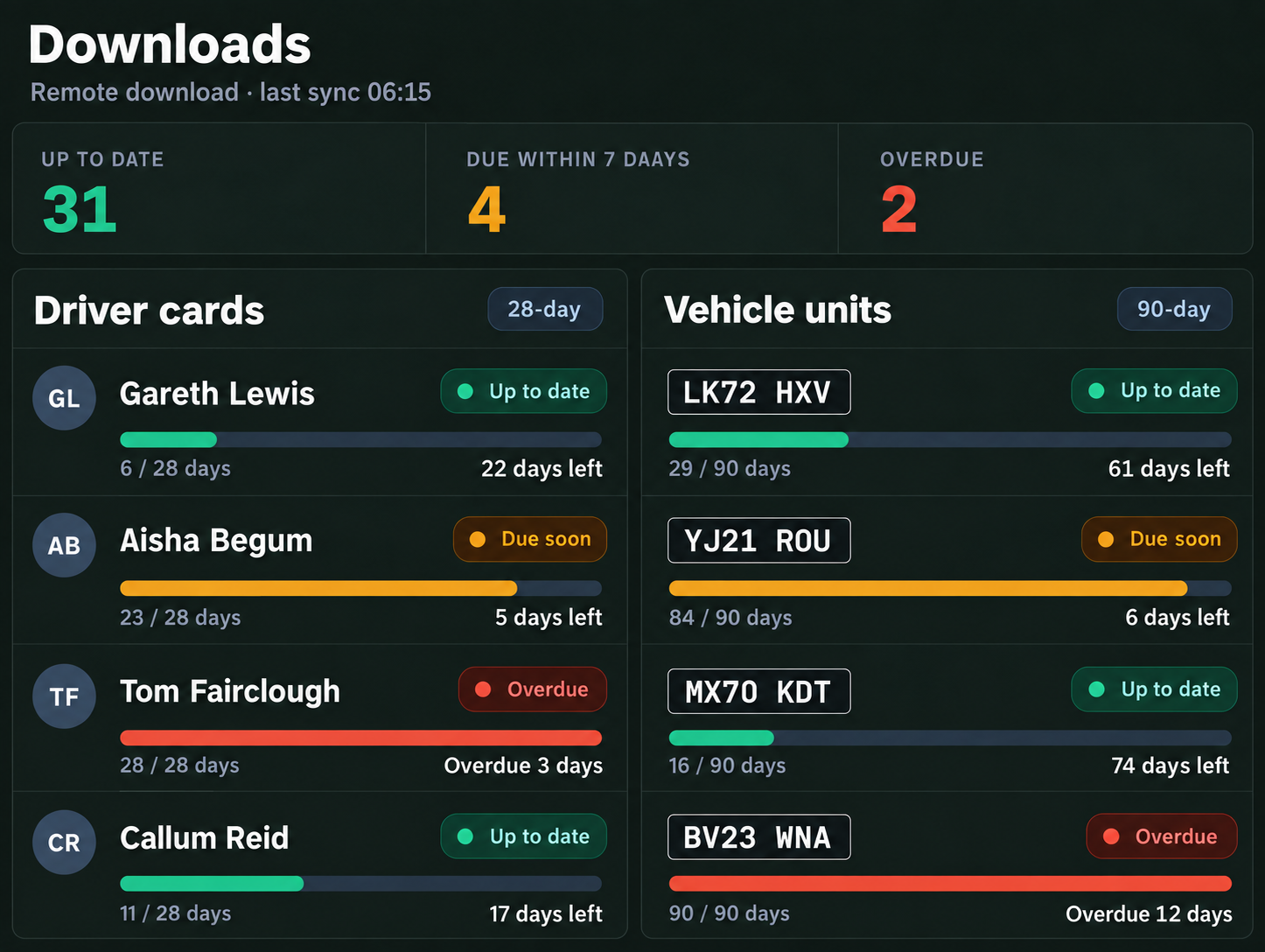
Stay Ahead of Tachograph Downloads
- Keep driver card downloads up to date
- Track vehicle unit download deadlines
- See upcoming download requirements
- Identify overdue downloads
Built for Drivers. Clear for Managers.
Connected Records
Bring tachograph activity together with the wider driver and vehicle record.
Clearer Visibility
Give managers a clearer view of driving, work and rest activity.
Compliance Support
Support drivers’ hours review and compliance processes with connected records and reporting.
Easier Review
Bring relevant driver activity and records together when managers need to investigate.
Clear History
Keep tachograph information available for review and reporting.
Manager Oversight
Help managers identify records and potential exceptions that require attention.
Frequently Asked Questions
What is Tachograph data?
Tachograph data records a driver’s driving time, breaks, rest, other work and periods of availability. Drive360 connects this information with the wider driver and vehicle record for clearer visibility and review.
What Tachograph information can managers see in Drive360?
Managers can view relevant driving, work and rest activity, driver card records, vehicle unit data, activity history and potential exceptions that may require attention.
How does Drive360 support Tachograph compliance?
Drive360 helps bring tachograph records and potential driver hours issues into a clearer operational view, making it easier for managers to review activity and identify records requiring attention.
How often do Tachograph records need to be downloaded?
UK operators generally need to download driver card data at least every 28 calendar days and vehicle unit data at least every 90 calendar days, along with downloads required in certain other circumstances. Drive360 can help keep downloaded tachograph information accessible for review and analysis.
Can Tachograph data be connected with driver and vehicle records?
Yes. Connecting tachograph data with Drive360 helps bring driver activity, vehicle information and tachograph records together, giving managers a clearer picture of operations and making records easier to review.
Record the Hours. See the Full Picture.
Connect Tachograph data with Drive360 to give your team greater visibility over driver activity, records and exceptions.
- Connected with your operation
- Clearer manager visibility
- 24/7 support
Digital and smart tachographs store information in the vehicle unit and separately on the driver's card. Drivers are responsible for correctly recording relevant activities, including using the appropriate mode.