Delivery Exceptions & Replanning
Keep the Operation Moving When Plans Change
Detect issues, understand their impact and reassign work without losing sight of drivers, routes or customers.
- Detect delivery exceptions
- Compare replanning options
- Reassign and reschedule work
- Update drivers and customers
- Keep routes moving
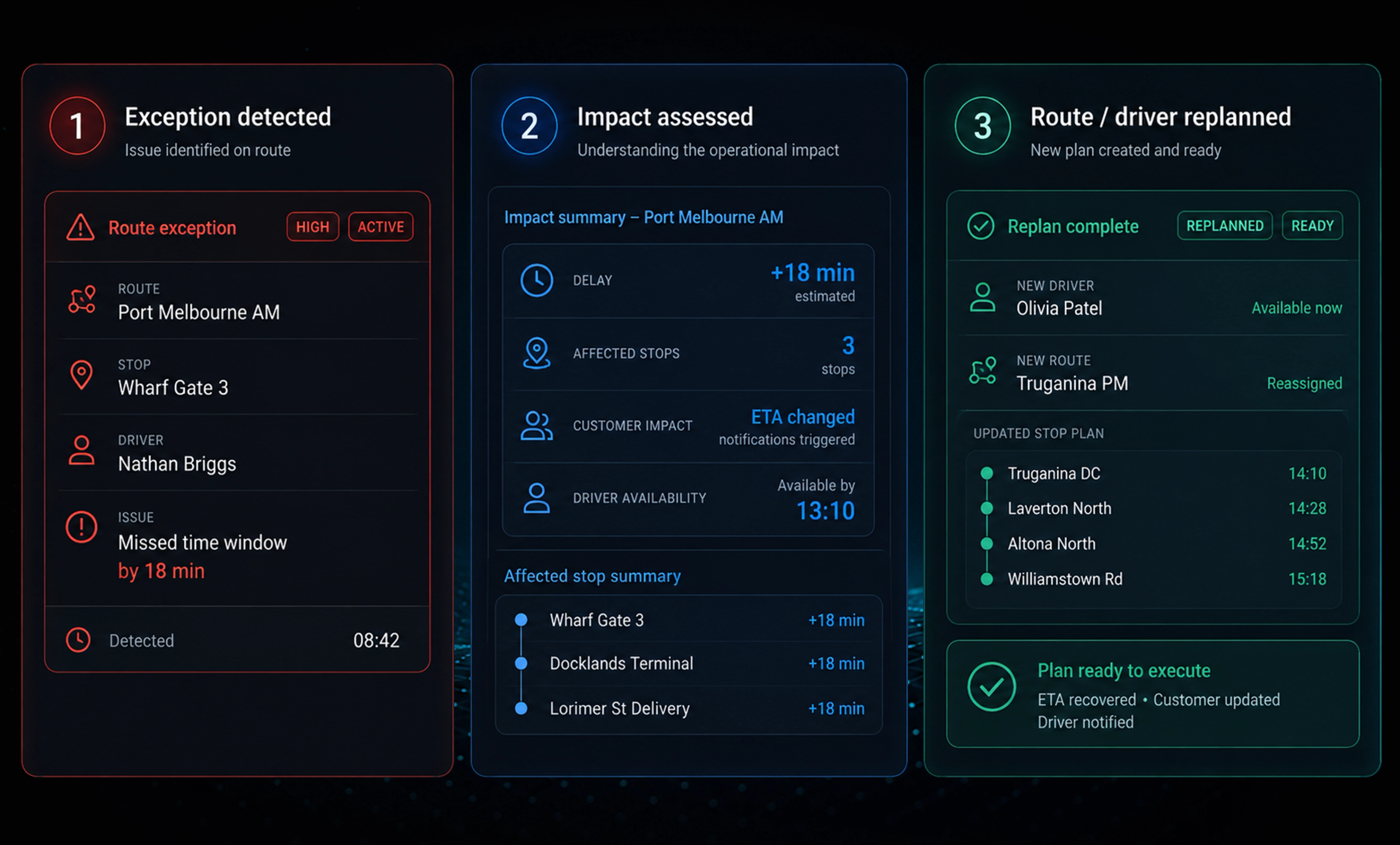
THE REPLANNING WORKSPACE
Move the Work. Keep the Plan.
Move selected work, compare the impact and check the new plan before applying any changes, whether you're managing busy urban deliveries or routes across multiple depots and operating locations.
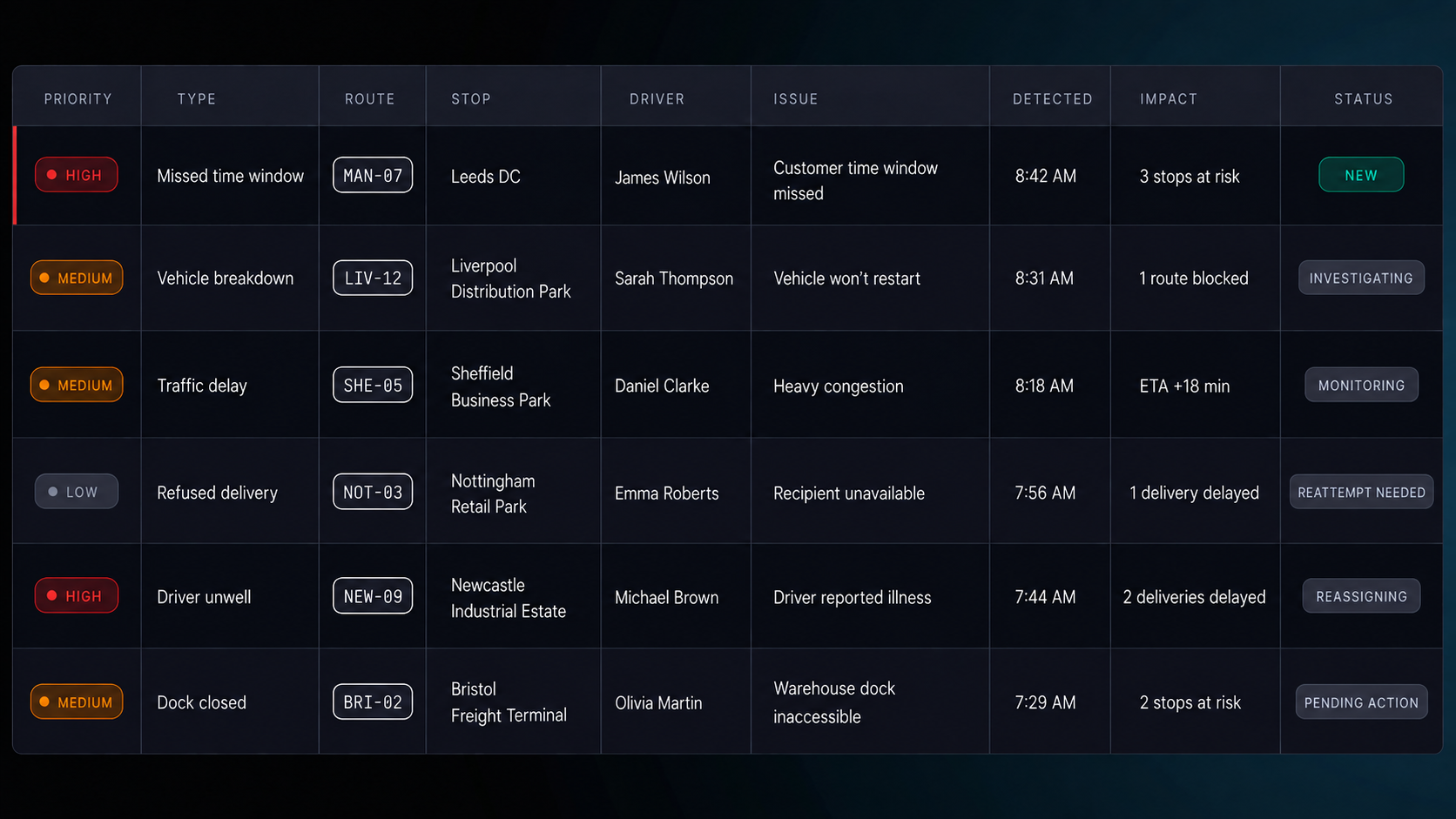
What Happens When Changes Are Applied
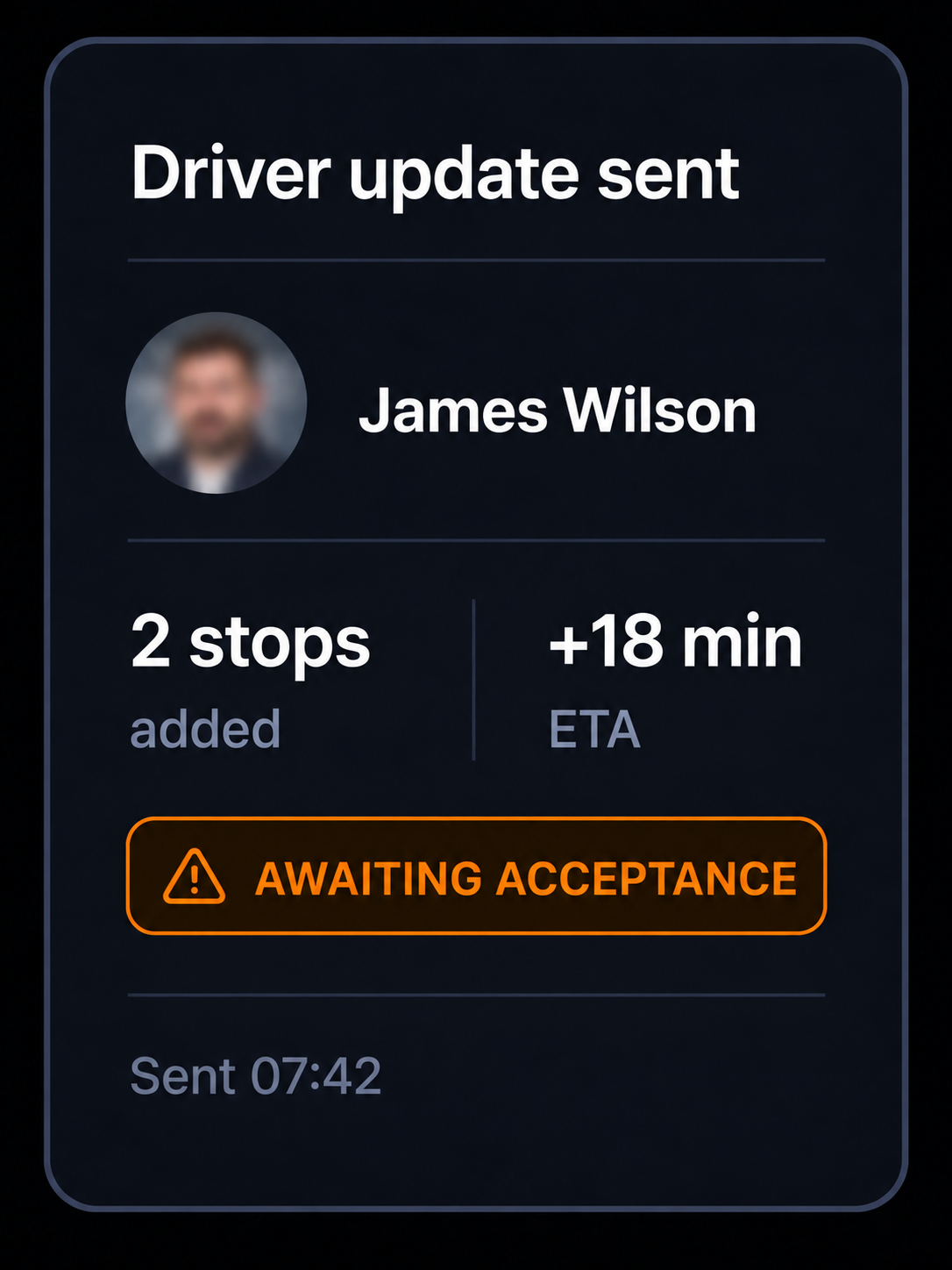
Driver notified. The change is sent to the driver in the app for acceptance.
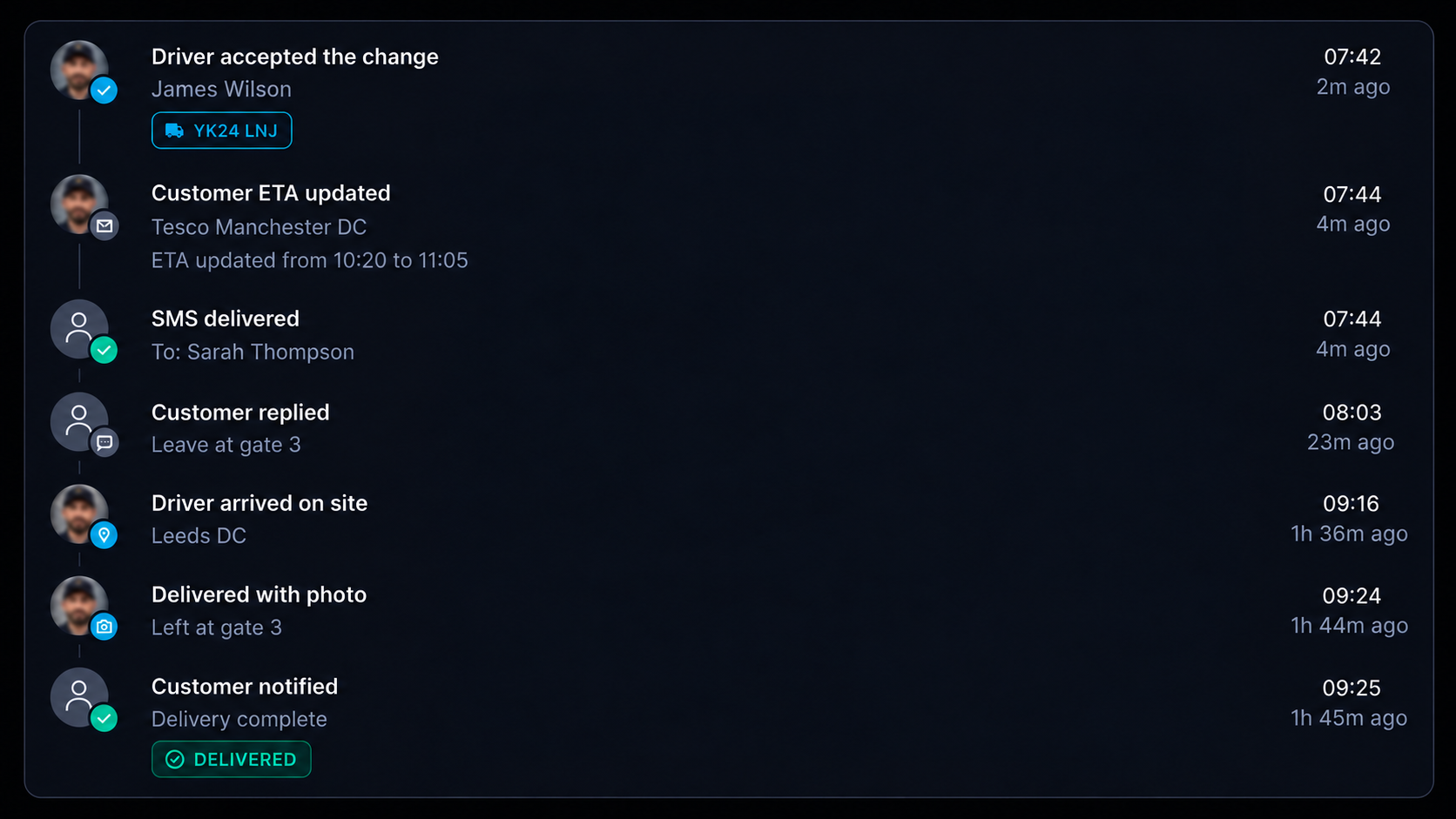
Updates sent. Driver updates, customer ETA changes and message delivery are recorded in sequence, with each event timestamped.
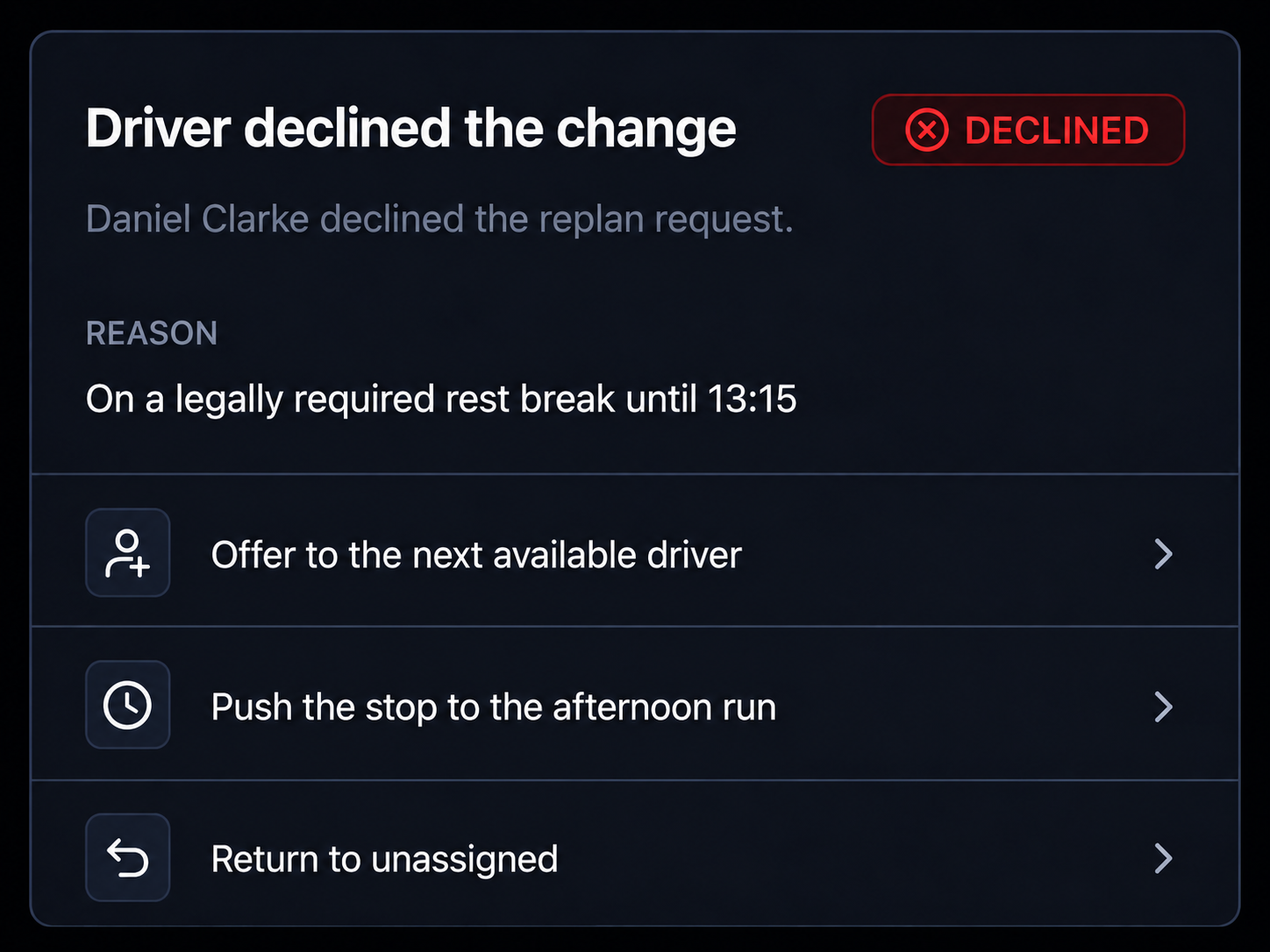
Change declined. The dispatcher is alerted, alternative options are shown and another change can be applied.
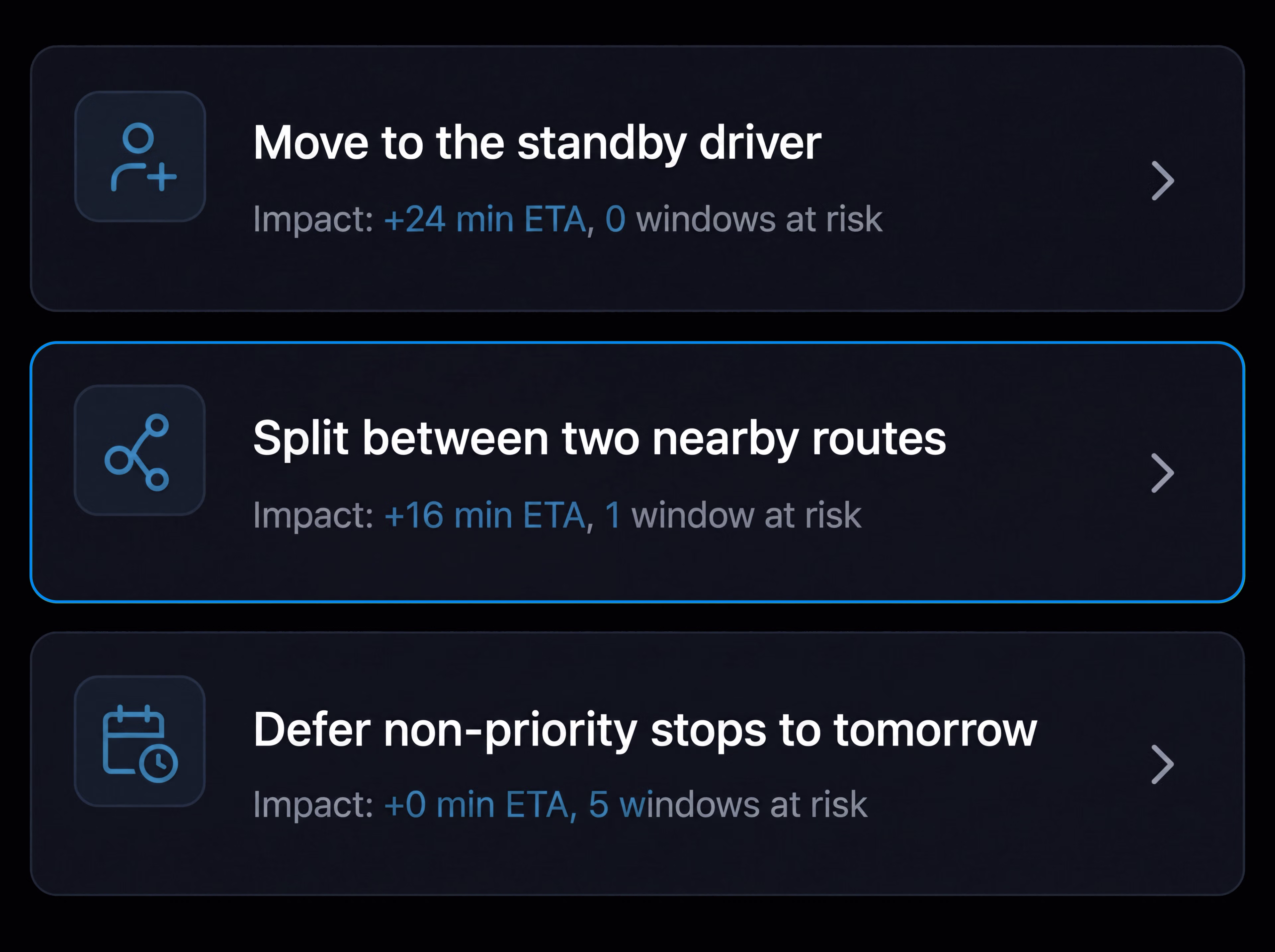
Shift reassigned. Reassign the remaining stops, the full shift or move the work to another day.
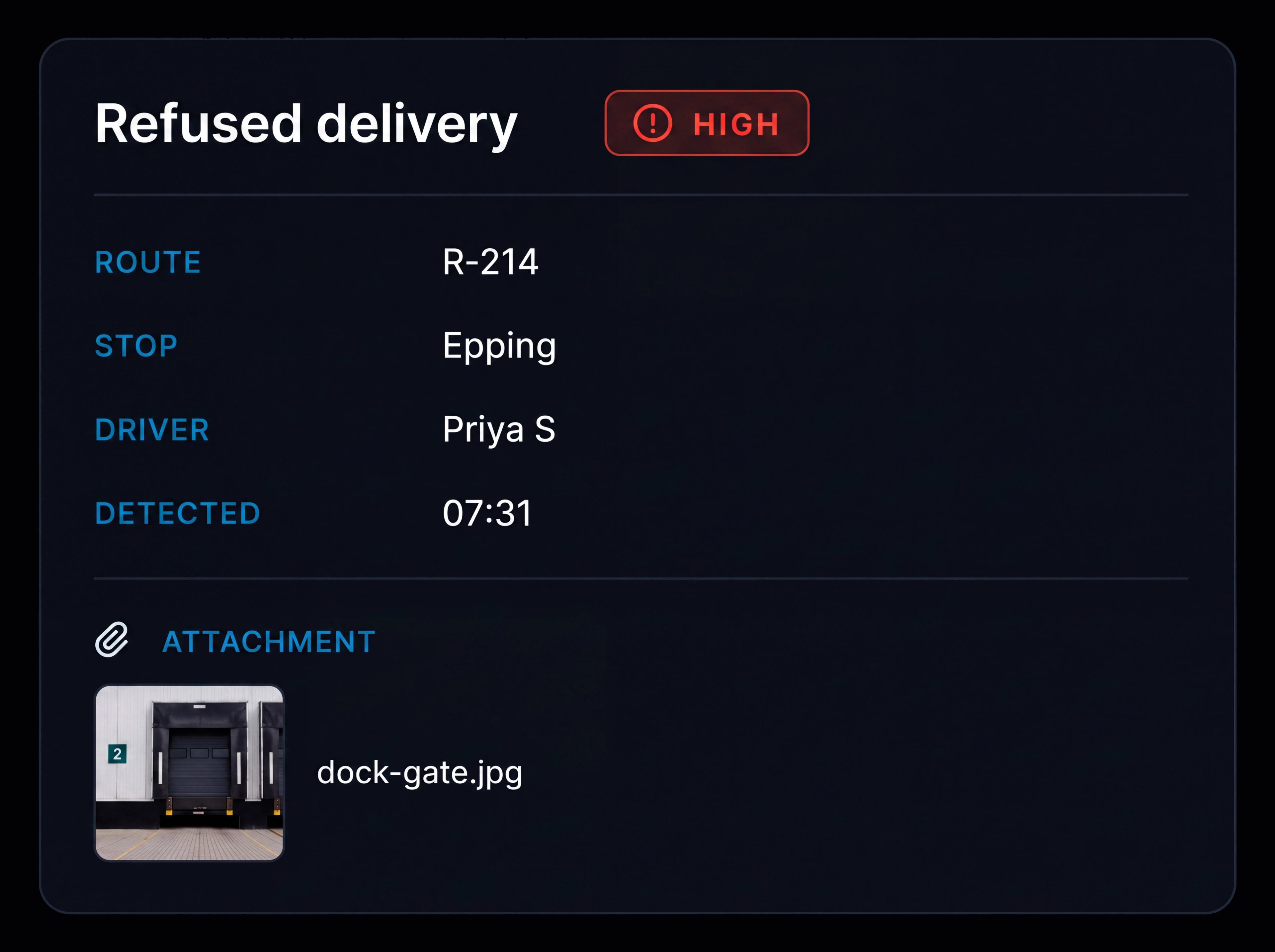
Exception details. See the exception type, route, driver, vehicle, stop, original window, cause, impact, owner and notes.
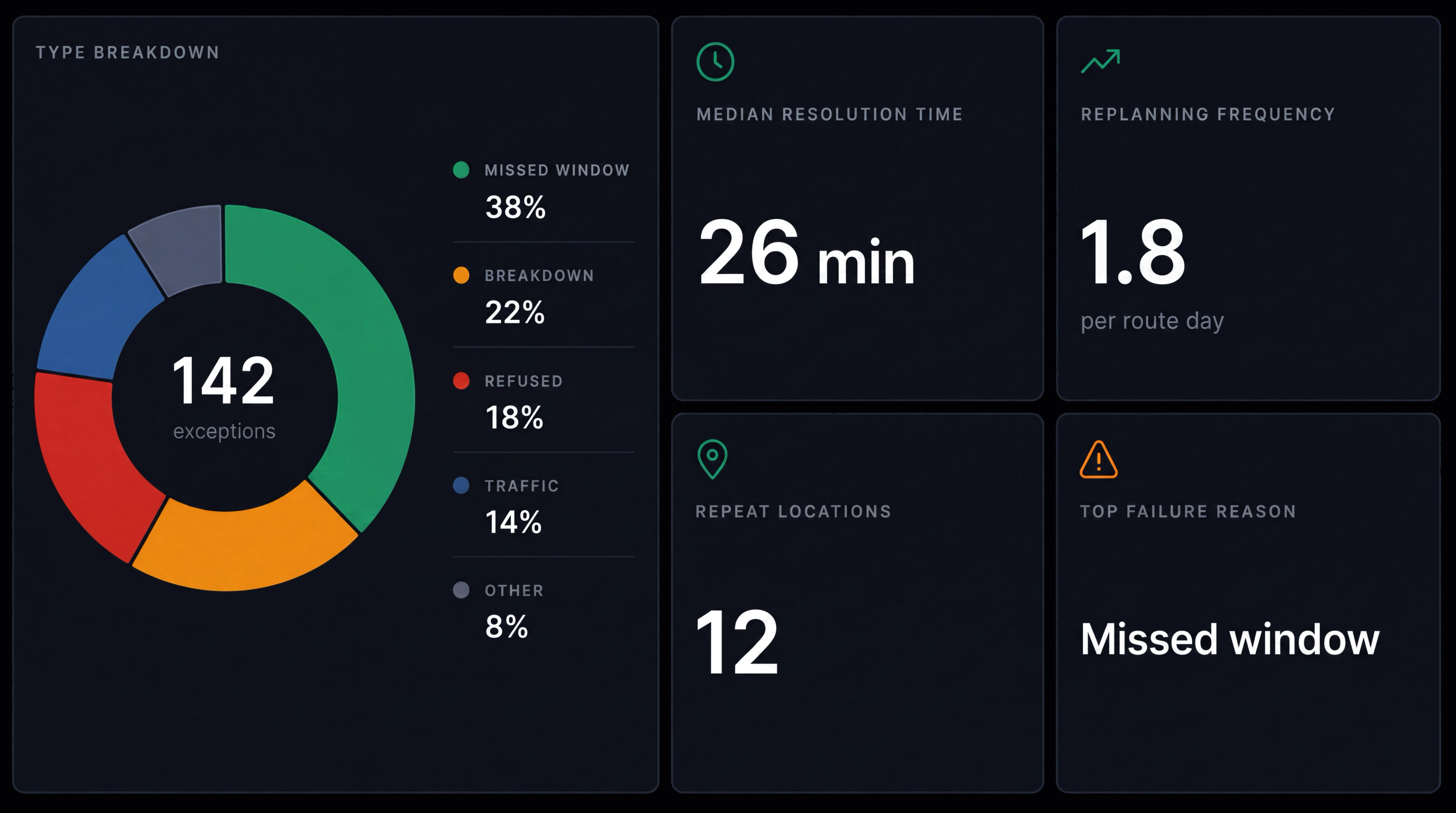
Exception reporting. Track exception types, average resolution time, replanning frequency, repeat locations and failed delivery reasons.
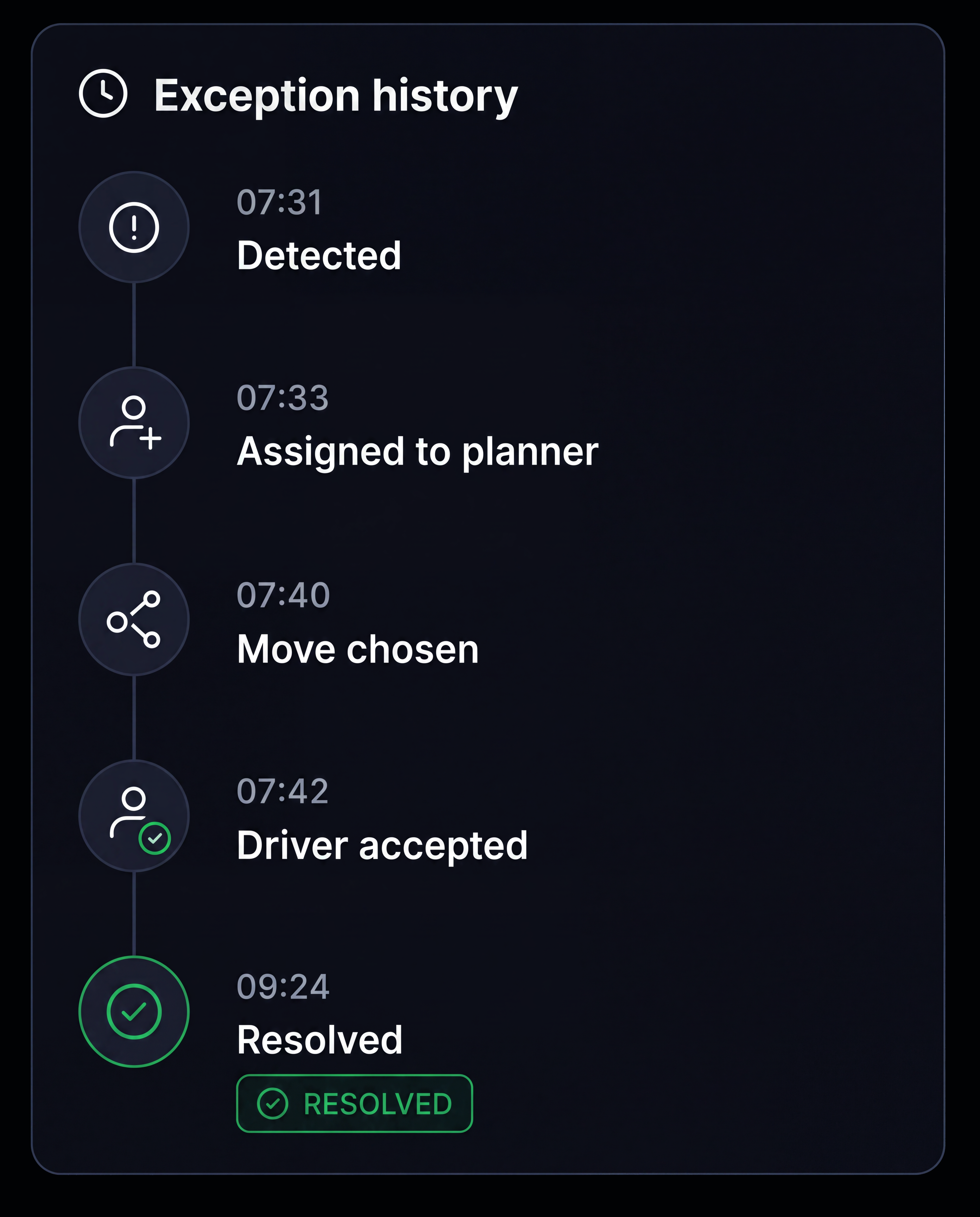
Full history. Keep the exception timeline from detection through to resolution.
Additional features
Auto Refresh
The board updates automatically without needing a reload.
Prioritisation
Set high, medium or low priority based on operational impact.
Route Rescheduling
Move a stop within the same driver's day.
Recovery Routes
Build a new route for affected stops.
Return to Depot
Send an item back and create the return job.
Resolution Owner
Assign someone to take ownership of each exception.
Attachments
Keep driver photos attached to the exception.
Repeat Locations
Identify locations where the same problems keep occurring.
Replanning Scope
Move a stop, route segment, full route or shift.
Impact Comparison
Compare ETA, distance, drive time and affected customers.
Change Validation
Check key driver, vehicle and route requirements before a change is applied.
Republish Routes
Publish updated routes and ETAs in one action.
Frequently Asked Questions
What can be moved when a plan breaks?
Move a single stop, a section of a route, a full route or an entire shift. Choose the scope first, and the available replanning options adjust to match.
How do I compare the available options?
Compare each option by ETA change, additional distance, drive time, affected jobs, time window impact and customers affected. The recommended option is highlighted based on the selected criteria, with the reason for the recommendation shown.
What stops a replan creating a new problem?
Each change can be checked against driver availability, configured driving, working and rest requirements, licences and skills, vehicle capacity and maintenance status, time window feasibility, route overlap and planned breaks. Any flagged issue is shown before the change is applied.
What if the driver declines the change?
The dispatcher is alerted and alternative drivers and routes are suggested. If the driver does not respond, alternative options are surfaced rather than leaving the change unacknowledged.
Are customers updated when the plan changes?
Where configured, a revised ETA can be sent through the customer’s selected notification channels when a change is applied, while the tracking page reflects the latest delivery information. Notification activity and delivery status can be recorded against the job.
Handle Delivery Issues From One Place
Detect, compare, reassign and communicate in one workflow.
- Secure, role based access
- Replanning and change history
- Communication via app, SMS and email
- Available across web and mobile