[ AI detection ]
AI Driver Fatigue & Drowsiness Detection
Vision360 detects supported signs of driver fatigue and drowsiness over time, alerts the driver through supported in cab devices and gives fleet teams the video, vehicle and journey context to review and respond.

How Driver Fatigue Detection Works
01
Visible indicators
Eye closure, yawning, head nodding and eye rubbing detected through the in cab camera.
02
Contextual signals
Inattention, lane movement, speed behaviour and journey timing provide greater context around each event.
03
Configured logic
Set the frequency, duration, indicator combinations and severity thresholds that trigger an event.
04
Fatigue event detected
An event is raised when the configured conditions are met, with a confidence level attached. Human review may still be required.
Worked example
From Fatigue Detection to Response
The event
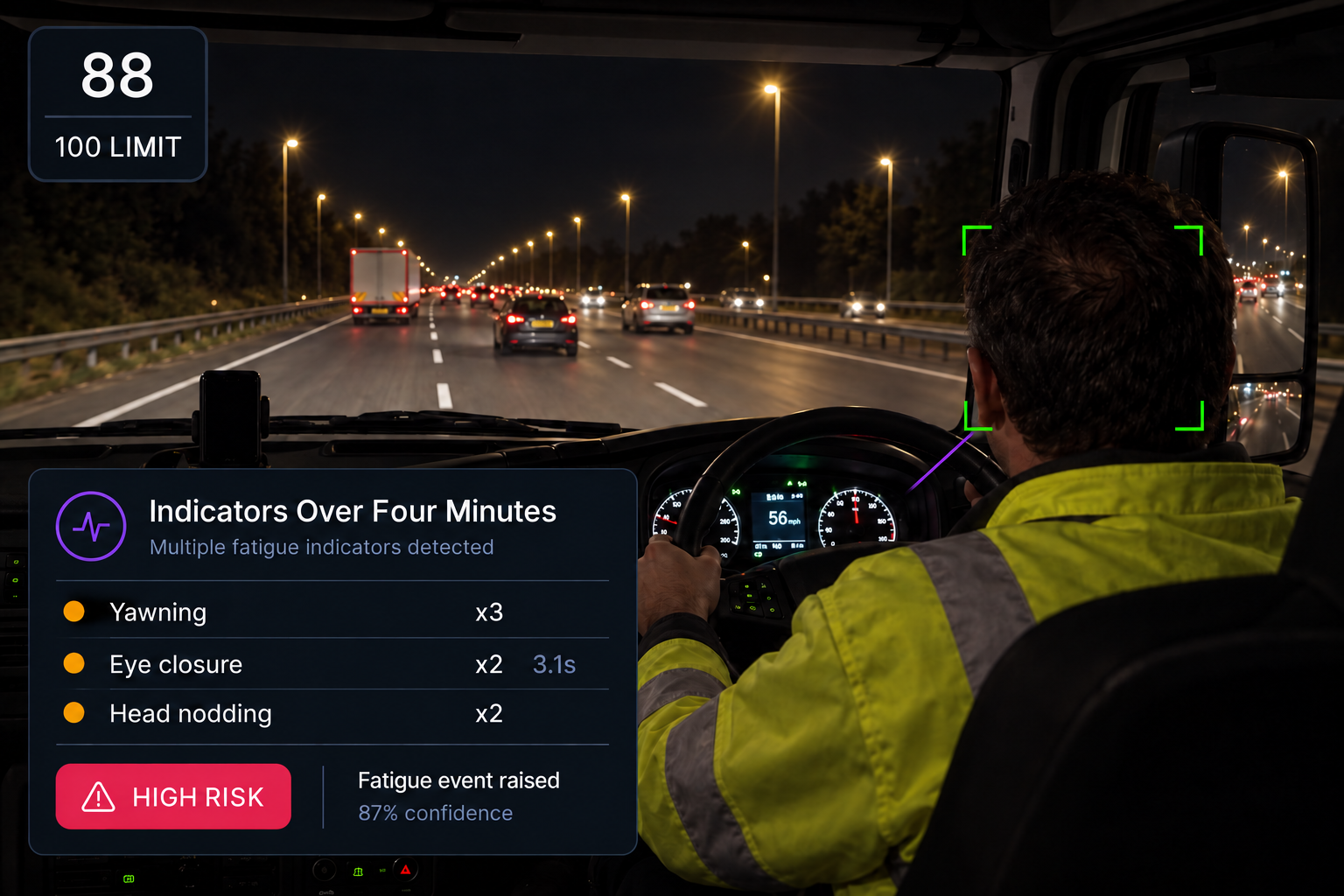
In this example, three yawns in four minutes, repeated eye closure and head nodding combine to trigger a high-risk fatigue event. The event is assigned a confidence level based on how closely the detected indicators match the configured rules.
The response
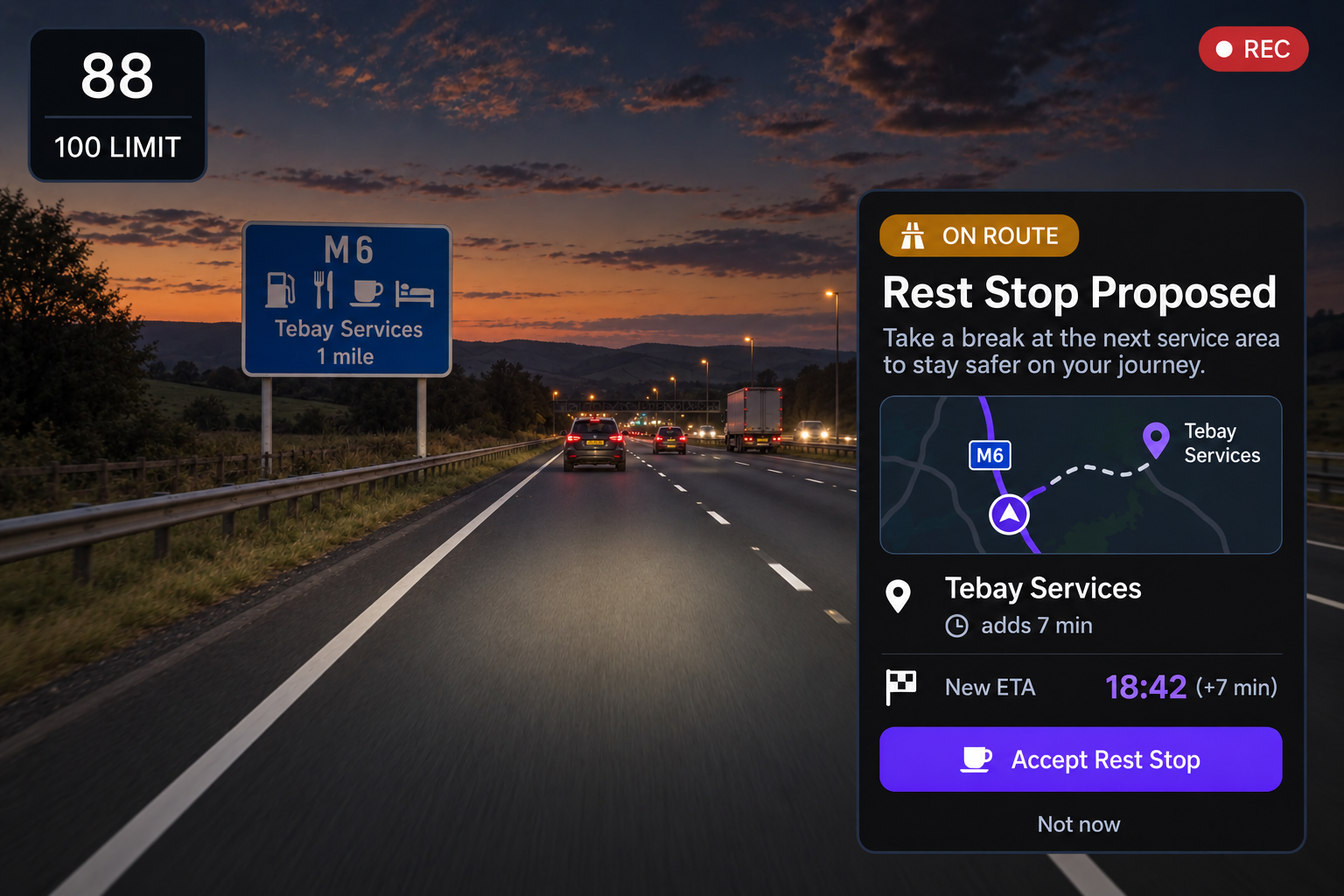
A rest stop is proposed based on the remaining route. The dispatcher can review the location, updated ETA and added time before sending the stop to the driver.
From Detection to Action
Driver intervention
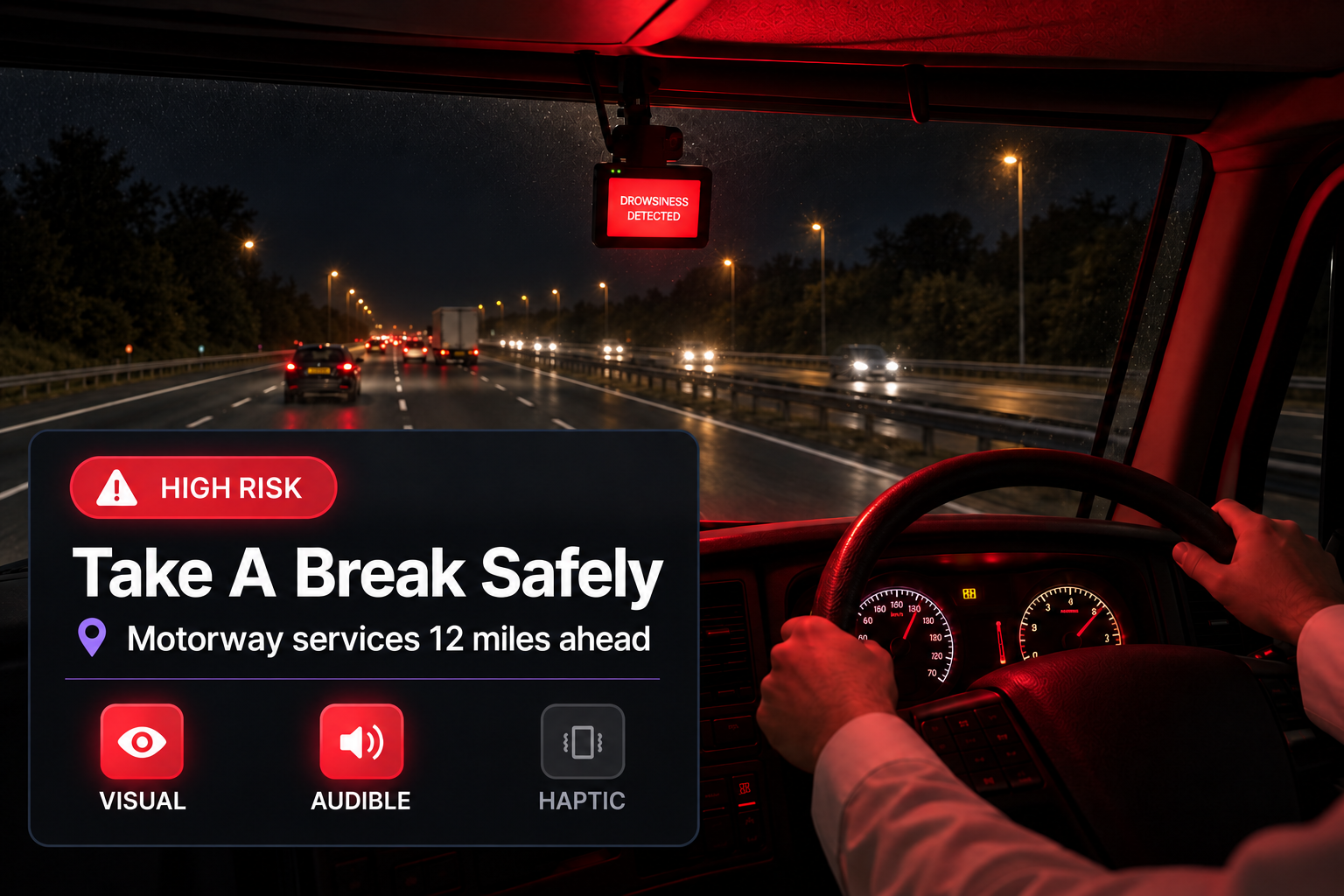
Prompt the driver through supported in cab alerts, using visual, audible and haptic warnings where available.
Operations response
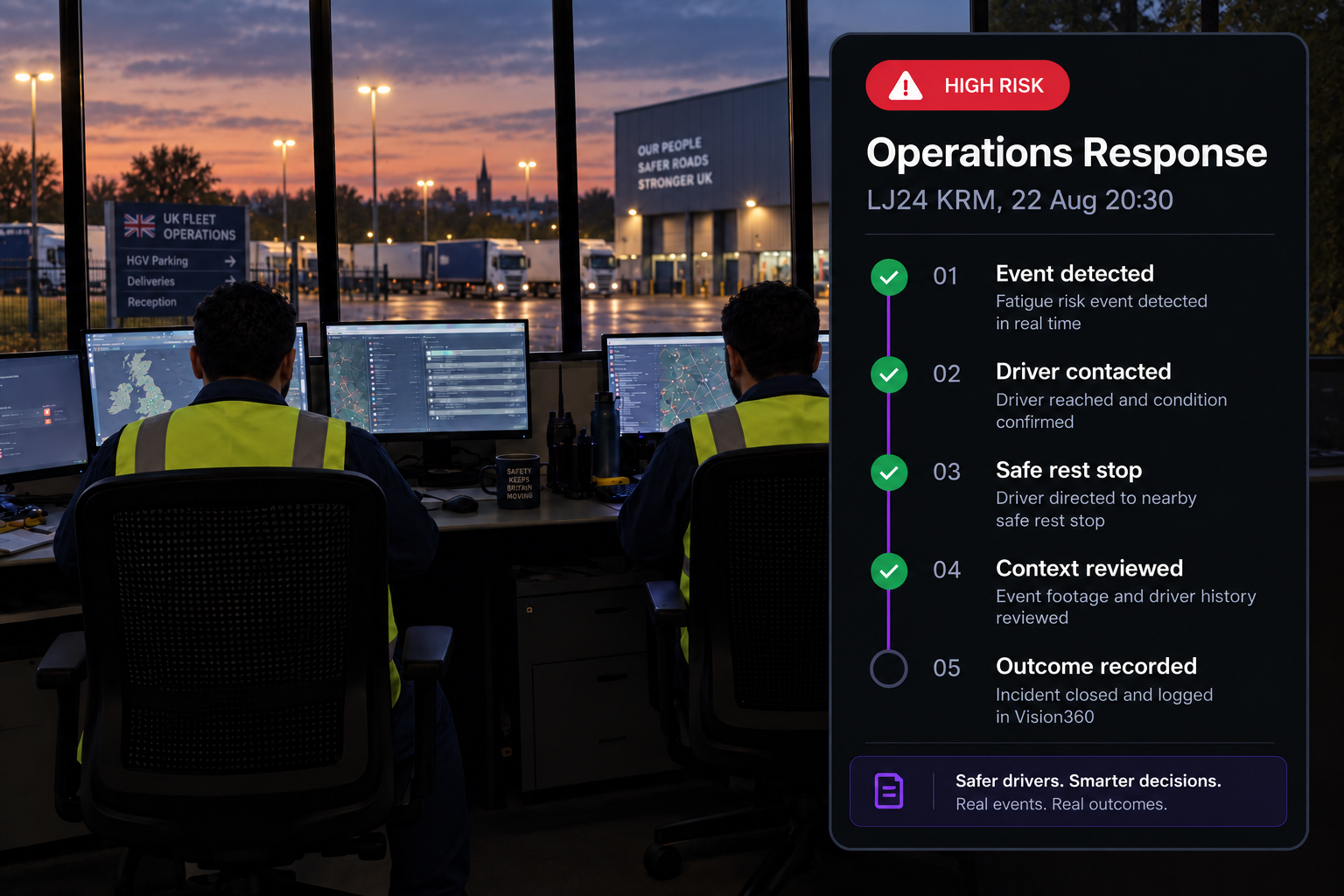
Follow a structured workflow from high risk event to driver contact, safe rest stop, context review and escalation.
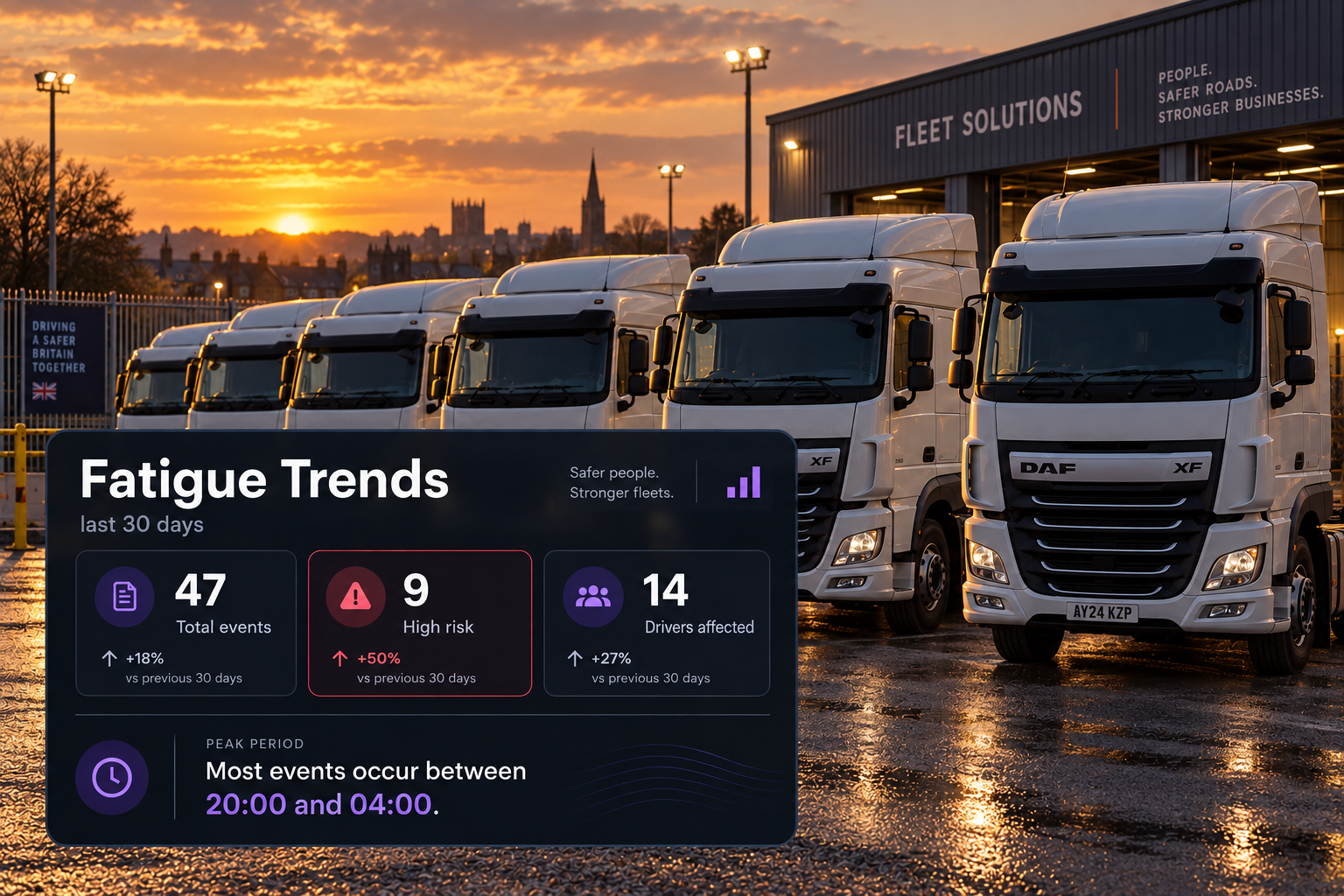
Fatigue trends
Track when fatigue events occur and which drivers have repeated events, so teams can focus on patterns rather than individual incidents.
Additional features
Multiple Signal Detection
Combine fatigue indicators to identify emerging patterns.
In Cab Alerts
Visual, audible and haptic alerts where supported.
Full Event Context
Review event video, telematics and work and rest information together.
Recurring Patterns
Identify drivers, times and routes with repeated fatigue events.
Confidence Levels
Show how strongly the detected indicators match your configured rules.
Configurable Thresholds
Set frequency, duration, indicator combinations and severity.
Event Video
Capture ten seconds before and after the event.
Event Details
Record the vehicle, driver, location, speed and direction.
Escalation
Send events to a manager or safety team for review.
Time of Day Analysis
Identify when fatigue events occur most often.
Driver Trends
Track drivers with repeated fatigue events.
Audit Trail
Record the outcome and close the event.
See Every Event From Every Angle
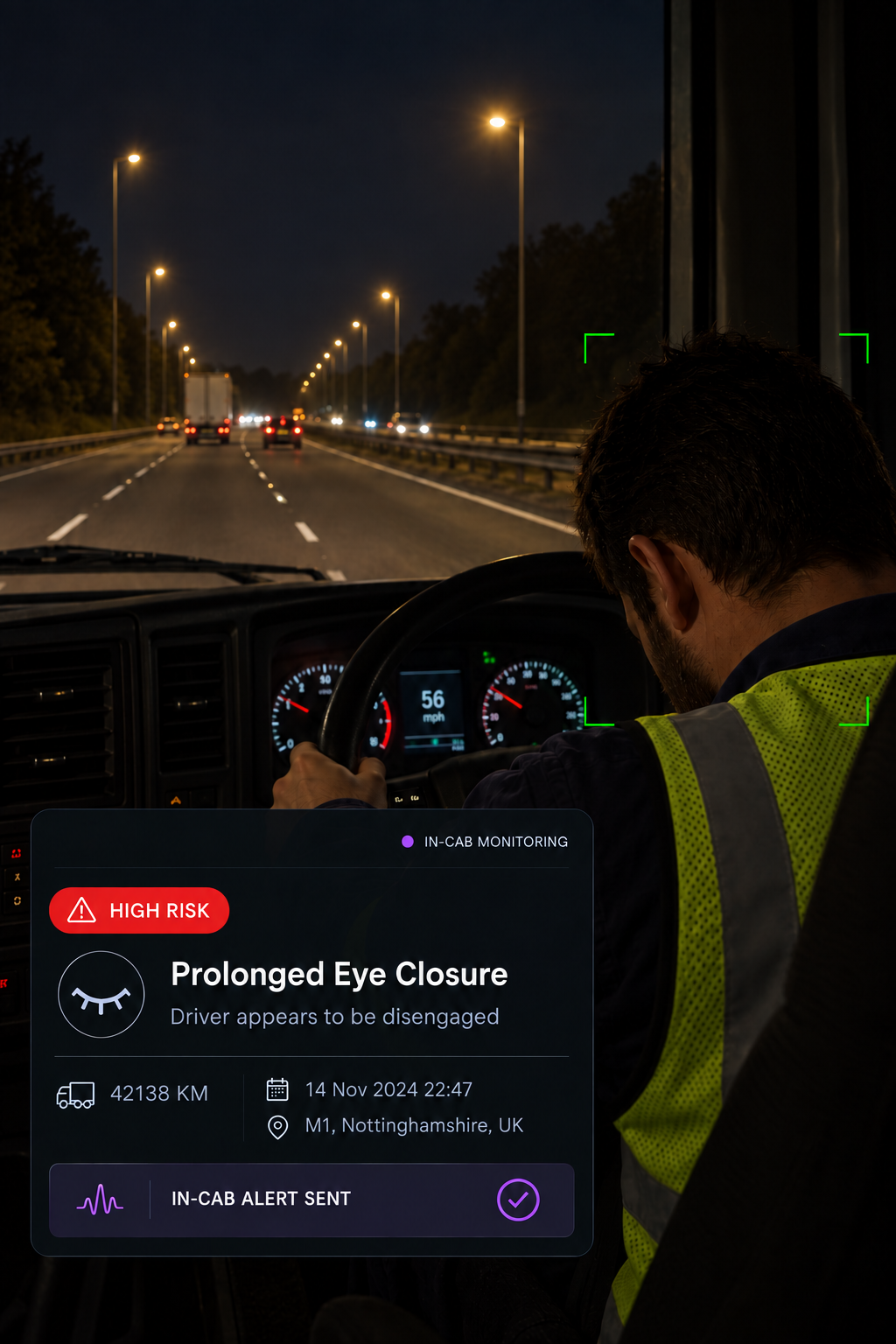
In the cab
The driver is alerted when a configured fatigue event is detected

On the road
A rest stop is integrated into the route when required
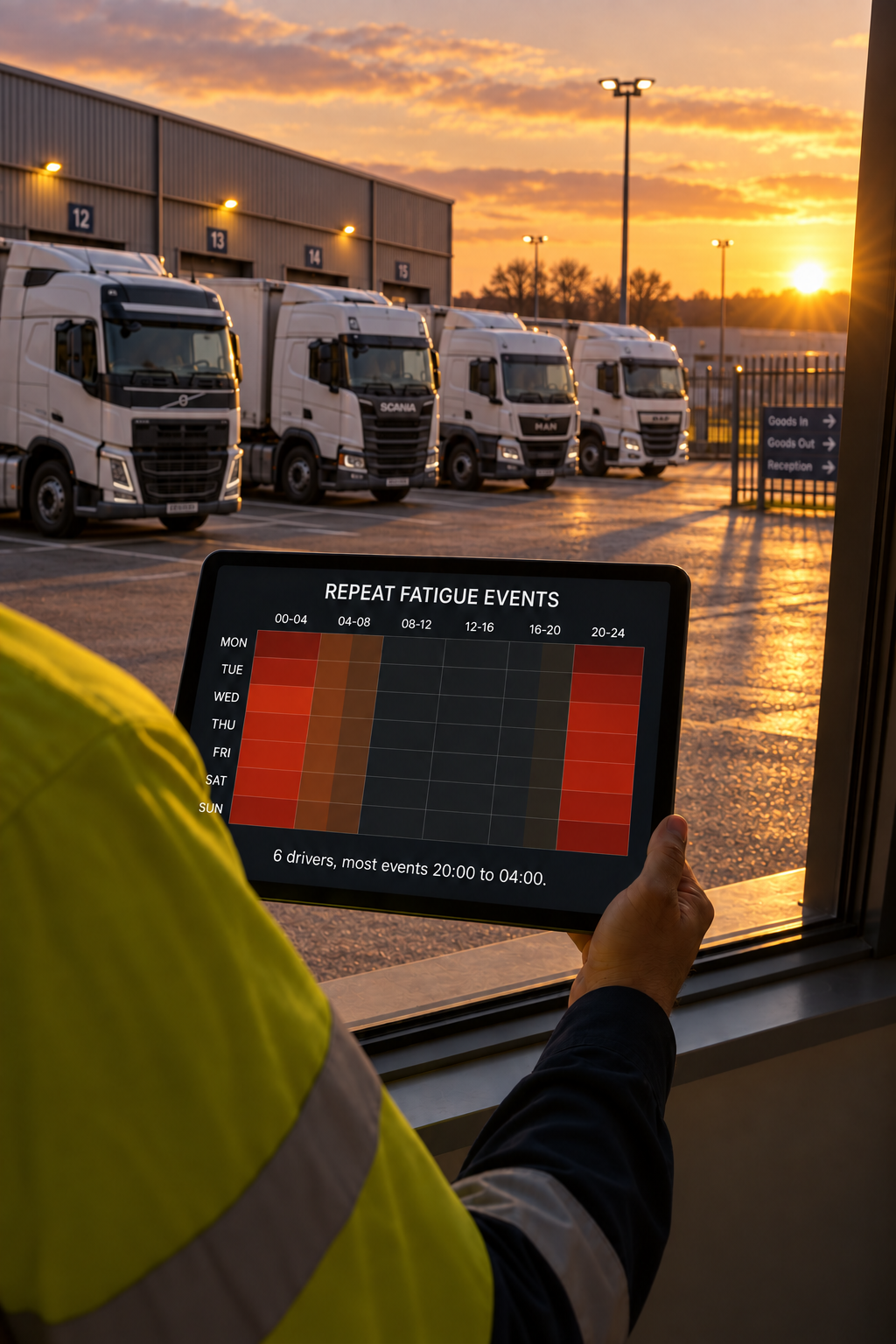
In the office
Spot the patterns behind driver events
What does Vision360 actually look for?
Visible indicators from the in cab camera, including eye closure, yawning, head nodding and eye rubbing, alongside contextual signals such as prolonged inattention, lane behaviour, speed trends and time of day. An event is raised from the combination of indicators over time, rather than a single moment.
Can we set our own thresholds?
Yes. Configure the frequency, duration, indicator combinations and severity required to raise an event, so the rules can reflect different operating environments.
What does the confidence level mean?
Confidence shows how closely the observed indicators match your configured rules. It supports event review and triage but is not a definitive assessment, so human review may still be required.
How is the driver alerted?
Supported in cab devices can provide visual, audible and haptic alerts. The available alert types depend on the hardware fitted.
What happens after an event is raised?
The event is sent to the relevant manager or safety team. The driver can be contacted, a safe rest stop requested, the event reviewed against Drive360 work and rest information, and the outcome recorded or escalated.
Is the video kept?
Events include the ten seconds before and after the detection, giving reviewers the context around the event rather than a single frame. Video retention and access are controlled by your configured settings.
How does this support long distance UK fleets?
Yes. Fatigue events can be reviewed alongside route and journey context, including the driver's location and remaining journey, helping operations teams understand where and when events are occurring across longer UK routes.
See the Signs. Act Earlier.
Bring fatigue indicators into view earlier, giving your team more context to recognise risk and take action.