Proof of Delivery & Service
Record Every Delivery. Capture Every Detail.
Capture the proof, exceptions and completion details your operation needs, with each record tied to the job.
- Configurable proof requirements
- Photos, signatures and barcodes
- Time and location records
- Exceptions and partial deliveries
- Complete delivery records
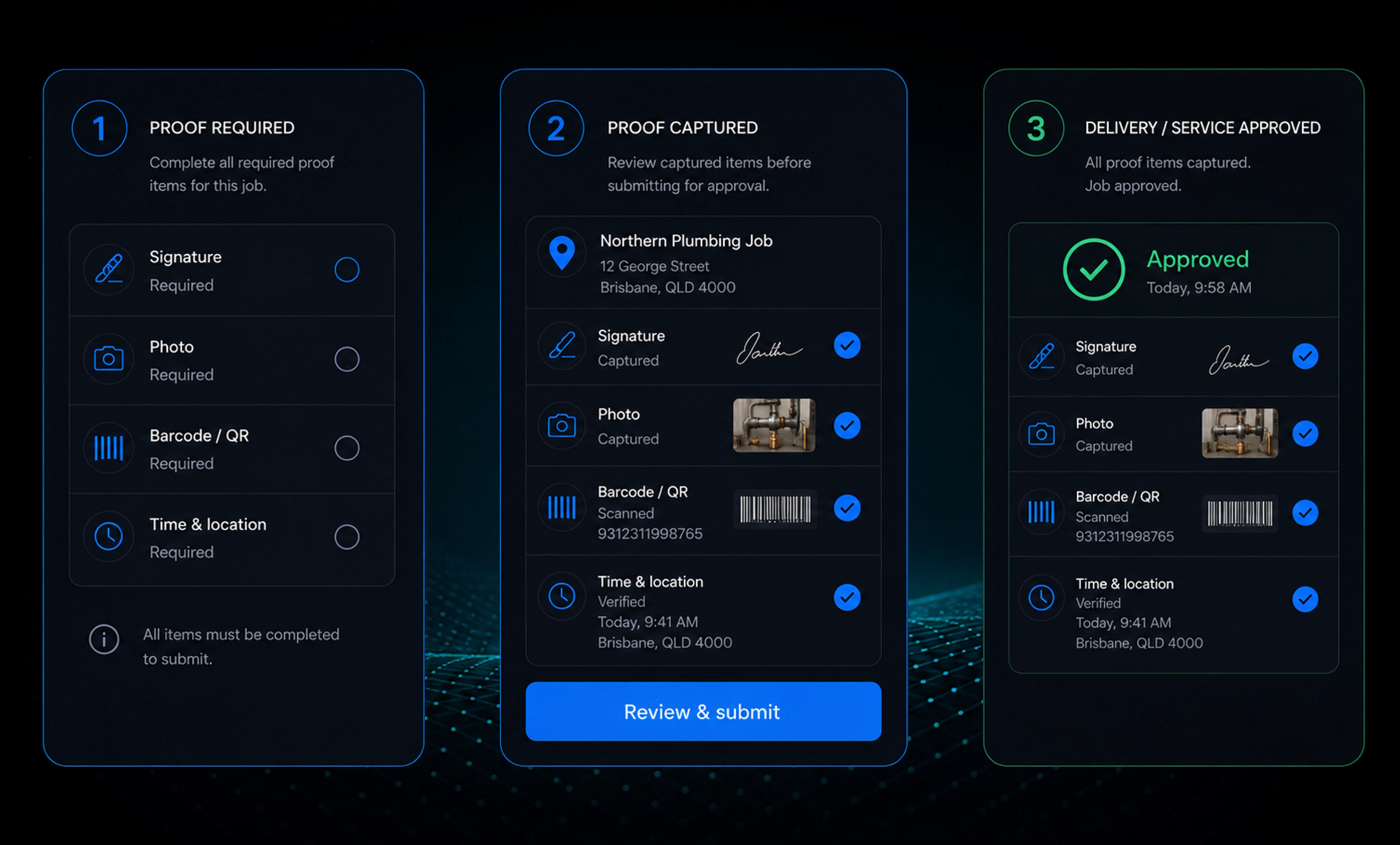
Set the Right Proof for Every Job
Choose the proof required by job type, customer or route and guide drivers through the information they need to capture.
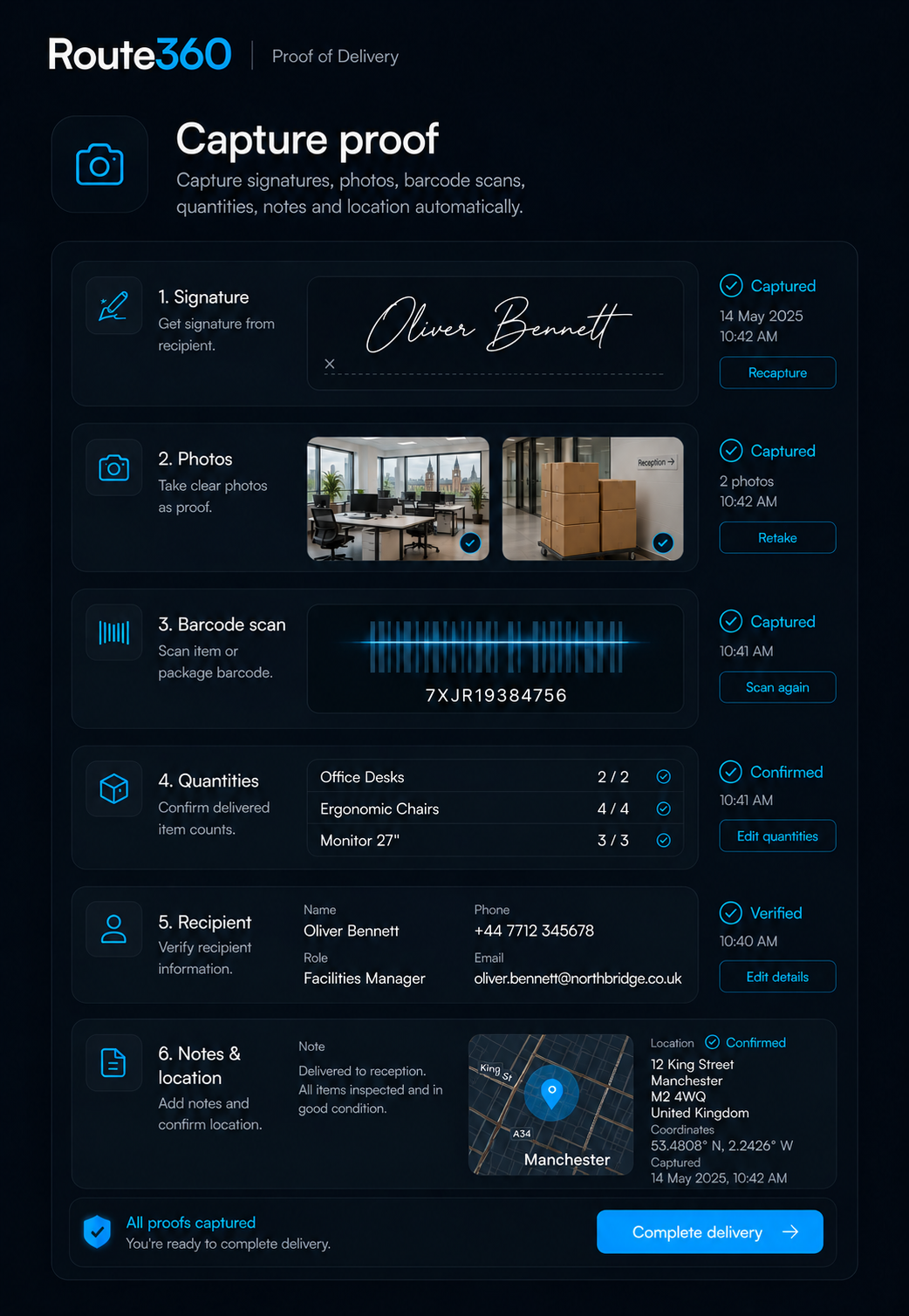
Capture
Capture signatures, photos, videos, barcodes, quantities, notes, item condition and recipient details, with time and location recorded automatically.
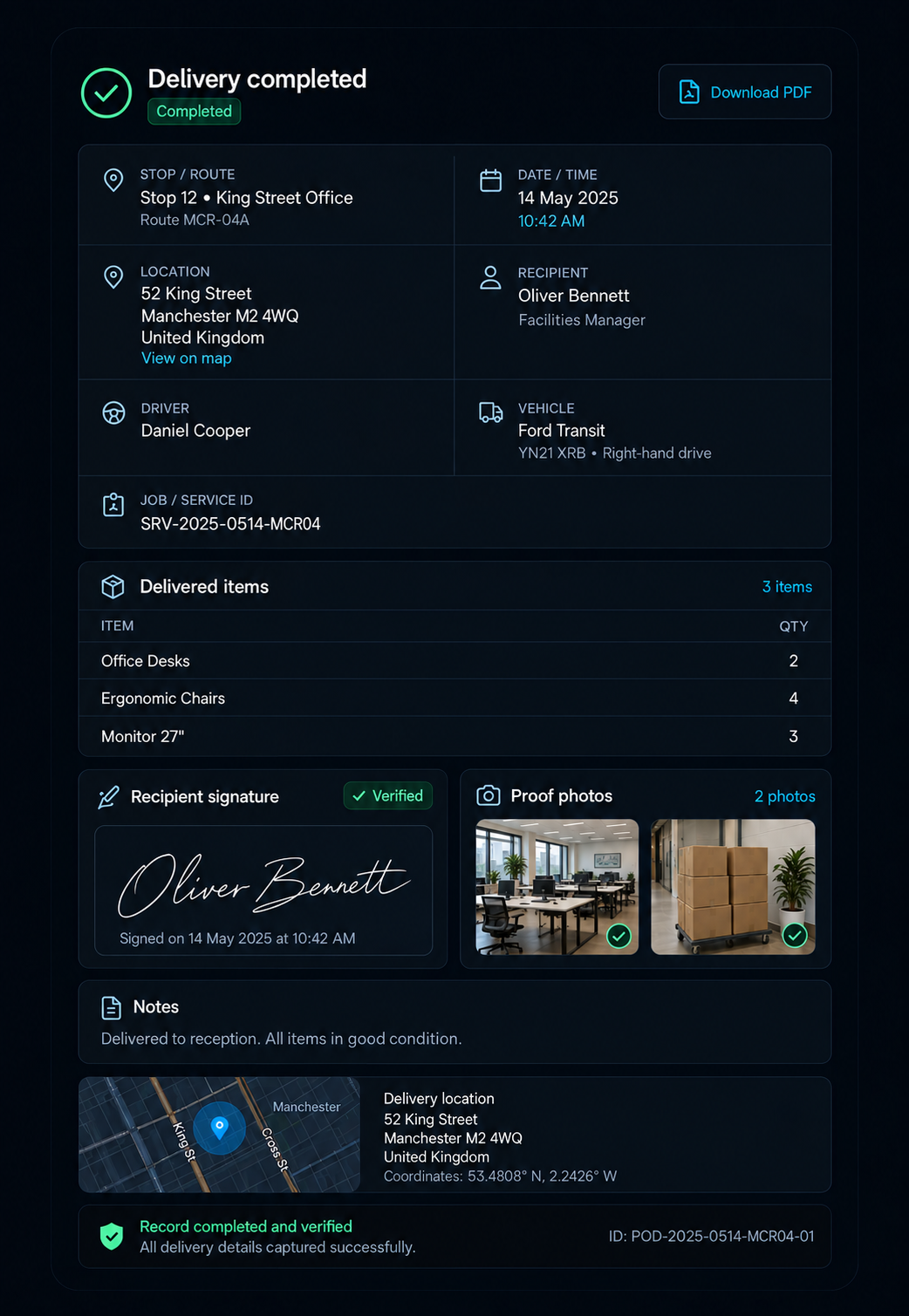
Complete
Keep the full delivery record against the stop, including the date, time, location, recipient, driver, vehicle, items, signature, photos and notes, with the option to download it as a PDF.
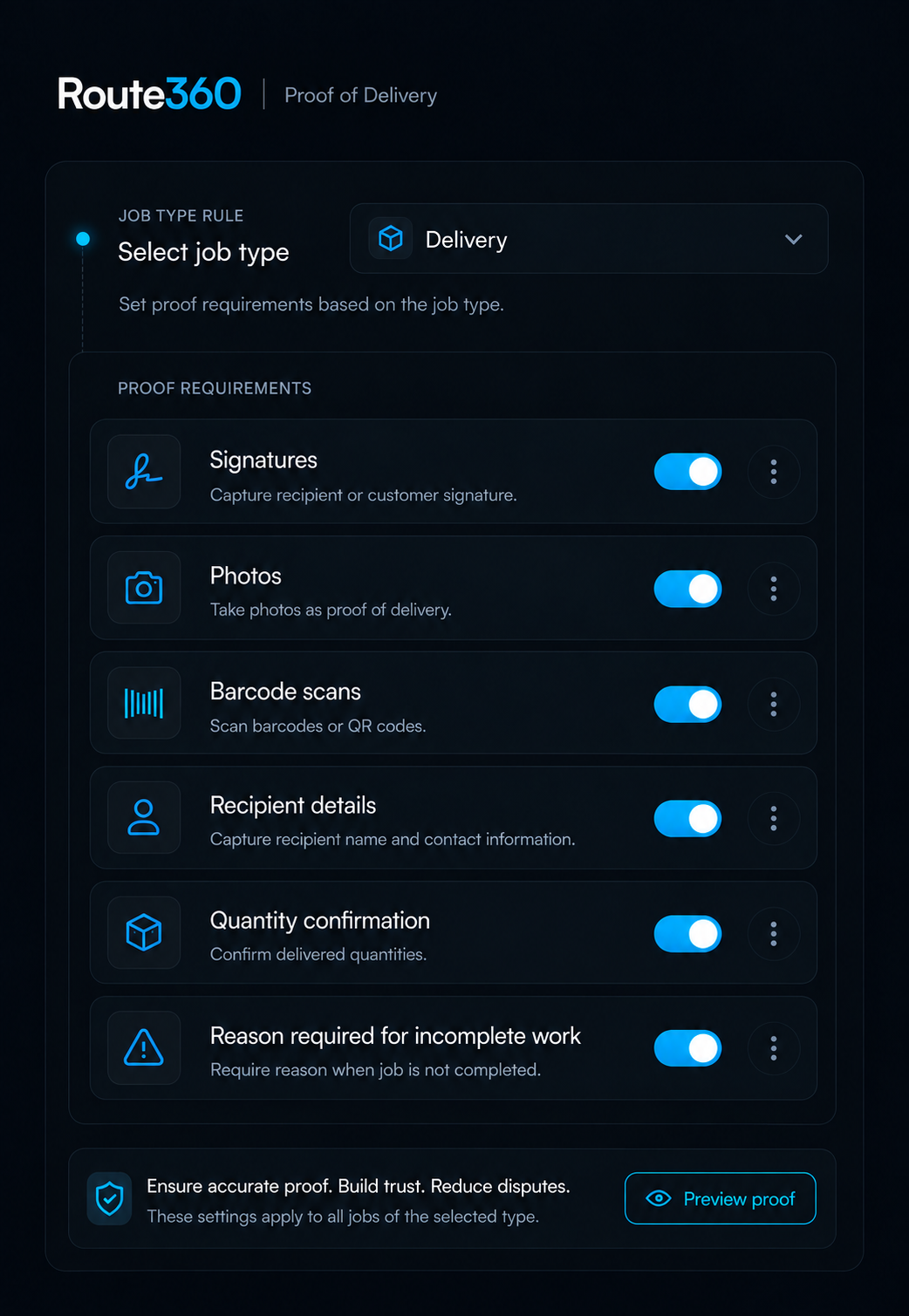
Configure
Set which proof is required by job type, customer or route, including signatures, photos, barcode scans, recipient details, quantity confirmation and reasons for incomplete work.
Capture What Matters When Things Don’t Go to Plan
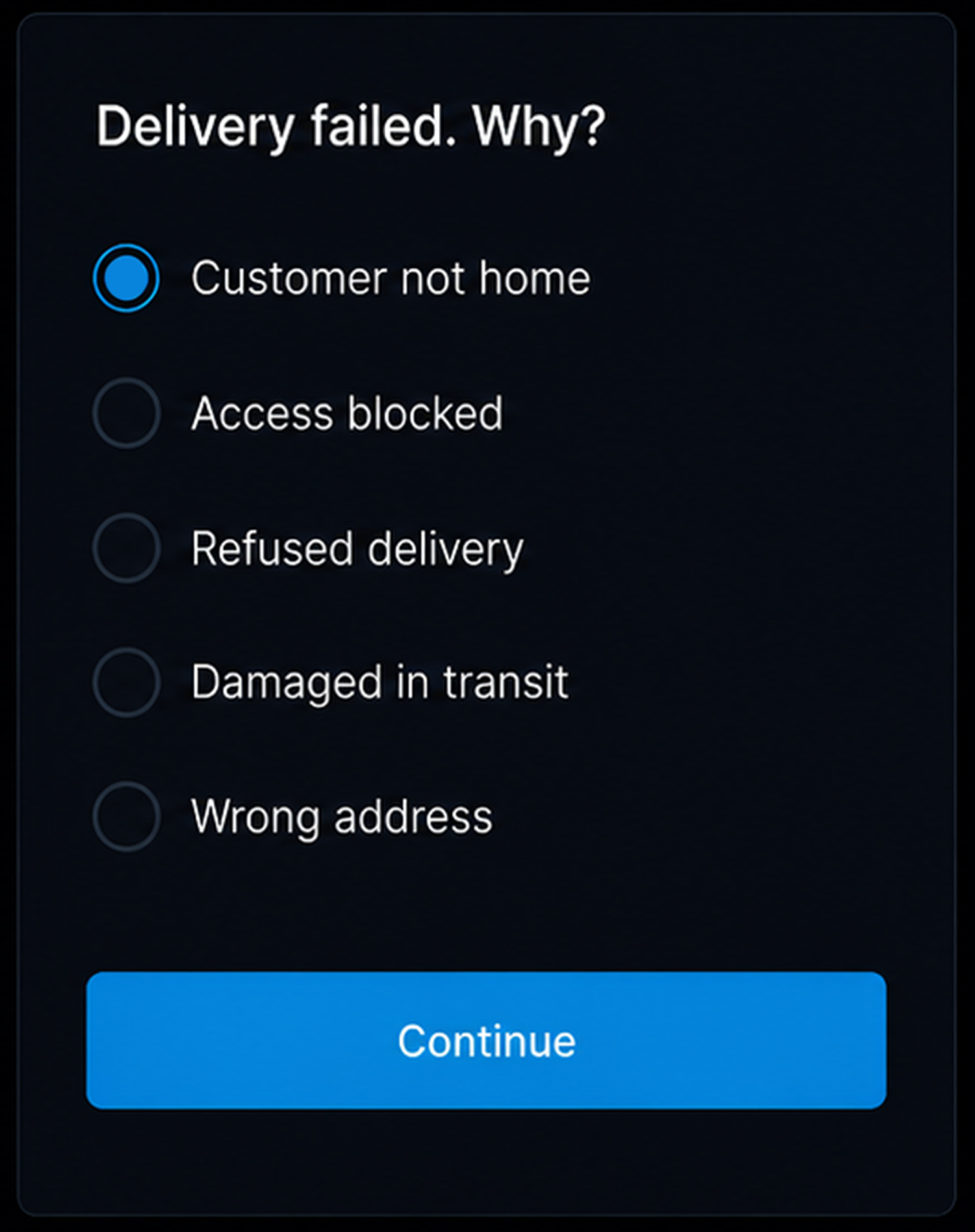
Failed delivery. Record when a customer is unavailable, access is not possible or a delivery is refused, with the reason captured against the job.
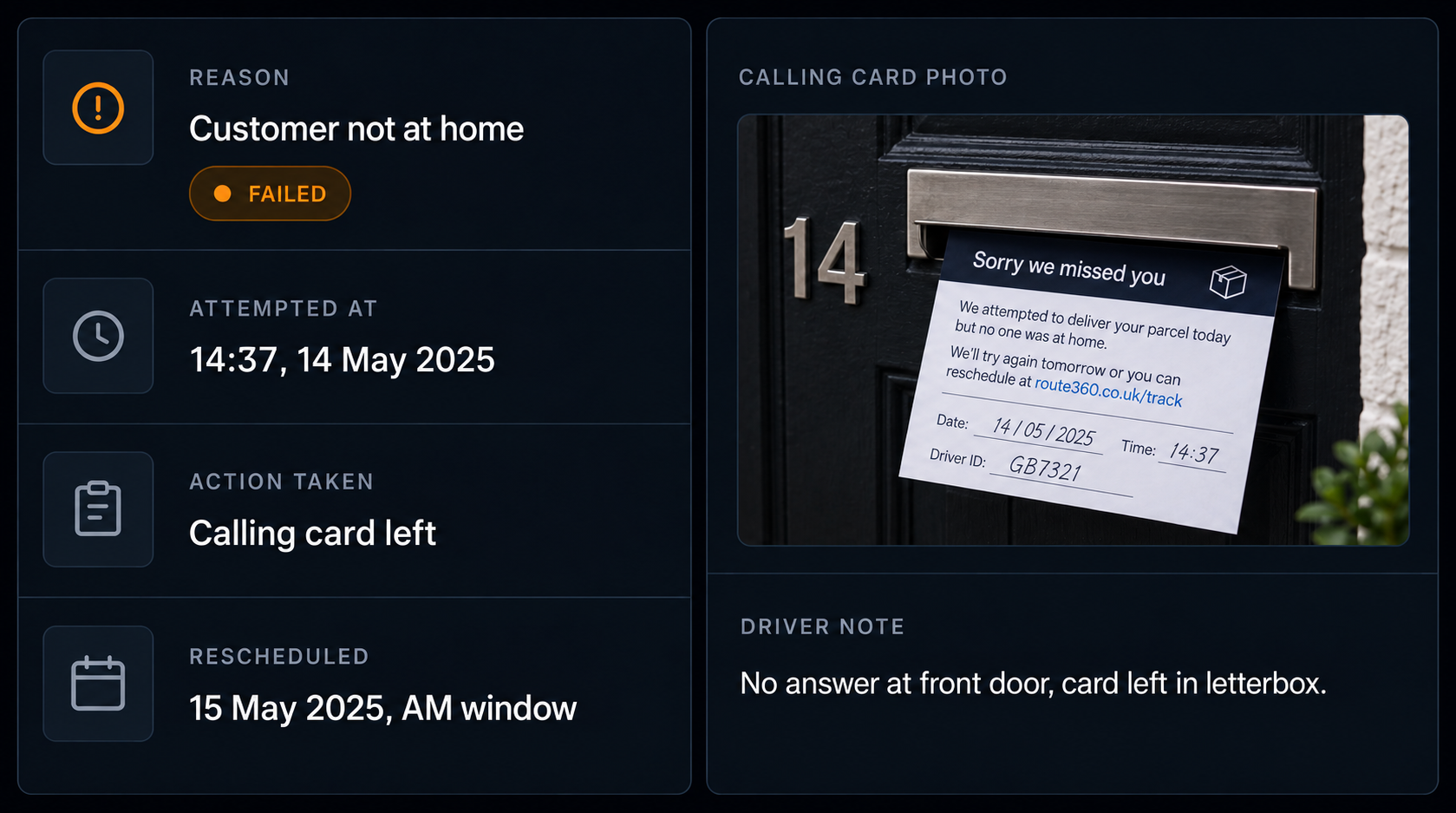
Delivery attempt. Keep the attempted delivery, time, action taken, photos, notes and reschedule details together on the same record.
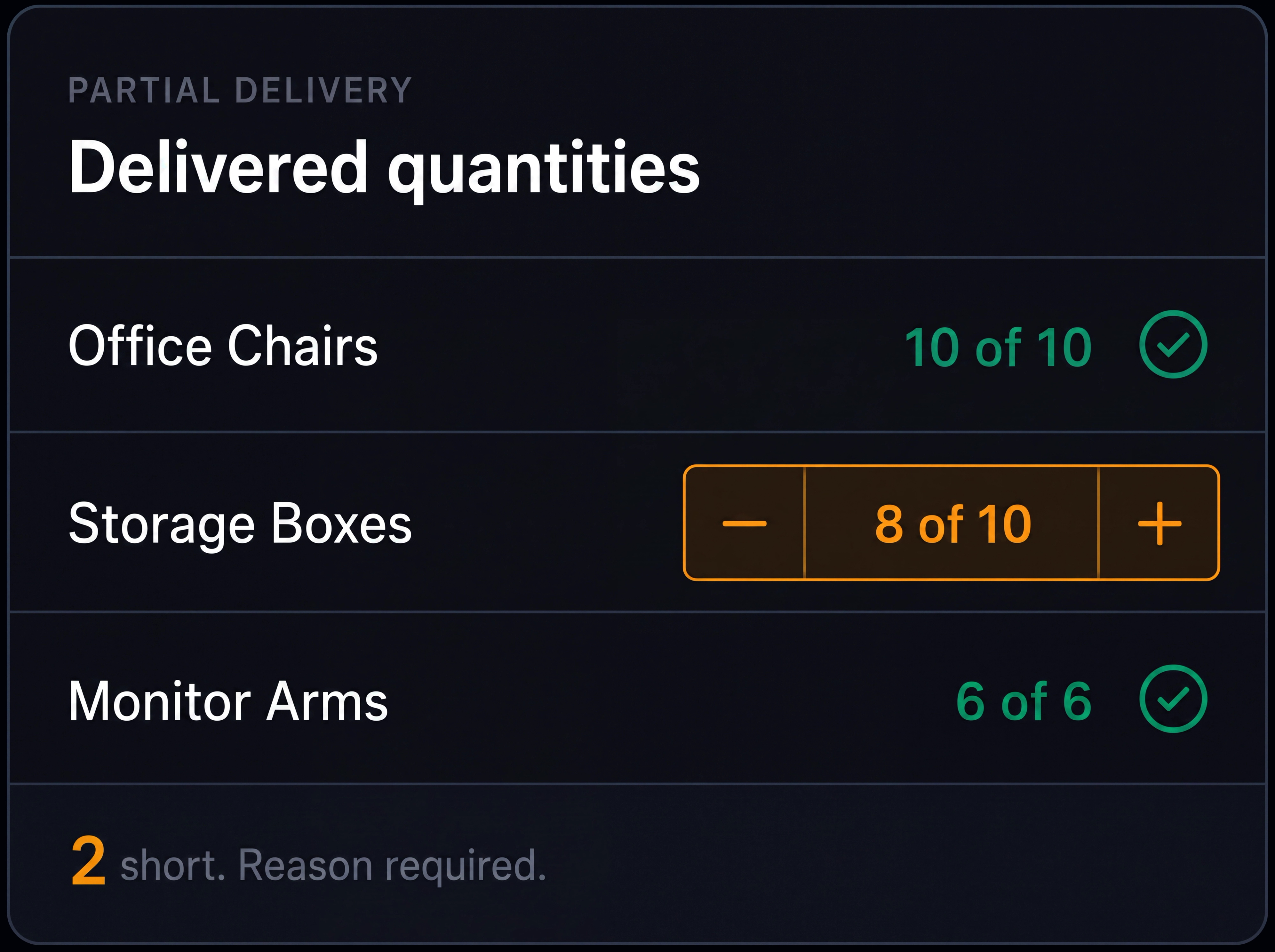
Partial delivery. Record what was delivered and what remains against the original job.
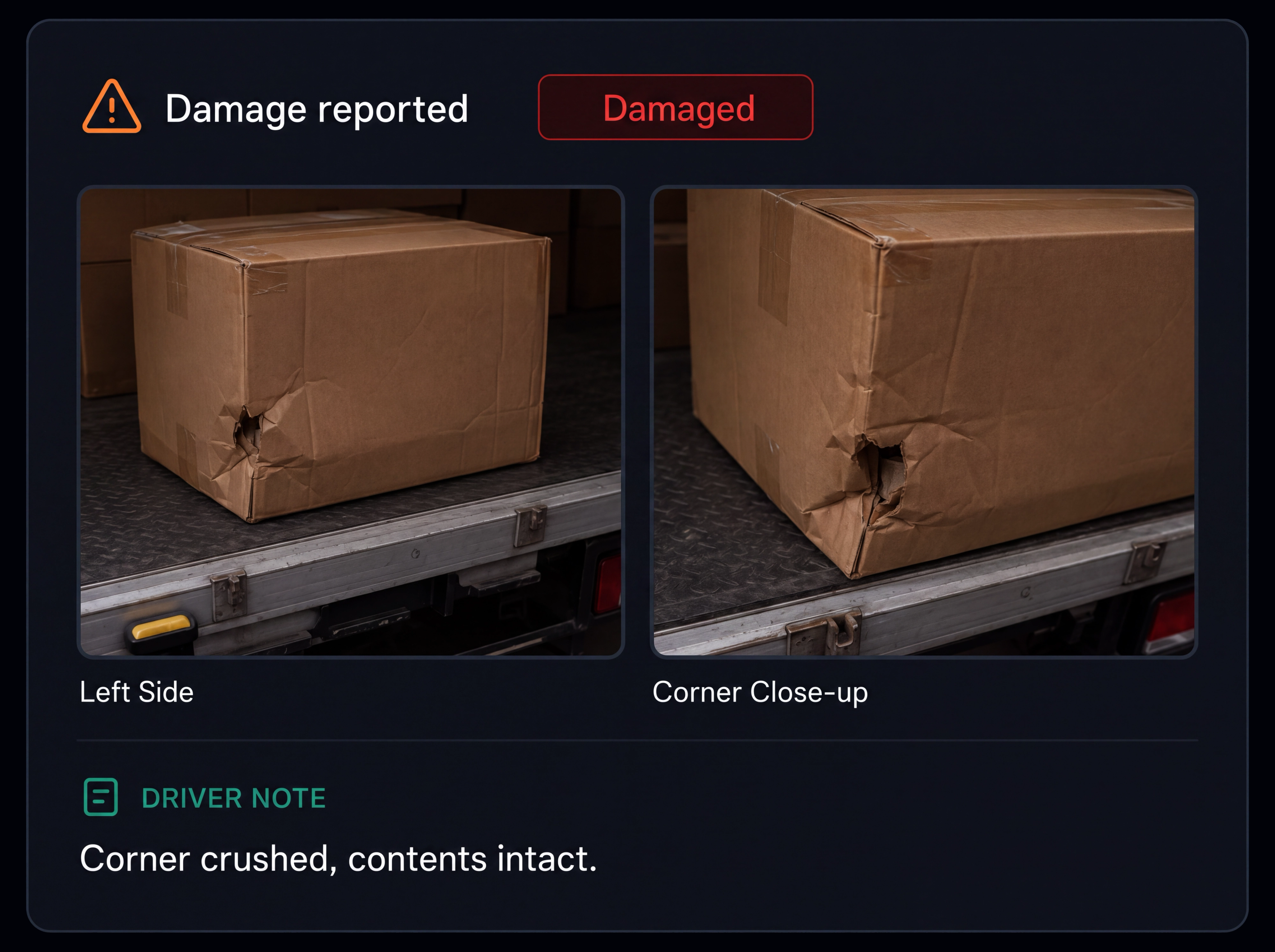
Damaged items. Capture photos and details of damaged items when the issue is identified.
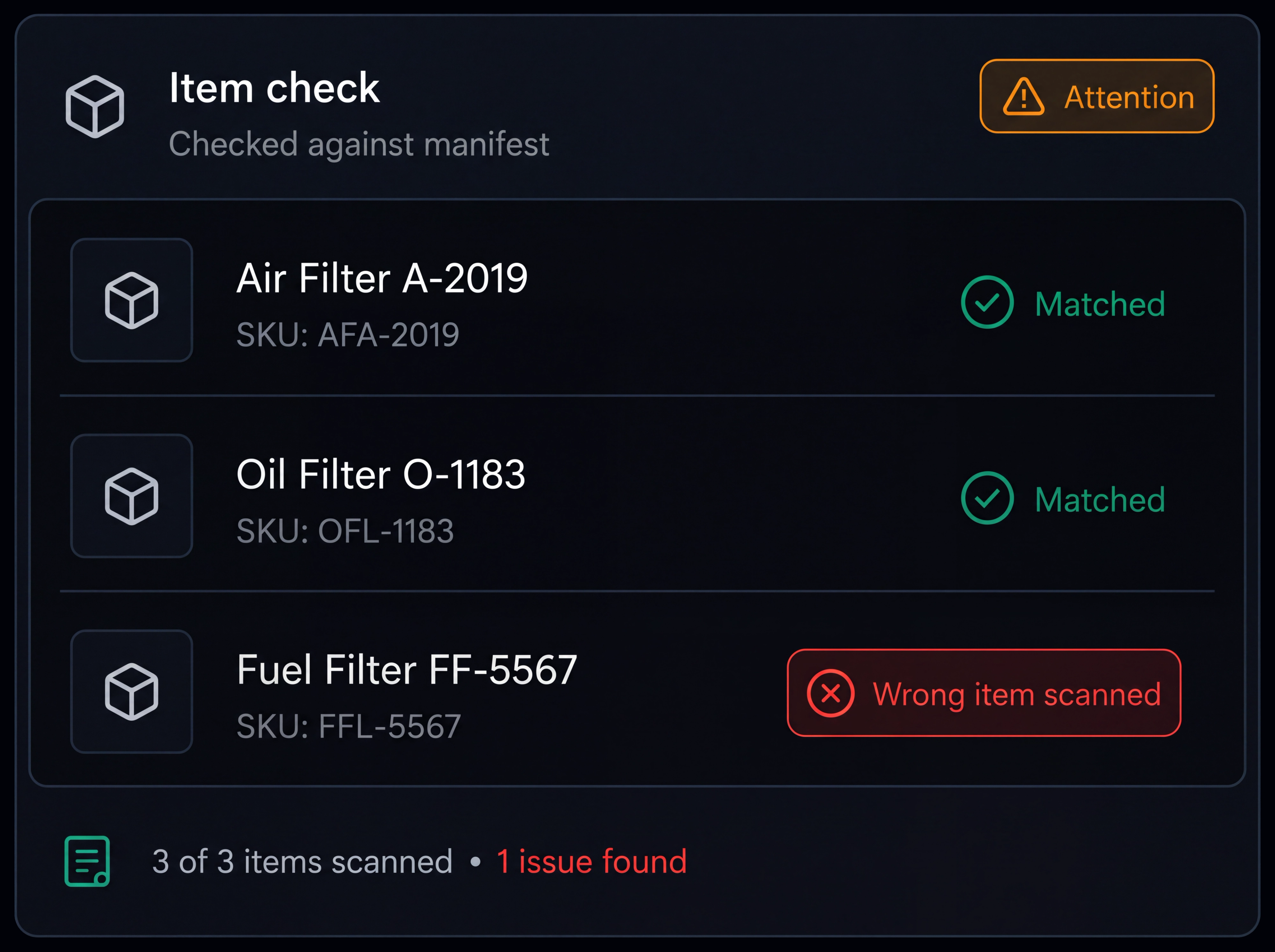
Incorrect items. Record what was delivered against what was originally ordered.
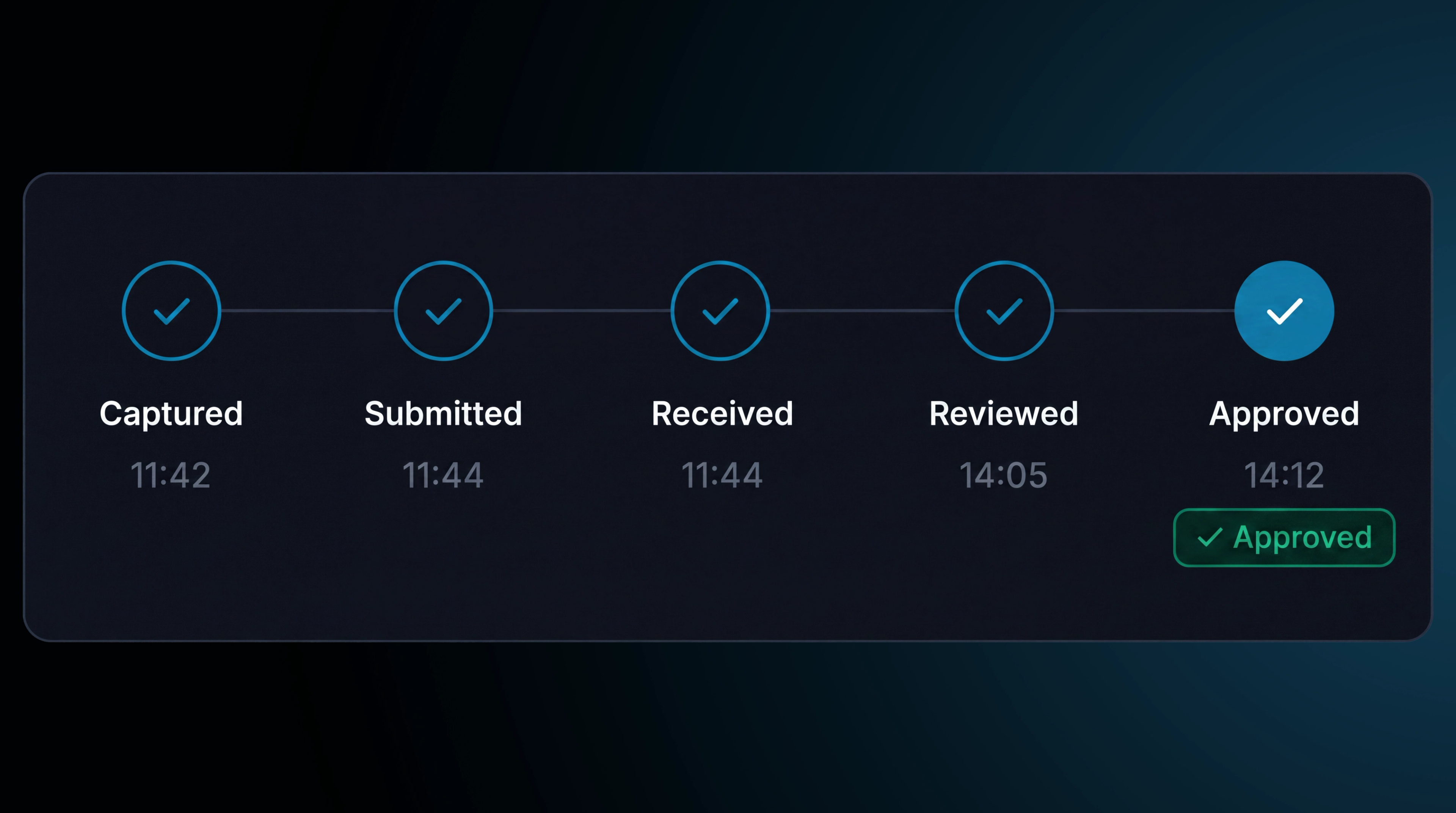
Proof review. Track proof from submission through review, correction and approval, with incomplete records returned to the driver for action.
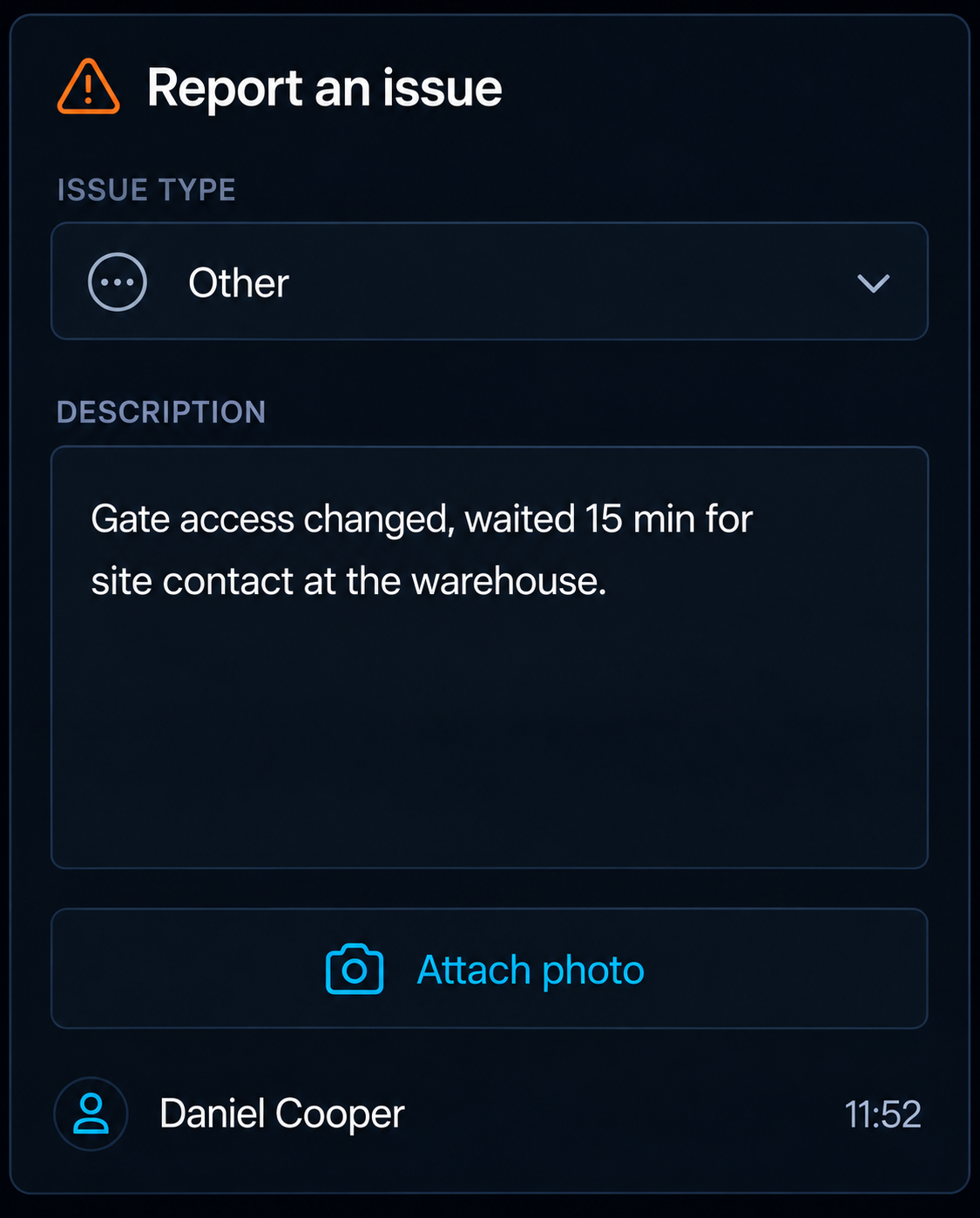
Other issues. Capture access, safety and service issues with notes from the driver.
BUILT FOR UK DELIVERY OPERATIONS
Keep Every Delivery Properly Recorded
From local and multi stop deliveries to regional and nationwide operations, keep the information around each delivery together from dispatch through to completion.
Recipient & Delivery Details
Keep recipient information, delivery address, job details and delivery status connected to the same record.
Delivery Records
Capture the information needed to document each completed job, including driver, vehicle, time, location, goods and recipient details.
Quantity & Goods Condition
Record delivered quantities and the condition of goods at the point of delivery, with photos and notes available where required.
Address & Location
Keep the delivery location connected to the job record, supporting accurate delivery information and clear evidence of where the service was completed.
Complete Delivery Evidence
Keep signatures, photos, timestamps, location, recipient details and exceptions together so the delivery record can be reviewed without reconstructing what happened later.
Additional features
Recipient Confirmation
Capture who actually took delivery.
Barcode & QR Scanning
Scan items, labels or containers at the point of delivery or service.
Quantities
Record delivered quantities for each line.
Location and Timestamp
Automatically record the GPS location and time of each proof record.
Item Condition
Record the condition of goods when they arrive.
Custom Fields
Add your own fields to capture the information your business needs.
Downloadable Proof
Download completed proof records as PDFs.
Customer Confirmation
Share relevant proof with the customer when the delivery is completed.
Proof Requirements
Set proof requirements by job type, customer or route.
Partial Quantities
Record what was delivered against each line.
Reattempt Scheduling
Schedule the next delivery attempt from the failed stop.
Correction Requests
Return incomplete records to the driver for correction.
Frequently Asked Questions
What proof can a driver capture?
Drivers can capture signatures, photos, video, barcode and QR scans, quantities, notes, item condition, recipient details and custom fields. Location and time are recorded automatically.
Can proof requirements differ per customer?
Yes. Requirements can be set by job type, customer or route, so each driver is guided to capture the proof required for that stop.
What happens when a delivery fails?
The driver records the reason, attempt time, action taken, photos and notes, with the failed delivery kept against the job for review and rescheduling.
What if proof is submitted with something missing?
The record moves to review and can be returned to the driver for correction. Once updated, it is submitted again for approval, with the status visible throughout.
Can a customer be sent the proof?
Yes. Completion notifications can include proof of delivery, giving the customer the delivery time, location, recipient and supporting signature or photo without manual follow up.
Every Delivery, Fully Accounted For
Keep completion details, exceptions and supporting evidence together against the job.
- Secure, role based access
- Complete audit trail of every change
- Communication via app, SMS and email
- Available across web and mobile