Route Planning & Optimisation
Route Planning Software That Replans in Real Time
When something changes, Route360 identifies the affected routes and jobs, generates alternatives and shows the impact of each before you choose what happens next.
- Optimise for time, cost or distance
- Account for real world operating constraints
- Compare route plans and choose the best outcome
- Reoptimise in real time as conditions change
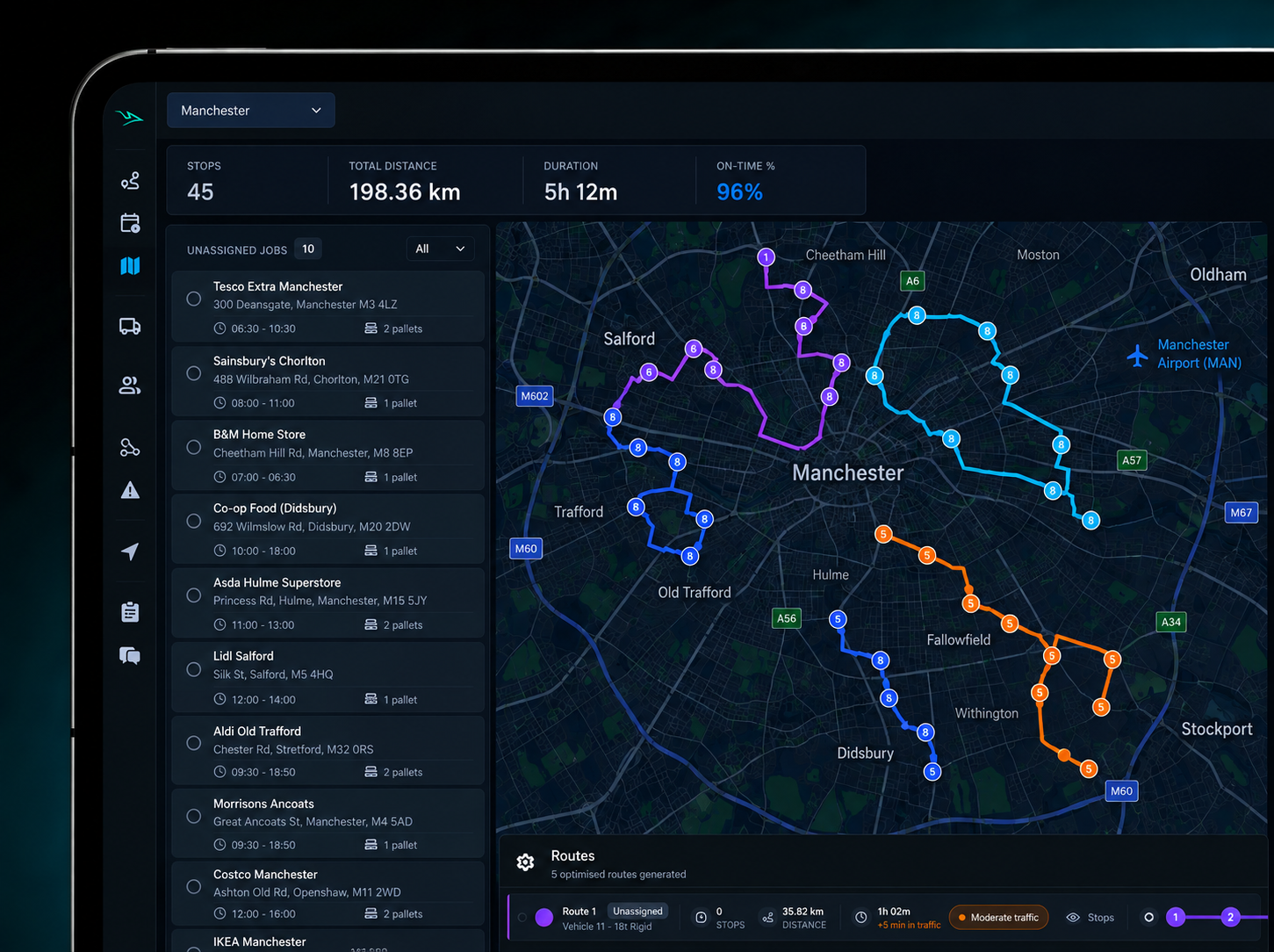
The planner
See the Whole Plan. Control Every Detail.
Bring constraints, objectives, plan status and unassigned jobs into one clear view, with the flexibility to adjust the plan manually when needed.
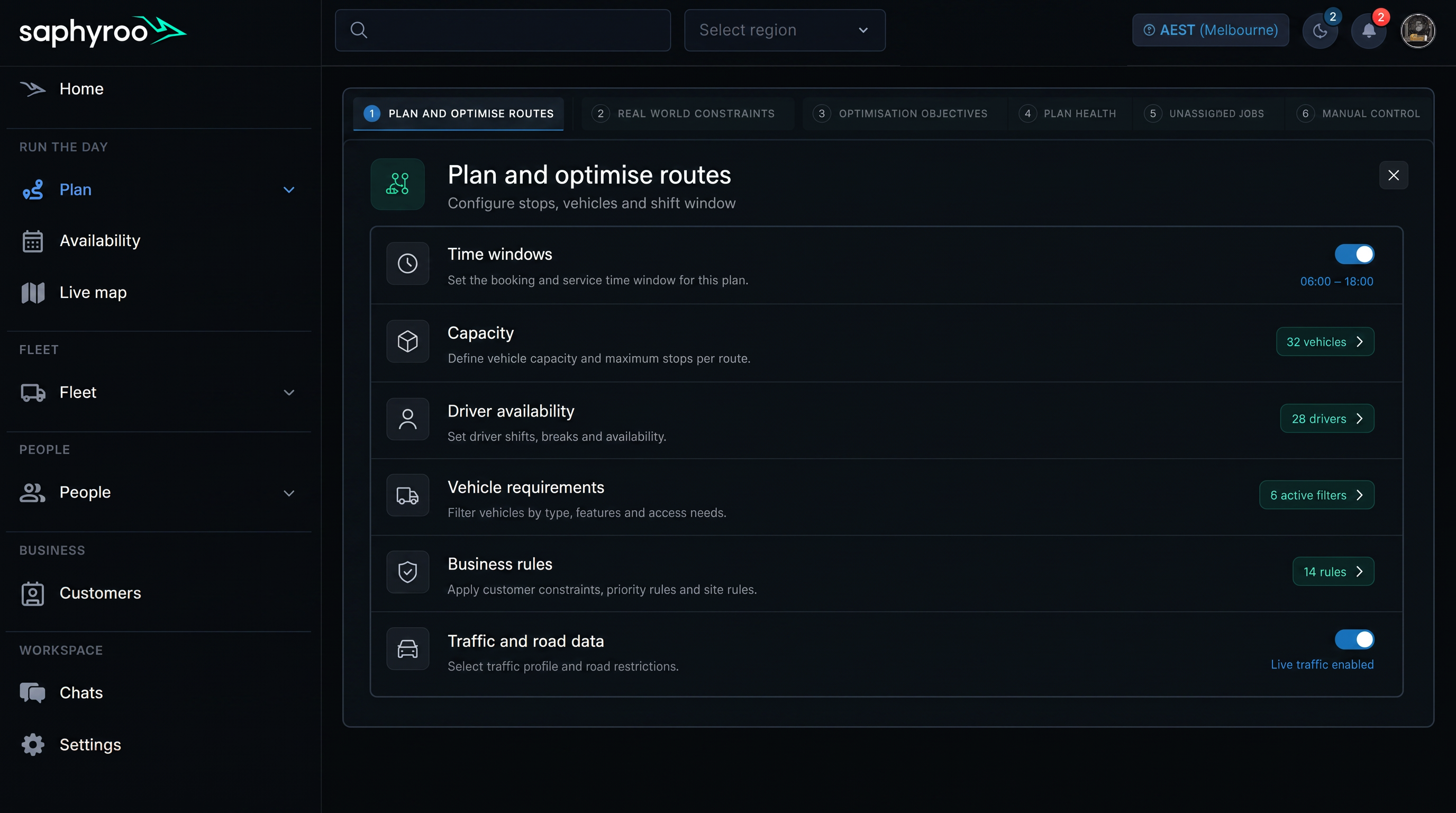
Compare Every Plan in Route Optimisation Software
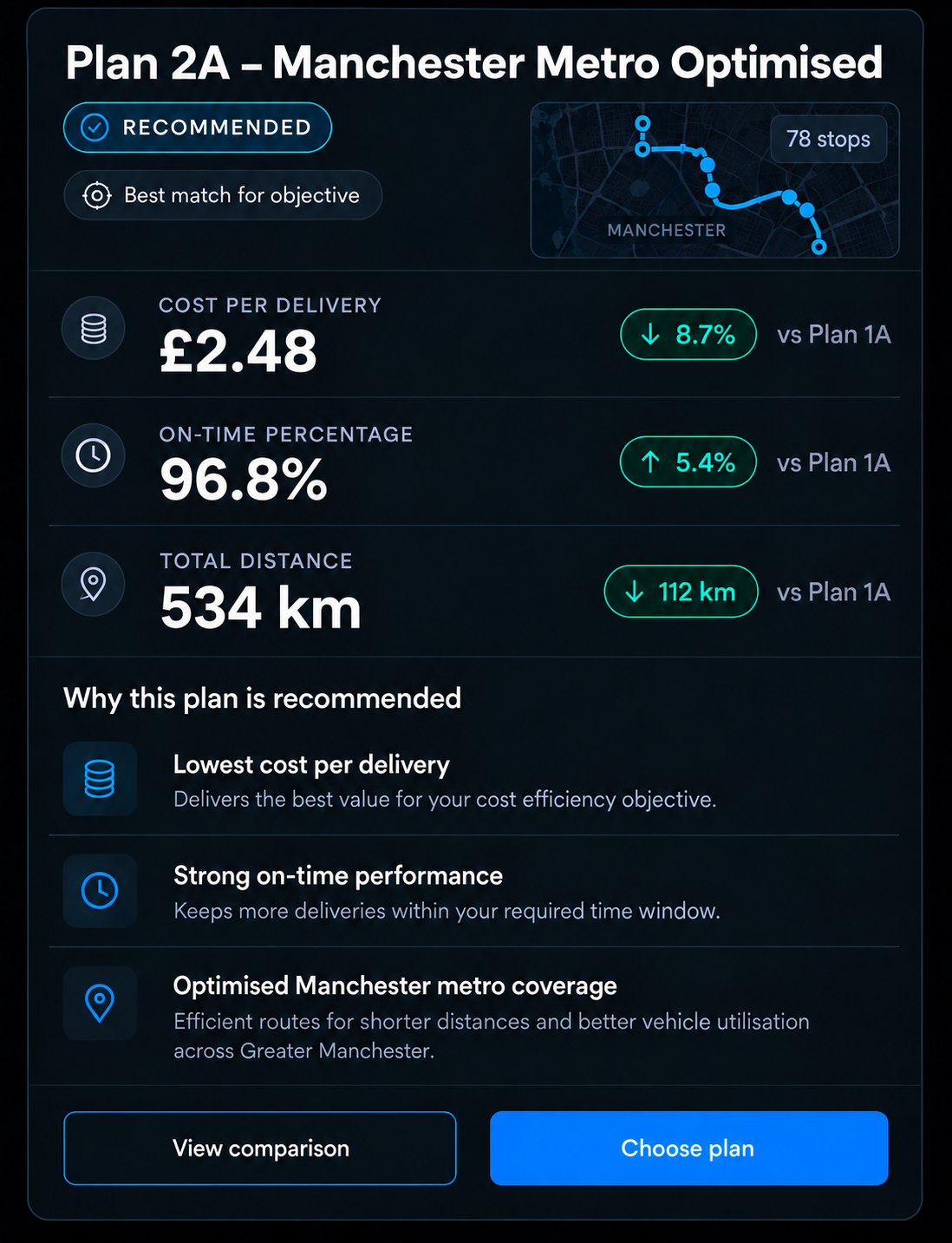
Recommended by objective. The plan that best matches your chosen objective is clearly marked, while you stay in control of the final decision.
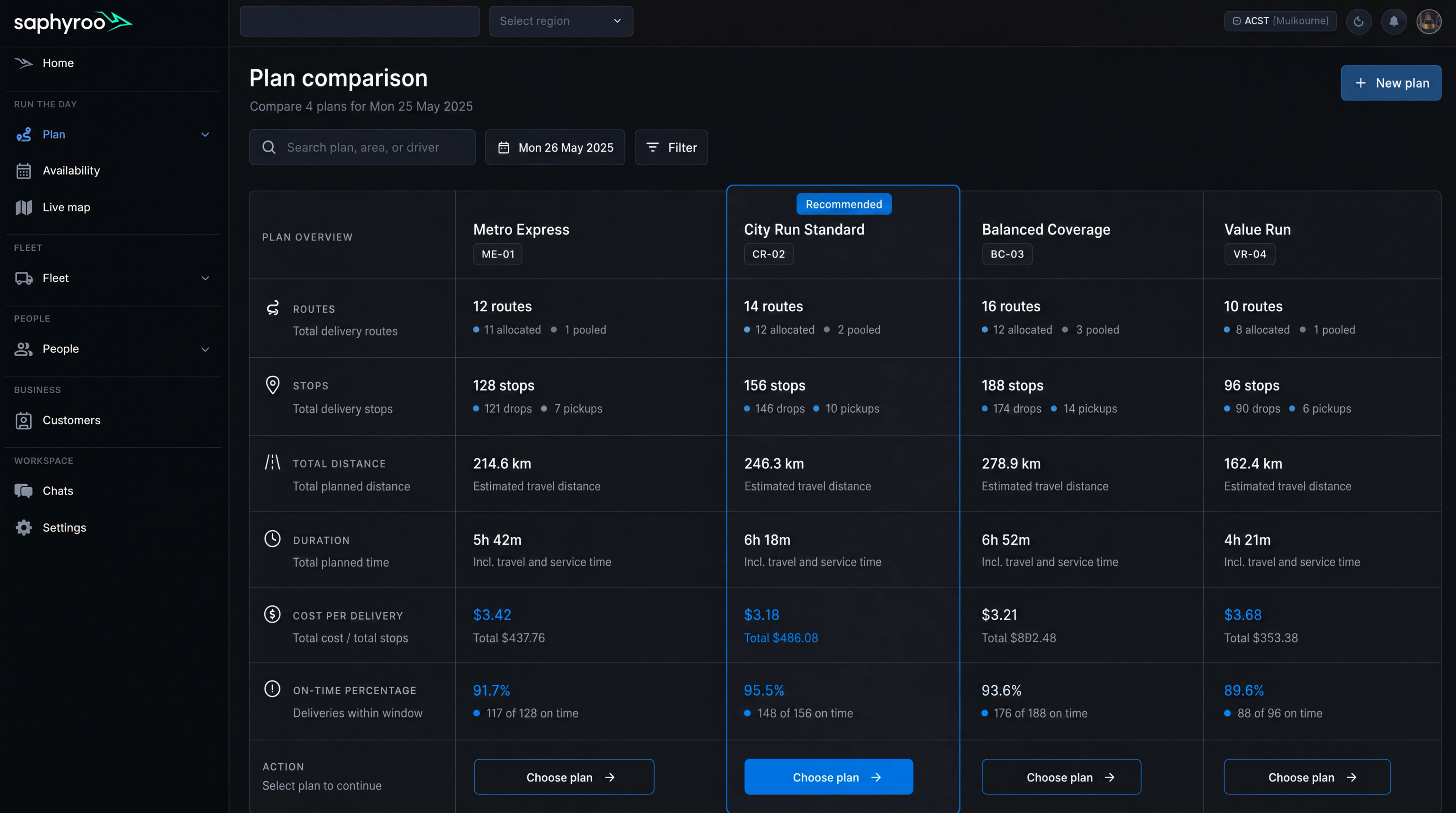
Every plan measured. Compare total distance, duration, cost, estimated time window performance, capacity utilisation and route count across the same set of jobs.
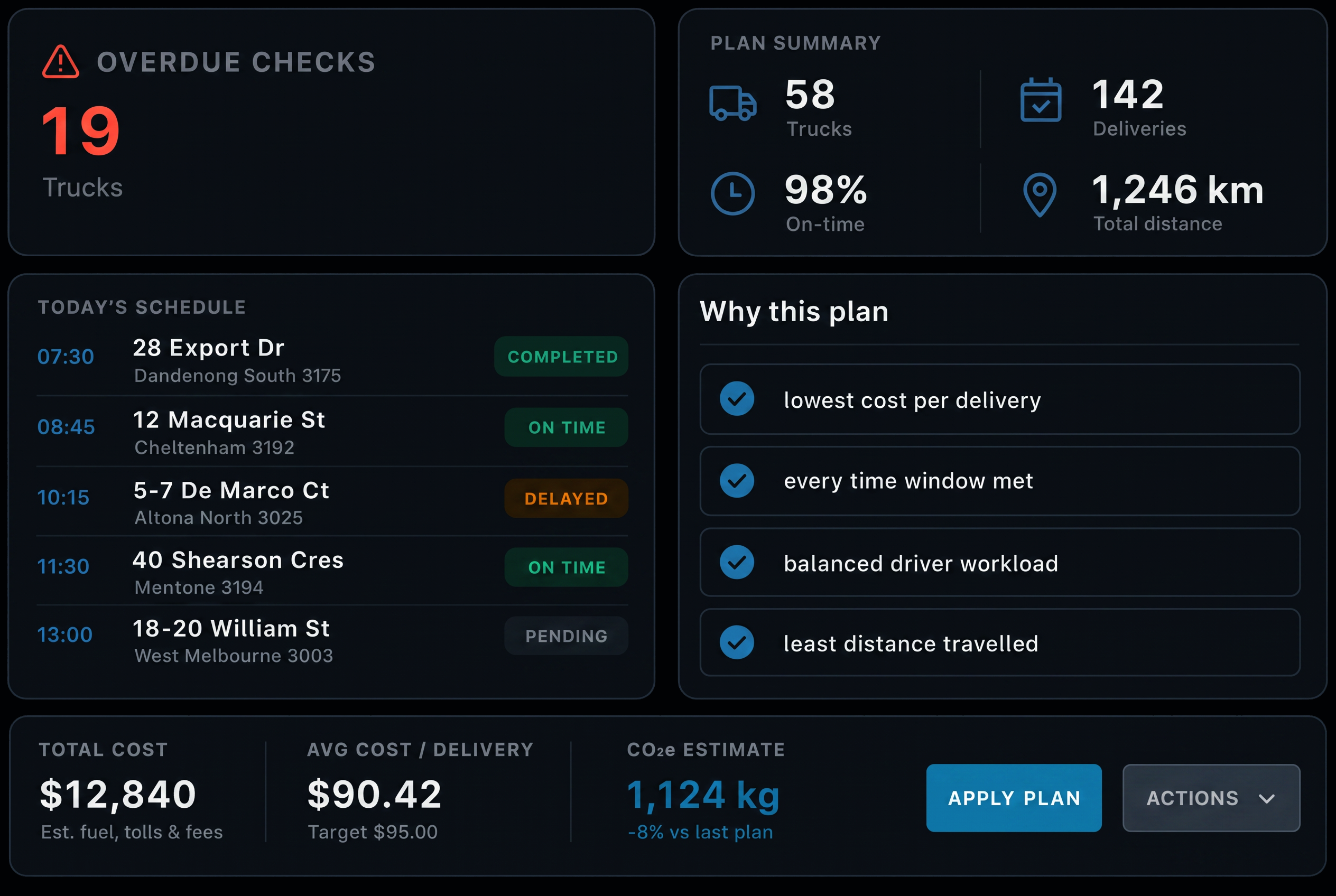
Understand why it’s recommended. See the reasons behind the recommended plan, so you know what you gain before committing to it.
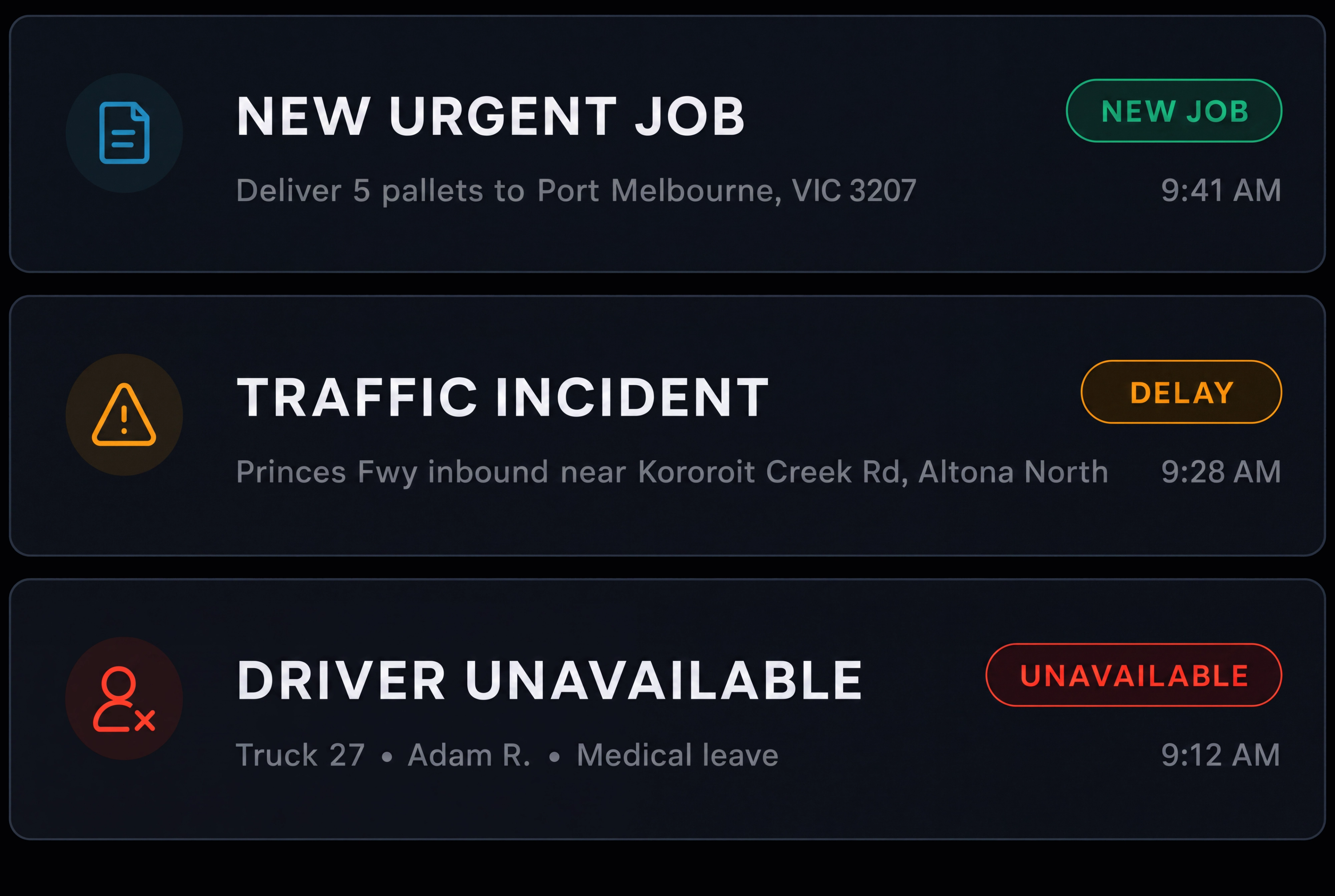
React when things change. An urgent job, traffic incident or unavailable driver can trigger a new optimisation cycle, helping you adjust the plan as conditions change.
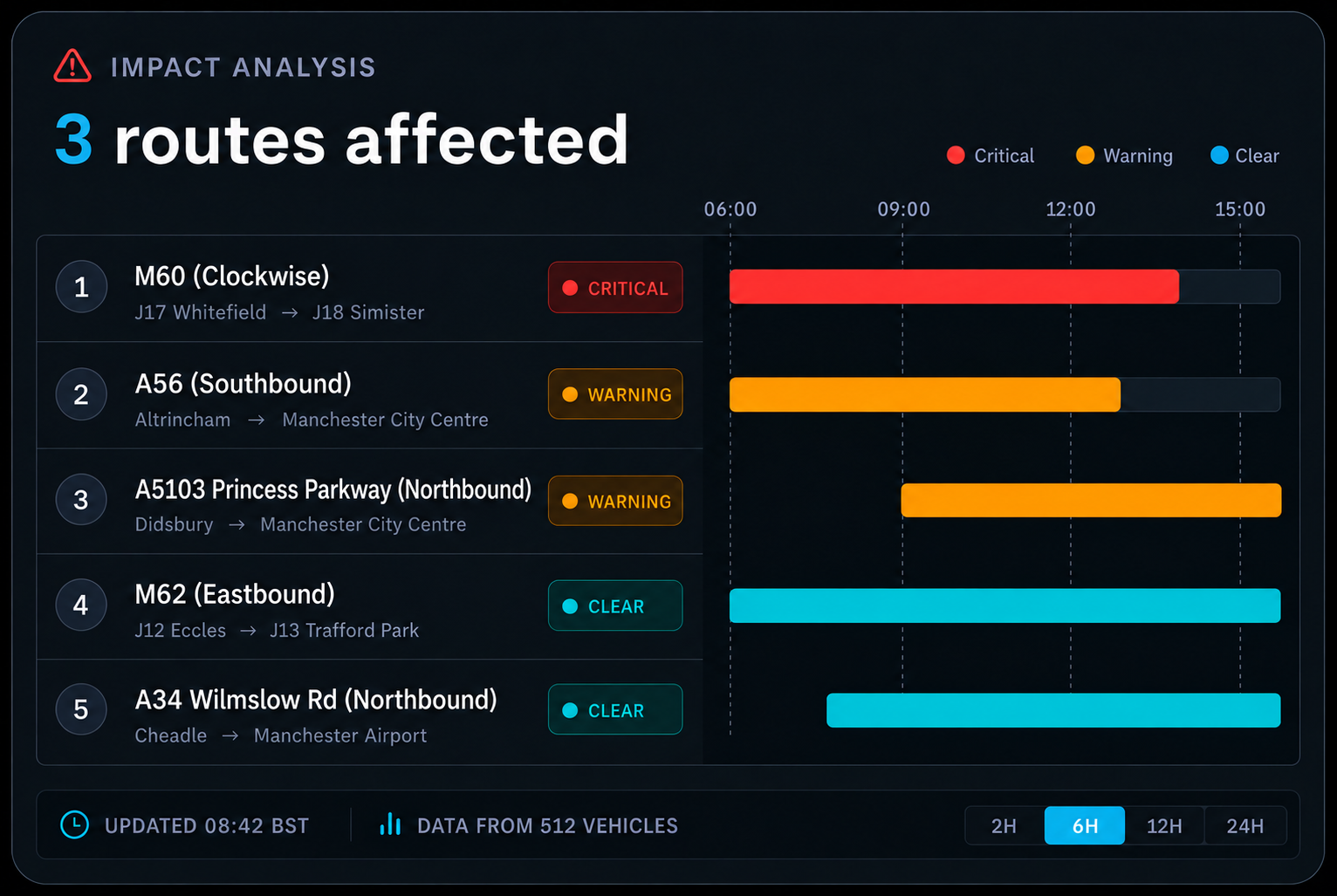
Impact analysed. See which routes are affected, which jobs are at risk and how much time you have to respond.
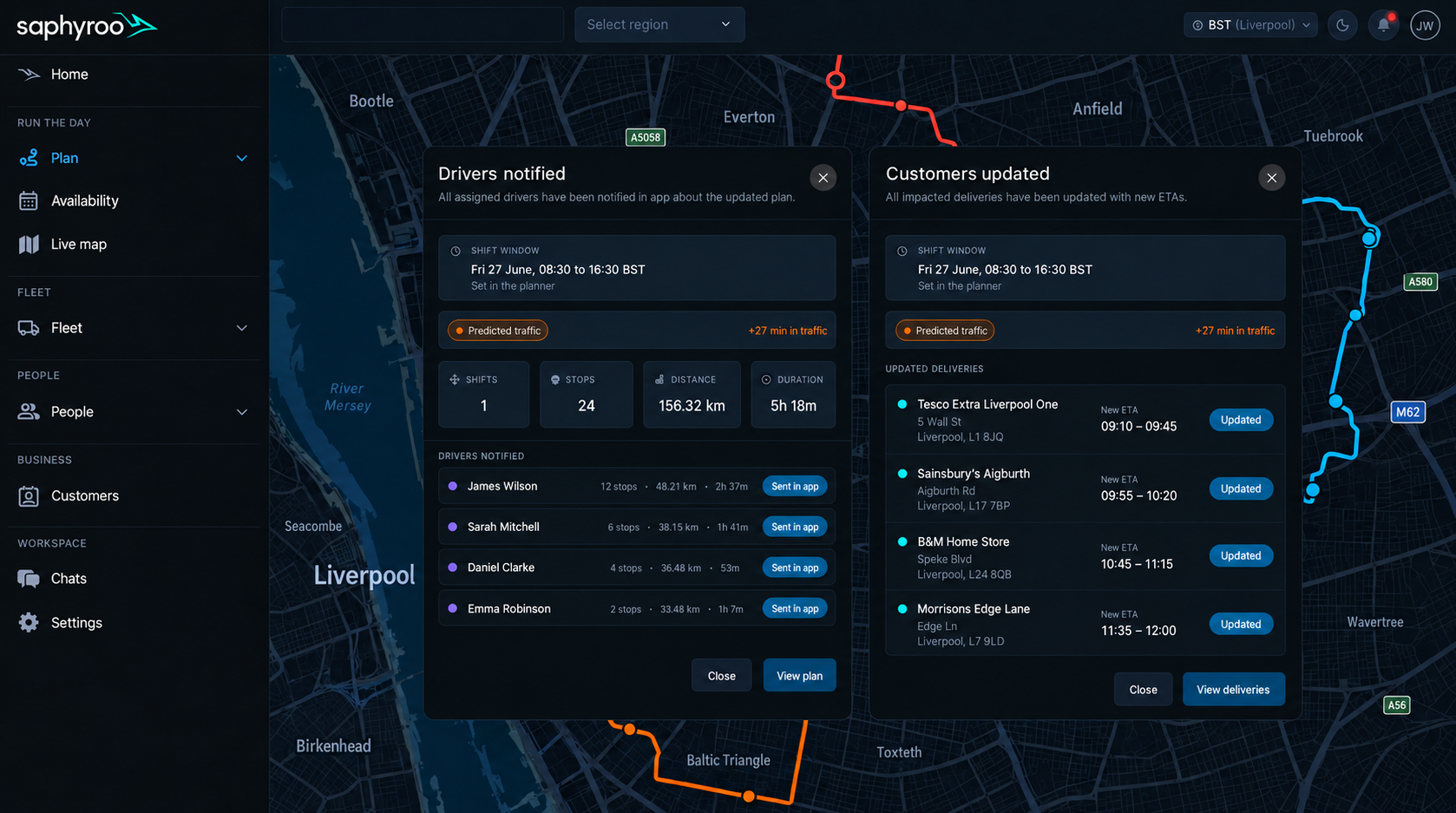
Changes published. Choose your preferred plan and Route360 updates drivers, customers and tracking ETAs in real time.
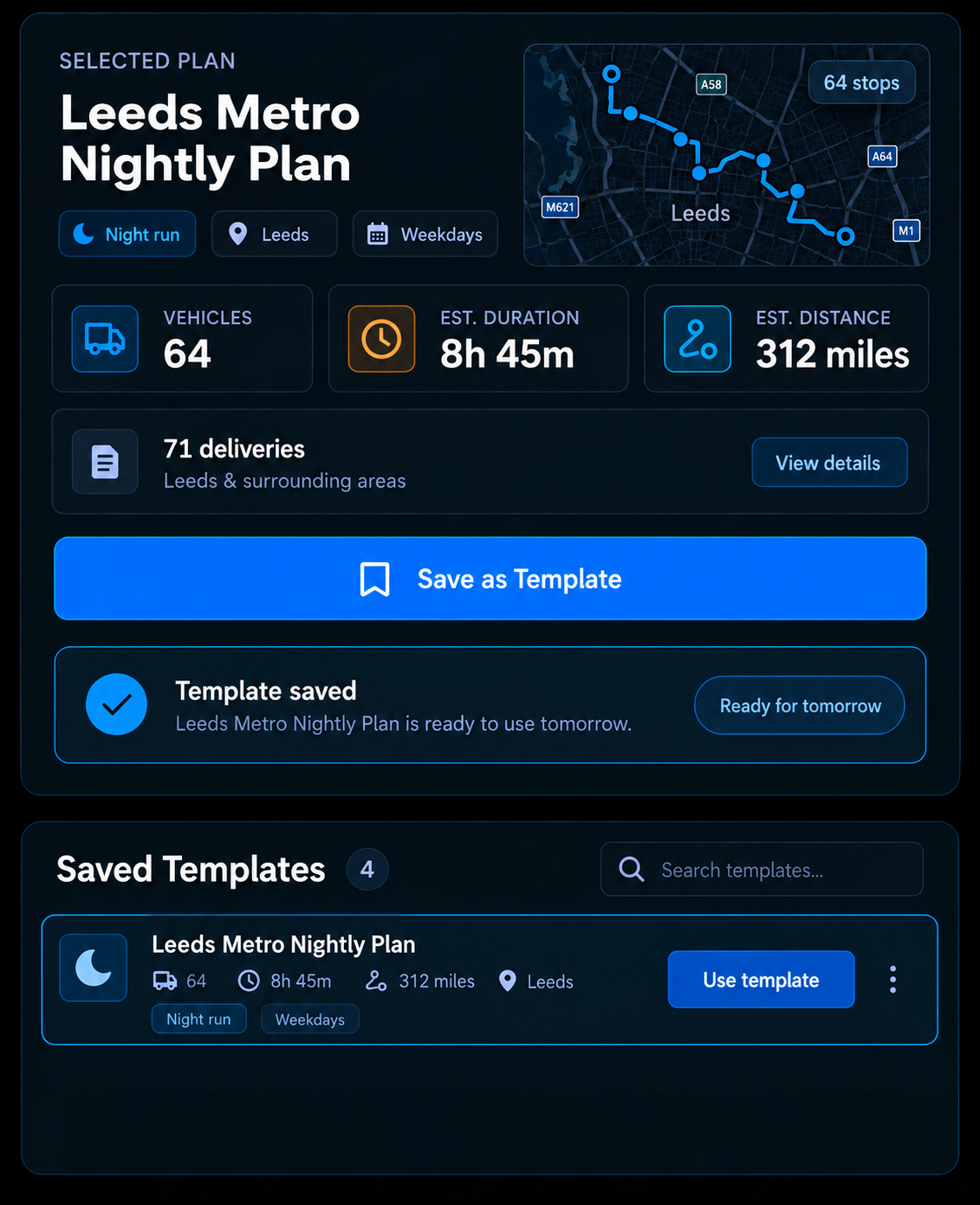
Saved as a template. Turn a plan that works into a reusable template, ready for the next day.
Reoptimise in Real Time
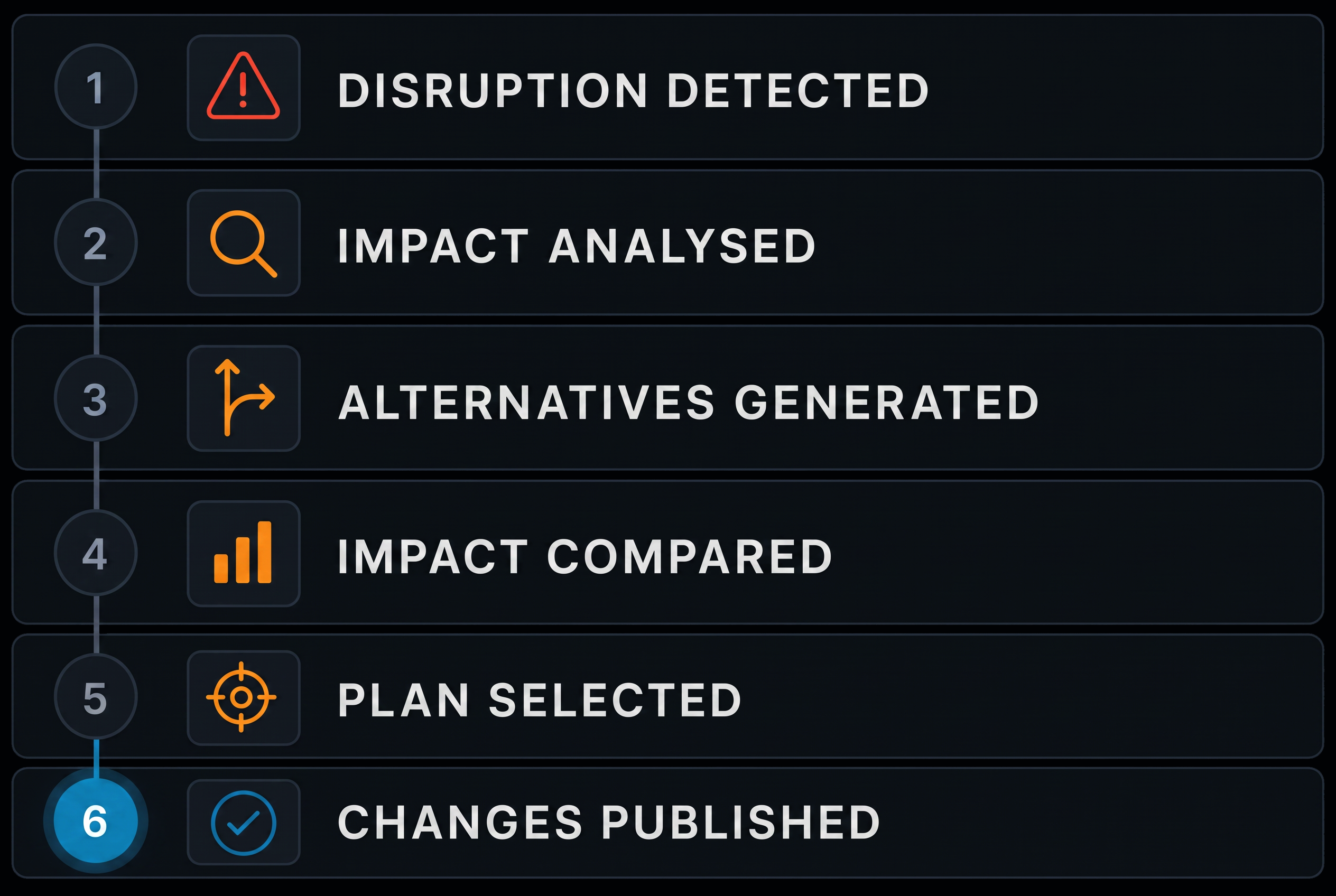
Plans do not survive contact with the day. When something changes, Route360 identifies what’s affected, generates alternative plans and compares the impact of each before you make the next move.
- 1
Disruption occurs
A new urgent job, a traffic incident or a driver who is no longer available.
- 2
Impact analysed
The routes affected are identified, with the jobs and the time at risk on each.
- 3
Alternatives generated
Route options are created automatically in seconds rather than rebuilt by hand.
- 4
Impact compared
Review the time, cost and service impact of each option side by side.
- 5
Plan selected
Choose the best option and update the drivers it affects.
- 6
Changes published
Drivers and customers are updated in real time.
Additional features
Multi stop jobs
Plan pickups, deliveries and service calls on the same route.
Time windows
Plan around service, collection and delivery windows for each stop.
Vehicle capacity
Account for weight, volume, pallets and item counts.
Driver shifts
Plan around driver availability, shift times, skills and qualifications.
Depot rules
Manage start, return and multi depot requirements.
Route templates
Save successful route plans and reuse them.
Historical performance
Use past route performance to inform future plans.
Traffic and road data
Account for live and historical road conditions.
Route splitting
Split work across routes when required.
Driver Breaks
Account for required driver breaks within each plan.
Depot return
Flag routes that may not return to the depot on time.
Optimise a selection
Reoptimise selected jobs without rebuilding the entire plan.
BUILT FOR UK ROUTE OPERATIONS
Plan Around the Reality of Every Journey
From multi stop urban deliveries and long-distance freight to project and service operations, Route360 helps planners build routes around the vehicles, drivers, jobs and operating conditions that shape each journey.
City & Multi Stop Delivery
Plan routes across busy urban operations while keeping stops, time windows, vehicle capacity and driver availability in view.
Long Distance & Regional Freight
Build routes around distance, stops, vehicle capacity and driver requirements, with the flexibility to adjust plans as conditions change.
Changing Conditions
Respond to traffic incidents, delays and unavailable vehicles or drivers without rebuilding the entire plan from scratch.
Multi Site & Multi Depot Operations
Manage routes across depots, sites and operating locations, with start, return and depot requirements built into the planning process.
Project & Site Operations
Plan routes around project locations, site access, delivery windows and operational requirements, with changes kept visible as the day progresses.
Frequently Asked Questions
What can Route360 optimise for?
Optimise for time, cost or distance based on the objective you select, then compare different plan outcomes across the same set of jobs.
What constraints does a plan respect?
Route360 can plan around service and delivery time windows; vehicle capacity by weight, volume, pallets or items; driver shifts, hours, breaks and skills; vehicle type, compartments and equipment; business rules such as priority and order of service; depot requirements; and live and historical road data.
What happens to a job that cannot be planned?
It stays visible as unassigned with the reason it could not be placed, such as no suitable vehicle capacity, a time window that cannot be met, a missing skill or a driver shift that would be exceeded. Each one can be reassigned from the same panel.
What happens to a job that cannot be planned?
It stays visible as unassigned with the reason it could not be placed, such as no suitable vehicle capacity, a time window that cannot be met, a missing skill or a driver shift that would be exceeded. Each one can be reassigned from the same panel.
What happens when the plan changes midday?
Route360 identifies the routes affected, generates alternatives automatically and shows the time, cost and service impact of each before you commit. Once a plan is selected, drivers and customers are updated in real time.
How does this work with Drive360 and Vision360?
Route360 owns the plan and its execution. Drive360 supplies relevant driver and vehicle information used for planning, while Vision360 can provide authorised visual context when an incident or exception needs review.
Can Route360 support UK delivery and logistics operations?
Yes. Route360's route planning, optimisation, live tracking and delivery workflows can support UK delivery and logistics operations, including multi stop and multi location journeys. Specific regulatory requirements or integrations should be confirmed against the operation and product configuration.
See Route360 in Action
See how smarter routes are built around your jobs, drivers, vehicles and real-world constraints.
- Secure, role based access
- Complete audit trail of every change
- Communication via app, SMS and email
- Access across web and mobile