Fleet Maintenance
Keep Your Fleet Ready for the Road
Stay ahead of servicing, track defects and repairs and keep a complete maintenance record for every vehicle.
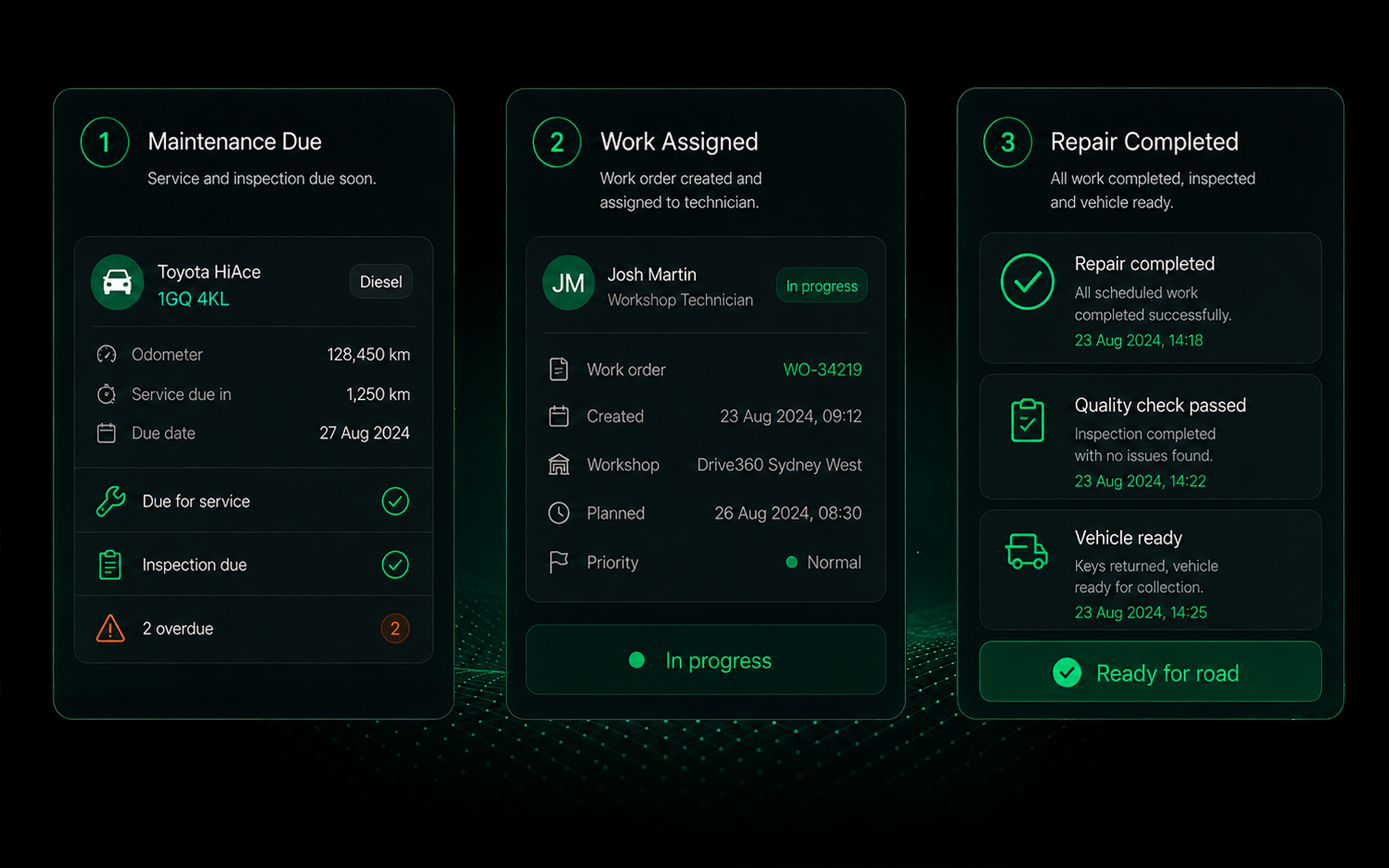
- Smarter Maintenance Planning
- Less Unplanned Downtime
- Connected Service History
- Better Cost & Compliance Visibility
SIMPLIFY FLEET MAINTENANCE
- Reduce reliance on spreadsheets and paper records
- Stay ahead of servicing and vehicle inspections
- Connect defects directly to repairs
- Keep vehicle availability in view
- Reduce reliance on reactive maintenance
- Track maintenance costs and history in one place
Maintenance workflow
Maintenance workflow
1
Capture
Record defects from vehicle checks, telematics or driver reports.
2
Prioritise
Review the issue, set the priority and plan the required work.
3
Create
Create a work order with repair details, parts and instructions.
4
Assign
Allocate the work to the right technician.
5
Repair
Complete the repair and record parts, labour and supporting details.
6
Return to Service
Complete the final review and record the vehicle as roadworthy and ready for use.
Every Vehicle. One Complete Maintenance Record.
Preventative maintenance
- Set service schedules by time, distance or engine hours.
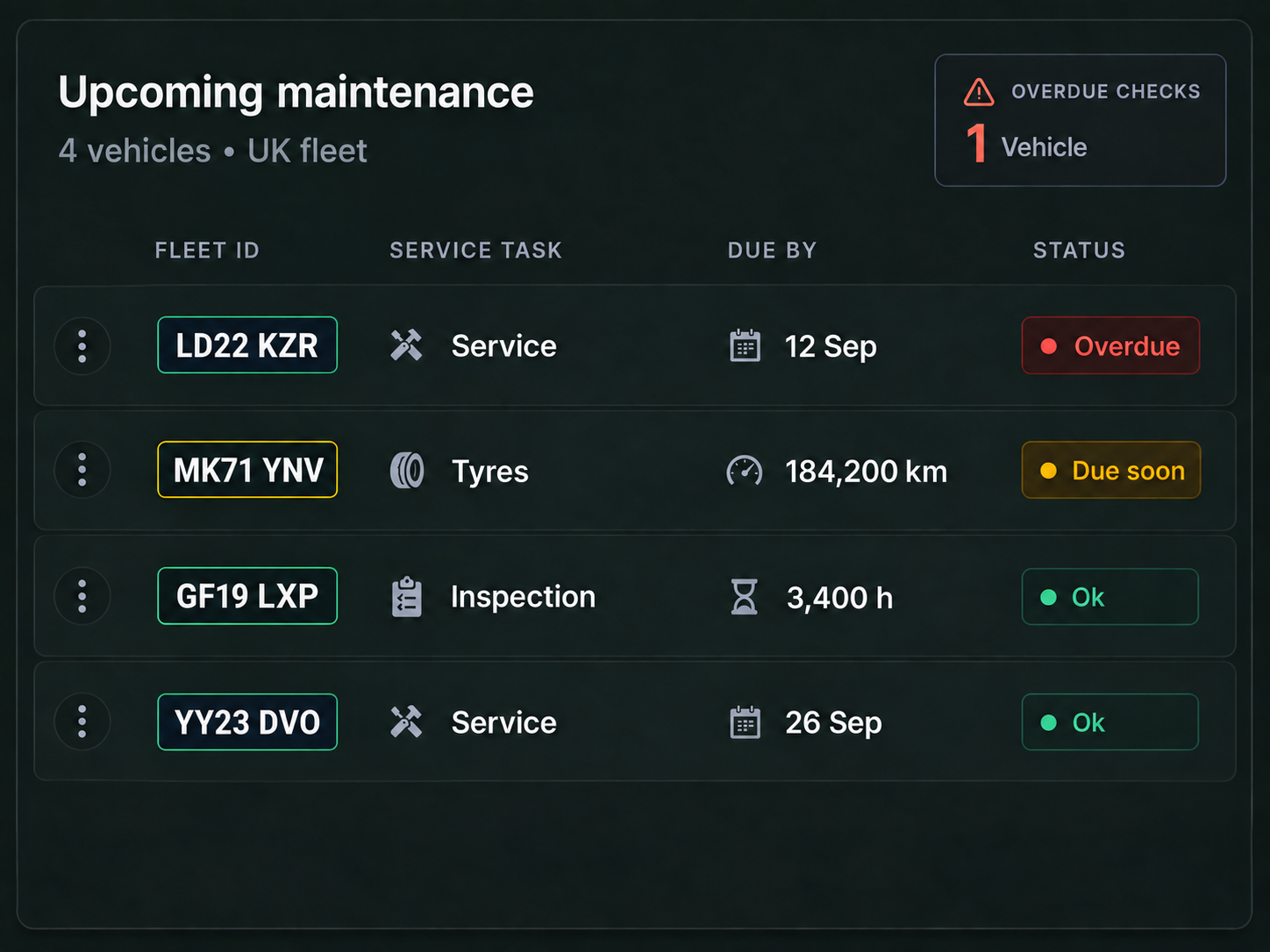
Service scheduling
- Schedule and plan upcoming services across your fleet.

Defect management
- Capture, prioritise and track defects from multiple sources.
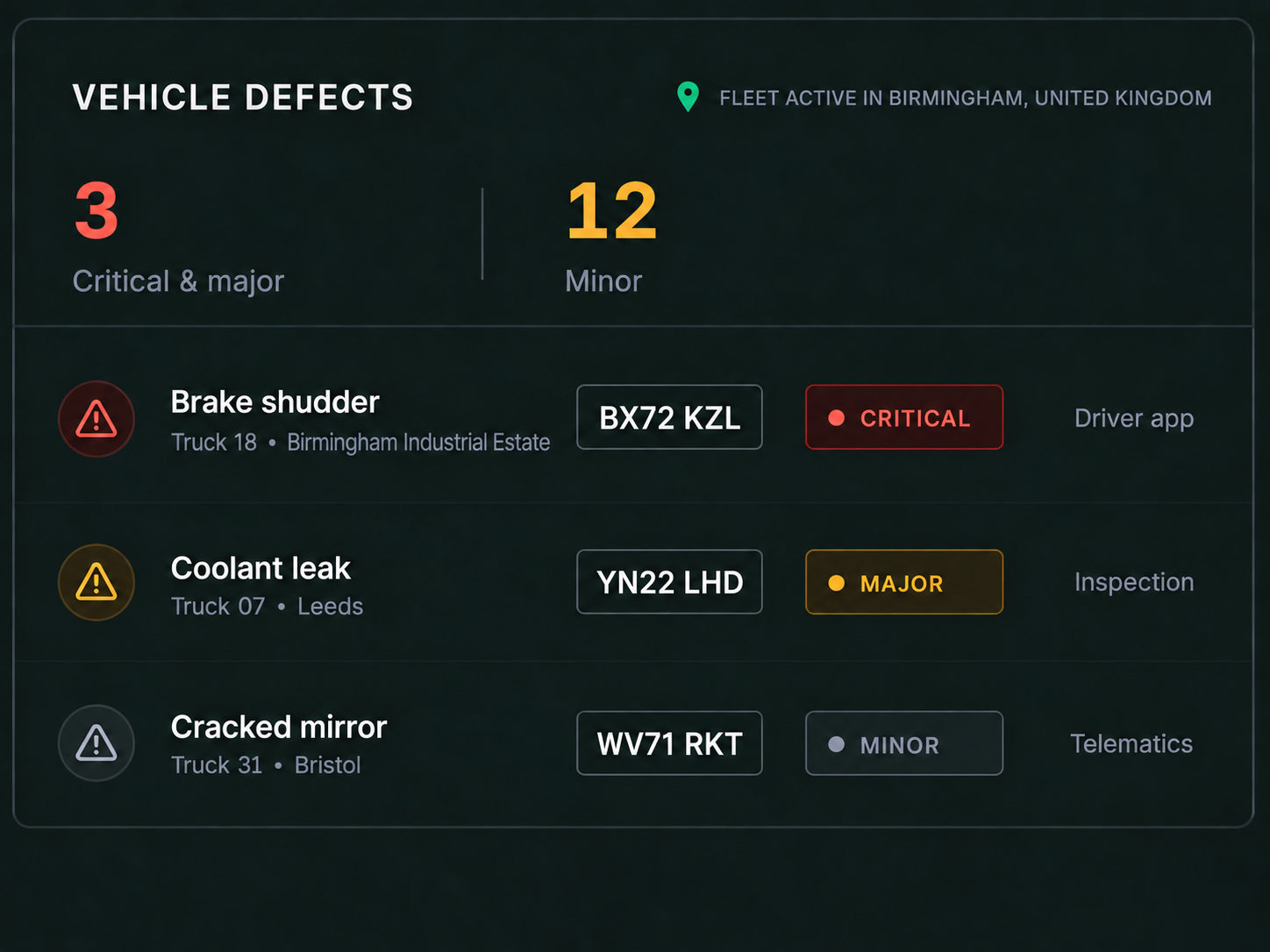
Work orders
- Create, assign and track work orders from start to finish.
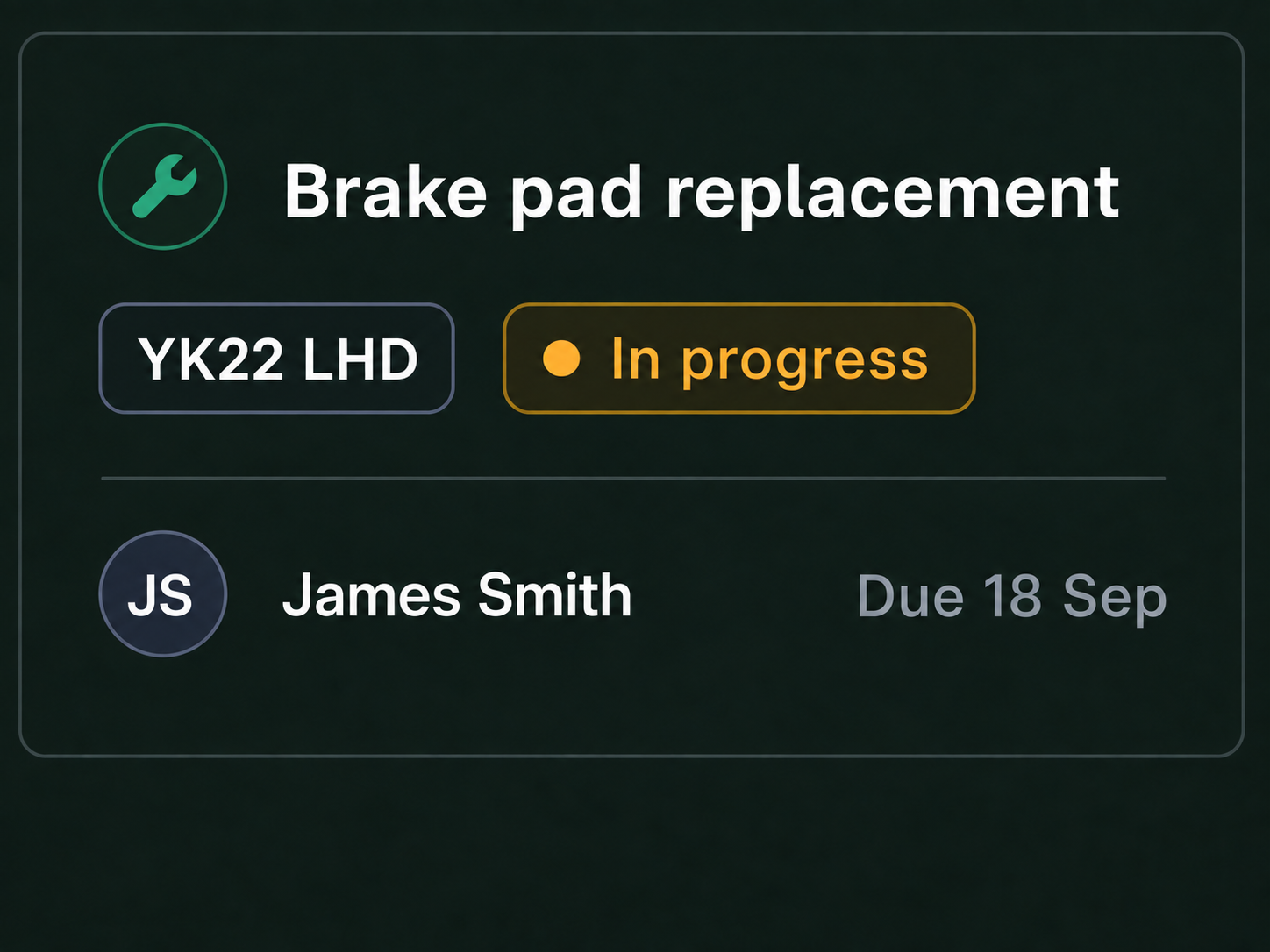
Maintenance history
- Keep services, repairs, inspections and parts together in one vehicle history.
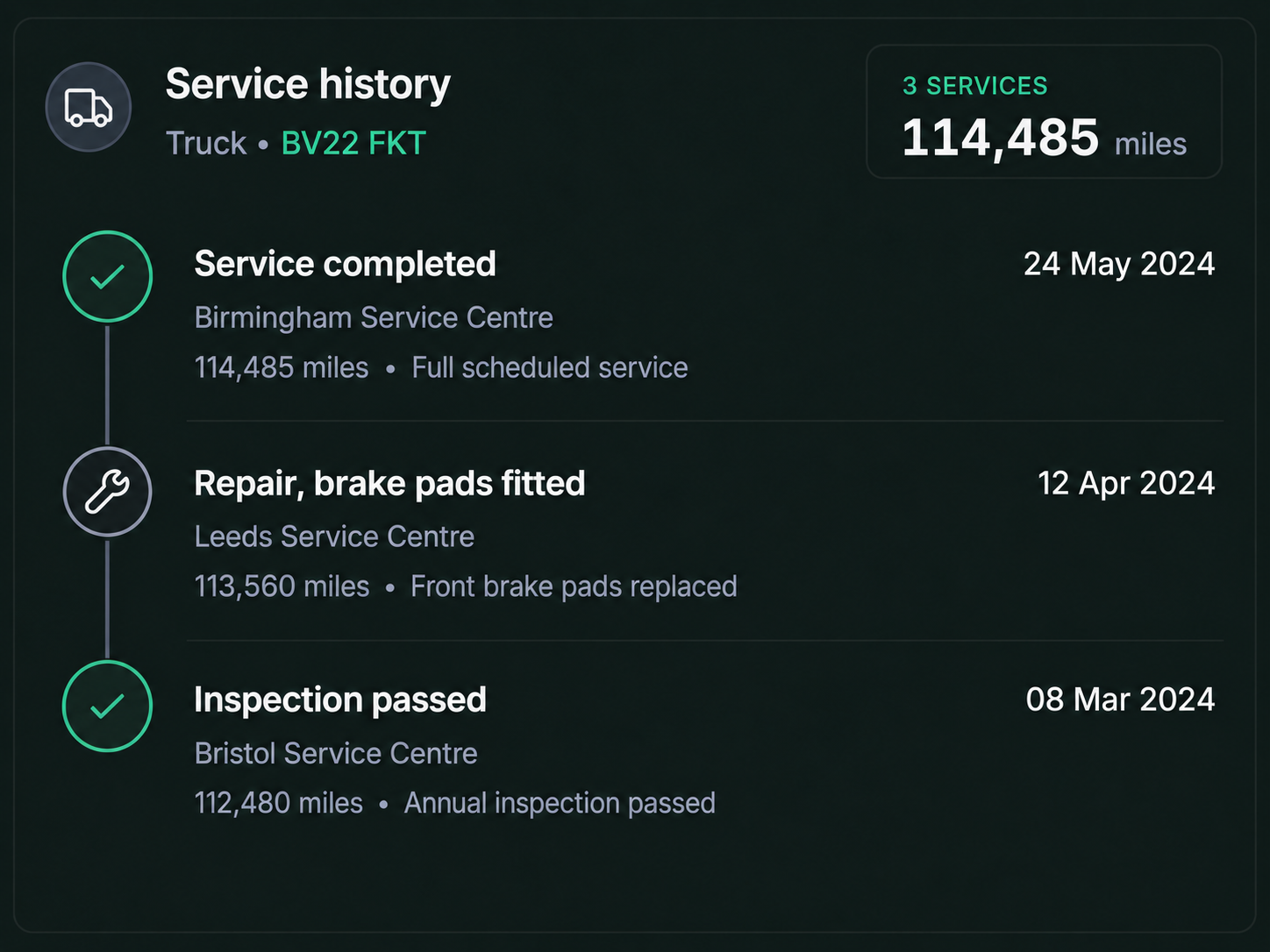
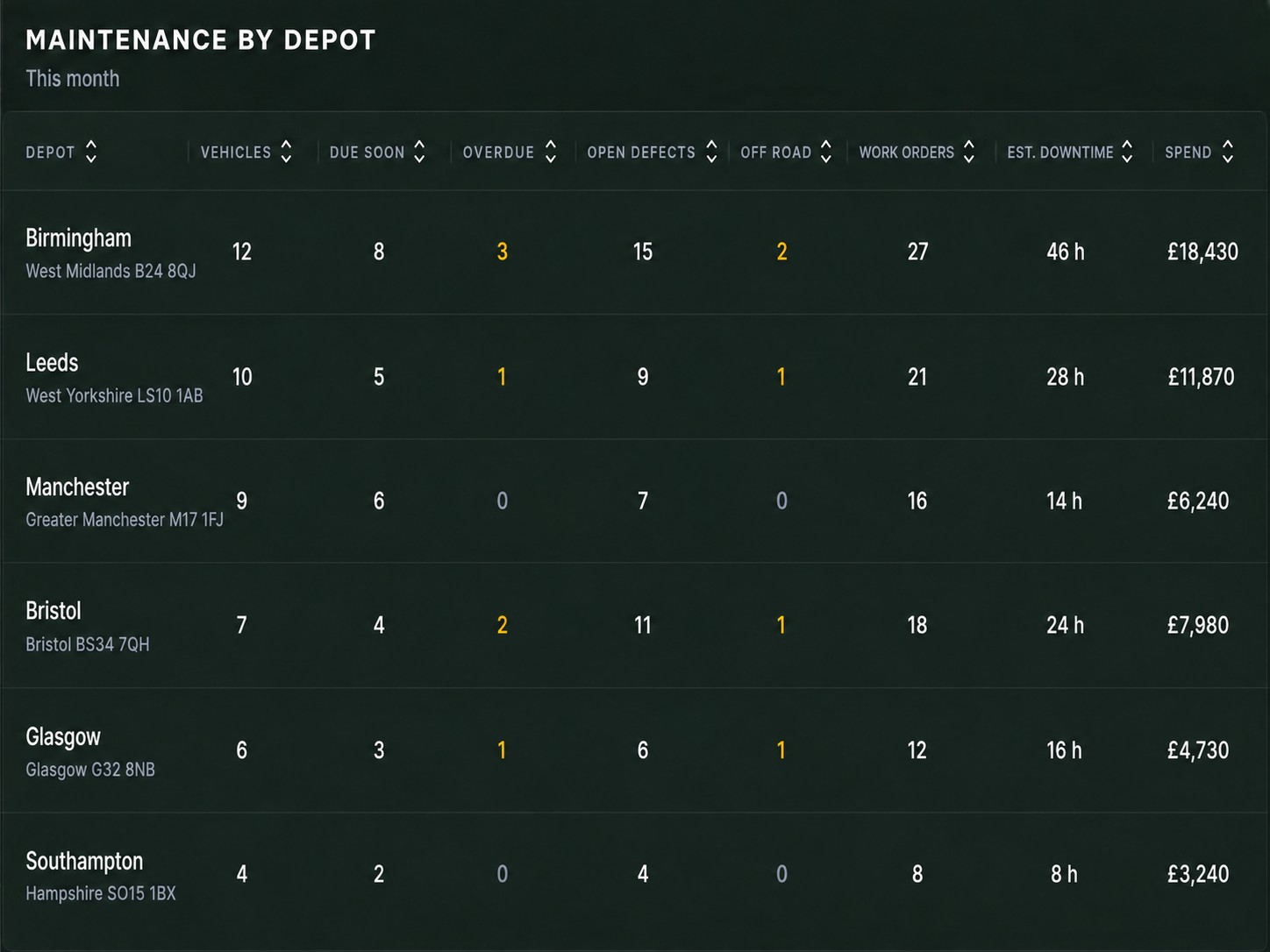
Downtime tracking
- Track vehicles off road, repair times and return to service.
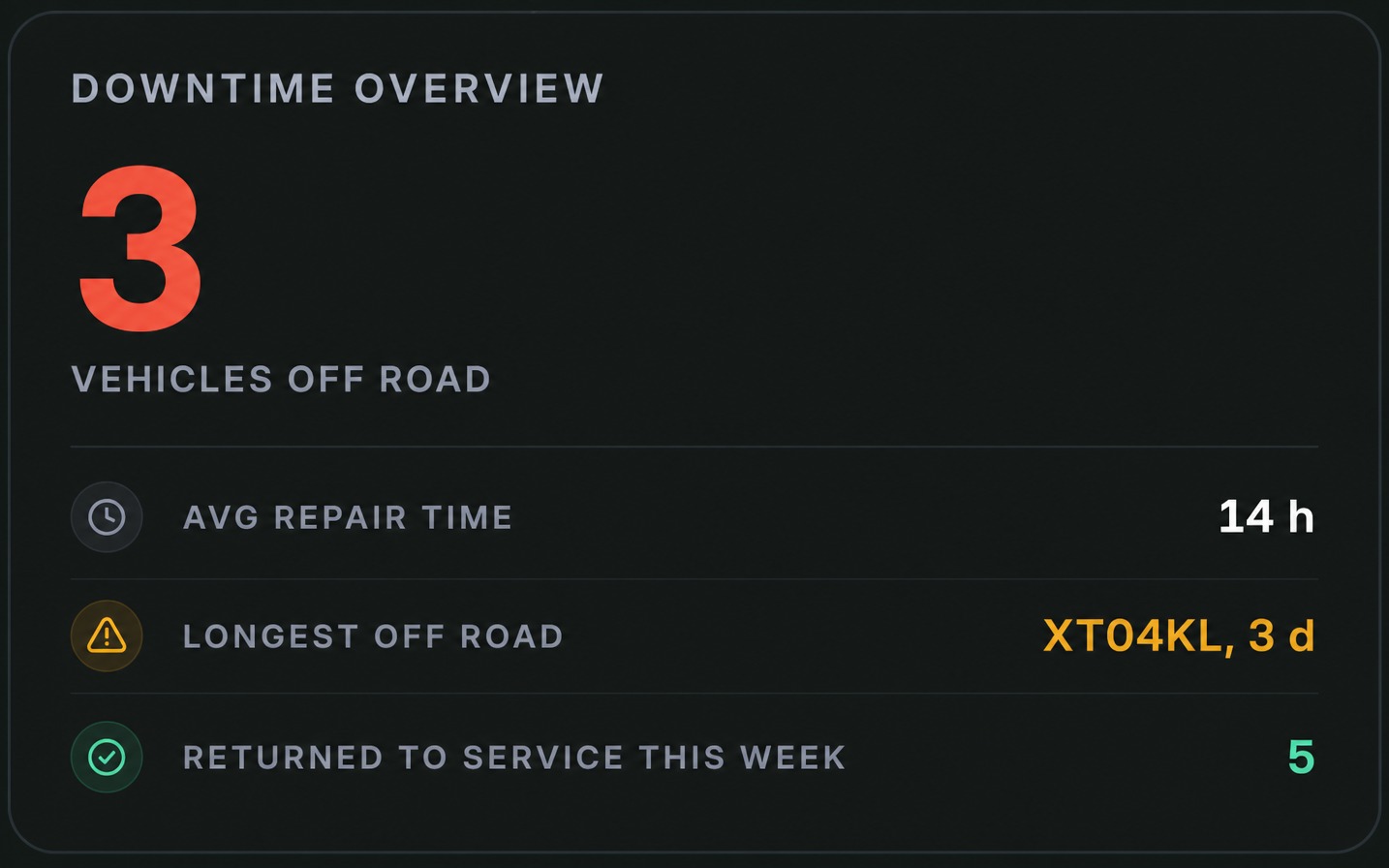
Costs and parts
- Monitor costs, parts usage and budgets in one place.
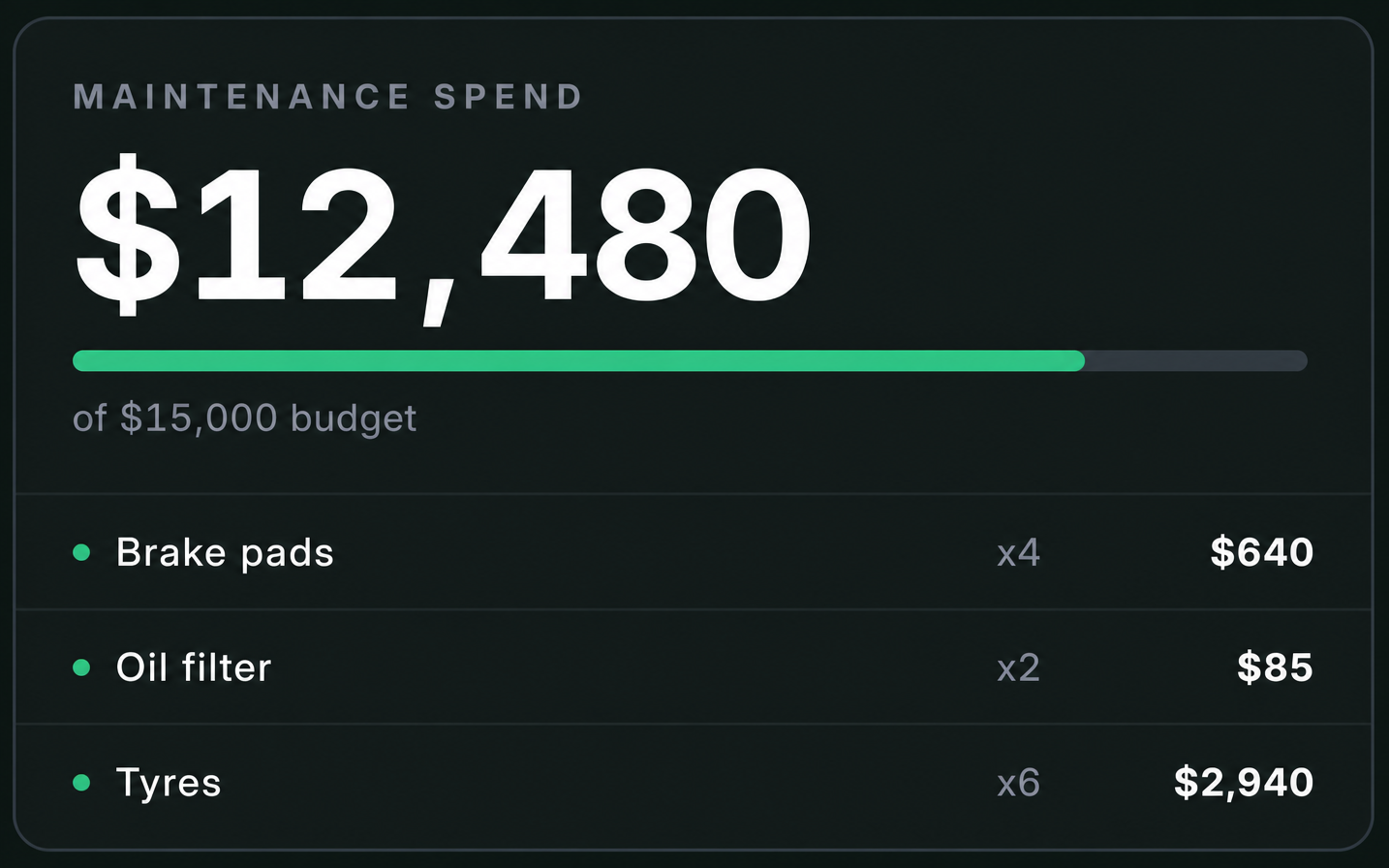
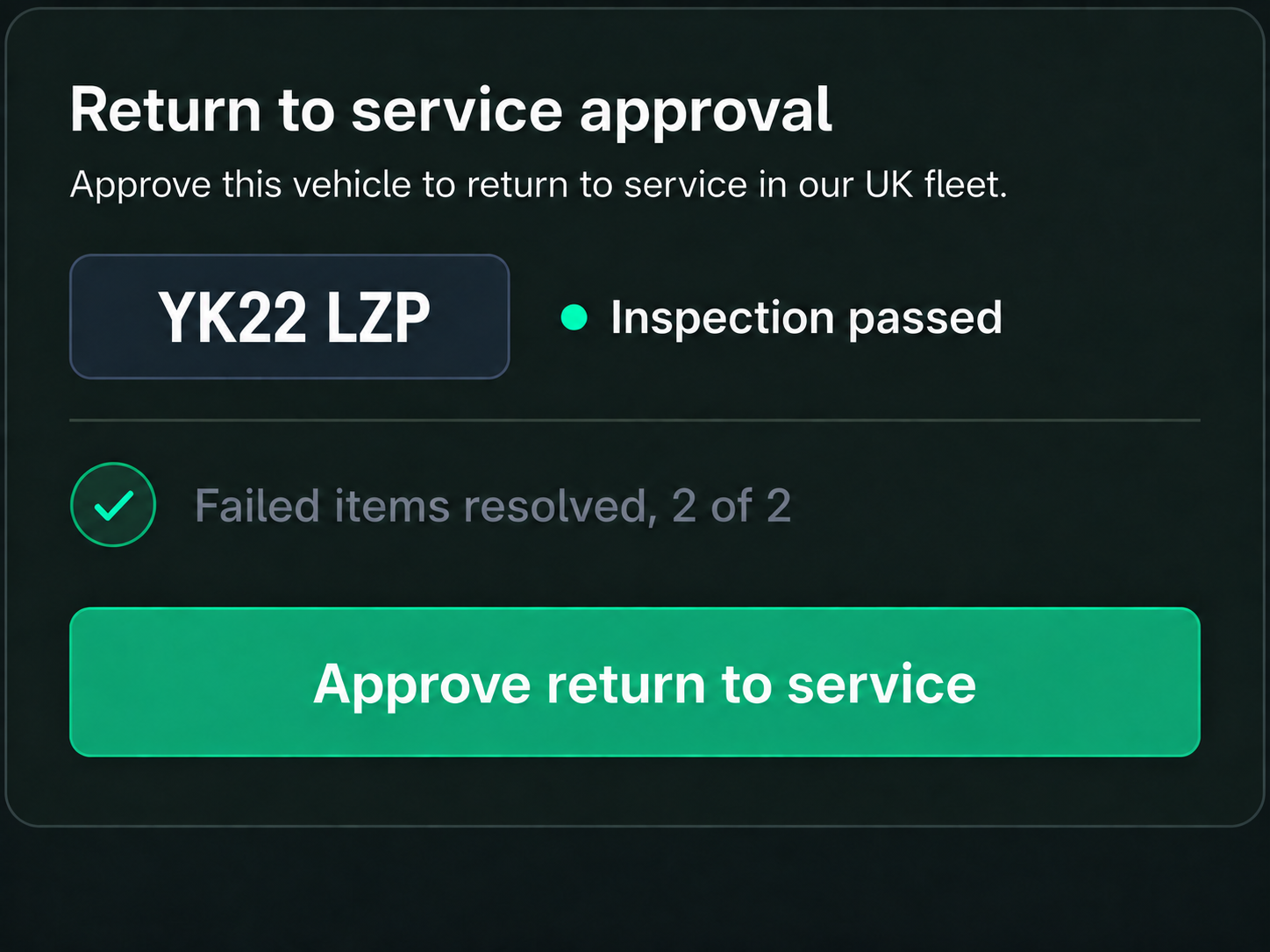
Return to service approvals
- Record inspections and approvals to return vehicles safely to service.
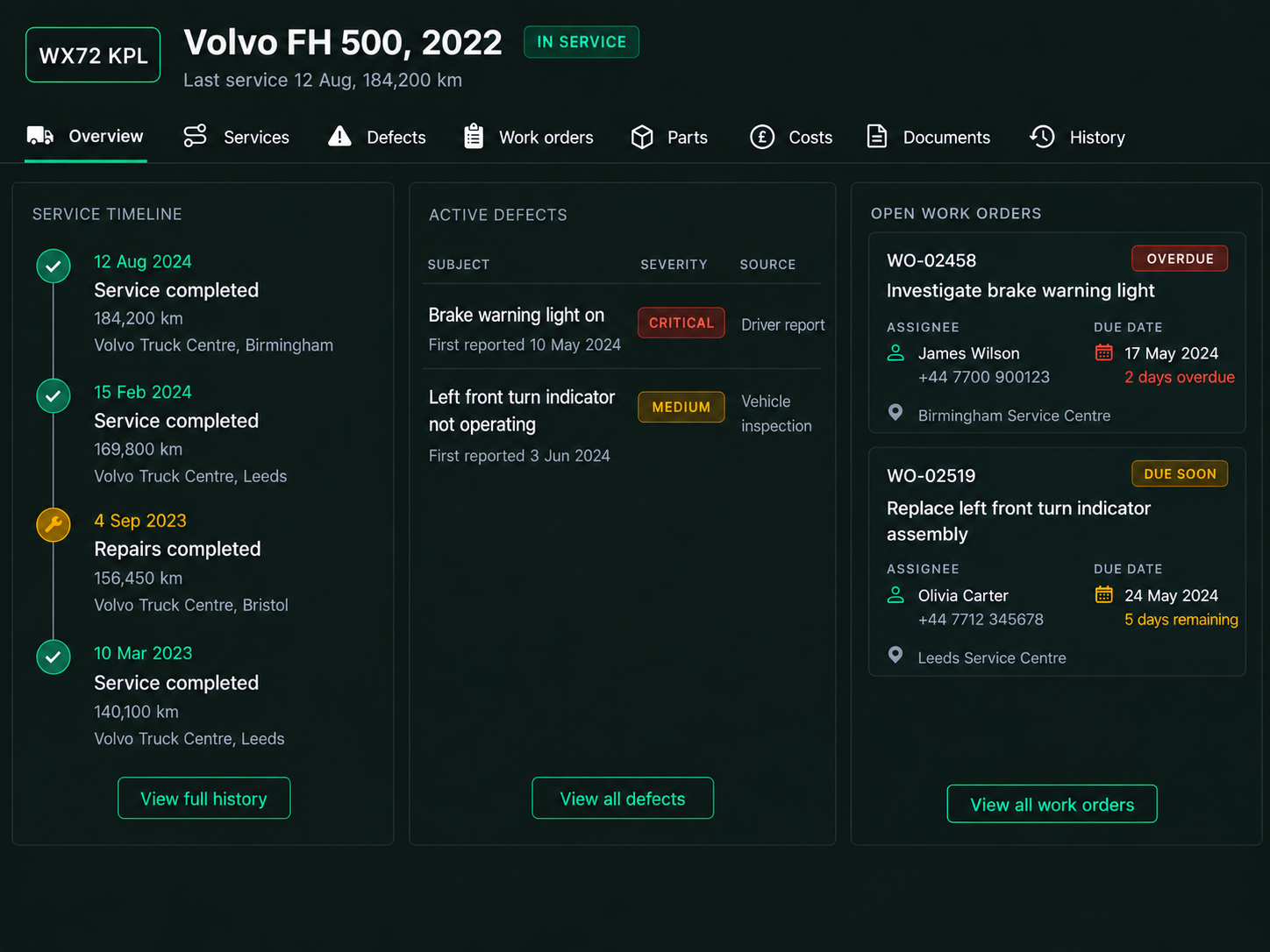
Vehicle maintenance record
Every Service, Defect and Repair in One Record
Keep servicing, defects, repairs, work orders, costs and documents together in one complete vehicle history.
- Service timeline
- Active defects
- Open work orders
- Parts & costs
- Documents & history
- Service status
Vehicle Status. Clearly Visible.
See current condition, service status, active defects and recent maintenance in one view giving your team the context to make informed decisions.
- Odometer & Engine Hours
- Next Service & Interval
- Vehicle Status & Active Defects
- Vehicle Checks & Inspection Status
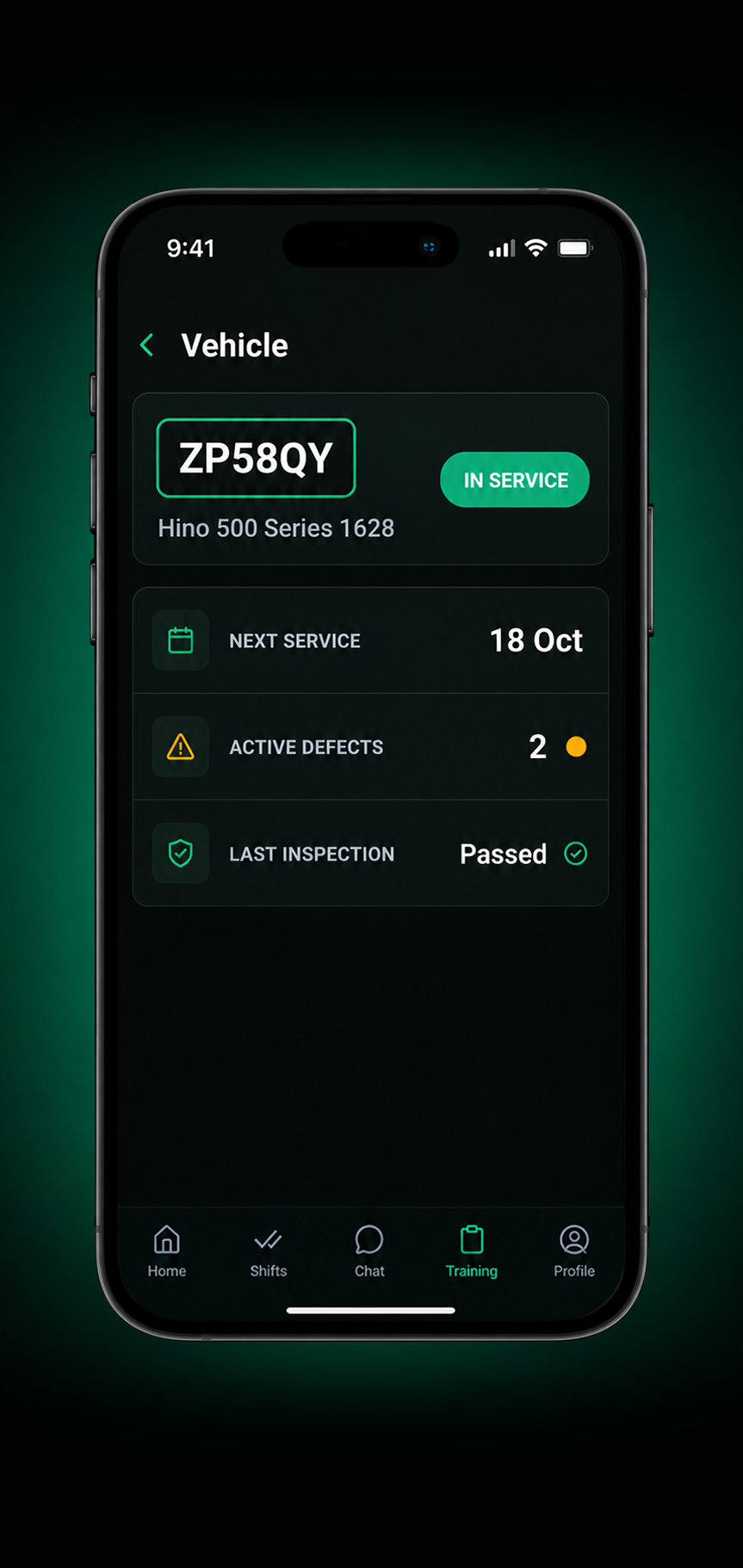
1. Vehicle overview
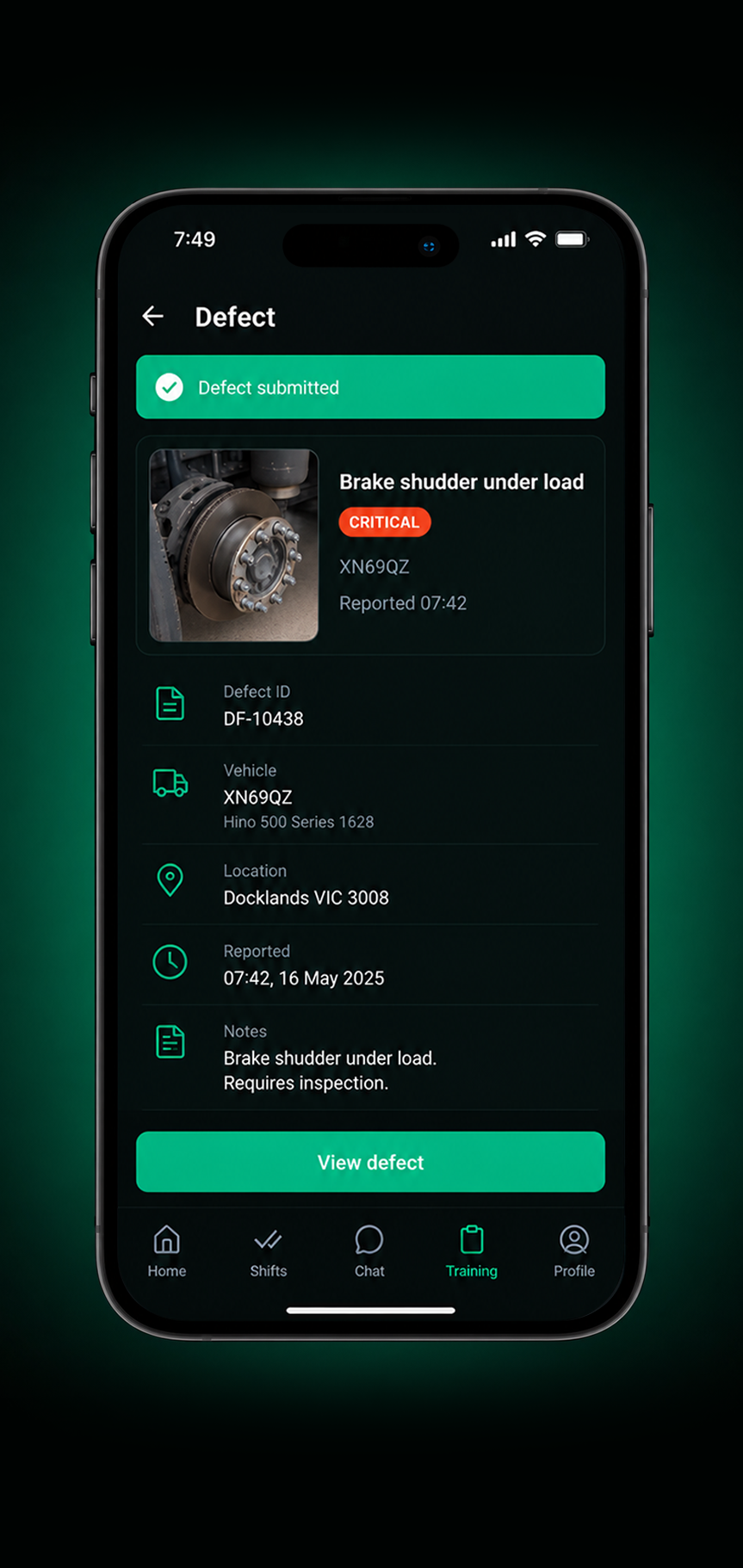
2. Defect reported

3. Work order assigned
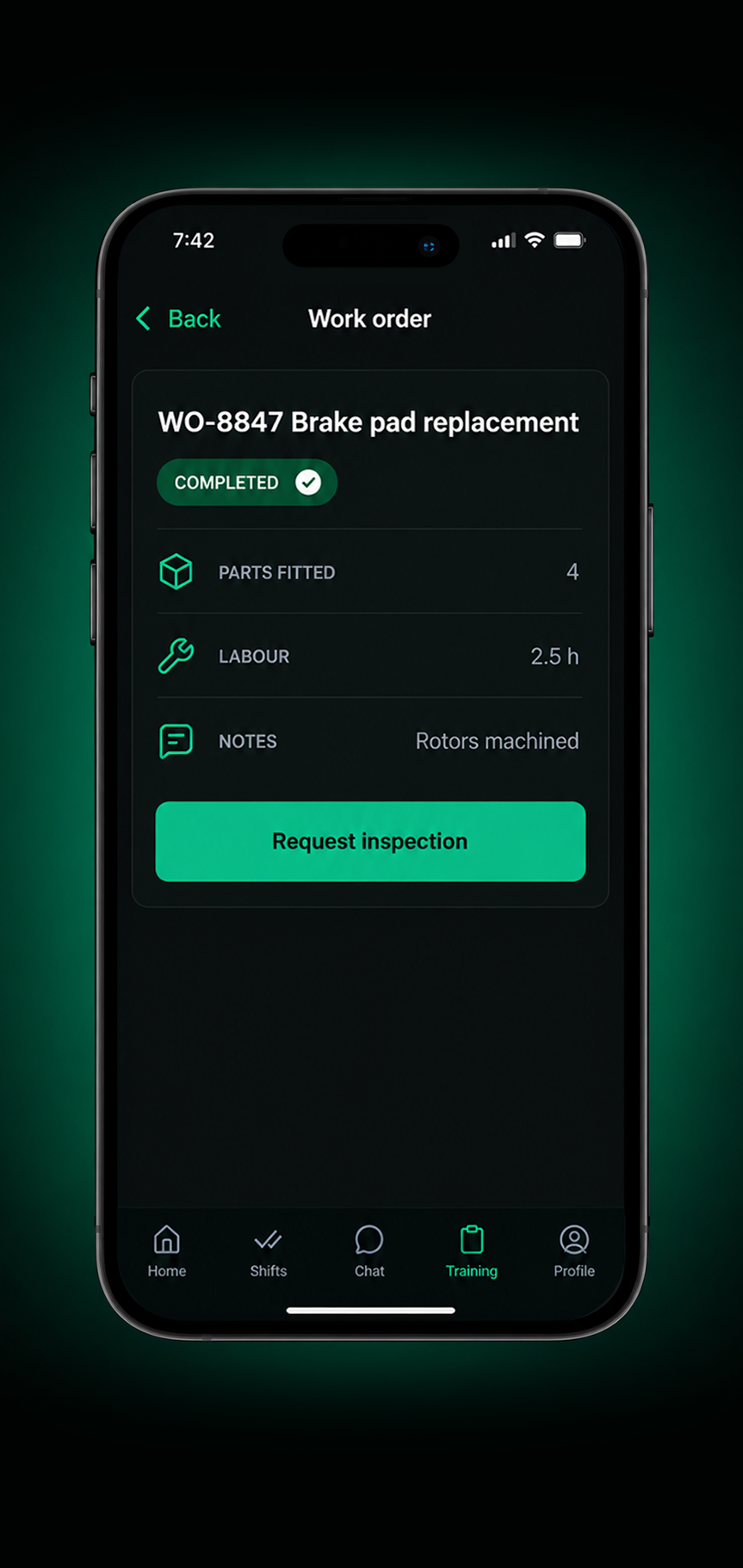
4. Repair completed
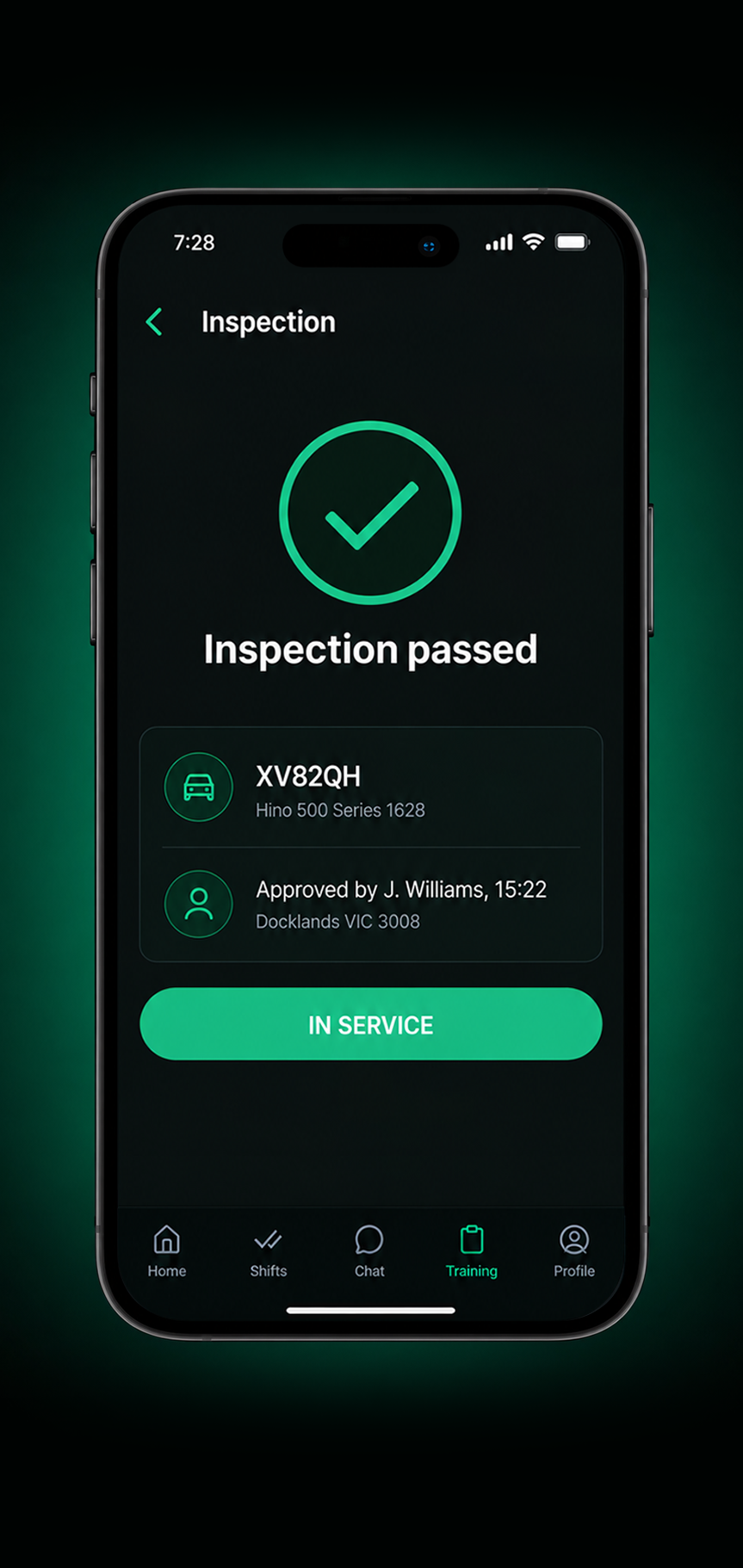
5. Returned to service
Connected Drive360 Workflows
Link maintenance with the rest of your operations for better visibility and smarter decisions.
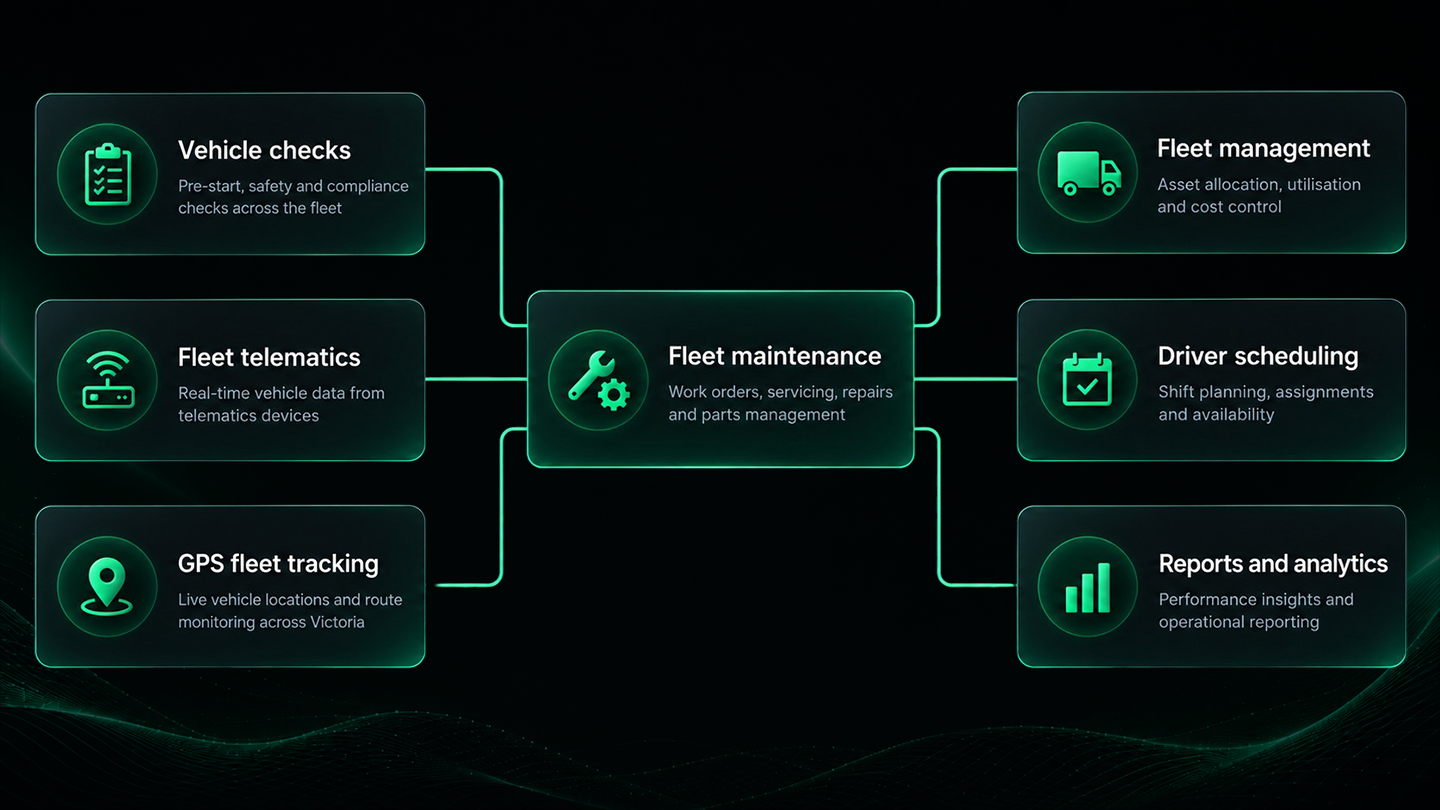
What Smarter Fleet Maintenance Delivers
More Vehicles Ready for Work
Plan servicing around operations and keep vehicle availability in view.
Less Unplanned Downtime
Identify and address defects earlier, helping reduce the risk of bigger issues and unexpected downtime.
Better Cost Control
Plan maintenance, track spend and reduce reliance on reactive repairs.
Complete Vehicle Histories
Keep every service, defect and repair connected to the right vehicle.
More Confident Planning
Know vehicle availability and maintenance status before making operational decisions.
Better Compliance Visibility
Keep inspections, repairs and maintenance records together and ready for review.
Frequently Asked Questions
What can Drive360 track for fleet maintenance?
Drive360 keeps servicing, vehicle checks, inspections, defects, work orders, repairs, parts, costs and downtime connected to the vehicle record.
Can maintenance be scheduled in advance?
Yes. Preventative maintenance can be scheduled by time, distance or engine hours, with upcoming services visible across the fleet.
Can defects flow into maintenance?
Defects captured through vehicle checks, telematics or driver reports can be recorded in Drive360 and used to create follow up maintenance work.
How are maintenance work orders managed?
Work orders can include repair details, parts and instructions, then be assigned to a technician and tracked through completion.
Can I see which vehicles are off the road?
Yes. Drive360 shows vehicle availability, active defects, open work orders and downtime so teams can see which vehicles are unavailable and why.
Does Drive360 keep a complete maintenance history?
Yes. Each vehicle can have a record of services, defects, repairs, work orders, parts, costs, documents and return to service activity.
Keep Maintenance Connected to Your Operation
Bring defects, servicing and vehicle status into the wider operational picture all within Drive360.
- Flexible configurations
- Quick and easy setup
- 24/7 support